Esta página no es una página oficial de la aplicación ni de su desarrollador, sino una publicación editorial independiente creada con fines informativos y de comentario. Salvo que se indique expresamente lo contrario, ni la aplicación ni su desarrollador están afiliados, respaldados, patrocinados, autorizados ni conectados oficialmente con MWM, Apple, Google Play, el editor de la aplicación ni su desarrollador, y nada en esta página implica que la aplicación haya sido desarrollada utilizando los servicios de MWM. Todas las marcas comerciales, logotipos, capturas de pantalla y demás contenidos son propiedad de sus respectivos propietarios.
五笔输入法 2
Domina el arte estructural de escribir. Experimenta el teclado Wubi definitivo con las versiones 86, 98 y New Century diseñadas para una escritura ultrarrápida y sin errores, y la preservación cultural en iOS.
Cifras Clave
Descargas
0
Valoración
3.3/5
Total valoraciones
0
Editor
ShenZhen Yuyue Technology Co., Ltd.
Categoría
Lifestyle
Idiomas
1
Última versión
1.6.81
Tamaño
94.4 MB
Fecha de lanzamiento
23 oct 2019
Funciones
La elección profesional para la entrada china
Domina el arte de la escritura estructural. Wubi 2 aporta velocidad máxima y precisión de caracteres a tu dispositivo iOS, ayudándote a mantener tu ventaja lingüística en EE. UU.
Entrada ultrarrápida
Alcanza velocidades de 60 a 120 caracteres por minuto escribiendo caracteres individuales sin el retraso de la selección de candidatos fonéticos.
Estructura sobre sonido
Deja de depender del Pinyin. Construye caracteres como bloques de construcción para prevenir la 'amnesia de caracteres' y mantener afilada tu alfabetización estructural.
Las siguientes capturas de pantalla y la descripción provienen directamente del listado oficial de la tienda de la aplicación y son propiedad del desarrollador.
App Store
Capturas
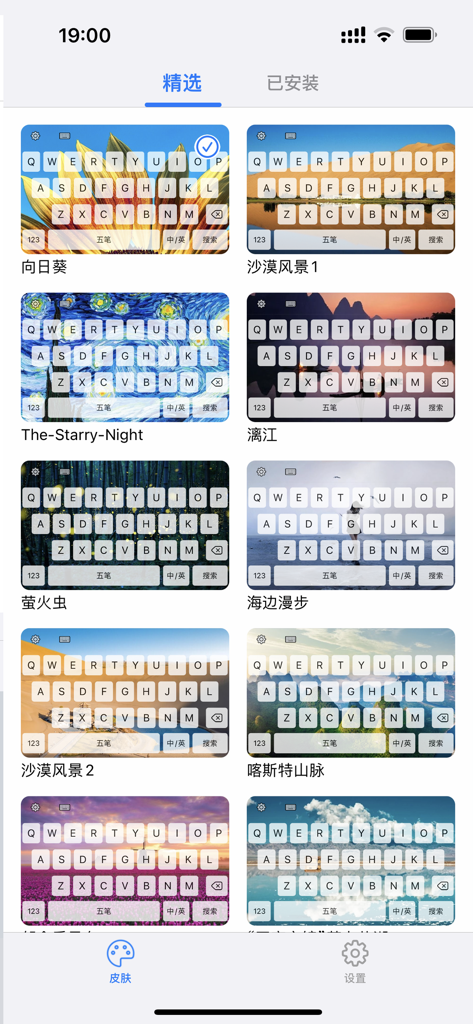
Una galería de skins de teclado personalizables para la aplicación Wubi Input Method 2 con fondos escénicos y artísticos.
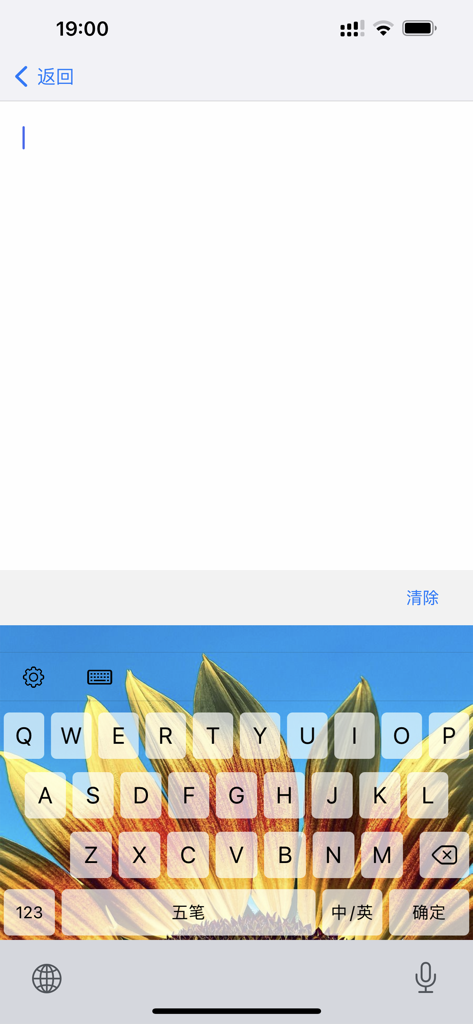
Interfaz de teclado de la aplicación móvil Wubi Input Method 2 con fondo de girasol y caracteres chinos
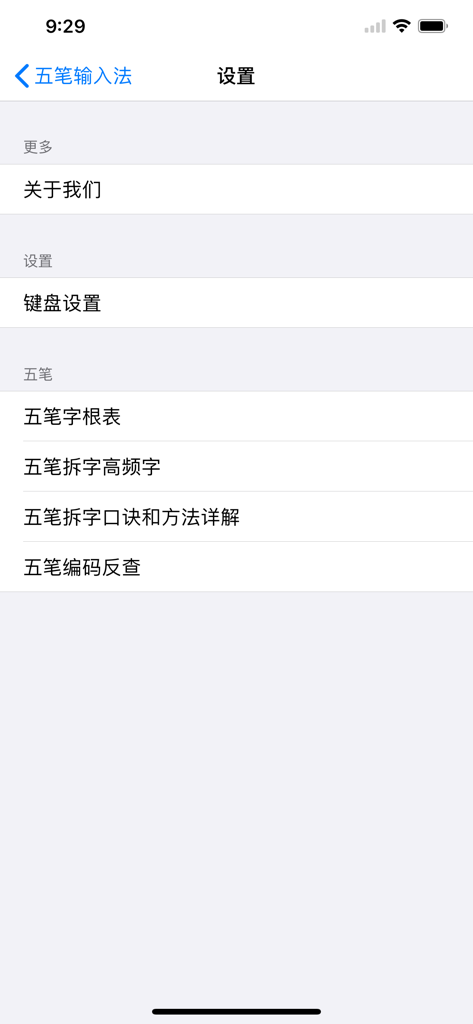
Menú de configuración de la aplicación Wubi Input Method 2 que muestra la configuración del teclado y los recursos de aprendizaje de caracteres
Descripción
Wubi Input Method - The Best Input Method to Use
Since its inception in 1983, the Wubi input method has had three finalized versions: the 86 version, the 98 version, and the New Century version (New Century Wubi Character Input Method). These three Wubi versions are collectively known as Wangma Wubi. Currently, the most influential and widely used is the 86 version of the Wubi encoding scheme. The newly designed radical system is more in line with the principles of regional division and positioning, making it more scientific, easier to remember, and practical. Character decomposition is more standardized, and code input is more effortless.
Advantages of Wubi
1. Typing is like writing, easy and without searching—The process of typing a character is very similar to handwriting. Typing individual characters can reach speeds of 60-120 words per minute (much easier and faster than handwriting). You basically don't need to select characters, allowing your thoughts to focus on the content you are writing.
2. Building Chinese characters like blocks, improving language skills step by step—If radicals are compared to [Chinese character blocks], typing with Wubi becomes a game similar to children playing with building blocks. It is not only beneficial for the brain but also of great significance for teaching Chinese characters. For example, [美] is [丷 + 王 + 大], not [丷 + four horizontal lines + 人] as some students write. The semi-enclosed part of [尴] is 尢, not [九]. In fact, to correct a child's writing habit by having them copy it ten times is not as effective as having them type it ten times with Wubi, and it takes less time. Typing with Wubi is equivalent to having a free Chinese teacher.
3. Compared to Pinyin input methods—Wubi can achieve speeds that handwriting cannot match by typing individual characters (typing individual characters is the real and meaningful speed). Pinyin has to rely on typing as many phrases as possible to achieve the same speed. Users always need to monitor whether the computer and their minds are in sync, thus failing to completely liberate the writer's thoughts and eyes. Pinyin and Wubi are like the relationship between running and cycling.
4. Compared to voice input methods—Wubi has a wider range of applications, while voice input is inevitably affected by situations, time, dialects, and homophones. It is not suitable for crowded or noisy places, such as classrooms. It can not only cause interference between users but also disturb others' rest or work.
5. Compared to recording (or video)—Text typed with Wubi can be directly read, edited, or printed, and even read aloud by the computer. However, listening to 10 hours of recordings will take another 10 hours to listen through. If you want to transcribe it into text, it will take at least more than 10 hours.
6. Compared to handwriting input methods—Wubi is faster and more accurate than handwriting when typing individual characters, and it is also easier on the eyes. Handwriting input is equivalent to returning to the era before computers—the origin of handwriting. Handwriting input methods only solve the problem of whether it is possible to input Chinese characters on a computer, without considering efficiency. No matter how computer technology develops, it can at best only reach the speed of handwriting on paper, which cannot compare to Wubi at all.
7. Compared to full-page scan and recognition input—Strictly speaking, scan input is only a technical means of processing existing (ready-made) manuscripts. That is, scanning and recognizing existing manuscripts, whether handwritten, typed, or printed in books, is only a technical processing of one's own or others' existing achievements, not original text production.
Learning Methods
Learning Process
Wubi Learning Method and Steps: Familiarize with radicals -> fully understand encoding rules -> master character decomposition principles -> practice and consolidate.
Familiarizing with radicals means: being able to write down all the radicals without omission and clearly understanding the distribution rules of radicals and keyboard layout. It is recommended to use a dictionary or related application that can look up Wubi codes. Effective cooperation with the above process will be of great help to beginners.
Two Methods
1. Rhyme Method—First, quickly, systematically, and firmly grasp the radicals through rhymes, and then master the character decomposition rules.
2. No Rhyme Method—Remember the radicals by observing the arrangement characteristics of the radical table and during character decomposition practice.
Automatic Renewal Service Agreement: https://yuyue.media/xf.html
Privacy Policy: https://yuyue.media/privacy.html
Esta página no es una página oficial de la aplicación ni de su desarrollador, sino una publicación editorial independiente creada con fines informativos y de comentario. Salvo que se indique expresamente lo contrario, ni la aplicación ni su desarrollador están afiliados, respaldados, patrocinados, autorizados ni conectados oficialmente con MWM, Apple, Google Play, el editor de la aplicación ni su desarrollador, y nada en esta página implica que la aplicación haya sido desarrollada utilizando los servicios de MWM. Todas las marcas comerciales, logotipos, capturas de pantalla y demás contenidos son propiedad de sus respectivos propietarios.