Yaba Sanshiro 2

Yaba Sanshiro 2

Descargar en App StoreDescargar en Google Play
Logo de Yaba Sanshiro 2

Yaba Sanshiro 2: La Experiencia SEGA Saturn Definitiva en iOS

Revive la era de 32 bits con precisión pixelada. Experimenta emulación de alto rendimiento con resolución de renderizado 4x, estados guardados y soporte de control MFi para el purista del retro gaming.

Editor

devMiyax

Categoría

Entertainment

Descargas

12K+

Valoración

4.4/5

Total valoraciones

100

Idiomas

6

Perfección de 32 Bits

Descubre la interfaz utilizada por 12K+ usuarios.
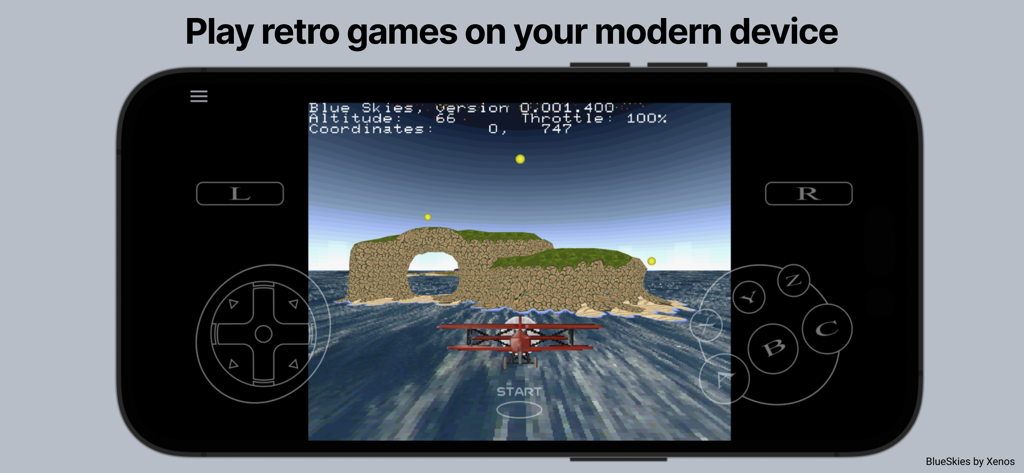
Juego de vuelo retro ejecutándose en el emulador Yaba Sanshiro 2 SEGA Saturn con controles en pantalla

Juego de vuelo retro ejecutándose en el emulador Yaba Sanshiro 2 SEGA Saturn con controles en pantalla

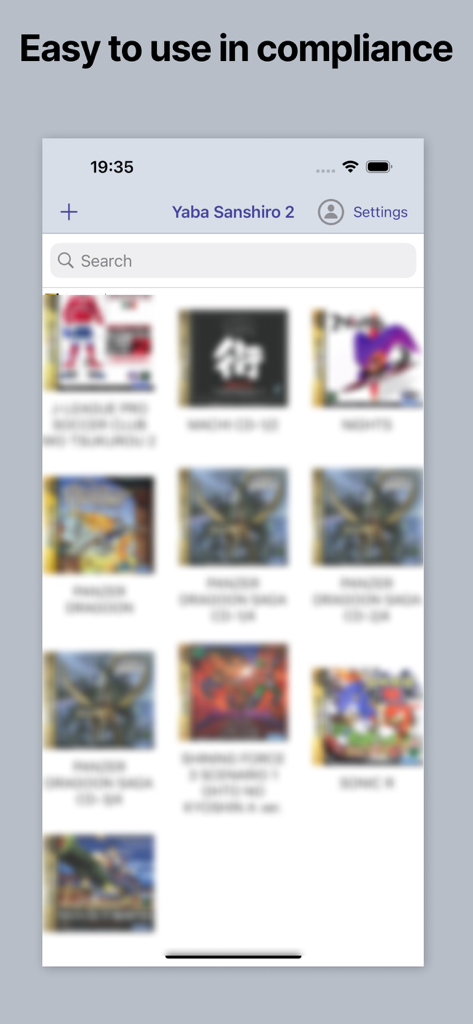
Interfaz de la app Yaba Sanshiro 2 mostrando una biblioteca de juegos Sega Saturn

Interfaz de la app Yaba Sanshiro 2 mostrando una biblioteca de juegos Sega Saturn

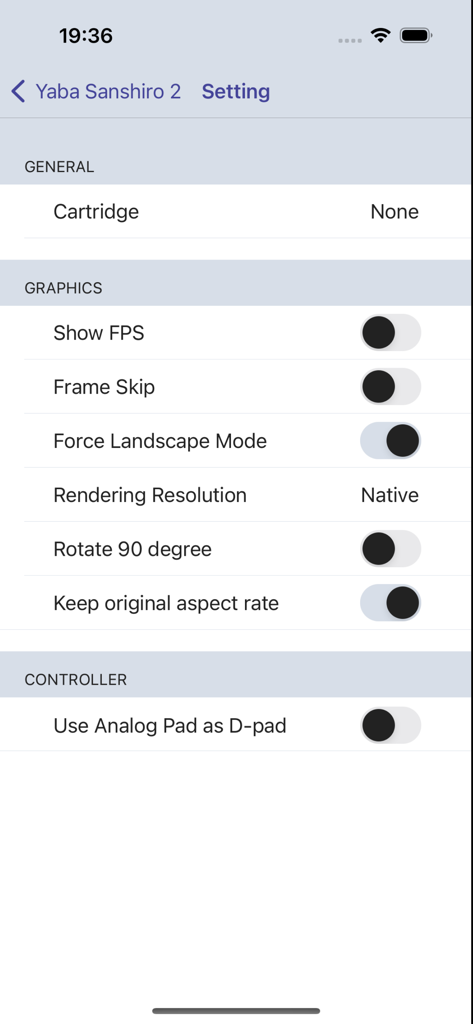
Menú de configuración de Yaba Sanshiro 2 mostrando opciones gráficas como FPS y resolución de renderizado.

Menú de configuración de Yaba Sanshiro 2 mostrando opciones gráficas como FPS y resolución de renderizado.

La Experiencia Definitiva de la Consola de 32 Bits

Las herramientas que hacen destacar esta app, elegida por 12K+ usuarios.

🕹️

Auténtica Emulación a 60 FPS

Revive la edad de oro de los videojuegos con un rendimiento pixel-perfect y sonido de alta fidelidad que replica la arquitectura original de doble CPU.

💎

Mejora de Alta Definición

Da nueva vida a tus clásicos con hasta 4 veces la resolución de renderizado, relaciones de aspecto personalizadas y modos apaisados optimizados para pantallas modernas.

🎮

Control y Expansión de Nivel Profesional

Domina tu biblioteca con soporte completo para controladores MFi, estados guardados instantáneos y cartuchos de RAM virtuales para los ports de arcade que más demandan.

Sobre la app

Todo lo que necesitas saber sobre Yaba Sanshiro 2.

Descripción

'Yaba Sanshiro' has implemented Saturn hardware using software, allowing you to play Saturn games on iOS devices. For copyright protection, 'Yaba Sanshiro' does not include BIOS data or games. You can play your games by following these instructions: You can also check out this YouTube video. https://www.youtube.com/watch?v=VxHDJR2Xcf4 # What You Need * iPhone 8 or above * Mac or PC * Saturn game CD-ROM * CD drive connected to your Mac or PC # Steps 1) Dump the CD-ROM image from your own SEGA Saturn game CD-ROM. If you are using a PC, you can use our dumping tool. If you are using a Mac, follow these steps: * Install the CD-ROM dump tool. AnyToISO Converter is recommended. * Dump your CD-ROM. The .cue format is recommended. * Install brew. * Install chdman with this command: ```brew install rom-tools``` * Convert the CD-ROM image to a CHD file with this command. Replace [game file name] with the name you assigned to the CD-ROM image: ```chdman createcd -i [game file name].cue -o [game file name].chd``` 2) Transfer the CHD file to a location accessible by your iPhone. The iCloud Drive is the easiest option. 3) Run YabaSanshiro on your iPhone. 4) Tap the + button and select your CHD file. 5) Tap the CHD file you added. The game will then start. --- # Menu By pressing the menu button, you can display the menu screen. ## Exit Return to the home screen. ## Reset Restart the virtual device. ## Change Disk ## Save State Save the current state. ## Load State Load a previously saved state. ## Game Controller ## Settings ### Cartridge Select the type of cartridge installed on your emulated SEGA Saturn. Backup RAM is an external backup RAM to save game data. RAM is an external RAM for specific games that require a large amount of RAM, like King of Fighters. ### Show FPS Show or hide the Frames Per Second (FPS), which indicates the speed of emulation on your device. ‘60/60’ represents optimal performance, equivalent to the actual SEGA Saturn speed. ### Frame Skip When FPS is less than 60, uoYabause skips frames to reach 60 FPS. If this option is enabled, YabaSanshiro may drop frames, which could disrupt the internal SEGA Saturn emulation. ‘Off’ is recommended for accurate emulation. ### Force Landscape Mode Automatically switch to landscape mode when emulation starts. ### Rotate 90 Degrees The screen is rendered rotating 90 degrees for some vertical scrolling games like 'RayForce'. ### Keep Original Aspect Ratio If this option is disabled, YabaSanshiro stretches to fill the entire screen. Otherwise, YabaSanshiro maintains the classic 4:3 screen size. ### Rendering Resolution * Native - Native resolution of your iOS device. * 4x * 2x * Original - Original Saturn resolution. ### Sound Engine You can choose between 'High quality but heavy' or 'Low quality but light'. ### Controller YabaSanshiro includes an on-screen gamepad, but you can also use MFI game controllers, which Apple officially supports. License: GNU GENERAL PUBLIC LICENSE Version 2 https://raw.githubusercontent.com/devmiyax/yabause/master/LICENSE Source Code: https://github.com/devmiyax/yabause Privacy Policy: https://www.yabasanshiro.com/privacy

Última versión

1.18.15

Tamaño

48.9 MB

Fecha de lanzamiento

2 ago 2024

Tu Biblioteca SEGA Saturn, Renacida en iOS

Desempolva tu colección de CD-ROM y experimenta un rendimiento pixel-perfect con hasta 4 veces la resolución nativa. La era de 32 bits es oficialmente portátil.

Descargar en App StoreDescargar en Google Play

App information, icons, screenshots, and descriptions displayed on this page are sourced from the Apple App Store and are the property of their respective developers. Download estimates and rankings are based on MWM's proprietary models and may not reflect actual figures. This page is provided for informational and analytical purposes only.

Believe this page infringes your intellectual property? File a dispute