ZiBot

ZiBot

Descargar en App Store
Logo de ZiBot

ZiBot: Transforma tu smartphone en un dispositivo IoT funcional para prototipos instantáneos

Evita los obstáculos del hardware y experimenta Zoho IOT hoy mismo. Transmite datos en tiempo real desde los sensores de tu iPhone directamente a tu panel de control para validar tus conceptos y monitorizar el rendimiento con facilidad.

Descargar en App Store

Editor

Zoho Corporation

Categoría

Developer Tools

Descargas

2K+

Valoración

1.0/5

Total valoraciones

0

Idiomas

1

Prototipado sin el Hardware

Descubre la interfaz utilizada por 2K+ usuarios.
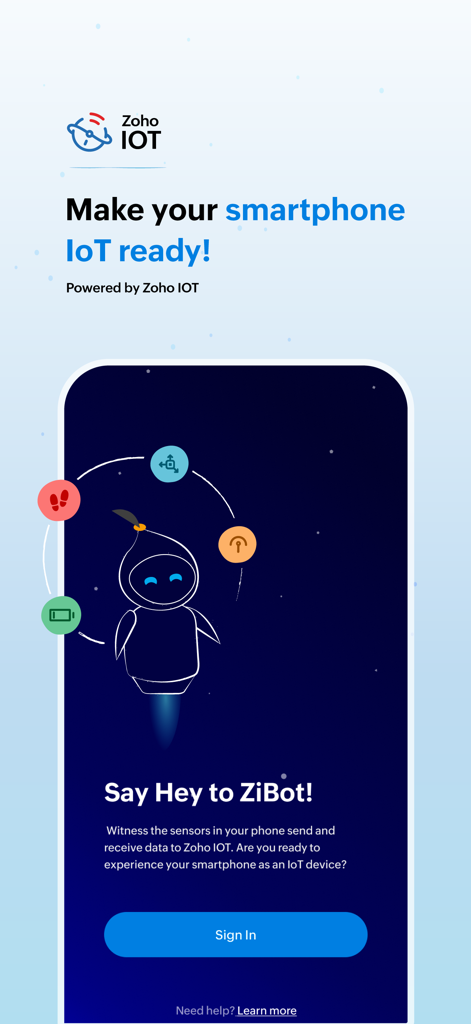
Pantalla de bienvenida de la aplicación ZiBot para la conversión de IoT de smartphone

Pantalla de bienvenida de la aplicación ZiBot para la conversión de IoT de smartphone

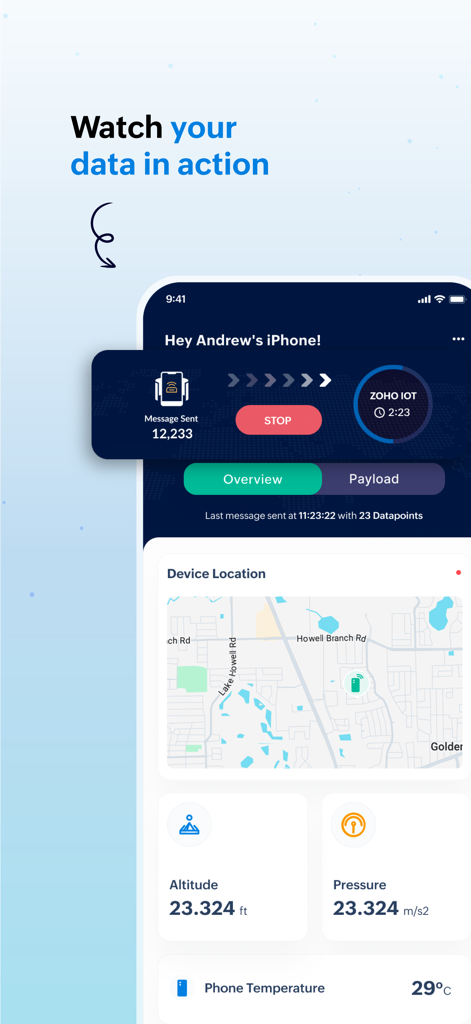
Panel de la aplicación móvil ZiBot que muestra datos de sensores en tiempo real, incluyendo ubicación, altitud y temperatura para Zoho IOT

Panel de la aplicación móvil ZiBot que muestra datos de sensores en tiempo real, incluyendo ubicación, altitud y temperatura para Zoho IOT

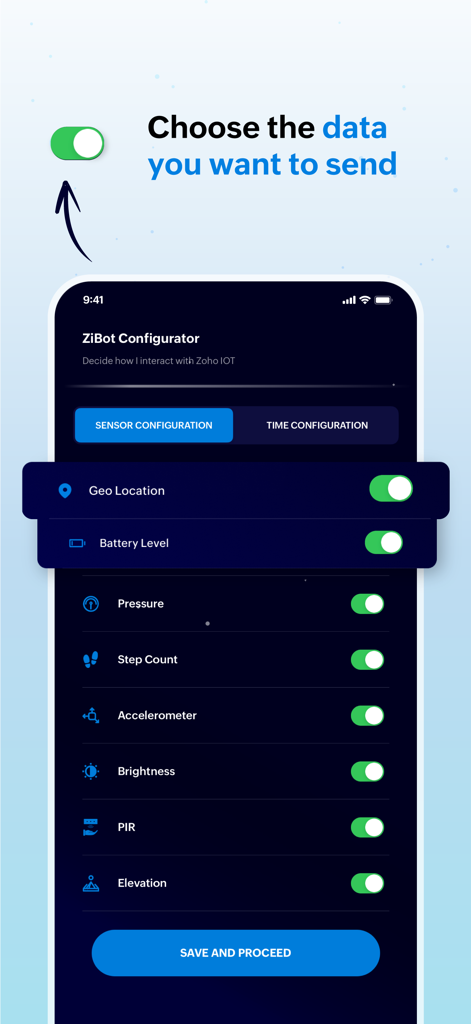
Interfaz de la aplicación ZiBot que muestra opciones de configuración de sensores para elegir qué datos del smartphone enviar a Zoho IOT

Interfaz de la aplicación ZiBot que muestra opciones de configuración de sensores para elegir qué datos del smartphone enviar a Zoho IOT

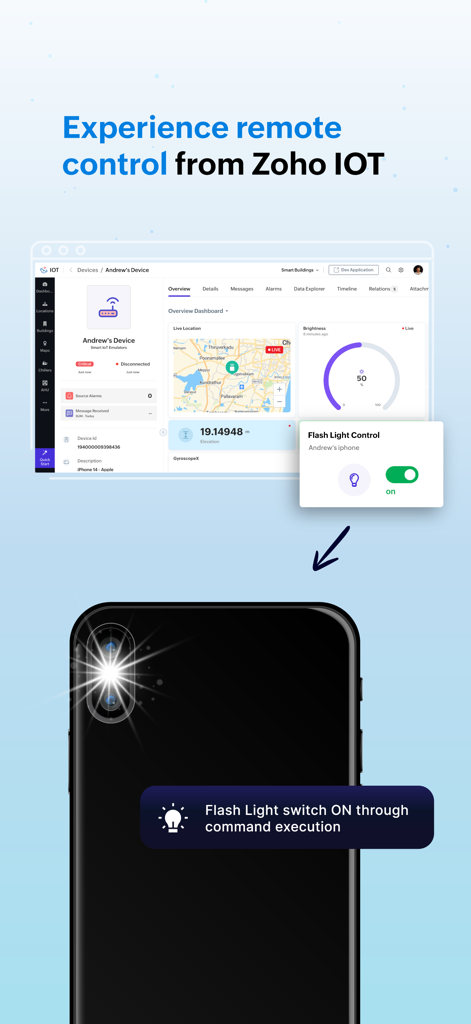
Panel de Zoho IOT controlando remotamente la linterna de un smartphone a través de la aplicación ZiBot

Panel de Zoho IOT controlando remotamente la linterna de un smartphone a través de la aplicación ZiBot

Acelera tu Prototipado IoT

Las herramientas que hacen destacar esta app, elegida por 2K+ usuarios.

🚀

Prueba de Concepto Instantánea

Valida tus ideas sin esperar el hardware. Convierte tu smartphone en una puerta de enlace funcional para demostrar flujos de datos y configuraciones del panel de control a los interesados de inmediato.

📊

Integración Completa de Sensores

Aprovecha el GPS, acelerómetro y barómetro integrados de tu dispositivo. Simula casos de uso del mundo real para logística, tecnología de la salud y gestión de edificios inteligentes con datos de alta fidelidad.

🔒

Privacidad Enfocada en el Desarrollador

Diseñado para profesionales que valoran la seguridad. Tienes control granular sobre qué sensores están activos, con visibilidad de datos en tiempo real limitada estrictamente a tu entorno Zoho autorizado.

Sobre la app

Todo lo que necesitas saber sobre ZiBot.

Descripción

Experience the Zoho IOT application without owning a device using the ZiBot mobile app! If you're interested in trying out the Zoho IOT application but don't have a physical device, no worries! You can easily convert your smartphone into a functional IoT device to gain hands-on experience with the application and the ZiBot mobile app. This approach will allow you to see firsthand how data from devices is received and processed for monitoring and management within the Zoho IOT application. After successfully installing the ZiBot app on your smartphone and connecting to the Zoho IOT's web application, you can witness the sensors in your smartphone directly from Zoho IOT, experiencing the monitoring of a real IoT device. First things first, you're probably curious about what kind of data the Zoho IOT application will use from your smartphone when it's converted into a "device." The data collected by the application from your smartphone can provide a comprehensive overview of various parameters, helping you understand the power of IoT monitoring and management. Below is a list of data that Zoho IOT can collect from your smartphone and their respective use cases: Privacy Note: * Data privacy and security is our utmost concern. We do not track your data. * All data from sensors in your phone is real-time, and you can control what is being sent to the application from your phone's settings. * All collected data is visible only to you and other users(if any) in the ZiBot application installed in your phone. Location Data: Your smartphone's GPS location data is used to display the device's location on the IoT Map when connected to the application. This feature is particularly helpful for applications that require location-based tracking and monitoring. This data requires user permission. Step Count: This metric measures the number of steps you've taken when in motion. This data requires user permission. Accelerometer Data: The accelerometer tracks the movement of the device. This data is valuable for detecting motion patterns. Gyroscope Data: The gyroscope provides data on the orientation and rotation of the device. Brightness Level: The brightness sensor data shows the current brightness level of the smartphone, and the brightness can be controlled by the app using commands Mobile Battery Percentage: This parameter monitors the battery level of your smartphone. This feature is crucial for ensuring that devices are not running low on power. Elevation Data: Elevation data helps determine the height at which the device is located above sea level. Air Pressure Data: The barometer in your smartphone provides air pressure data, which can be used for determining the pressure in the environment. PIR (Passive Infrared Sensor) Data: The PIR sensor data is used to detect the idle state of the phone, which helps in applications where it is crucial to know whether a device is actively being used or is in standby mode.

Última versión

1.1

Tamaño

47.3 MB

Fecha de lanzamiento

18 sept 2024

¿Listo para Crear tu Prueba de Concepto IoT?

Descarga ZiBot para convertir tu iPhone en un centro de sensores en vivo. Comienza a simular datos del mundo real y a probar tus flujos de trabajo de Zoho IOT en minutos, sin necesidad de hardware.

Descargar en App Store

App information, icons, screenshots, and descriptions displayed on this page are sourced from the Apple App Store and are the property of their respective developers. Download estimates and rankings are based on MWM's proprietary models and may not reflect actual figures. This page is provided for informational and analytical purposes only.

Believe this page infringes your intellectual property? File a dispute