
Cette page n'est pas une page officielle de l'application ou de son développeur, mais une publication éditoriale indépendante créée à des fins d'information et de commentaire. Sauf indication expresse contraire, ni l'application ni son développeur ne sont affiliés, approuvés, sponsorisés, autorisés ou autrement officiellement liés à MWM, Apple, Google Play, à l'éditeur de l'application ou au développeur de l'application, et rien sur cette page n'implique que l'application a été développée en utilisant les services de MWM. Toutes les marques, logos, captures d'écran et autres contenus restent la propriété de leurs propriétaires respectifs.


AI Background Remover & Eraser
Donnez de la puissance à votre marque grâce à la suppression d'arrière-plan pilotée par l'IA. Idéal pour les vendeurs d'e-commerce, les influenceurs et les créateurs qui cherchent à transformer des photos encombrées en contenu visuel à forte conversion instantanément.
Téléchargements
434K+Note
Nombre d'avis
400Éditeur
Catégorie
Graphics & DesignLangues
14Dernière version
2.0.4Taille
87.7 MBDate de sortie
31 oct. 2022Résultats professionnels en quelques secondes
Transformez vos photos en atouts à forte conversion pour votre boutique en ligne ou votre fil d'actualité avec nos puissants outils pilotés par l'IA conçus pour les entrepreneurs mobiles.
Gomme d'arrière-plan IA instantanée
Supprimez les arrière-plans encombrés en une seule touche avec une précision chirurgicale, idéal pour donner à vos produits ou portraits un aspect professionnel.
Modèles de qualité studio
Remplacez les arrière-plans de pièces désordonnées par des toiles de fond élégantes et prédéfinies qui donnent instantanément à votre marque une esthétique haut de gamme.
Les captures d'écran et la description suivantes proviennent directement de la fiche officielle de l'application sur le store et sont la propriété du développeur.
App Store
Captures

Une femme souriante avec l'arrière-plan de sa photo supprimé, montrant une grille transparente

Comparaison avant/après de la suppression d'une personne d'une photo de plage à l'aide du Suppresseur d'arrière-plan IA

Démonstration d'une application IA changeant l'arrière-plan d'une photo de produit d'un blanc uni à une cuisine réaliste.
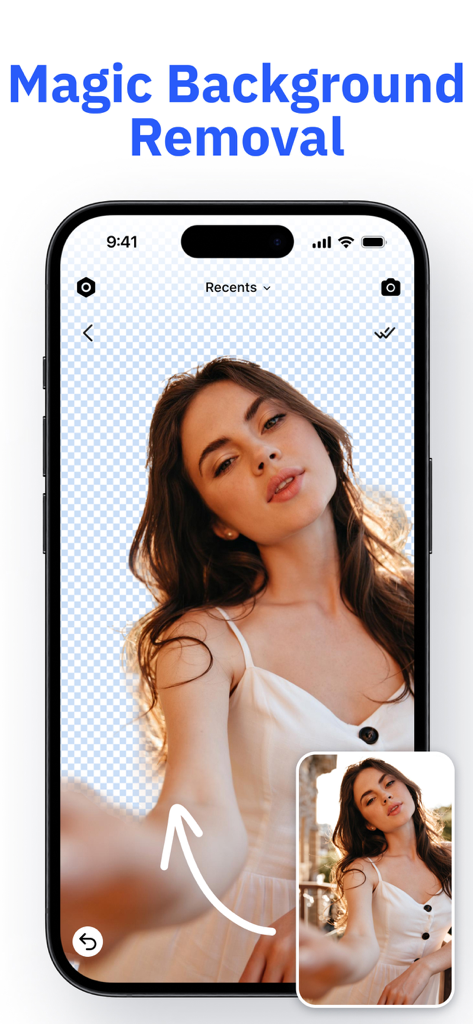
Écran d'iPhone montrant le portrait d'une femme avec l'arrière-plan instantanément supprimé à l'aide de l'application Suppresseur d'arrière-plan IA
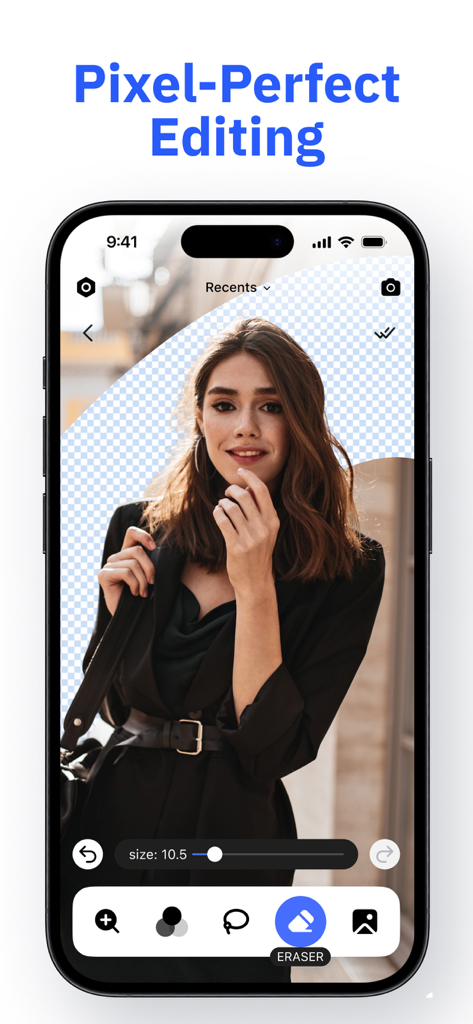
Écran de smartphone affichant la fonctionnalité d'édition pixel perfect du Suppresseur d'arrière-plan IA pour effacer les arrière-plans d'une photo de portrait.
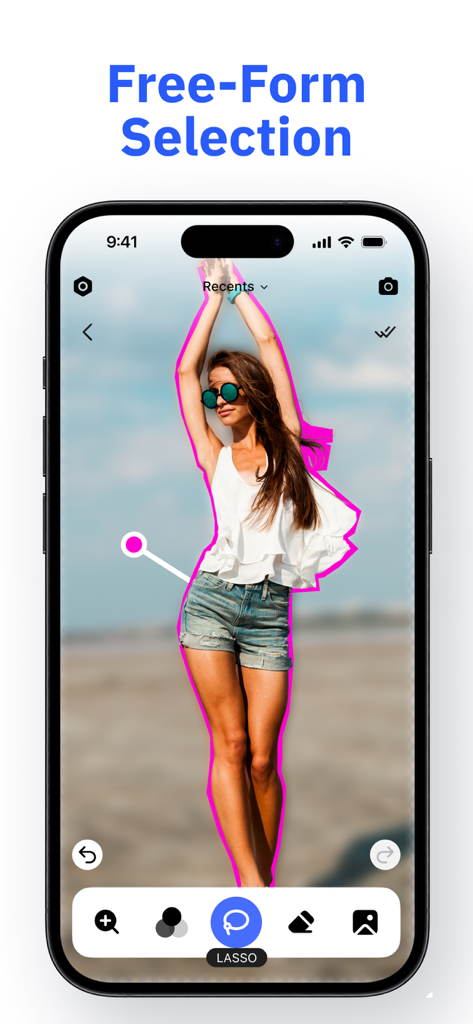
Interface d'application mobile démontrant la fonctionnalité de sélection libre à l'aide de l'outil lasso pour contourner une personne en vue de la suppression de l'arrière-plan
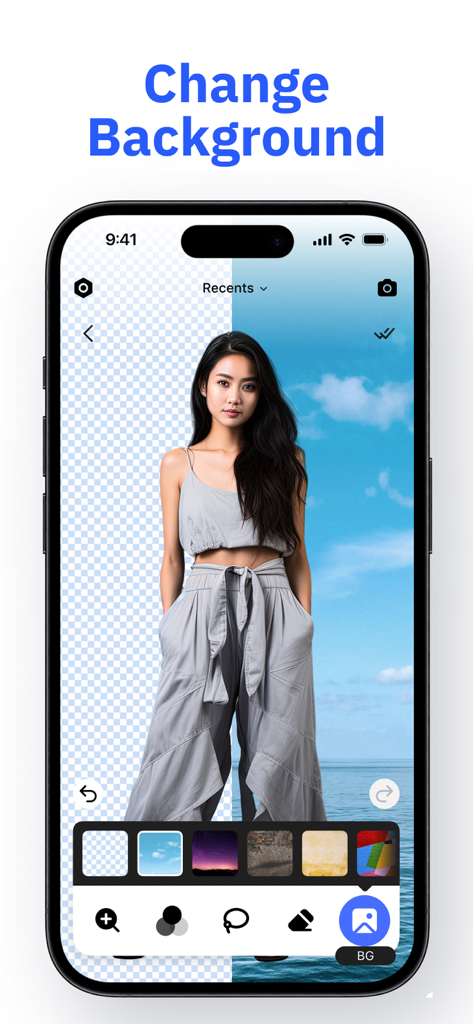
Écran de smartphone montrant la fonctionnalité de changement d'arrière-plan avec une personne devant une plage
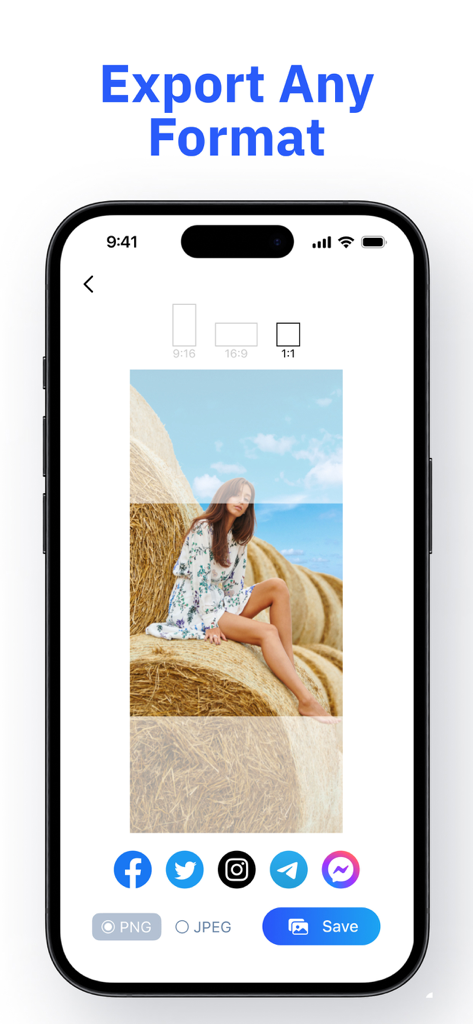
Interface montrant les options d'exportation d'images pour les formats PNG et JPEG avec des icônes de partage sur les réseaux sociaux et la sélection du rapport hauteur/largeur
Description
Download
Apps Similaires
Apps avec des fonctionnalités et une expérience similaires

CocoAI - BG Remover
Beijing Jianchang Technology Co., Ltd.

水印宝-视频水印助手软件
Beijing Pengtuzhumeng Technology Co., Ltd.

Photo Retouch - Remove object
化媚 席

PhotoBy-Batch adding borders
岳森 刘

Watermarkly ― Watermark Maker
Julia Nikitina

去水印大师-短视频编辑助手
志阳 郭

大神水印-照片图像制作修图神器
伟 黄

Add Watermark -Batch Process
Saraswati Javalkar

Background Eraser: AI Remove
SUNWOONG JANG
Cette page n'est pas une page officielle de l'application ou de son développeur, mais une publication éditoriale indépendante créée à des fins d'information et de commentaire. Sauf indication expresse contraire, ni l'application ni son développeur ne sont affiliés, approuvés, sponsorisés, autorisés ou autrement officiellement liés à MWM, Apple, Google Play, à l'éditeur de l'application ou au développeur de l'application, et rien sur cette page n'implique que l'application a été développée en utilisant les services de MWM. Toutes les marques, logos, captures d'écran et autres contenus restent la propriété de leurs propriétaires respectifs.