
Cette page n'est pas une page officielle de l'application ou de son développeur, mais une publication éditoriale indépendante créée à des fins d'information et de commentaire. Sauf indication expresse contraire, ni l'application ni son développeur ne sont affiliés, approuvés, sponsorisés, autorisés ou autrement officiellement liés à MWM, Apple, Google Play, à l'éditeur de l'application ou au développeur de l'application, et rien sur cette page n'implique que l'application a été développée en utilisant les services de MWM. Toutes les marques, logos, captures d'écran et autres contenus restent la propriété de leurs propriétaires respectifs.


AI Culling — PhotoPicker Pro
Exploitez l'IA intelligente pour détecter le flou et les yeux fermés tout en sélectionnant directement depuis des SSD ou des cartes SD. Synchronisez en toute transparence vos notes et drapeaux avec Lightroom grâce à la prise en charge complète des fichiers XMP.
Téléchargements
13K+Note
Nombre d'avis
100Éditeur
Catégorie
Photo & VideoLangues
23Dernière version
3.5.4Taille
65.1 MBDate de sortie
8 juin 2013Sélectionnez plus intelligemment, pas plus durement
Arrêtez de perdre des heures à votre bureau. PhotoPicker Pro est l'outil de flux de travail haute performance conçu pour les photographes qui ont besoin de trier, noter et examiner des photos en déplacement.
Assistant basé sur l'IA
Laissez notre moteur intelligent détecter le flou, les yeux fermés et les doublons pour vous. Passez moins de temps à trier et plus de temps à créer.
Flux de travail sans importation
Connectez votre SSD ou votre carte SD et sélectionnez directement depuis la source. Pas besoin de dupliquer des fichiers ou d'encombrer le stockage de votre iPhone.
Les captures d'écran et la description suivantes proviennent directement de la fiche officielle de l'application sur le store et sont la propriété du développeur.
App Store
Captures
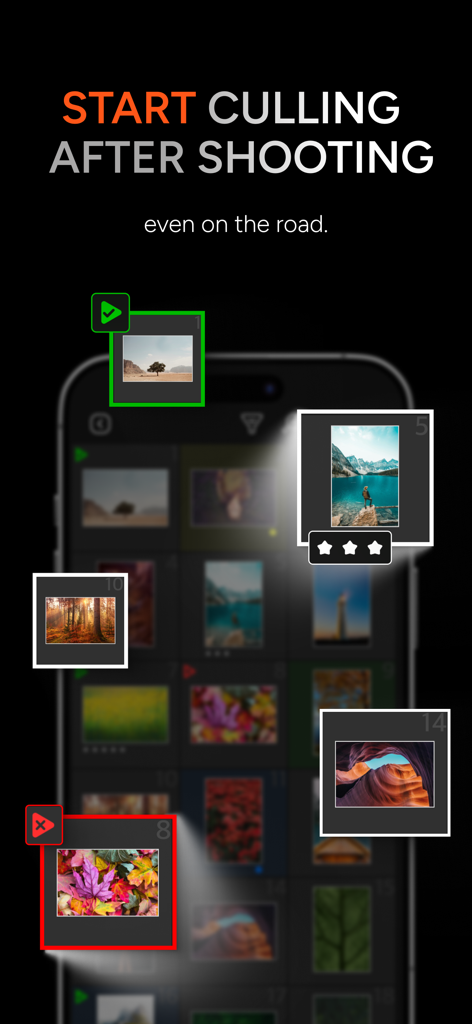
Interface mobile d'AI Culling PhotoPicker Pro montrant la sélection de photos et les notes par étoiles en déplacement
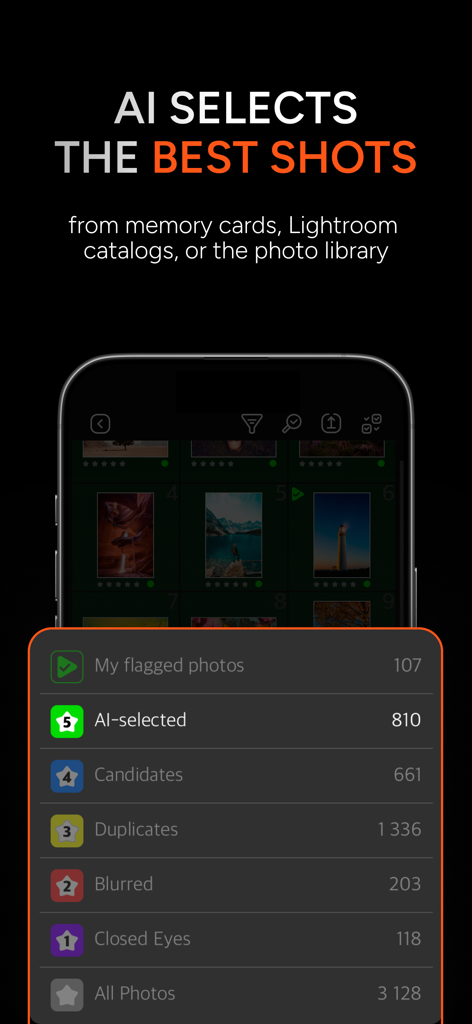
Interface d'application mobile affichant des groupes de photos classées par IA tels que doublons, flous et yeux fermés pour une sélection efficace
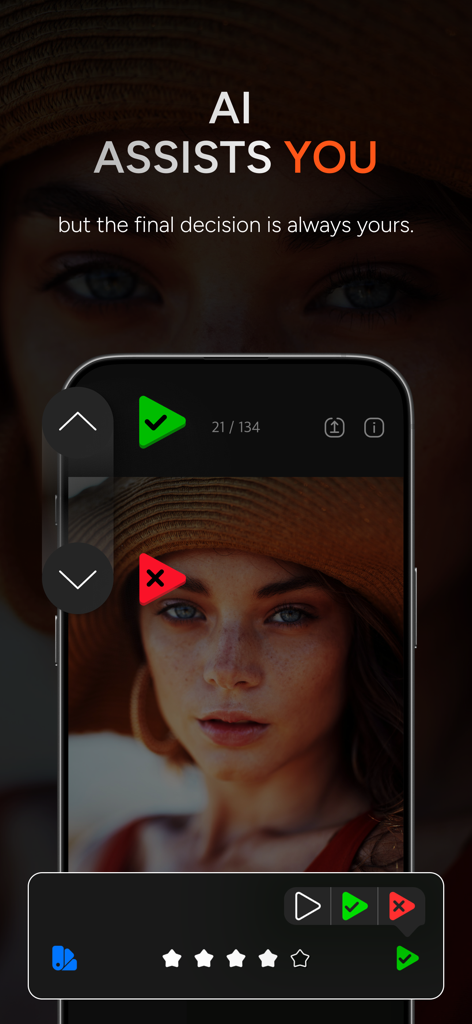
Écran de smartphone montrant l'interface de l'application AI Culling PhotoPicker Pro pour examiner et noter des photos.
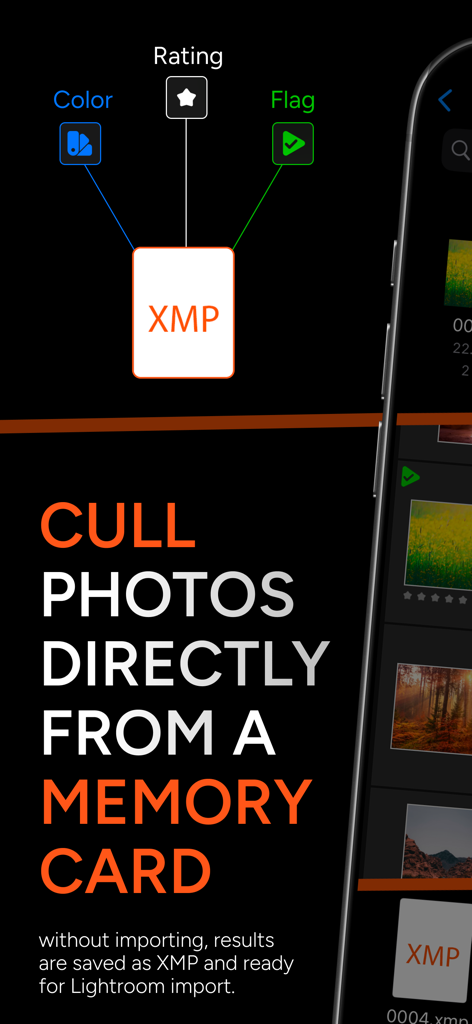
Interface de l'application PhotoPicker Pro montrant la sélection directe de photos depuis une carte mémoire avec prise en charge des fichiers sidecar XMP pour Lightroom
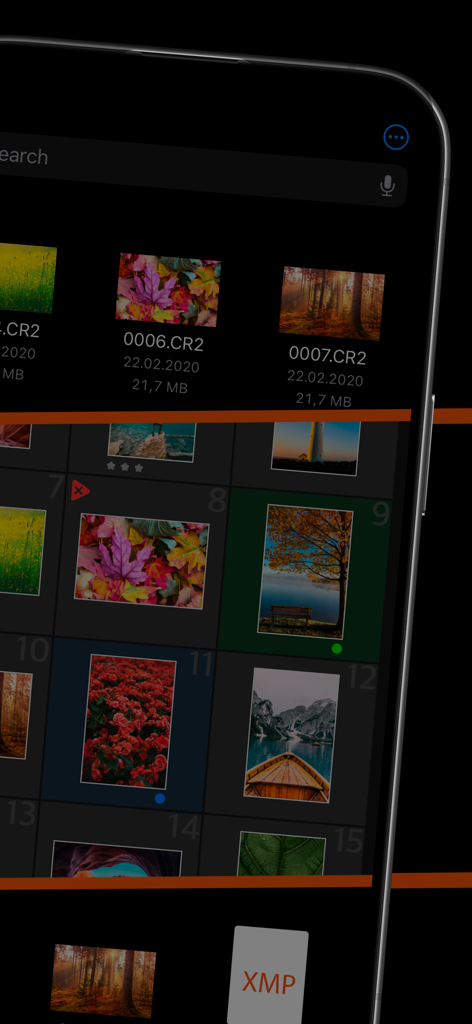
Interface d'application mobile montrant la sélection d'images RAW et l'intégration des métadonnées XMP
Description
Download
Apps Similaires
Apps les mieux classées dans la même catégorie

CapCut: Photo & Video Editor
BYTEDANCE PTE. LTD.

Instagram, Inc.

YouTube
Google LLC

Canva: AI Photo & Video Editor
Canva Pty Ltd

Snapchat
Snap, Inc.

快手
Beijing Kwai Technology Co., Ltd.

Edits: Video Editor
Instagram, Inc.

Meitu- AI Photo & Video Editor
Xiamen Meitu Technology Co., Ltd.

Google Photos: Backup & Edit
Google LLC
Cette page n'est pas une page officielle de l'application ou de son développeur, mais une publication éditoriale indépendante créée à des fins d'information et de commentaire. Sauf indication expresse contraire, ni l'application ni son développeur ne sont affiliés, approuvés, sponsorisés, autorisés ou autrement officiellement liés à MWM, Apple, Google Play, à l'éditeur de l'application ou au développeur de l'application, et rien sur cette page n'implique que l'application a été développée en utilisant les services de MWM. Toutes les marques, logos, captures d'écran et autres contenus restent la propriété de leurs propriétaires respectifs.