AirTrack NG

AirTrack NG

Télécharger sur App Store
Logo de AirTrack NG

AirTrack NG : Le cockpit professionnel pour votre simulateur de vol

Transformez votre iPad ou Mac en un poste de pilotage Boeing haute fidélité. Découvrez des instruments d'une précision pixelisée, un contrôle MCP en temps réel et une intégration transparente pour X-Plane et MSFS 2020.

Éditeur

Haversine Ltd

Catégorie

Navigation

Téléchargements

15K+

Note

1.0/5

Nombre d'avis

0

Langues

1

Votre cockpit, réinventé

Découvrez l'interface utilisée par 15K+ utilisateurs.
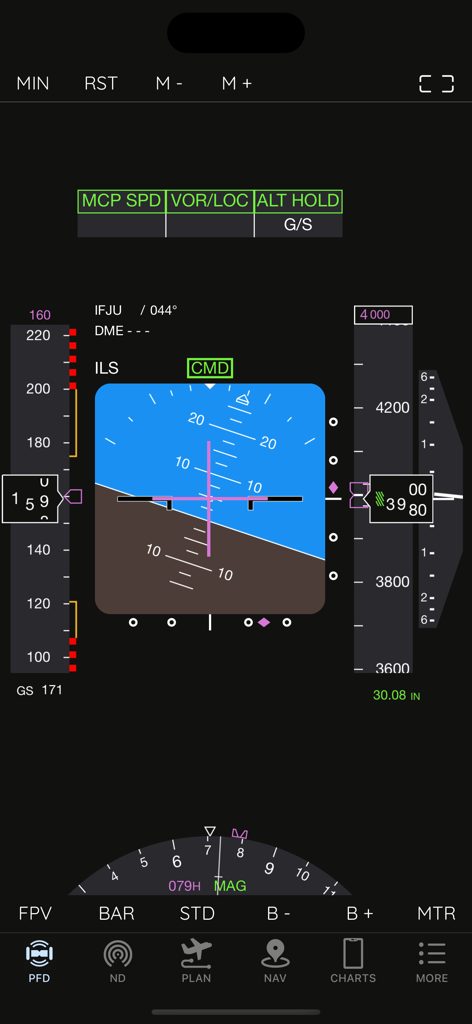
Écran d'affichage de vol principal d'AirTrack NG pour simulateur de vol

Écran d'affichage de vol principal d'AirTrack NG pour simulateur de vol

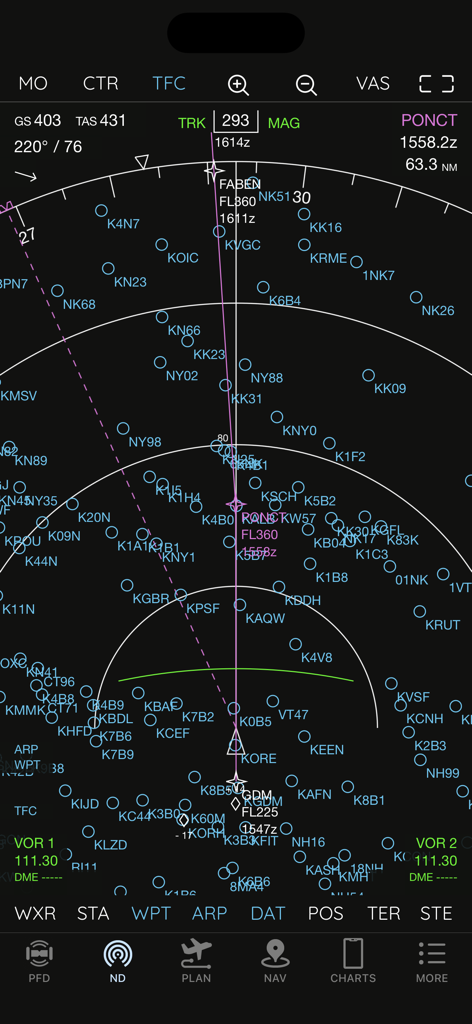
Affichage de navigation AirTrack NG présentant des instruments de style Boeing et des points de cheminement

Affichage de navigation AirTrack NG présentant des instruments de style Boeing et des points de cheminement

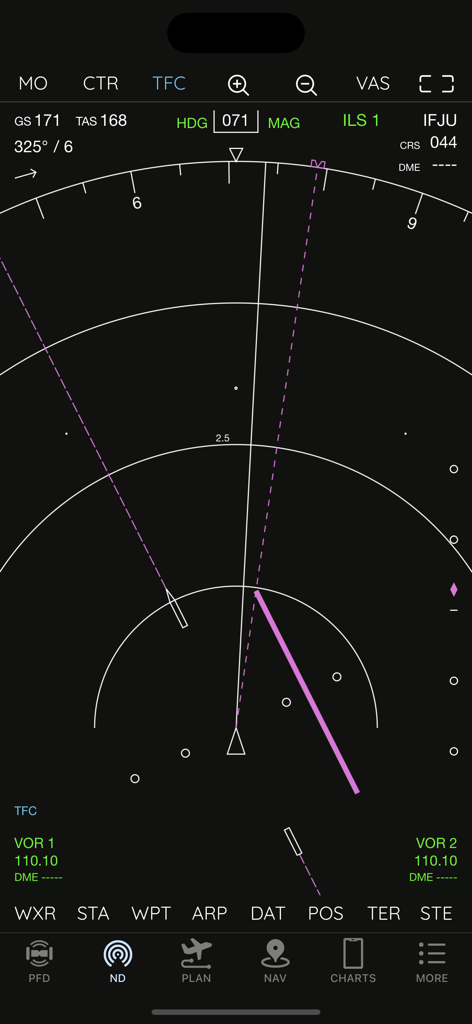
Affichage de navigation AirTrack NG montrant des instruments de style Boeing 737 et des données de vol

Affichage de navigation AirTrack NG montrant des instruments de style Boeing 737 et des données de vol

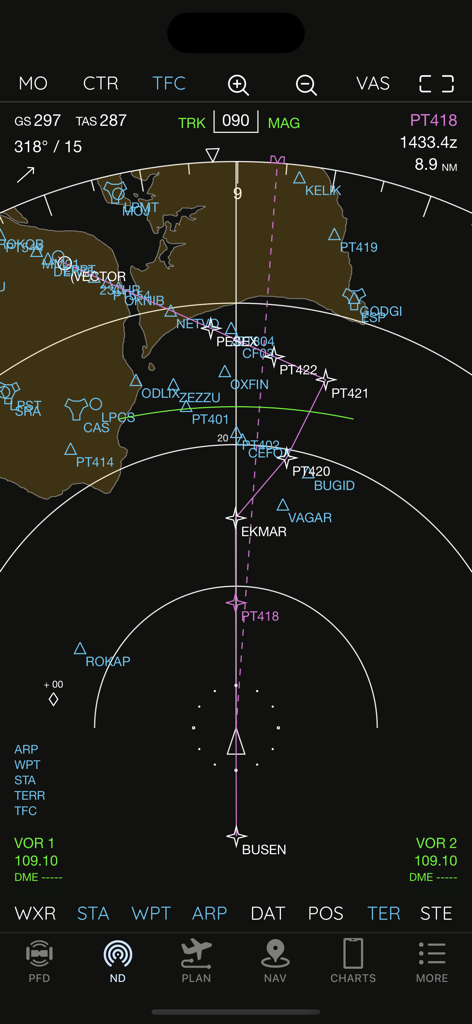
Affichage de navigation AirTrack NG montrant la trajectoire de vol et les points de cheminement

Affichage de navigation AirTrack NG montrant la trajectoire de vol et les points de cheminement

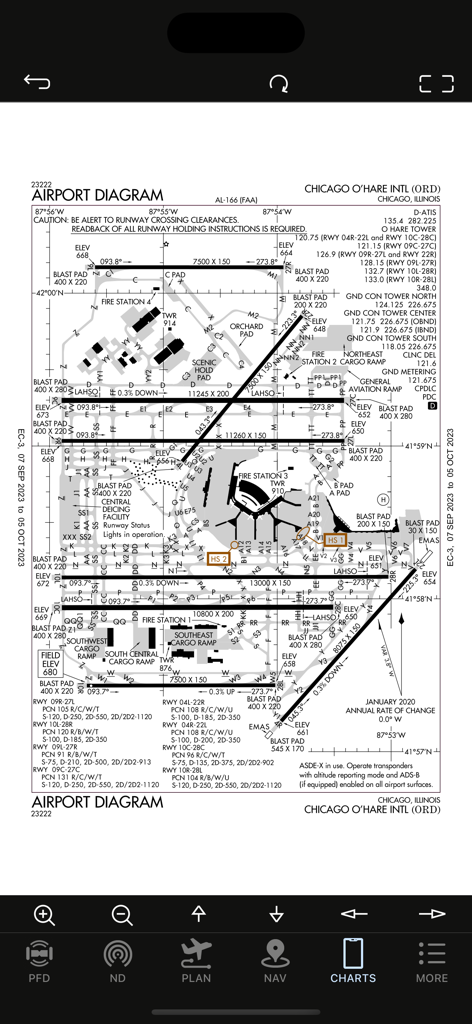
Diagramme de l'aéroport international de Chicago O'Hare ORD affiché sur l'application AirTrack NG

Diagramme de l'aéroport international de Chicago O'Hare ORD affiché sur l'application AirTrack NG

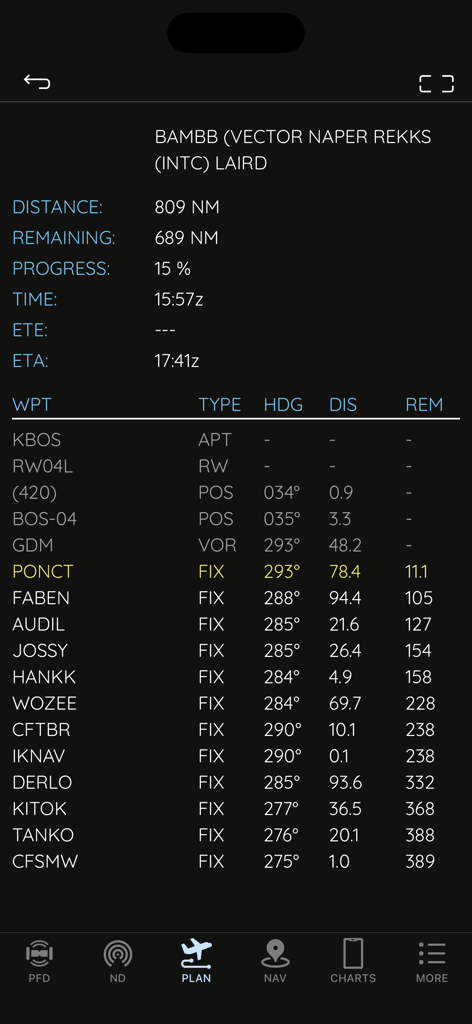
Écran du planificateur de vol dans AirTrack NG montrant les points de cheminement, la distance et le cap pour la navigation du simulateur de vol.

Écran du planificateur de vol dans AirTrack NG montrant les points de cheminement, la distance et le cap pour la navigation du simulateur de vol.

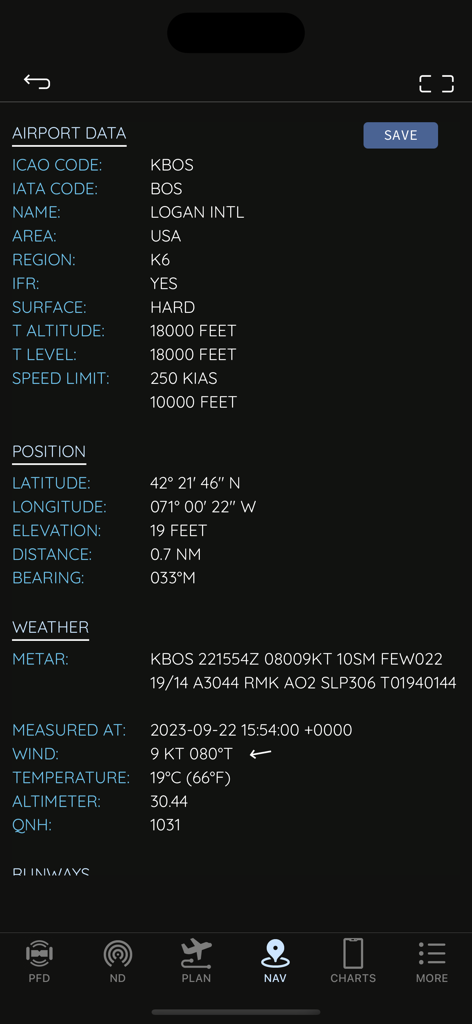
Interface AirTrack NG montrant des données aéroportuaires techniques et la météo en temps réel pour l'aéroport international Logan

Interface AirTrack NG montrant des données aéroportuaires techniques et la météo en temps réel pour l'aéroport international Logan

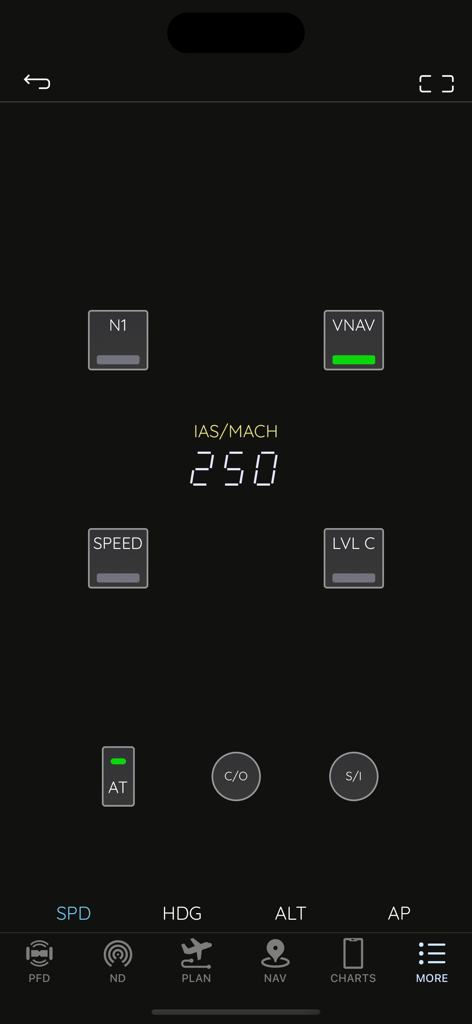
Interface de l'application AirTrack NG affichant le panneau de contrôle de mode de style Boeing avec les réglages de vitesse du pilote automatique

Interface de l'application AirTrack NG affichant le panneau de contrôle de mode de style Boeing avec les réglages de vitesse du pilote automatique

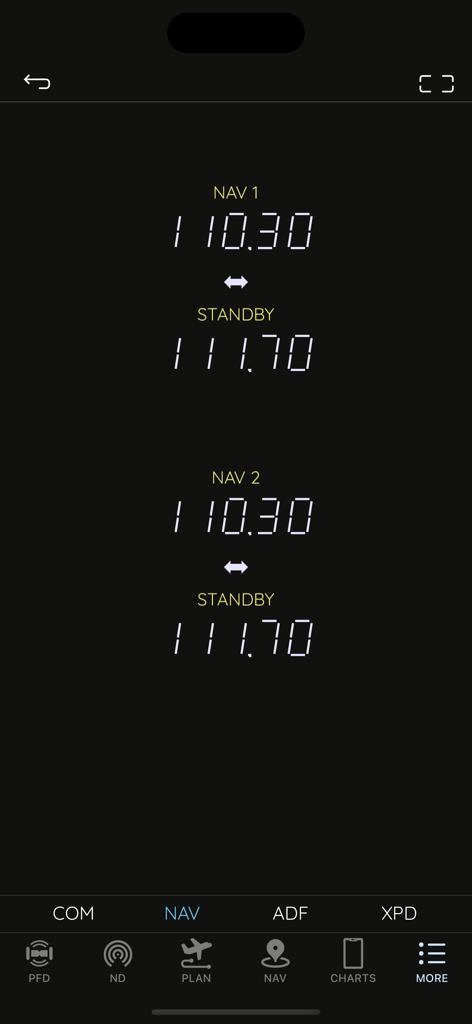
Interface radio de navigation AirTrack NG affichant les fréquences actives et de veille pour la simulation de vol

Interface radio de navigation AirTrack NG affichant les fréquences actives et de veille pour la simulation de vol

Le lanceur de l'application AirTrack NG montrant les options de menu pour le PFD, le ND, le MCP et les outils de planification de vol

Le lanceur de l'application AirTrack NG montrant les options de menu pour le PFD, le ND, le MCP et les outils de planification de vol

Transformez votre expérience de simulation

Les outils qui font la différence, choisis par 15K+ utilisateurs.

✈️

Authentiques avions du 737 NG

Affichages PFD et ND d'une précision époustouflante avec des graphismes haute résolution, conçus pour une immersion maximale dans votre cockpit à domicile.

🎛️

Contrôle tactile du pilote automatique

Gérez votre vol avec un MCP et une pile radio dédiés, éliminant ainsi les clics de souris qui brisent l'immersion.

🗺️

Planification de vol unifiée

Importez sans effort des plans SimBrief et accédez aux METAR en temps réel, au trafic VATSIM et aux cartes Navigraph en un seul endroit.

À propos de l'app

Tout ce que vous devez savoir sur AirTrack NG.

Description

AirTrack is an application designed to integrate with flight simulators in real time over a local area network, providing remote flight display and control through glass cockpit instruments, as well as control over some of the simulation variables. It replicates instruments and panels found on real planes using devices such as tablets and computers.  With the aid of a plugin in the simulator, flight data is exchanged over the local network and displayed on the Mac, iPad and iPhone apps. Likewise actions on these are propagated back to the simulator and allow for its remote control. But if this isn't enough, AirTrack can also use your device's built-in GPS, Accelerometer and Gyro to determine your current movements and attitude and the Internet to download real weather to simulate an aircraft's sensors. Turn your car trip into a flight experience by getting information about your instant position, heading and surrounding waypoints. See yourself in an EFIS style navigation display / primary flight display or plan your multi-leg trip with the built in flight planner which gives you real-time information about your waypoints, how far they are and how long it will take you to reach them. For a comprehensive summary overview visit the app pages at: https://haversine.com/airtrack For a detailed in depth description of how things work, check its operations manual at: https://haversine.com/airtrack/operations In its present version AirTrack supports both the X-Plane (10, 11, 12, …) for which it was originally developed, and the Microsoft Flight Simulator 2020. Plugins currently exist for X-Plane and MSFS2020. In the future AirTrack may and will quite possibly support other simulators and flight data sources as it has been designed with horizontal expansion in mind. Plugins can be downloaded from: https://haversine.com/airtrack/downloads The following are just some of its features and components: - Pixel perfect, totally re-scalable and optimised for retina and super retina displays - Multi window-panel support on iPad and Mac including stage manager - Boeing 737 NG style Primary Flight Display with EFIS panel - Boeing 737 NG style Navigation Display with EFIS panel - Standalone TCAS engine for collision avoidance on the ND with TA and TA/RA - Terrain database with the world map included in the ND - 737 NG style Mode Control Panel - MCP for auto-pilot control - A radio stack comprising COM, NAV, ADF and XPDR radios - A default navigation database with possibility of upgrade to latest Navigraph or FAA CIFP - Detailed airport information pages with weather, runways, approaches, procedures and frequencies - A Flight planner with airports runways, SID,STAR, Approach procedures, direct entry routes, world routes and weather - SimBrief flight plan import - Air Traffic sourced from Simulator, VATIM, IVAO and real world ADS-B - Worldwide airport weather based on real time world METARs - EFB with User files, charts, cloud charts and US based publications - Free Air Account Cloud services including Charts, Routes and Waypoints - Remote Yoke/Joystick/Rudder control for flight simulator. - Support for X-Plane flight simulator - Support for Microsoft Flight Simulator 2020 - Enhanced support for the Zibo 737 NG family of aircraft for X-Plane - Enhanced support for the PMDG 737 NG family of aircraft for MSFS2020 This version of AirTrack includes Boeing Instruments and unlocked access to all related panels (PFD, ND, MCP, Radio and Flight Planner). Terms of Use: https://haversine.com/airtrack/tou

Dernière version

4.2.2

Taille

290.8 MB

Date de sortie

27 sept. 2023

Prêt à compléter votre poste de pilotage ?

Rejoignez des milliers de pilotes virtuels et apportez une instrumentation professionnelle de type Boeing 737 à votre appareil mobile. Synchronisez-vous de manière transparente avec MSFS 2020 ou X-Plane et découvrez le niveau supérieur de réalisme en simulation.

Télécharger sur App Store

App information, icons, screenshots, and descriptions displayed on this page are sourced from the Apple App Store and are the property of their respective developers. Download estimates and rankings are based on MWM's proprietary models and may not reflect actual figures. This page is provided for informational and analytical purposes only.

Believe this page infringes your intellectual property? File a dispute