Avira Password Manager

Avira Password Manager

Télécharger sur App Store
Logo de Avira Password Manager

Avira Password Manager : Sécurisez votre monde numérique avec l'excellence allemande

Mettez fin au chaos des mots de passe. Retrouvez une tranquillité d'esprit absolue grâce à un coffre-fort incassable qui synchronise vos identifiants, vos cartes de crédit et vos codes d'authentification à deux facteurs sur tous vos appareils, le tout protégé par les normes de confidentialité les plus strictes.

Télécharger sur App Store

Éditeur

Avira Holding GmbH & Co. KG

Catégorie

Productivity

Téléchargements

71K+

Note

4.4/5

Nombre d'avis

5K+

Langues

14

La sécurité en un coup d'œil

Découvrez l'interface utilisée par 71K+ utilisateurs.
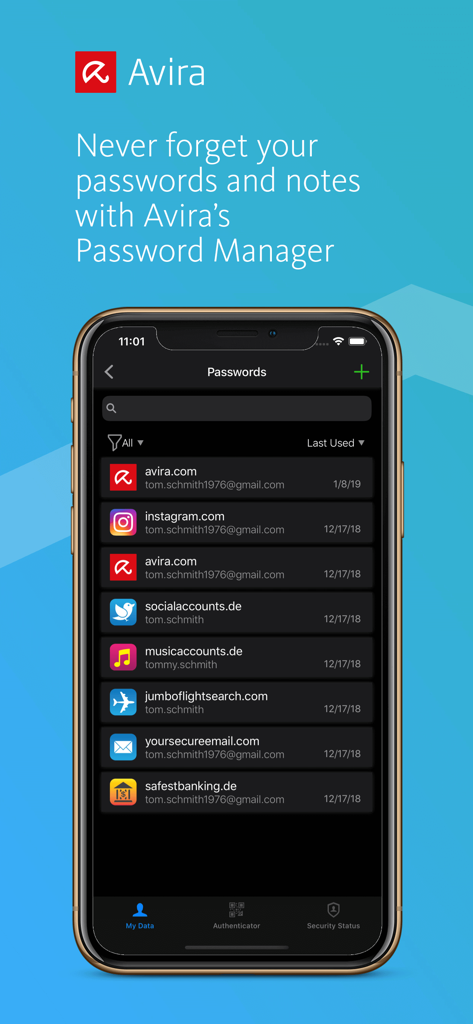
Interface de l'application Avira Password Manager affichant une liste d'identifiants de compte enregistrés sur un smartphone

Interface de l'application Avira Password Manager affichant une liste d'identifiants de compte enregistrés sur un smartphone

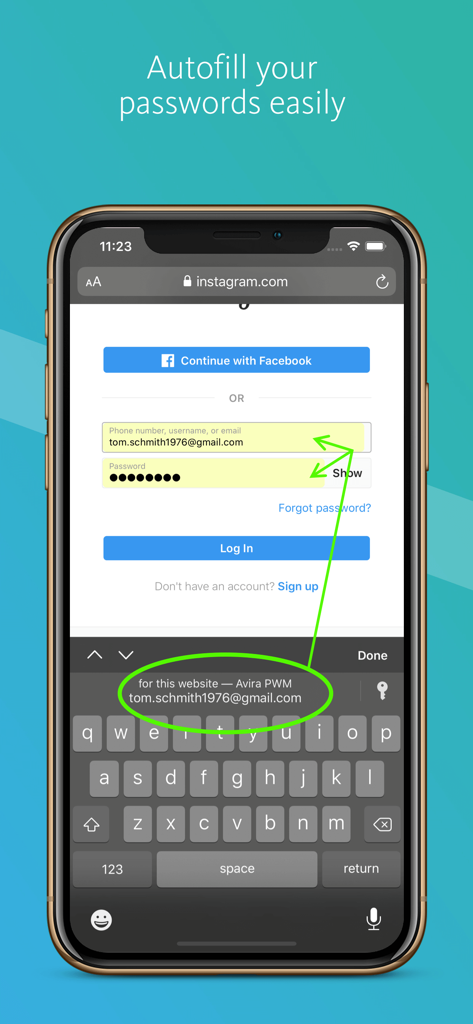
Avira Password Manager remplissant automatiquement les identifiants de connexion sur un iPhone

Avira Password Manager remplissant automatiquement les identifiants de connexion sur un iPhone

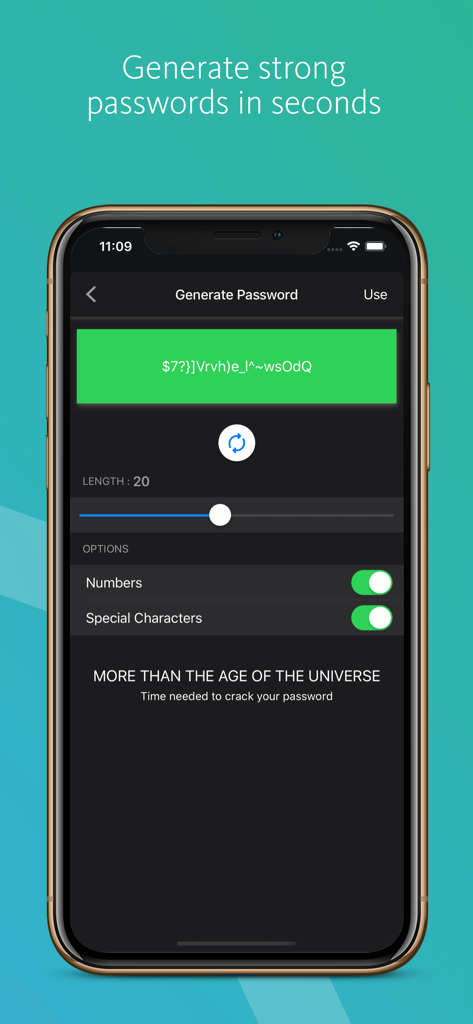
Interface de l'application Avira Password Manager montrant la fonction de génération de mots de passe sécurisés

Interface de l'application Avira Password Manager montrant la fonction de génération de mots de passe sécurisés

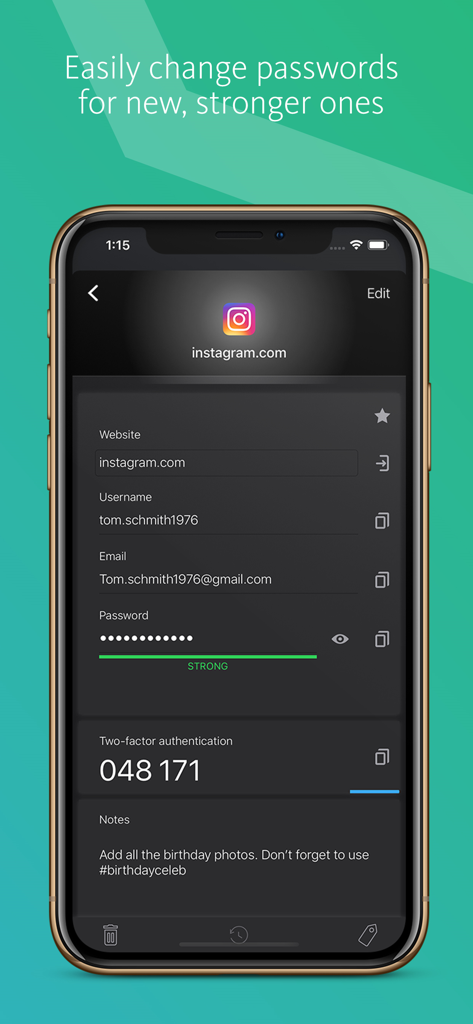
Écran de l'application Avira Password Manager affichant les identifiants de connexion enregistrés et un code d'authentification à deux facteurs pour un compte.

Écran de l'application Avira Password Manager affichant les identifiants de connexion enregistrés et un code d'authentification à deux facteurs pour un compte.

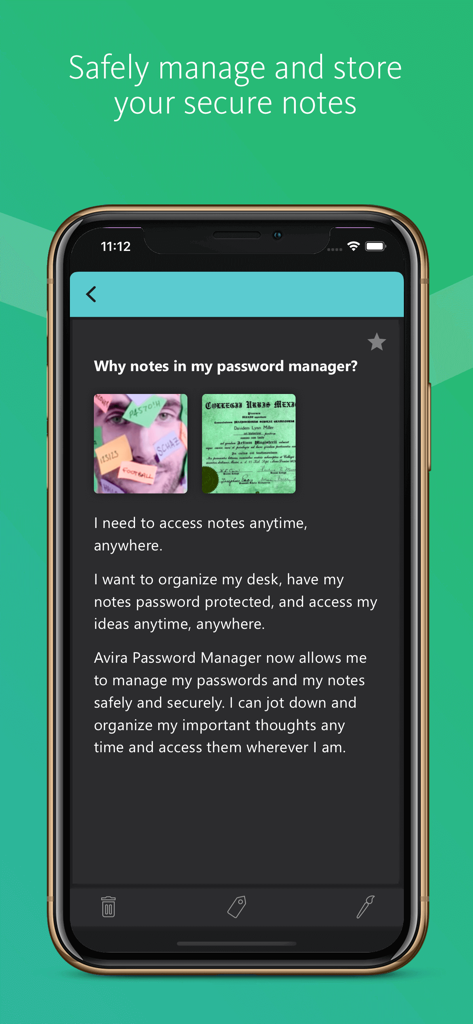
Un écran mobile montrant la fonction de notes sécurisées dans l'application Avira Password Manager qui permet aux utilisateurs de stocker et de protéger des informations privées

Un écran mobile montrant la fonction de notes sécurisées dans l'application Avira Password Manager qui permet aux utilisateurs de stocker et de protéger des informations privées

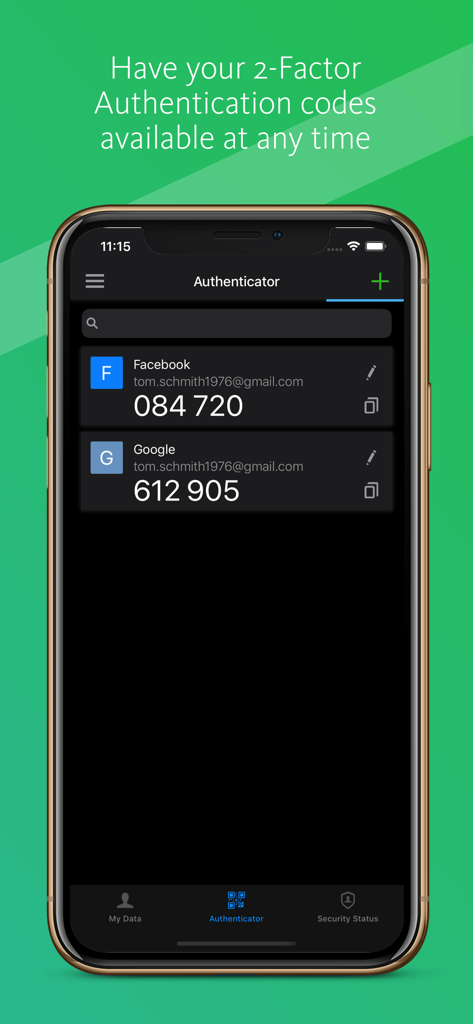
Écran de l'application Avira Password Manager affichant les codes d'authentification à deux facteurs pour Facebook et Google

Écran de l'application Avira Password Manager affichant les codes d'authentification à deux facteurs pour Facebook et Google

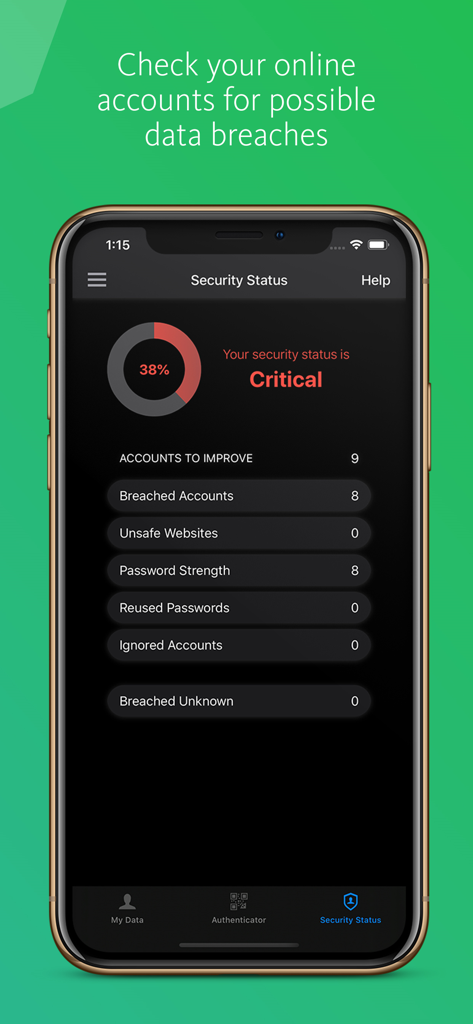
Application Avira Password Manager affichant un tableau de bord de statut de sécurité avec des alertes de violation de données et une analyse de la force des mots de passe sur un iPhone.

Application Avira Password Manager affichant un tableau de bord de statut de sécurité avec des alertes de violation de données et une analyse de la force des mots de passe sur un iPhone.

Une sécurité sans compromis pour votre monde numérique

Les outils qui font la différence, choisis par 71K+ utilisateurs.

🛡️

Protection de qualité allemande

Vos données restent privées grâce au cryptage AES-256 et aux normes de sécurité allemandes, la référence mondiale en matière de confidentialité et de souveraineté des données.

Connexions transparentes en un clic

Mettez fin au cycle des mots de passe oubliés. Remplissez automatiquement vos identifiants et vos cartes de crédit en un instant sur toutes vos applications et sites web préférés.

🔍

Surveillance proactive des violations de données

Gardez une longueur d'avance sur les pirates grâce à un statut de sécurité intégré qui vous alerte si vos données sont compromises et génère des codes d'authentification à deux facteurs directement dans l'application.

À propos de l'app

Tout ce que vous devez savoir sur Avira Password Manager.

Description

Avira Password Manager lets you create and manage all your passwords, credit cards, and notes anytime, anywhere. Say goodbye to handwritten notes creating chaos on your desk. The times are over when you had to jot down every password and idea. Plus, there'll be no more struggling to create new passwords or reset old ones. This password organizer makes it a breeze to bring order to your work and personal life. And the best thing: Avira, the German security and protection specialist, makes sure your data is encrypted and stays in Germany where data protection and privacy standards are second to none. Avira Password Manager works across multiple devices and operating systems. ◆ ONE PASSWORD FOR ALL DEVICES ◆ With Avira Password Manager you only need to remember one single password – the master password. It's like the key to an uncrackable password vault, in which your logins are safely stored. Simply login with this master password and enjoy access to all your accounts and notes on all your devices. ◆ AUTO-FILL LOGIN FORMS ◆ Easy, convenient, time-saving: Avira Password Manager auto-fills your logins across all your favorite websites and apps. ◆ INSTANT PASSWORD GENERATOR ◆ Most internet users use simple and common passwords for all their accounts, making them easy to crack. Avira Password Manager makes it effortless to set strong, unique passwords to give you the best protection against identity theft. ◆ DIGITAL WALLET ◆ You can add your credit cards to your secure digital wallet just by scanning them with your camera. Details like your credit card number and its expiration date will be instantly captured. Your saved credit cards will be available across all your devices. ◆ AVAILABILITY ◆ Avira Password Manager is available as a web dashboard (including browser extension) and as a mobile app. And best of all: Any change you make is synchronized automatically and available on all your other devices. ◆ SECURITY◆ The new Security Status feature shows you at a glance how secure your passwords, accounts, and listed websites are, and whether any of your credentials have already been compromised. You can then take immediate action to improve your online security. Your passwords, credit cards, and notes are protected using 256-bit AES encryption – the most secure standard out there. Think of it as your own personal armored password safe. Thanks to your master password only you and you alone have access to them – not even Avira can access your data. For extra security you can use your fingerprint or face ID to unlock Avira Password Manager on Apple devices. ◆ TWO-FACTOR-AUTHENTICATOR◆ We now released a new section for your Two-Factor Authentication codes ("2FA codes"). Avira Password manager now has an in-built authenticator that generates the 2FA codes which means that you don't have to obtain these additional login codes via text-message or via a separate authenticator app. Avira Password Manager Pro: Security Status on all platforms, Premium Support. Length of subscription: 1 month or 1 year. Payment will be charged to iTunes Account at confirmation of purchase. Subscription automatically renews unless auto-renew is turned off at least 24-hours before the end of the current period. Account will be charged for renewal within 24-hours prior to the end of the current period. Subscriptions may be managed by the user and auto-renewal may be turned off by going to the user's Account Settings after purchase. Any unused portion of a free trial period, if offered, will be forfeited when the user purchases a subscription to that publication, where applicable. Privacy Policy available at https://www.avira.com/en/general-privacy Terms and Conditions available at https://www.avira.com/en/legal-terms

Dernière version

2.29.5

Taille

108.9 MB

Date de sortie

8 déc. 2016

Sécurisez votre monde numérique avec la précision allemande

Rejoignez plus de 71 000 utilisateurs qui ont mis fin à la fatigue des mots de passe. Téléchargez Avira Password Manager dès aujourd'hui pour protéger votre identité et simplifier votre vie numérique avec un cryptage de niveau professionnel.

Télécharger sur App Store

App information, icons, screenshots, and descriptions displayed on this page are sourced from the Apple App Store and are the property of their respective developers. Download estimates and rankings are based on MWM's proprietary models and may not reflect actual figures. This page is provided for informational and analytical purposes only.

Believe this page infringes your intellectual property? File a dispute