Awesome Calendar : Le planificateur tout-en-un pour votre vie bien remplie
Transformez votre emploi du temps en un chef-d'œuvre visuel. Intégrez de manière transparente votre calendrier, vos listes de tâches, la météo et vos journaux photo dans un élégant Filofax numérique conçu pour les multitâches ambitieux.
Découvrez l'interface utilisée par 440K+ utilisateurs.
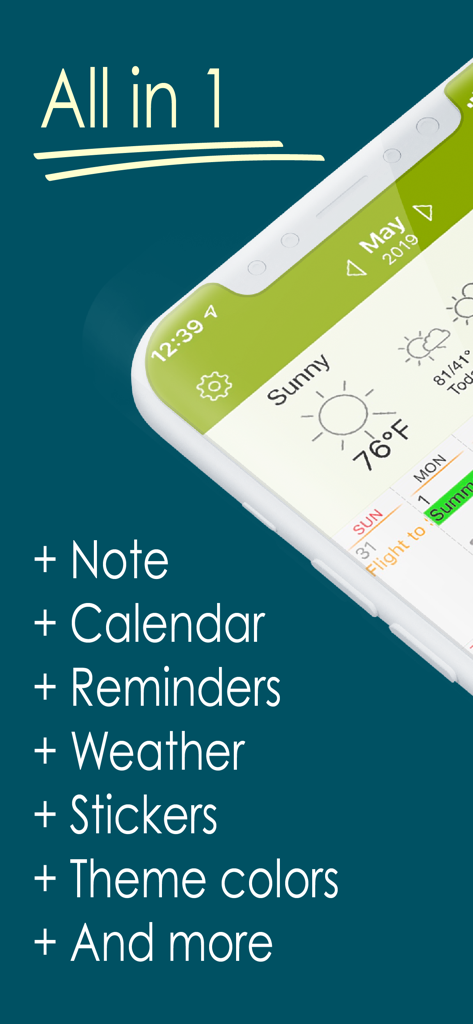
Application Awesome Calendar affichant des fonctionnalités tout-en-un, y compris des rappels de calendrier de notes et la météo
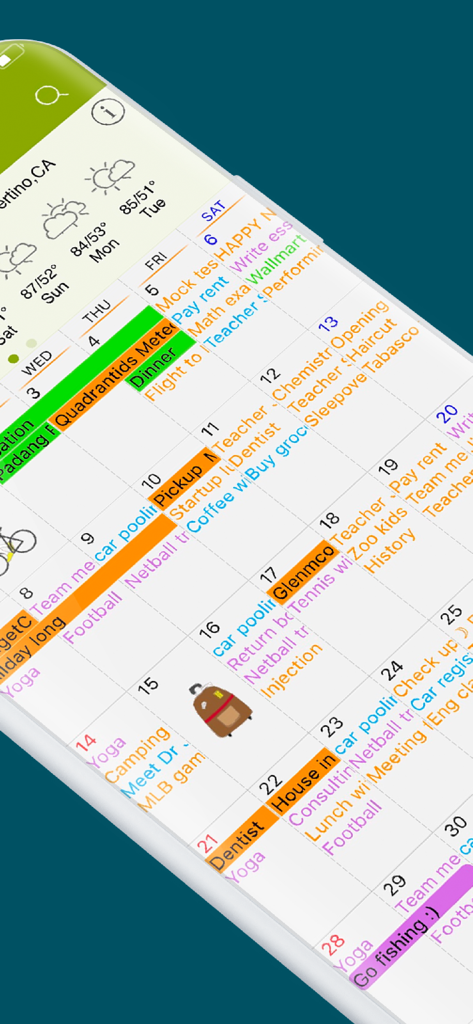
Vue mensuelle colorée de l'application Awesome Calendar montrant la météo et les autocollants intégrés
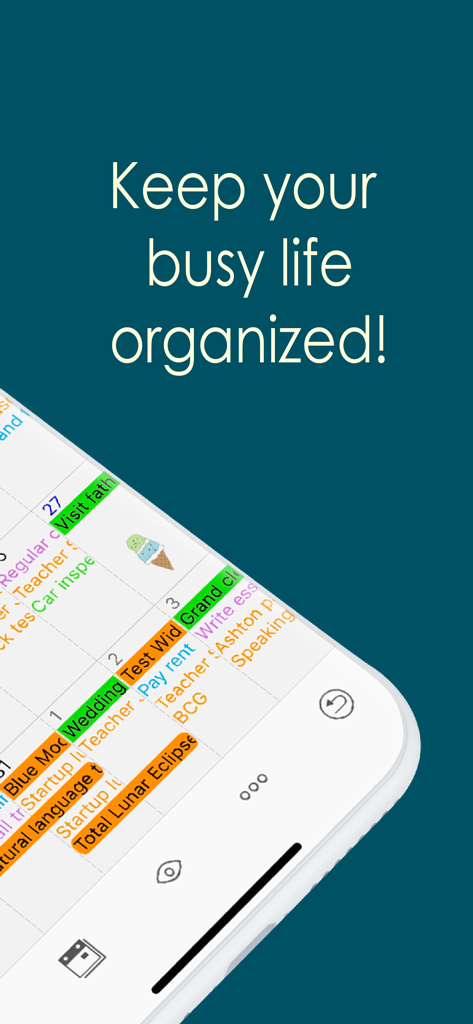
Application Awesome Calendar affichant un planificateur numérique coloré et organisé sur un écran mobile
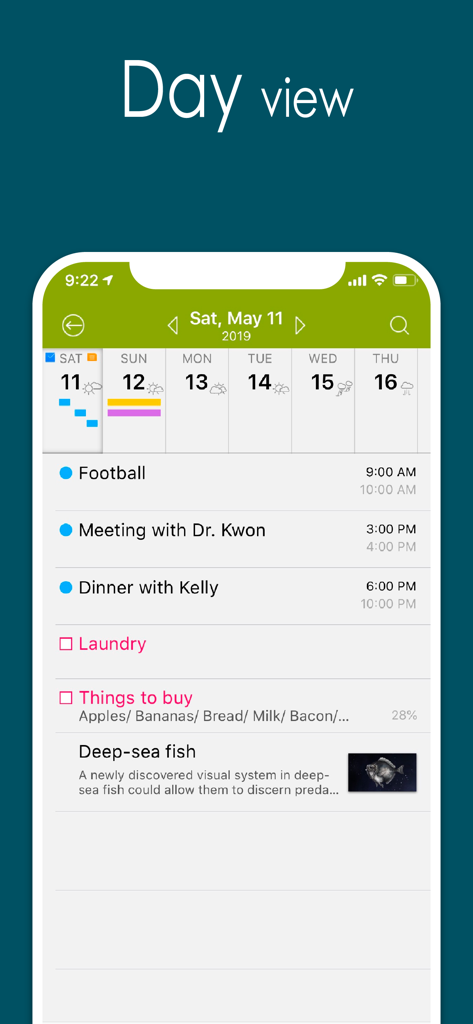
Capture d'écran de l'application Awesome Calendar montrant une vue détaillée de la journée avec un emploi du temps, une liste de tâches et des notes photo.
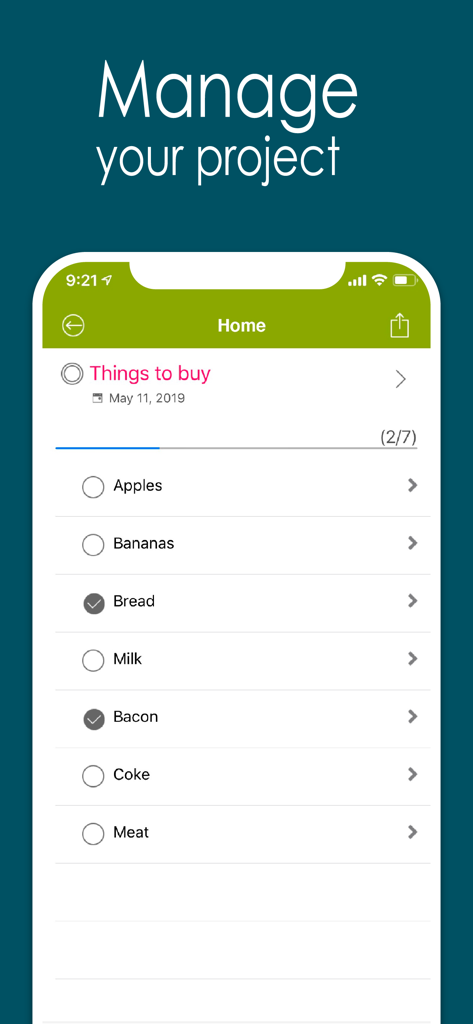
Application Awesome Calendar affichant une liste de courses avec des articles comme du pain et du bacon cochés
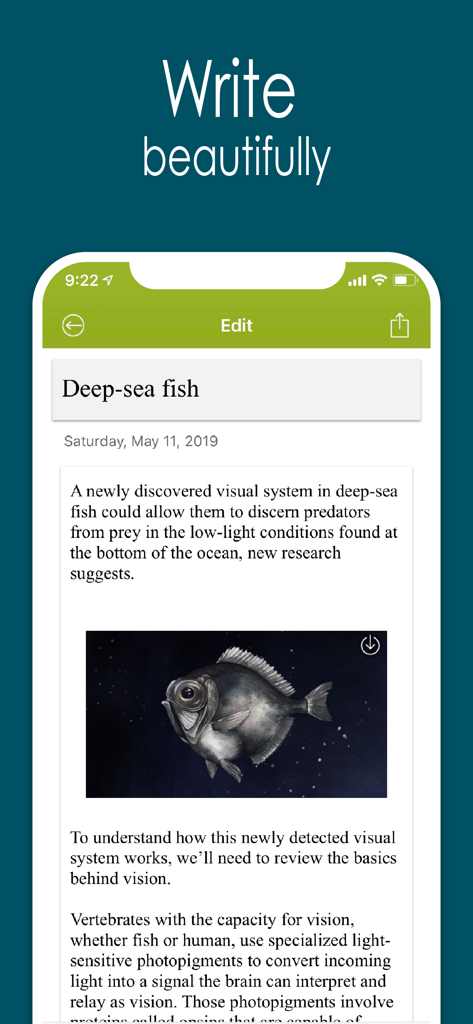
Application Awesome Calendar affichant une note de journal avec une photo intégrée et du texte
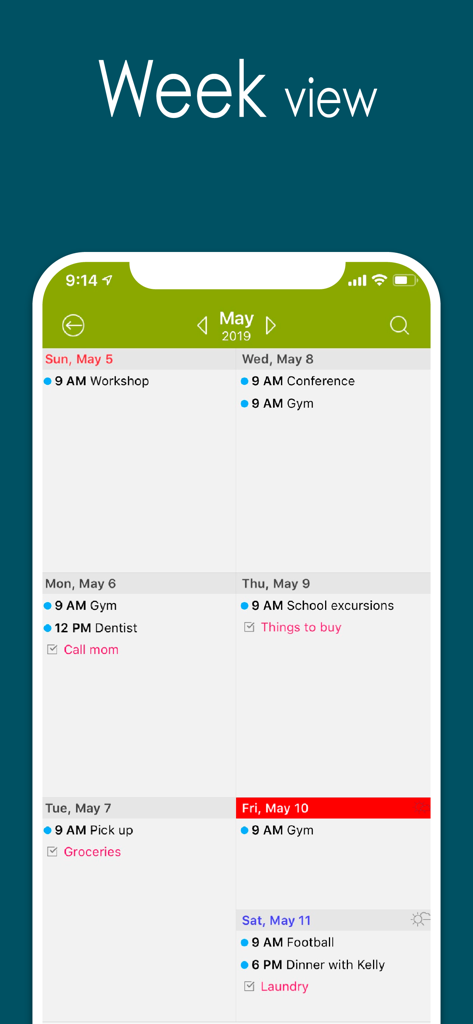
Vue hebdomadaire de l'application Awesome Calendar montrant l'emploi du temps et les tâches quotidiennes
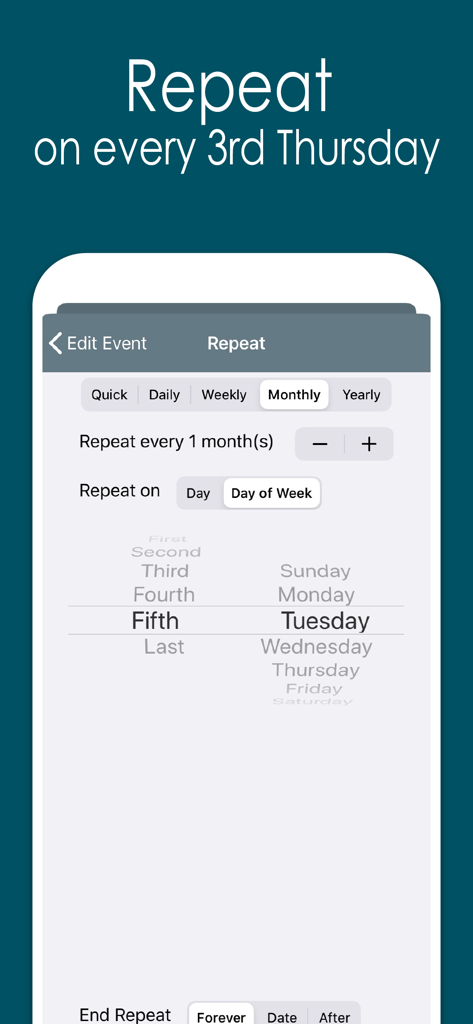
Interface de l'application Awesome Calendar montrant les options de répétition personnalisées pour les tâches répétitives certains jours de la semaine
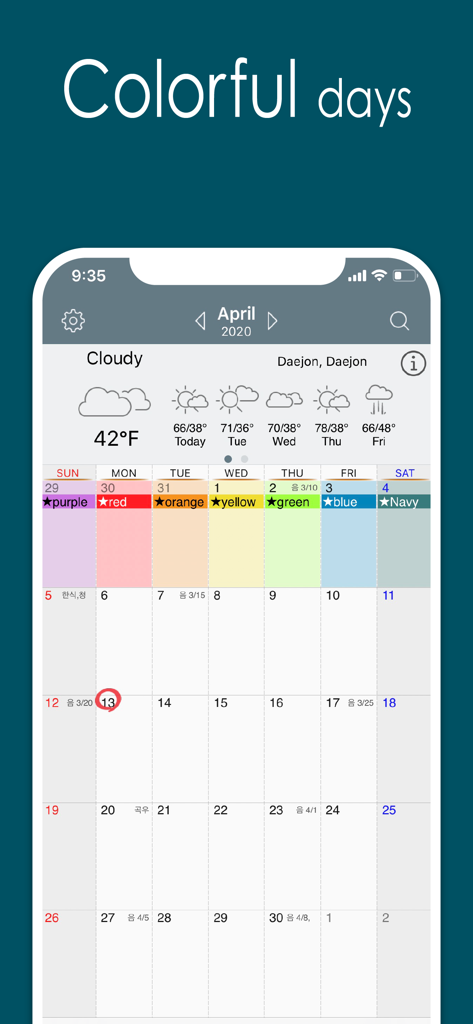
Vue mensuelle du calendrier de l'application Awesome Calendar avec des événements codés par couleur et les prévisions météorologiques intégrées
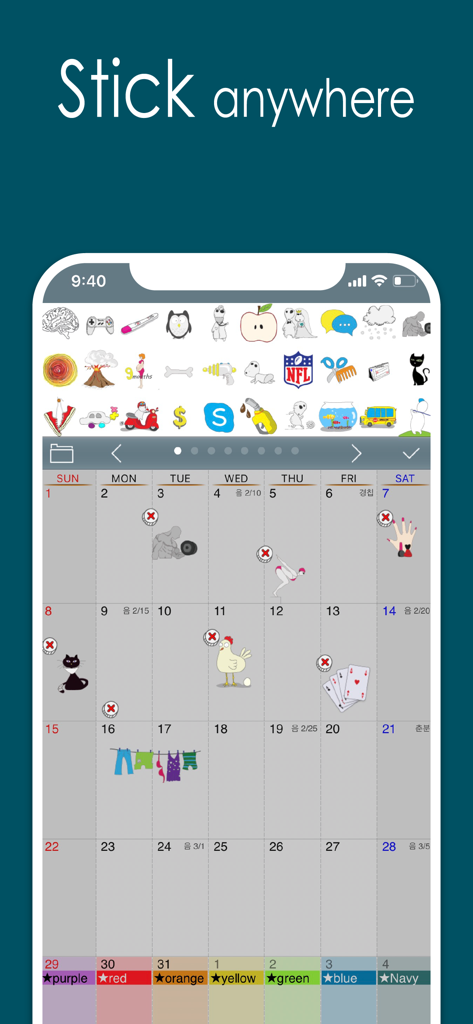
Écran d'iPhone montrant l'application Awesome Calendar avec une variété d'autocollants colorés placés sur une vue mensuelle du calendrier
Maîtrisez votre journée avec un centre de commande visuel
Les outils qui font la différence, choisis par 440K+ utilisateurs.
🗓️
La puissance ultime 4-en-1
Remplacez votre calendrier, votre gestionnaire de tâches, votre bloc-notes et votre application météo par une seule interface transparente. Simplifiez votre flux de travail et visualisez tout ce qui compte en un coup d'œil.
📸
Notes contextuelles avec photos
Allez au-delà du simple texte. Joignez des photos directement à vos rendez-vous et entrées de journal pour conserver des enregistrements visuels de projets, de reçus ou de souvenirs personnels là où ils devraient être.
✨
Filofax numérique personnalisé
Exprimez votre style avec des autocollants mignons, des thèmes personnalisables et des citations quotidiennes inspirantes. C'est plus qu'un utilitaire, c'est un compagnon personnel qui rend l'organisation de votre vie agréable.
À propos de l'app
Tout ce que vous devez savoir sur Awesome Calendar.
Description
Now you can automatically sync with all iPhone calendars, write your todo list, create notes with photos, check the weather and more, all with Awesome Calendar! This elegant application keeps you organized, shows holidays and is even perfect for team projects.
You’re away from the office but need to check your schedule. What do you do? Open up Awesome Calendar, of course. It only takes a second or two. The app automatically syncs with all iPhone supported calendars to let you know when you have time for that next meeting.
Quick as a wink, you add the meeting to your calendar then create a note that will help you prepare for it. A fast snap of the camera or visit to your camera roll and you add a picture of the product you’re quoting on, the item needing repair, or whatever you want. Another tap and you share all the information with your assistant back at the office, who can get the ball rolling on this project.
You pride yourself on making things happen fast, that’s why you have Awesome Calendar on your iPhone, iPod touch or iPad. In one speedy swoop, right from the client’s office, you were able to set up dates and times, note all of the information, and get things underway remotely. Once again, you are providing the five-star service you are known for.
Awesome Calendar is the all-in-tool to help you manage your personal and business life. View and edit your schedule, check the weather, create a todo list, write in your diary, embed photos in notes, check for holidays. This one does it all!
Want to share your schedule and notes? Would you like to have someone help you with your growing todo list? No problem, you can do those things from right inside the Awesome Calendar app. That’s right, it’s that easy and convenient. You never have to leave the app to use it most efficiently.
The time management power and functionality of this app is amazing. It has an elegant, easy-to-use interface from where you can organize your life and schedule. Aside from the tasks already mentioned, the application offers month, week, day and list views, event alarms, collapsible weeks, holiday listings for 35 different countries, and far more than what can be listed here.
Check out just a few of the features offered in Awesome Calendar:
+ Natural Language Input.
+ works with all iPhone supported calendars(MobileMe, iCloud, Google Calendar, Exchange, CalDAV)
+ iOS reminder integrated. Custom color, priority, note, custom alarms and sub-task.
+ Synchronization with google task
+ 4 apps in 1(calendar, task manager, notepad, weather, sticker)
+ Multiple calendar control
+ Month, week agenda, Filofax, day and list views
+ Rolling todo and todo carry over.
+ Custom color for event and reminder.
+ iCloud support for diary.
+ Customizable calendar and event color.
+ Font size and Style change option in view and note.
+ Timezone support.
+ Event template for quick adding.
+ Grouping of todo option
+ Quick popup on month view.
+ Holidays noted for 35 countries. Multiple holiday selection.
+ Elegant Photo album calendar.
+ Powerful diary lets you type notes and embed photos.
+ Full text search for event, note and todo.
+ Easy-push event alarm and customizable alarm.
+ Unlimited alarms.
+ Weather information display – current and 10 day forecast
+ Air print-Month overview, week, day and each event.
+ Lots of Cuteeeee stickers available to use in month view
+ Share events, notes and todo lists from inside the app
+ Passcode lock.
+ Monday/Sunday start option.
+ Customized recurrence for event and reminder.
+ Insert photo to note.
+ Sharing note via email.
+ Badge alarm on icon. Number of today’s events, todos.
+ Displaying past events on 1,2,3,4 and 5 years ago today at a glance.
+ Today's wise saying.
+ Theme color.
+ Customizable recurring rule for event and reminder.
+ Note sync via iCloud.
Dernière version
5.17.1
Taille
37.4 MB
Date de sortie
17 nov. 2011
Prêt à maîtriser votre vie bien remplie ?
Rejoignez plus de 440 000 planificateurs proactifs qui ont simplifié leur routine. Obtenez l'outil élégant tout-en-un qui fusionne de manière transparente votre calendrier, vos tâches et vos souvenirs en un magnifique planificateur numérique.
Recommandations
Apps Similaires
Apps avec des fonctionnalités et une expérience similaires
App information, icons, screenshots, and descriptions displayed on this page are sourced from the Apple App Store and are the property of their respective developers. Download estimates and rankings are based on MWM's proprietary models and may not reflect actual figures. This page is provided for informational and analytical purposes only.
Believe this page infringes your intellectual property? File a dispute