CalenGoo Calendar
CalenGoo Calendar
Télécharger sur App Store

Cette page n'est pas une page officielle de l'application ou de son développeur, mais une publication éditoriale indépendante créée à des fins d'information et de commentaire. Sauf indication expresse contraire, ni l'application ni son développeur ne sont affiliés, approuvés, sponsorisés, autorisés ou autrement officiellement liés à MWM, Apple, Google Play, à l'éditeur de l'application ou au développeur de l'application, et rien sur cette page n'implique que l'application a été développée en utilisant les services de MWM. Toutes les marques, logos, captures d'écran et autres contenus restent la propriété de leurs propriétaires respectifs.

Logo de CalenGoo Calendar
Télécharger sur App Store

CalenGoo Calendar

Gérez vos calendriers Google et iOS comme sur un ordinateur, où que vous soyez. Conçu pour les professionnels exigeants qui ont besoin d'une personnalisation poussée, de tâches intégrées et d'un accès hors ligne fiable, sans compromis.

Chiffres Clés

Téléchargements

400K+

Note

3.7/5

Nombre d'avis

10K+

Éditeur

Gunia UG (haftungsbeschrankt)

Catégorie

Productivity

Langues

9

Dernière version

1.5.103

Taille

30.1 MB

Date de sortie

16 janv. 2009
Fonctionnalités

Gestion professionnelle de calendrier sans compromis

Profitez de toute la puissance de votre agenda Google sur votre iPhone. Conçu pour les utilisateurs exigeants qui recherchent précision, personnalisation poussée et intégration parfaite des tâches.

Vue mensuelle des classes sur ordinateur

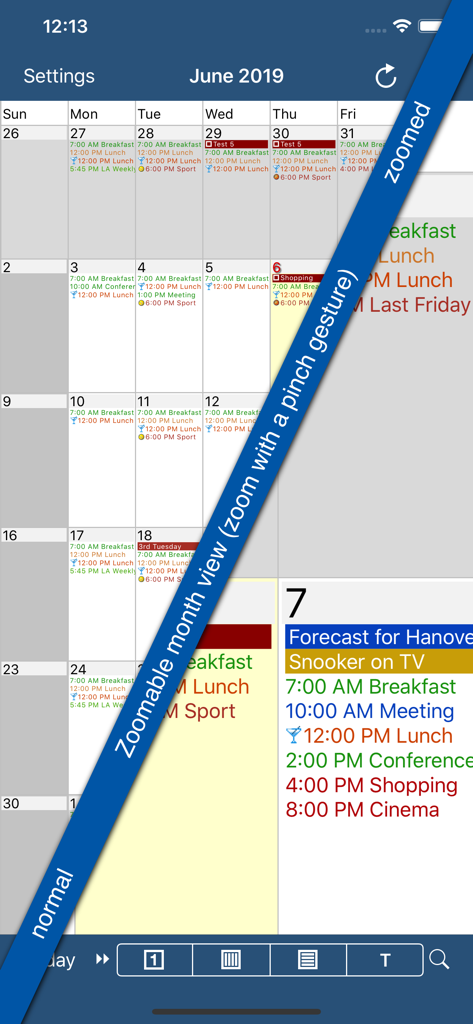
Fini les yeux plissés pour déchiffrer des points ! Bénéficiez d'une vue mensuelle détaillée et zoomable, identique à celle de la version bureau, avec vos couleurs et icônes d'événements Google personnalisées.

Flux de travail intégré

Gérez vos tâches Google et vos rappels iOS directement dans votre calendrier. Visualisez vos échéances et vos rendez-vous dans une vue unique pour simplifier votre planification quotidienne.

Les captures d'écran et la description suivantes proviennent directement de la fiche officielle de l'application sur le store et sont la propriété du développeur.

App Store

Captures
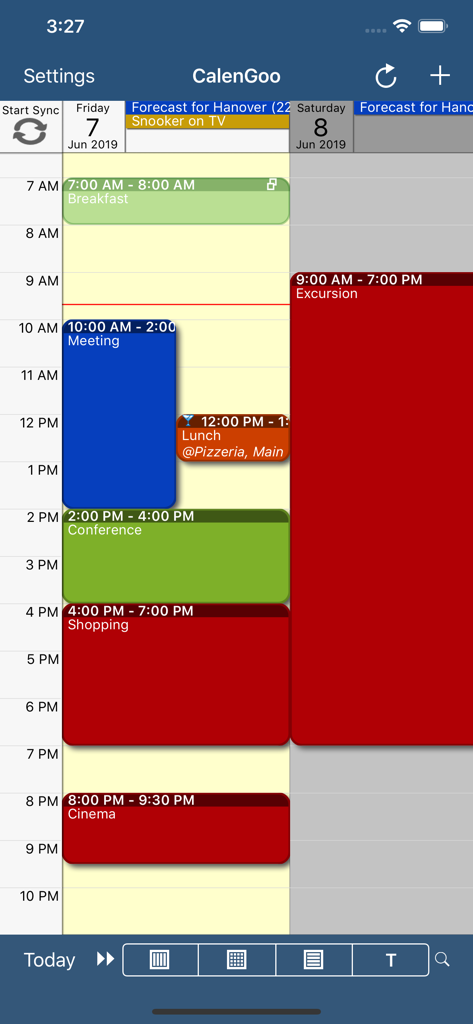
CalenGoo Calendar - L'application Calendrier CalenGoo propose un agenda quotidien avec des événements codés par couleur.
L'application Calendrier CalenGoo propose un agenda quotidien avec des événements codés par couleur.

CalenGoo Calendar - Capture d'écran de l'application CalenGoo Calendar montrant sa fonction de zoom sur la vue mensuelle avec des détails d'événements codés par couleur.
Capture d'écran de l'application CalenGoo Calendar montrant sa fonction de zoom sur la vue mensuelle avec des détails d'événements codés par couleur.

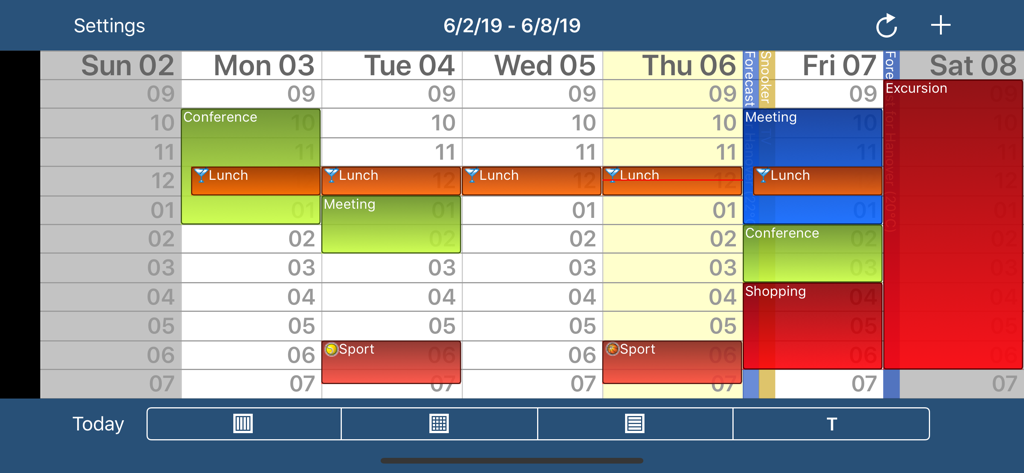
CalenGoo Calendar - Vue hebdomadaire de l'application Calendrier CalenGoo avec événements et créneaux horaires codés par couleur
Vue hebdomadaire de l'application Calendrier CalenGoo avec événements et créneaux horaires codés par couleur

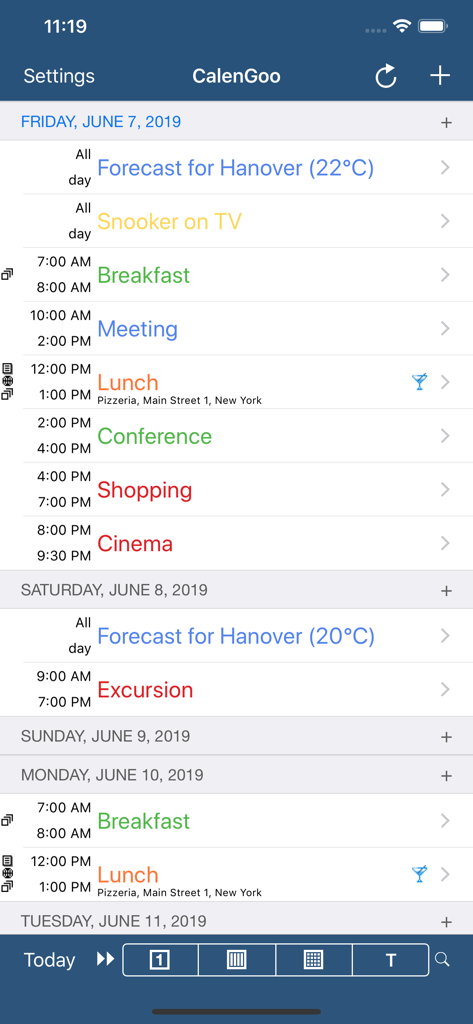
CalenGoo Calendar - CalenGoo Calendar affiche un agenda quotidien avec un code couleur, indiquant les événements et les horaires.
CalenGoo Calendar affiche un agenda quotidien avec un code couleur, indiquant les événements et les horaires.

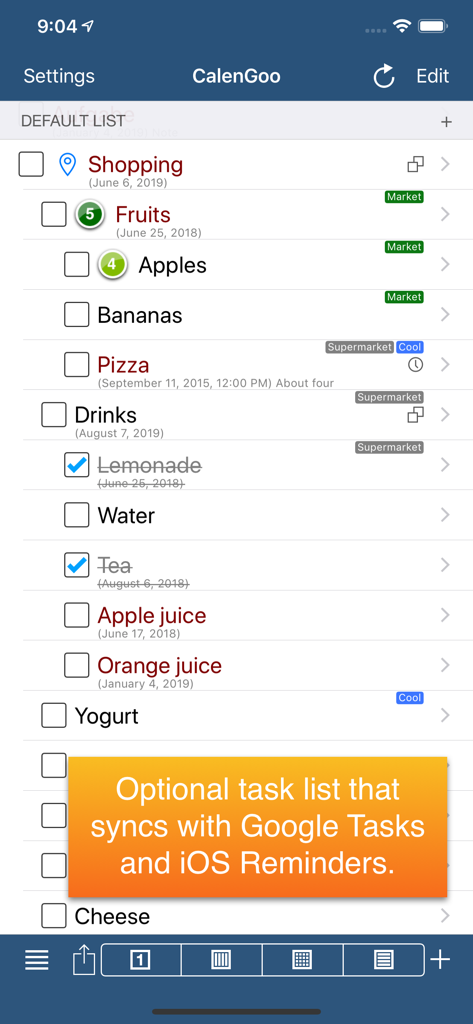
CalenGoo Calendar - Capture d'écran de l'application CalenGoo affichant une liste de courses avec notification de synchronisation Google Tasks et Rappels iOS

Capture d'écran de l'application CalenGoo affichant une liste de courses avec notification de synchronisation Google Tasks et Rappels iOS

Description

CalenGoo gives you a fast and easy way to access and modify your Google Calendar with your iPhone, iPod Touch or iPad. It can also be used when you have no Internet connection, using the cached data. Changes are saved and uploaded the next time you are connected. The calendar view is similar to the web view of Google Calendar. Events are displayed using the same calendar colors that you use in your Google Calendar, even Google's event colors are supported (please see http://www.calengoo.com/cc ). It also recognizes which calendars are visible and which are hidden. So the view should match the view of your Google Calendar as much as possible. CalenGoo also has a month view similar to that of Google Calendar. It can be zoomed and panned to quickly get an overview over the events of a month. Zooming the month is done by using the two-finger-zoom gesture that you know from Safari and the photo application. A double tap opens the tapped day. It also supports the same kinds of recurrence rules as Google Calendar and displays recurring events correctly even when you are offline or scroll far into the future. You can also use Google Calendar's feature to invite people to events and see their status (accepted, declined, maybe, no answer). They will get an invitation email with links to e.g. accept or decline the invitation. Google Calendar has an integrated task list, called Google Tasks. Tasks with a due date are displayed on the corresponding days of the calendar. CalenGoo can do the same, it can sync this list, display your tasks in the calendar views and in a list view and it even makes your tasks available offline. You can edit and add tasks and the changes will be synced with Google Tasks. You either need a (free) Google Calendar account to use this app or you can use it with your iOS calendars. However using it with Google Calendar has a few advantages. To get more information, screenshots and a tutorial, please go to http://www.calengoo.com If you have any problems or suggestions, please send an email to calengoo@dgunia.de or take a look at CalenGoo's support website to get help. If you think the font is too small and hard to read, you can increase the font size of all calendar views in the settings under "Settings", "Display and Use". Features ( http://www.calengoo.com ): - Drag&drop to quickly copy and move events - Templates to quickly create similar events again. They can even be combined, e.g. one template for the location of an event and another for the attendees - Print/PDF function to print the day, week, month or agenda view via AirPrint or to email it as a PDF file - Supports the same recurrence rules as Google Calendar - Supports Google Calendar's event colors when syncing via OAuth2 - Icons can be assigned to Google Calendar events - Date/time can be entered using the iOS wheels or by using a keypad - Fast search function - Show/edit iOS calendars in addition to Google calendars (or instead of Google calendars) - Sync with Google Tasks and iOS Reminders - Reminders can be snoozed and they can be (optionally) repeated every minute - Birthdays and anniversaries of your contacts can be displayed - Zoomable month view, which can be configured to scroll horizontally (month by month) or vertically (week by week) - Events can be linked to contacts - Floating events and completable events - Photos and PDF files can be created and attached to events (via Google Drive) - Calendar selection bar to quickly show and hide single calendars - The location of an event can be opened with Apple Maps, Google Maps, Navigon, TomTom, Skobbler, Sygic, iGo or Waze - View/edit calendars that are shared with others via Google Calendar - Many configuration options to change the way the app looks and works

Download

Télécharger sur App Store

Cette page n'est pas une page officielle de l'application ou de son développeur, mais une publication éditoriale indépendante créée à des fins d'information et de commentaire. Sauf indication expresse contraire, ni l'application ni son développeur ne sont affiliés, approuvés, sponsorisés, autorisés ou autrement officiellement liés à MWM, Apple, Google Play, à l'éditeur de l'application ou au développeur de l'application, et rien sur cette page n'implique que l'application a été développée en utilisant les services de MWM. Toutes les marques, logos, captures d'écran et autres contenus restent la propriété de leurs propriétaires respectifs.








