Create PDF - Camera Scanner

Create PDF - Camera Scanner

Télécharger sur App Store
Logo de Create PDF - Camera Scanner

Créer PDF - Scanner Caméra : Votre hub de documents professionnel en déplacement

Transformez votre iPhone en un scanner hors ligne de haute puissance. Numérisez sans effort des documents, des pièces d'identité et des reçus avec une qualité cristalline et une confidentialité totale.

Télécharger sur App Store

Éditeur

Jogani Bhavesh Keshubhai

Catégorie

Utilities

Téléchargements

2K+

Note

1.0/5

Nombre d'avis

0

Langues

1

L'efficacité en mise au point

Découvrez l'interface utilisée par 2K+ utilisateurs.
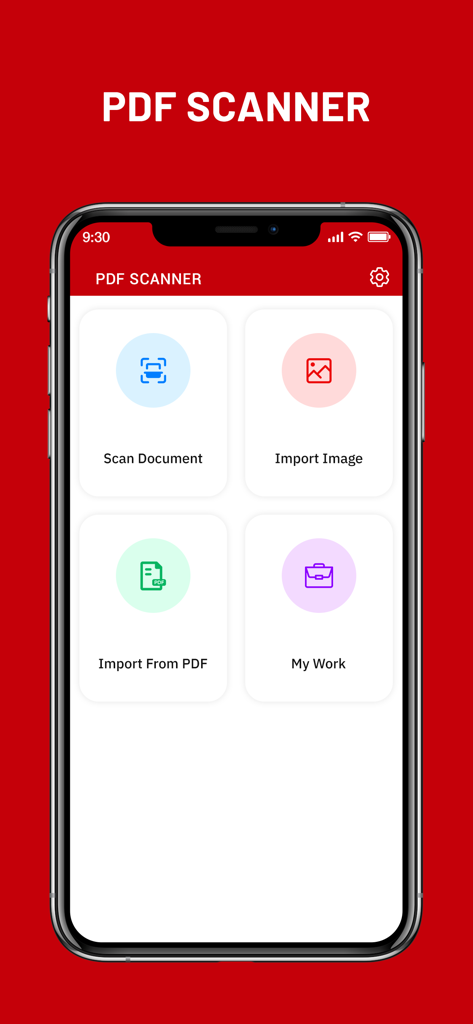
Tableau de bord principal de l'application Créer PDF Scanner Caméra sur un iPhone avec des boutons pour numériser des documents et importer des images

Tableau de bord principal de l'application Créer PDF Scanner Caméra sur un iPhone avec des boutons pour numériser des documents et importer des images

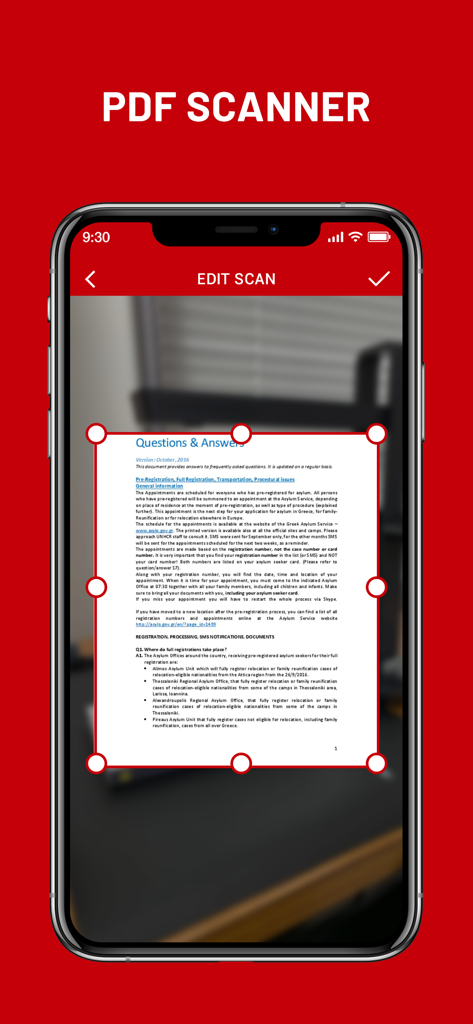
Écran d'iPhone montrant la fonction de recadrage et d'édition de documents dans l'application Créer PDF Scanner Caméra

Écran d'iPhone montrant la fonction de recadrage et d'édition de documents dans l'application Créer PDF Scanner Caméra

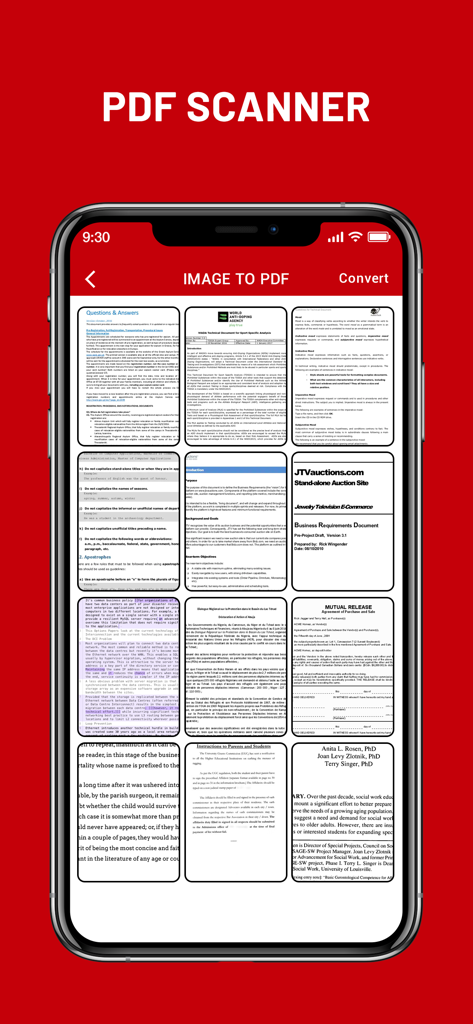
Interface de l'application mobile montrant une grille de plusieurs documents numérisés prêts à être convertis en fichier PDF

Interface de l'application mobile montrant une grille de plusieurs documents numérisés prêts à être convertis en fichier PDF

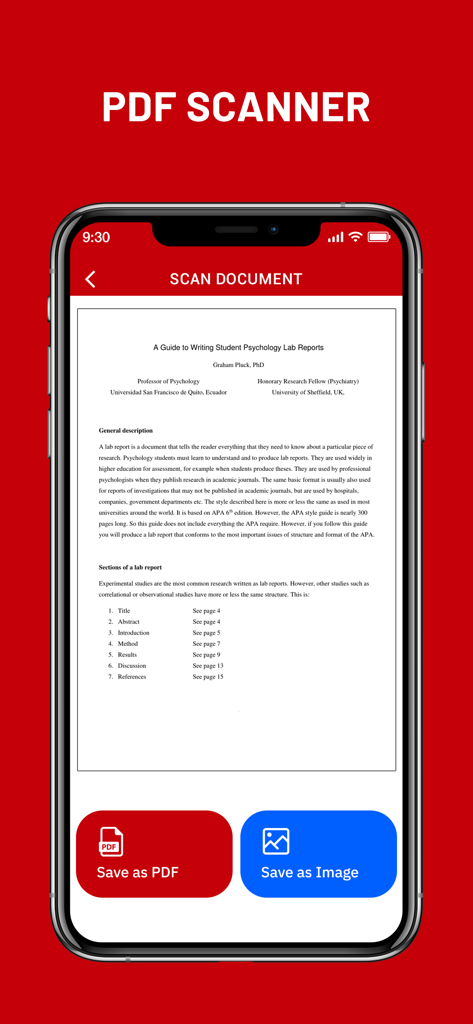
Écran de smartphone montrant un document numérisé dans l'application Créer PDF avec les boutons Enregistrer au format PDF et Enregistrer en tant qu'image

Écran de smartphone montrant un document numérisé dans l'application Créer PDF avec les boutons Enregistrer au format PDF et Enregistrer en tant qu'image

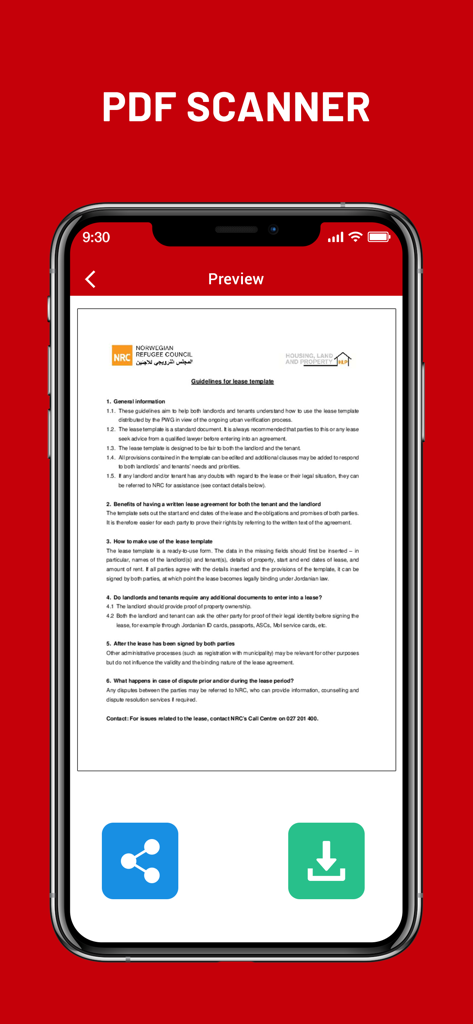
Aperçu d'un bail numérisé dans l'application Créer PDF Scanner Caméra

Aperçu d'un bail numérisé dans l'application Créer PDF Scanner Caméra

Votre bureau professionnel, directement dans votre poche

Les outils qui font la différence, choisis par 2K+ utilisateurs.

📄

Numérisations instantanées de haute qualité

Transformez contrats, notes manuscrites et pièces d'identité en PDF professionnels d'un simple toucher grâce à des filtres de traitement d'image avancés.

🔒

Privé et hors ligne par conception

Gardez vos données sensibles en sécurité. Toutes les générations de PDF se font directement sur votre appareil, sans téléchargement dans le cloud ni connexion Internet.

📂

Classement transparent de plusieurs pages

Fusionnez plusieurs numérisations en un seul document organisé. Parfait pour compiler des reçus de dépenses, des formulaires fiscaux ou des guides d'étude de plusieurs pages.

À propos de l'app

Tout ce que vous devez savoir sur Create PDF - Camera Scanner.

Description

Create PDF - Camera Scanner is a tool that lets you convert any printed document to a PDF file, all on your iPhone, iPad. Camera Scanner comes with a lightweight, clean, and easy-to-use interface that makes this app feel like a breeze. CamScanner - PDF Creator is the best scanner app that will turn your phone into a PDF scanner. Convert images to pdf in a simple tap. Download it for FREE! The only thing you have to do is take a photo of the document in question, using the Free iScanner that is part of CamScanner - PDF Creator! Of course, the photo needs to be somewhat cantered and well-lit. Cam Scan app will then process the photo in question, and in a matter of seconds it will have converted it to a PDF document. Once you have the PDF document saved to your iPhone, you can work with it just like you would with any other file of this type. In addition, before saving the document, you can apply different filters to it to see if it looks better; depending on the quality of light in the photo, you might be able to obtain better results with a filter. Camera Scanner - PDF Creator is an interesting tool for users who normally tend to work with printed documents, but who also want to be able to bring those documents anywhere. Camera Scanner allows users to 'scan' documents (by taking a photo with the device's camera) and share the photo as either a JPEG or PDF. • Scan Documents Camera Scanner - PDF allows user to scan documents by taking a picture with the phone camera. Feature recognises texts in images and extract them from images for later searching, editing or sharing. • PDF Conversion Camera Scanner support a variety of format conversion including converting PDF to JPG and vice versa. * Features * • Easy to scan ID-Card, Passport, any documents • Document Scanner - Scan documents, Scan PDF • iScanner - Document Scan & Edit with OCR • Mobile PDF Scanner -Create pdf from a website, convert document files (doc, docx, ppt, pptx) to PDF • Scaner - Scan documents and photos to PDF or PNG • Easily scan multiple pages into one document using Cam Scanner • Instantly print out any documents in CamScanner • Scan documents free • Share PDF/JPEG Files CamScanner HD for iPhone use your smartphone camera to scan multi-page of documents, card, whiteboards, receipts, notes and other text. using scanner for ipad free you can quickly scan your documents and share! Cam Scan - PDF Scanner App is easier, faster scanning with cs scan. CamScanner-PDF Scanner App lets you scan and create PDF files. PDF scanner is the best free camscanner app for iphone. Scanner App: PDF Document Scan. Photo scanner is completely offline and requires no internet connection. Along with scanning, features like cropping and filters improve the visibility of your documents using scan.app In CamScanner PDF generation is completely offline and requires no internet connection. It saves your PDF file in history and in the list of recently used documents. Cam Scan is not just easy to use but also completely secure scanner app. The camera scanner App is the best scan app, doc scanner & a must have application for those people who are always travelling for business purposes. ABOUT SUBSCRIPTIONS • Payment will be charged to iTunes Account at confirmation of purchase • Subscription automatically renews unless auto-renew is turned off at least 24-hours before the end of the current period • Account will be charged for renewal within 24-hours prior to the end of the current period, and identify the cost of the renewal • Subscriptions may be managed by the user and auto-renewal may be turned off by going to the user's Account Settings after purchase • Any unused portion of a free trial period, if offered, will be forfeited when the user purchases a subscription to that publication, where applicable Terms of Use : https://joganibhavesh.home.blog/terms-condition/ Privacy Policy : https://joganibhavesh.home.blog/

Dernière version

1.0

Taille

12.1 MB

Date de sortie

23 août 2021

Transformez votre iPhone en un puissant scanner portable

Rejoignez des milliers d'étudiants et de professionnels. Commencez à numériser des documents, des pièces d'identité et des reçus en quelques secondes avec une création de PDF hors ligne 100% sécurisée.

Télécharger sur App Store

App information, icons, screenshots, and descriptions displayed on this page are sourced from the Apple App Store and are the property of their respective developers. Download estimates and rankings are based on MWM's proprietary models and may not reflect actual figures. This page is provided for informational and analytical purposes only.

Believe this page infringes your intellectual property? File a dispute