DartSide Pattern Drafting

DartSide Pattern Drafting


Télécharger sur App Store
Logo de DartSide Pattern Drafting

DartSide Patronage : Votre studio de design professionnel sur iPad

Numérisez des patrons papier, créez avec précision et exportez des fichiers PDF ou SVG prêts pour la production. Comblez le fossé entre le drapage physique et l'efficacité numérique.

Éditeur

DartSide

Catégorie

Graphics & Design

Téléchargements

23K+

Note

1.5/5

Nombre d'avis

0

Langues

2

Précision dans chaque pixel

Découvrez l'interface utilisée par 23K+ utilisateurs.
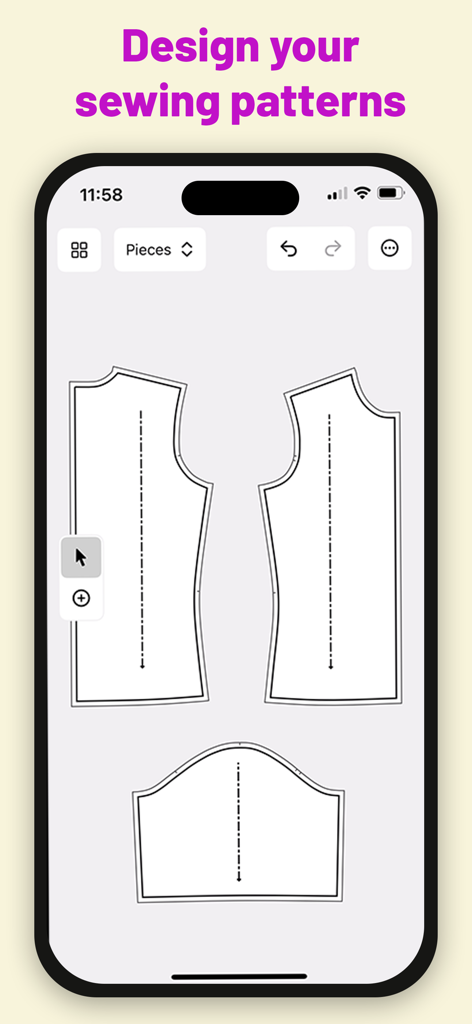
Interface d'application mobile montrant des pièces de patrons de couture numériques dans DartSide Patronage

Interface d'application mobile montrant des pièces de patrons de couture numériques dans DartSide Patronage

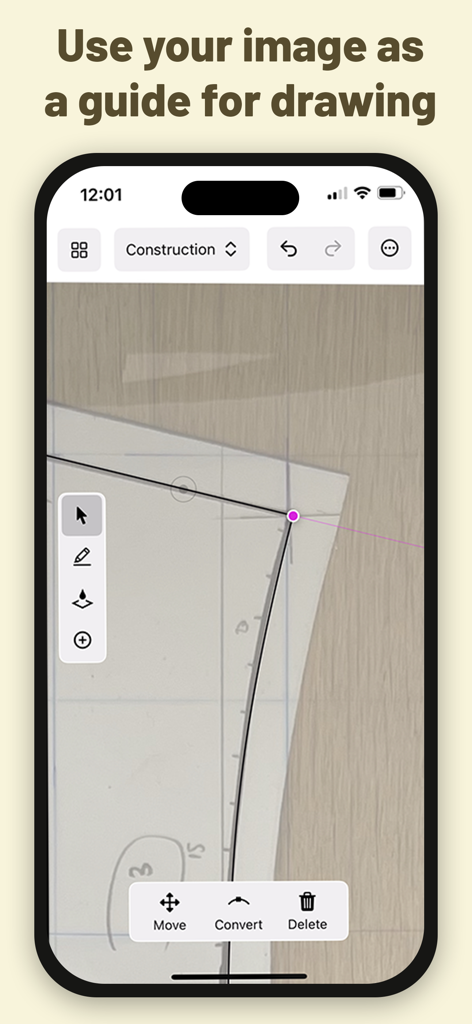
Interface de l'application DartSide montrant des lignes vectorielles dessinées sur une photo d'un patron de couture papier

Interface de l'application DartSide montrant des lignes vectorielles dessinées sur une photo d'un patron de couture papier

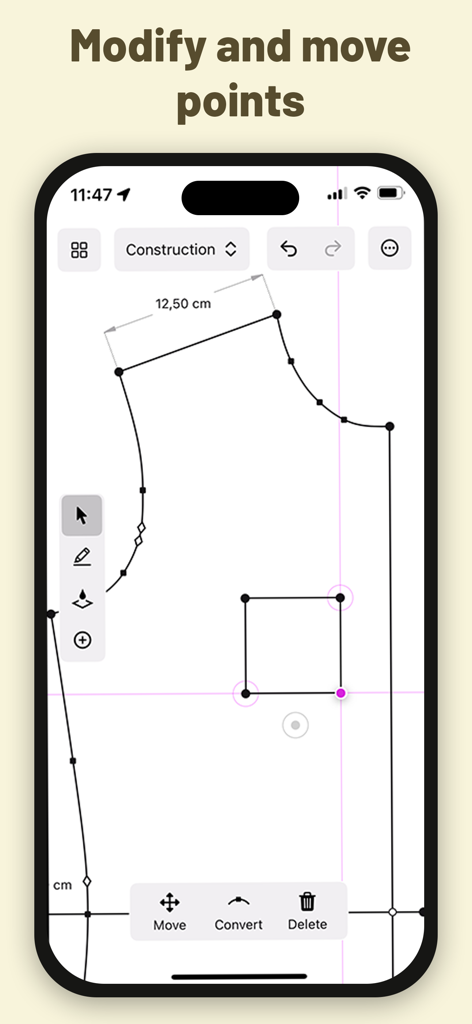
Patron de couture numérique en cours d'édition dans le mode de construction de l'application DartSide montrant des outils de modification de points

Patron de couture numérique en cours d'édition dans le mode de construction de l'application DartSide montrant des outils de modification de points

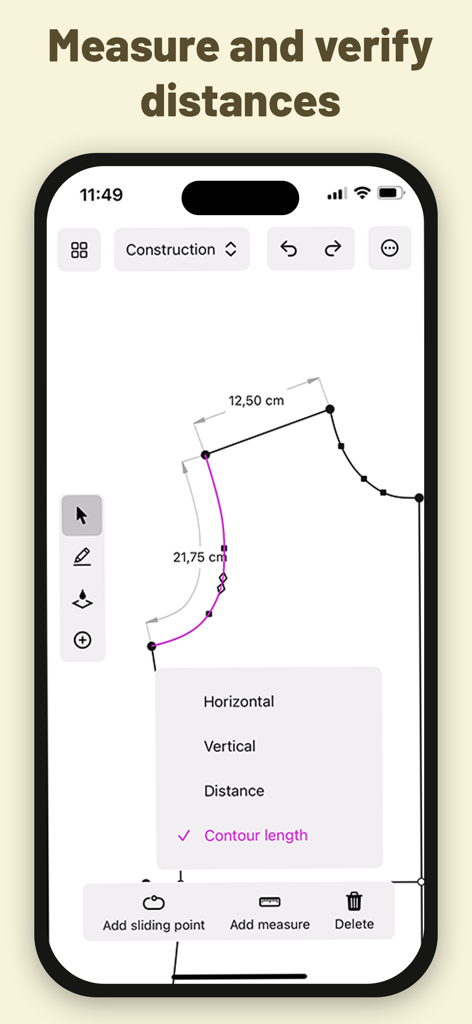
Interface de l'application DartSide montrant des mesures techniques et des longueurs de contour pour un patron de couture numérique.

Interface de l'application DartSide montrant des mesures techniques et des longueurs de contour pour un patron de couture numérique.

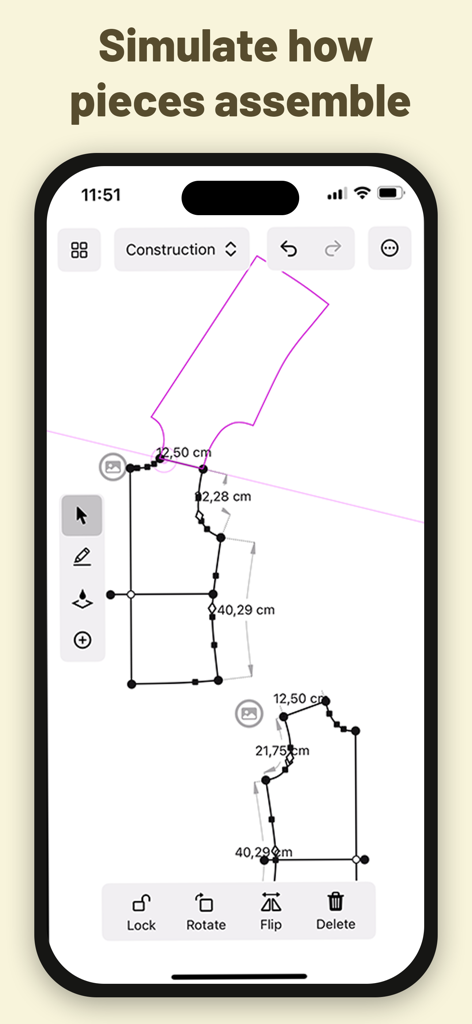
Simulation d'assemblage de patron de couture numérique dans l'application DartSide montrant des lignes vectorielles et des mesures

Simulation d'assemblage de patron de couture numérique dans l'application DartSide montrant des lignes vectorielles et des mesures

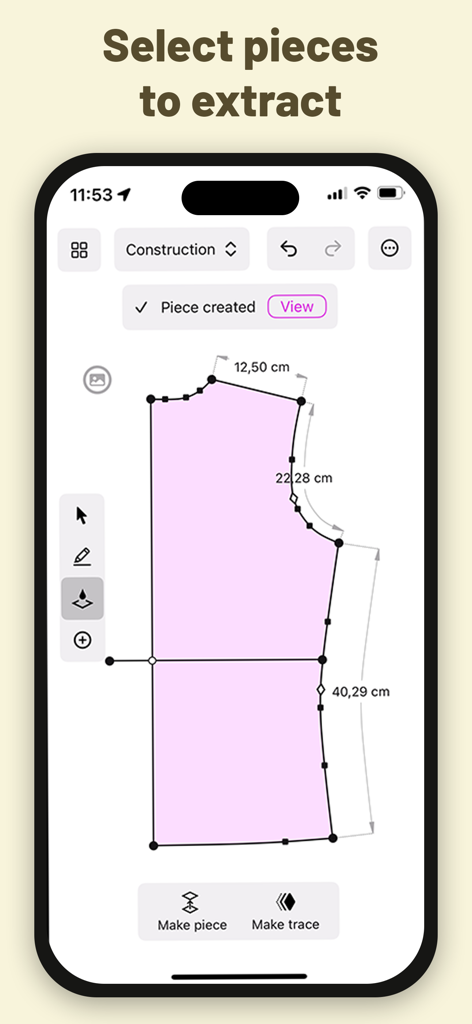
Interface de l'application DartSide montrant l'extraction d'une pièce de patron de couture numérique avec des mesures précises

Interface de l'application DartSide montrant l'extraction d'une pièce de patron de couture numérique avec des mesures précises

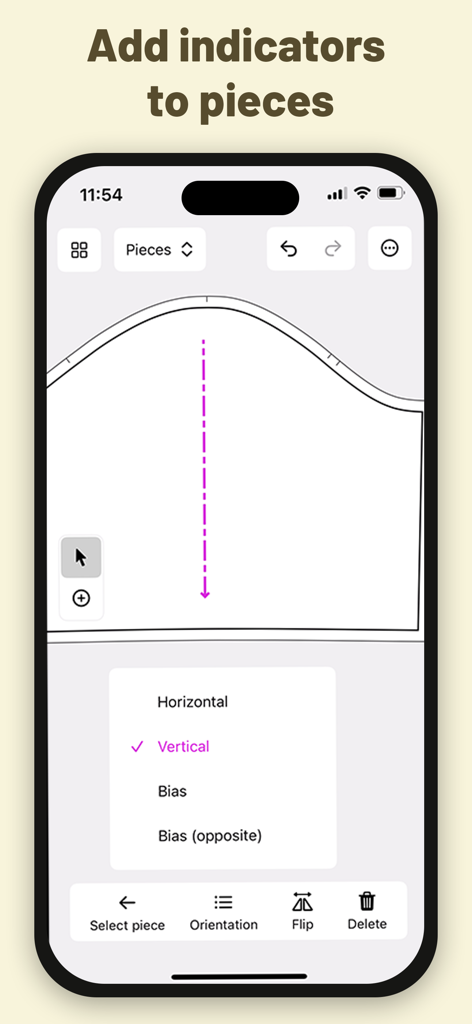
Interface mobile pour DartSide montrant des indicateurs d'orientation et de droit-fil pour des pièces de patrons de couture

Interface mobile pour DartSide montrant des indicateurs d'orientation et de droit-fil pour des pièces de patrons de couture

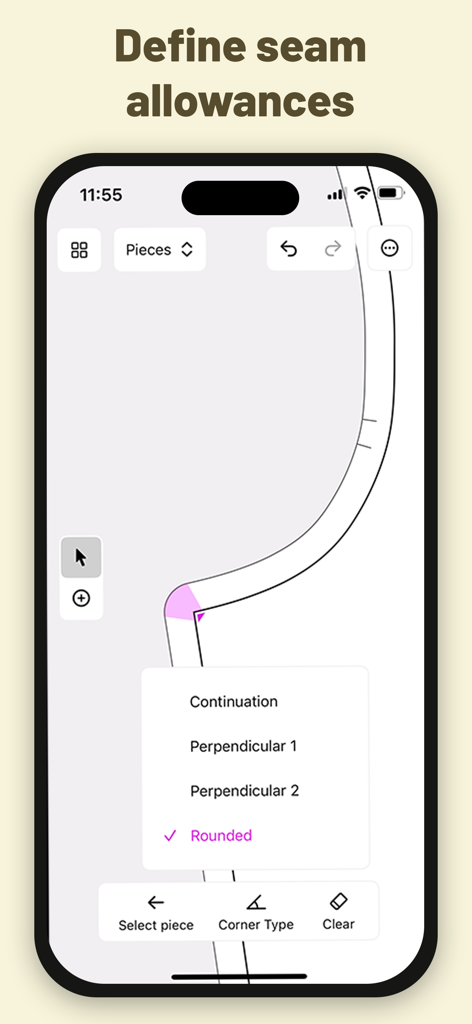
Interface d'application mobile montrant des options pour définir les types de coins de marge de couture pour un patron.

Interface d'application mobile montrant des options pour définir les types de coins de marge de couture pour un patron.

Du papier aux patrons numériques professionnels

Les outils qui font la différence, choisis par 23K+ utilisateurs.

📸

Numérisation instantanée des patrons

Transformez des patrons physiques ou des toiles en tissu en vecteurs précis. Notre outil de correction de perspective garantit que votre échelle numérique est parfaite au millimètre près.

📐

Création avec Apple Pencil

Découvrez la sensation tactile du dessin à la main avec la puissance de la CAO. Ajoutez facilement des marges de couture, des crans et des lignes de droit-fil à vos créations personnalisées.

🧵

Prêt pour la vente et la production

Exportez votre travail en fichiers PDF ou SVG professionnels. Parfait pour l'impression à domicile, la vente sur Etsy ou pour une stylisation ultérieure dans Adobe Illustrator.

À propos de l'app

Tout ce que vous devez savoir sur DartSide Pattern Drafting.

Description

Scan your sewing patterns with your iPhone or iPad! DartSide is a sewing pattern editor that helps creators with the entire creation process: scanning, construction, industrializing, and exporting. SCAN Scan a paper pattern or a toiling fabric from an image: • Take a photo of a piece of the pattern • Correct the inevitable perspective distortions that come from taking a photo with a camera that isn’t exactly parallel with the pattern • Define the scale of your image • Add the photo to the background of your construction canvas • Lock the image, and use it as a guide to draw the vector contours of your pattern • Hide the image, so that it can be accessed later if you ever want to refer back to it CONSTRUCTION Draw the lines and curves of your patterns using your preferred method: • Draft your pattern from scratch within the app • Adjust a pattern that you’ve scanned from an image • Transform an existing pattern from your project list Key functionality: • Draw and modify lines and curves freely on the screen with your finger or Apple Pencil • Move any point by a specified direction and/or distance • Measure the length between any two points that are linked by a line or curve • Create a trace that can be used to simulate how it mounts with another part of the pattern PIECES You can industrialize all the pieces of your pattern to specify the cutting and the mounting of your model. • Create a new piece by selecting a form you’d like to extract from your construction • Add indicators (notches, markers, fabric grain lines) to each piece • Define seam allowance sizes and corner types EXPORT You can export your patterns in PDF or SVG format. The exported pattern is the exact vector representation you see in Pieces Mode in the app. The exported pattern is compatible with vector drawing apps like Adobe Illustrator or Inkscape. Once exported, you can use one of these tools to finalize the layout and style of your pattern. Project Syncing All your projects are automatically synced to the cloud, no need to remember to manually save to avoid losing your work. The projects are linked to your user account, and can be accessed from multiple devices (iPhone or iPad). DartSide Premium: You can download and try DartSide for free, with the exception of exporting your patterns. To take your patterns even further, you can subscribe to a monthly auto-renewing subscription to unlock: • Unlimited PDF exports • Unlimited SVG exports Exporting your pattern from DartSide opens up a number of possibilities depending on what other apps you use: • Customize the layout of your pattern • Create a cutting layout to print your pattern on your desired paper size • Make your pattern downloadable on your website or online store ----- • Your subscription renews automatically if you don't cancel it at least 24 hours before the end of the current subscription period. • You can cancel your subscription at any time. To avoid being charged for an additional month, cancel at least 24 hours before the end of the current billing period. • You can manage your subscription in your devices Settings > Apple ID > Subscriptions. Terms and conditions: https://dartside.app/p/terms/ Privacy policy: https://dartside.app/p/privacy/ For unlimited exports of your patterns as SVG or PDF, subscribe to an auto-renewing monthly subscription through in-app purchase • You can cancel your subscription at any time from the list of subscriptions associated with your Apple ID in your device’s Settings app We want DartSide to be the best possible partner for all of your pattern drafting needs. If you run into any problems, or have ideas for how things could be improved, we'd love to hear from you at contact@dartside.app !

Dernière version

1.1.1

Taille

22.8 MB

Date de sortie

18 déc. 2023

Prêt à transformer votre studio de couture ?

Rejoignez des milliers de créateurs qui numérisent leur flux de travail de conception. Téléchargez DartSide dès aujourd'hui et transformez votre iPad en une station de patronage professionnelle.

Télécharger sur App Store

App information, icons, screenshots, and descriptions displayed on this page are sourced from the Apple App Store and are the property of their respective developers. Download estimates and rankings are based on MWM's proprietary models and may not reflect actual figures. This page is provided for informational and analytical purposes only.

Believe this page infringes your intellectual property? File a dispute