Data Drop : Transfert de fichiers instantané de l'iPhone vers n'importe quel ordinateur
Oubliez les comptes, les câbles et les formulaires de connexion. Partagez en toute sécurité photos, vidéos et documents sur n'importe quel PC ou ordinateur public en quelques secondes grâce à un simple scan QR.
Éditeur
Ion Postolachi
Catégorie
Productivity
Téléchargements
13K+
Note
5.0/5
Nombre d'avis
0
Langues
1
Partage fluide visualisé
Découvrez l'interface utilisée par 13K+ utilisateurs.
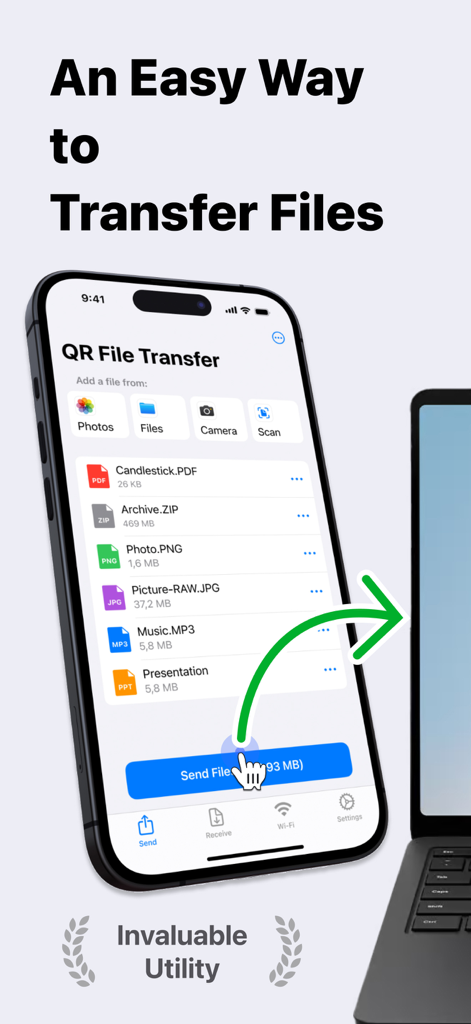
Capture d'écran de l'interface de l'application Data Drop montrant le transfert de fichiers sans fil d'un iPhone vers un ordinateur portable avec différents types de fichiers
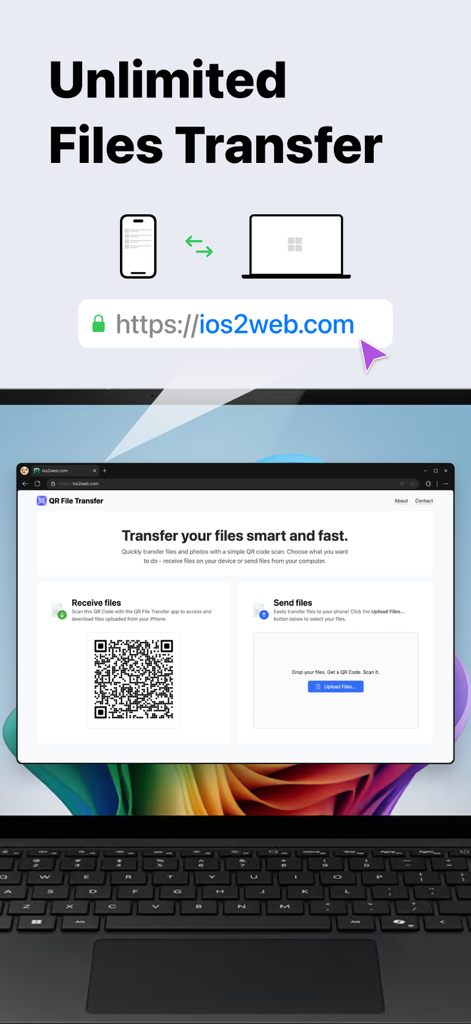
Application Data Drop montrant le transfert de fichiers illimité entre iPhone et ordinateur à l'aide d'un scan de code QR
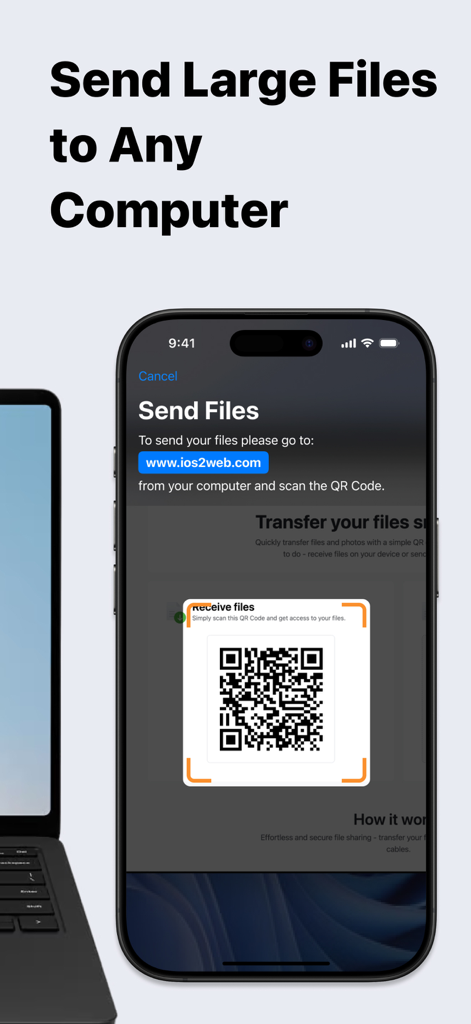
Écran d'iPhone montrant l'application Data Drop en train de scanner un code QR pour transférer des fichiers vers un ordinateur portable à proximité
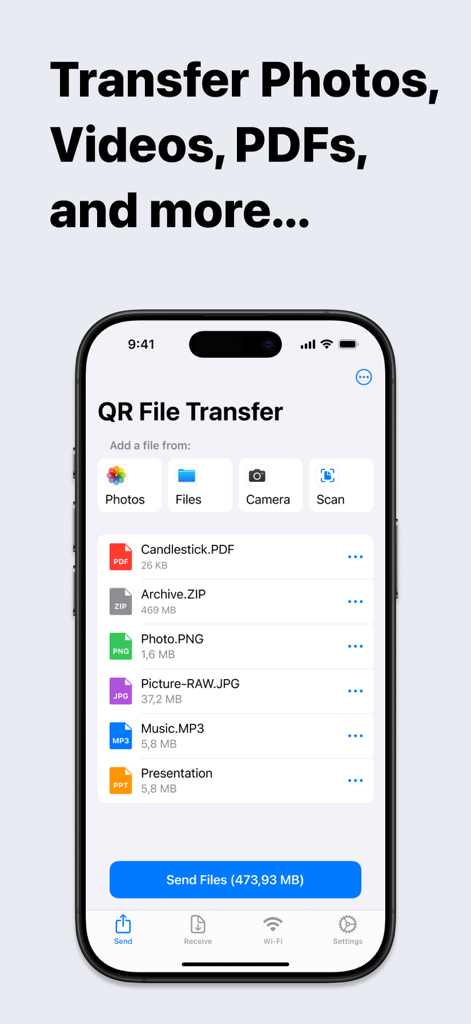
Interface de l'application mobile Data Drop montrant une liste de fichiers sélectionnés prêts pour le transfert
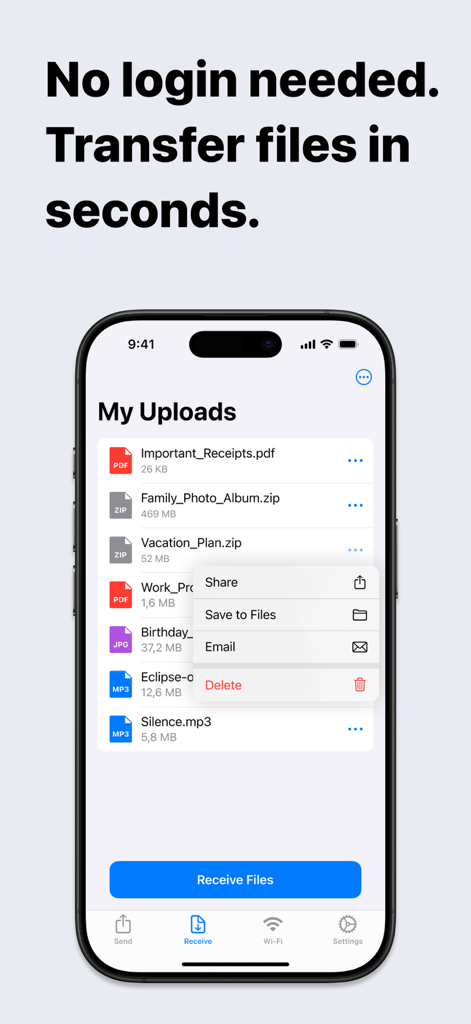
Écran d'iPhone montrant l'application Data Drop avec une liste de fichiers téléchargés et un menu de partage
Partage fluide entre iPhone et n'importe quel PC
Les outils qui font la différence, choisis par 13K+ utilisateurs.
⚡
Transfert sans friction
Évitez les tracas des comptes et des mots de passe. Scannez simplement le code QR pour déplacer vos fichiers en quelques secondes – parfait lorsque vous êtes pressé à l'école ou au travail.
💻
L'AirDrop pour Windows
Comblez le fossé entre votre iPhone et votre PC. Transférez des photos haute résolution, des vidéos 4K et de grandes archives vers n'importe quel navigateur sans avoir besoin d'un Mac.
🛡️
Accès public sécurisé
Protégez votre vie privée sur les ordinateurs partagés. Partagez des fichiers sans jamais vous connecter à votre e-mail personnel ou à vos comptes cloud sur des terminaux publics.
À propos de l'app
Tout ce que vous devez savoir sur Data Drop: QR File Transfer.
Description
Effortless File Sharing Made Simple
Sharing files, photos, and documents between your iPhone and any computer has never been easier. With QR File Transfer, you can securely transfer your files in just a few simple steps— no login or complicated setup required.
How It Works:
Upload Your Files: Use the app to quickly upload the files you want to share.
Scan the QR Code: Open a browser on your PC or any device and visit ios2web.com.
Instant Access: Scan the QR code displayed on the website, and instantly access your files.
Why Choose QR File Transfer?
– No Account Required:
Skip the hassle of creating accounts or remembering passwords. Just scan and go!
– Secure and Private:
We prioritize your privacy. Files are shared directly and securely between your devices.
– Universal Access:
Works with any computer or device — Windows PCs, public computers, or even tablets.
– Supports All Popular File Types: QR File Transfer makes sharing all types of files seamless.
Photos and Images: JPG, PNG, GIF, HEIC, BMP, TIFF, WEBP
Videos: MOV, MP4, AVI, MKV, FLV, WMV, 3GP, M4V
Audio: MP3, WAV, M4A, AAC, OGG, FLAC
Documents: PDF, DOC, DOCX, XLS, XLSX, PPT, PPTX, TXT, RTF, ODT, CSV
Archives: ZIP, RAR, 7Z, TAR, GZ, ISO, DMG
If you encounter a file format that is not supported, please let us know by contacting our team.
– Easy-to-Use Interface: Designed for simplicity so anyone can share files with ease.
– No Cables, No Limits: Enjoy a wireless file-sharing experience without the need for USB drives or adapters.
Perfect For:
– Quickly sharing work documents between your iPhone and office computers.
– Uploading personal files to access on a friend’s laptop or public computer.
– Sharing photos, videos, and memories with family and friends without email or messaging limitations.
Getting Started is Easy:
Download QR File Transfer from the App Store.
Install and open the app on your iPhone.
Upload files, visit ios2web.com on any computer, and scan the QR code to transfer your files instantly.
Common Use Cases:
Question:
How can I quickly send files from my phone to a school computer without needing to log in?
Answer:
To send files from your phone to a school computer without logging in, you can use QR File Transfer:
Open the app on your phone and upload the files you want to share.
On the school computer, visit ios2web.com in a browser.
Scan the QR code shown on the website using the app.
Your files will be instantly accessible on the computer.
Question:
How can I quickly send files from a school computer to my phone without needing to log in?
Answer:
To transfer files from a school computer to your phone, use QR File Transfer:
On the computer, go to ios2web.com in a browser and upload the files.
Open the app on your phone and scan the QR code displayed on the website.
The files will be instantly downloaded to your phone.
Why Users Love It:
"No frills, no logins — just quick file sharing when I need it."
"A lifesaver when working on public computers."
"So simple, even my parents figured it out!"
Download QR File Transfer Today
Simplify file sharing and enjoy the freedom to transfer your files anywhere, anytime. Whether you're at work, at home, or on the go, QR File Transfer is the easiest way to keep your files accessible without compromising security or convenience.
– A Great Alternative to Popular Apps:
QR File Transfer is an excellent alternative to apps like Shareit: Transfer, Share Files, Zapya - File Sharing, WeTransfer: Transfer Files, Xender: File Share, Share Music, Send Anywhere - File Transfer, and Transfer my data - MobileTrans, File Transfer - Snapdrop, Copy my data - Smart Transfer, AirDroid - File Transfer&Share, Air Transfer,
Links:
Privacy Policy – https://ios2web.com/privacy-policy/
Terms of Use – https://ios2web.com/terms-of-service/
Get started now and experience the easiest file-sharing solution on the App Store!
Dernière version
2.4.1
Taille
38.1 MB
Date de sortie
15 avr. 2021
Arrêtez de vous envoyer des e-mails. Commencez à partager instantanément.
Rejoignez plus de 13 000 utilisateurs qui déplacent photos, documents et vidéos entre n'importe quel appareil en quelques secondes – sans compte, sans câble et sans effort.
App information, icons, screenshots, and descriptions displayed on this page are sourced from the Apple App Store and are the property of their respective developers. Download estimates and rankings are based on MWM's proprietary models and may not reflect actual figures. This page is provided for informational and analytical purposes only.
Believe this page infringes your intellectual property? File a dispute