Doc : Image to Excel Converter

Doc : Image to Excel Converter

Télécharger sur App Store
Logo de Doc : Image to Excel Converter

Doc : Convertisseur d'Images en Excel : Transformez n'importe quel document en tableur modifiable instantanément

Arrêtez de perdre des heures en saisie manuelle. Extrayez sans effort des tableaux, du texte et des écritures manuscrites à partir de reçus, factures et notes dans des fichiers professionnels Excel, CSV ou PDF avec une reconnaissance optique de caractères de haute précision.

Télécharger sur App Store

Éditeur

Muhammad Shahid

Catégorie

Productivity

Téléchargements

24K+

Note

3.4/5

Nombre d'avis

0

Langues

14

L'efficacité visualisée

Découvrez l'interface utilisée par 24K+ utilisateurs.
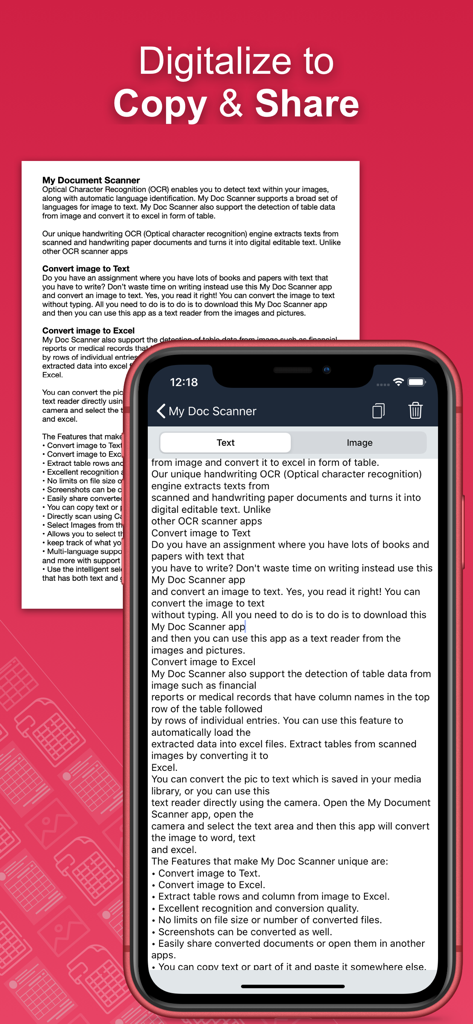
Un écran d'application mobile montrant du texte extrait d'un document numérisé pour une copie et un partage faciles.

Un écran d'application mobile montrant du texte extrait d'un document numérisé pour une copie et un partage faciles.

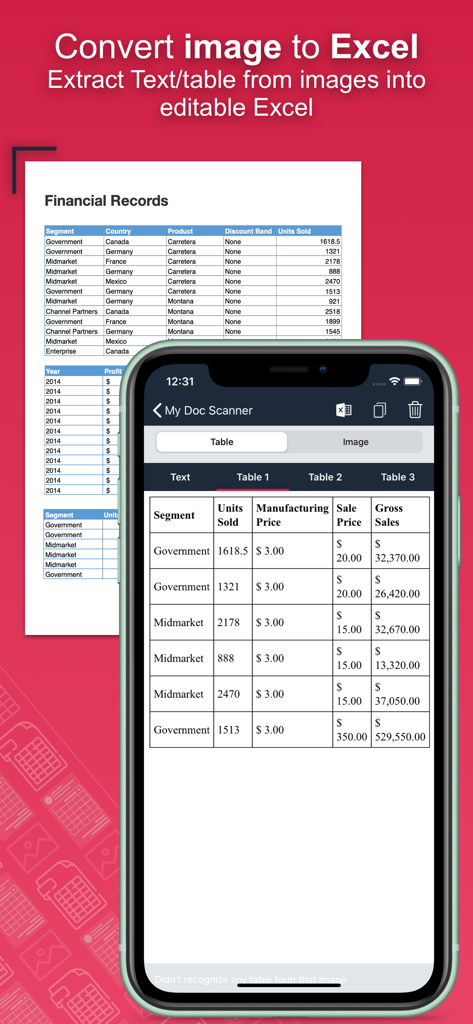
Écran d'application de smartphone convertissant un document financier physique en un tableau numérique modifiable

Écran d'application de smartphone convertissant un document financier physique en un tableau numérique modifiable

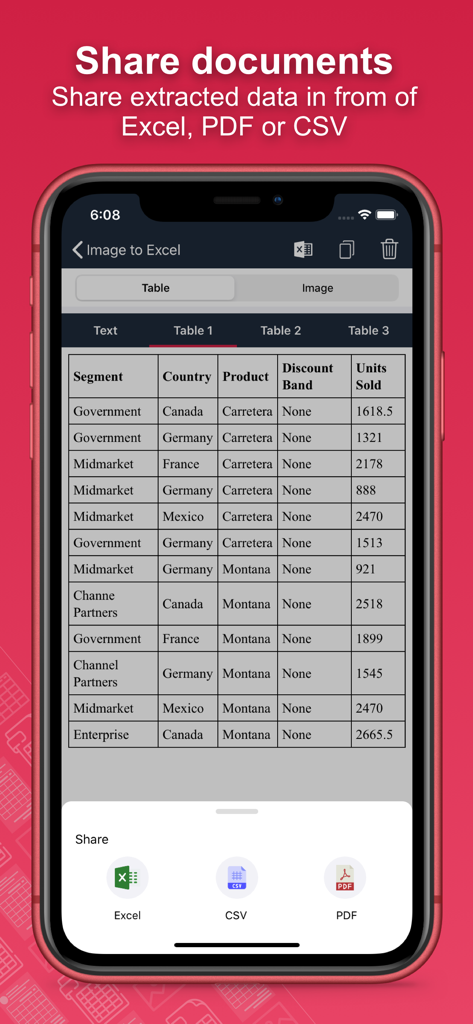
Interface d'application mobile montrant les options pour partager et exporter les données de document extraites sous forme de fichiers Excel, CSV ou PDF

Interface d'application mobile montrant les options pour partager et exporter les données de document extraites sous forme de fichiers Excel, CSV ou PDF

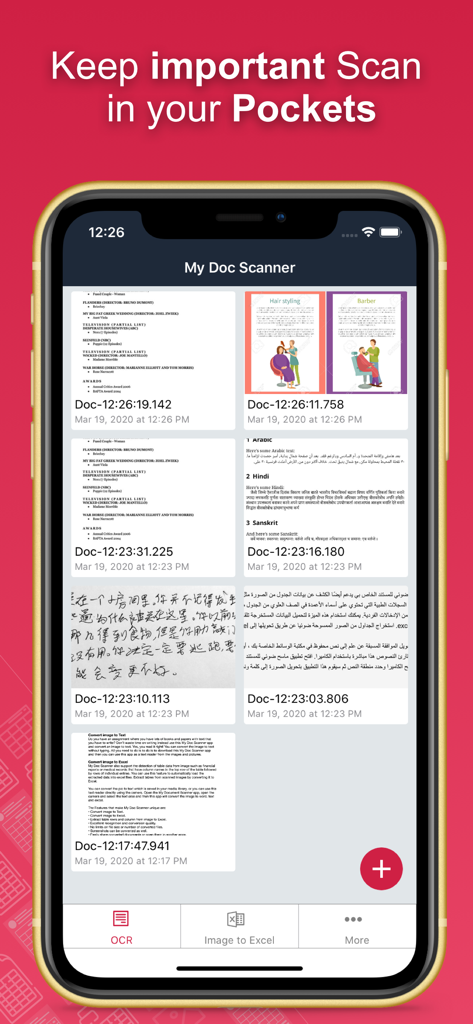
Interface de l'application Doc Image to Excel Converter affichant une liste de documents et de tableurs numérisés.

Interface de l'application Doc Image to Excel Converter affichant une liste de documents et de tableurs numérisés.

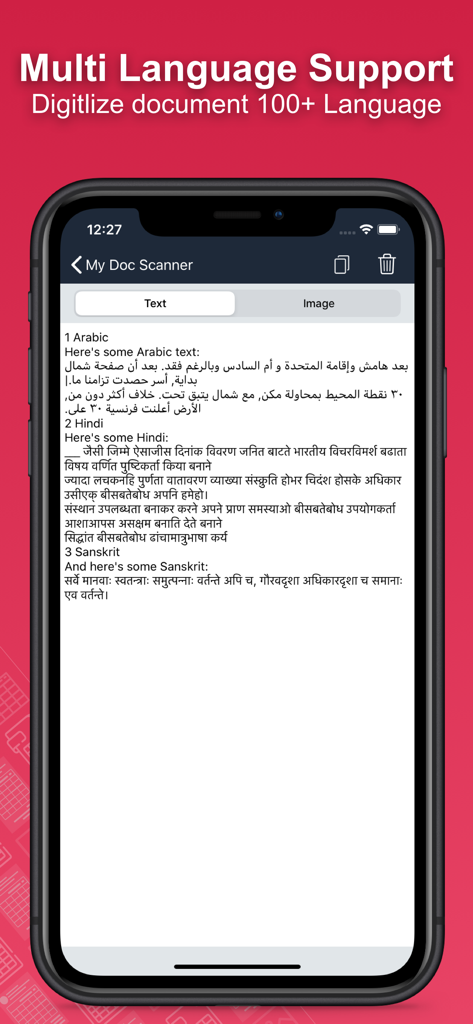
Écran d'application mobile montrant la numérisation de documents en plusieurs langues

Écran d'application mobile montrant la numérisation de documents en plusieurs langues

Fonction de synthèse vocale avec détection multilingue automatique montrant des exemples en anglais, chinois et français.

Fonction de synthèse vocale avec détection multilingue automatique montrant des exemples en anglais, chinois et français.

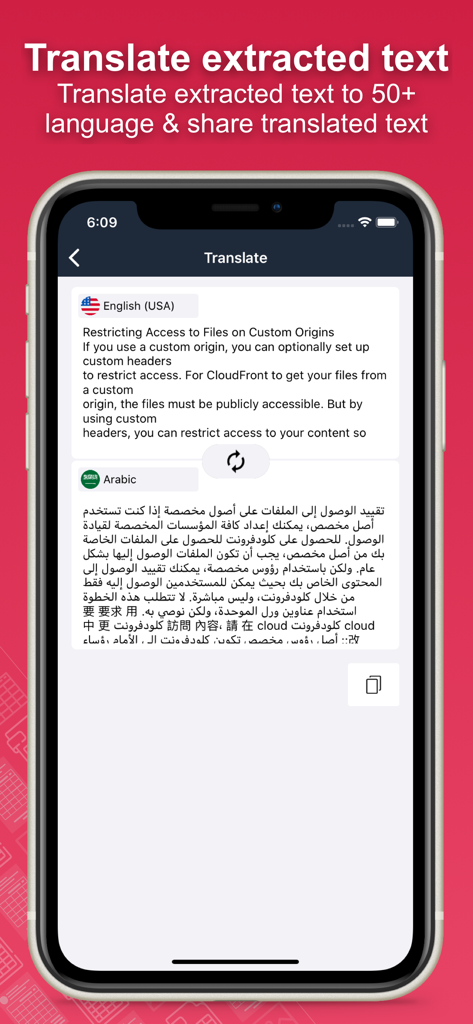
Un écran mobile montrant la fonction de traduction de l'application où le texte anglais est converti en arabe.

Un écran mobile montrant la fonction de traduction de l'application où le texte anglais est converti en arabe.

Arrêtez de taper, commencez à automatiser

Les outils qui font la différence, choisis par 24K+ utilisateurs.

📊

Extraction de tableaux instantanée

Oubliez la saisie manuelle. Capturez des relevés bancaires, des reçus ou des factures et convertissez-les en fichiers Excel ou CSV parfaitement structurés, prêts pour l'analyse.

✍️

Reconnaissance de l'écriture manuscrite

Numérisez votre flux de travail. Notre technologie OCR avancée transforme avec précision les notes de réunion manuscrites et les brouillons de cours en texte numérique modifiable.

🔒

Traitement par lots sécurisé

Maximisez la productivité en numérisant des dizaines de pages à la fois, tout en protégeant les données financières sensibles grâce à une protection biométrique et à un code d'accès intégrés.

À propos de l'app

Tout ce que vous devez savoir sur Doc : Image to Excel Converter.

Description

Document Scanner - OCR Image to Text and Spreadsheet Converter Optical Character Recognition (OCR) enables accurate detection and extraction of text from images, with built-in support for automatic language identification. The Doc: Image to Excel Converter app goes beyond traditional OCR by offering advanced features like handwriting recognition and intelligent table extraction from scanned documents, forms, and images. Effortlessly convert images into editable text, spreadsheets (CSV or Excel), or PDFs. Perfect for digitizing books, notes, financial statements, receipts, and more. Key Features: • Convert Image to Text Tired of manually typing notes from books or printed pages? Just snap a photo or choose an image, and the app will accurately convert it to text without typing. • Convert Image to Excel, Spreadsheet, and PDF Extract both text and structured table data from documents. Ideal for financial reports, medical forms, invoices, and more. Convert scanned images into .xlsx, .csv, or .pdf formats instantly. • Batch Scan Support Scan and convert multiple images at once for handling large volumes of documents efficiently. • Tabular Data Extraction Extract rows and columns from images and load them directly into Excel. Supports intelligent table detection for accurate conversion. • Multi-language OCR (60+ languages) Supports text recognition in English, Spanish, French, German, Italian, and many more. • Translate Extracted Data Translate extracted tables or text into 50+ languages for seamless international use. • Secure Your Documents Protect your scans using a passcode or biometric authentication. • Smart Area Selection Focus only on the part of the image containing text, even if it includes graphics. • Scan History and Clipboard Actions Keep track of all scanned documents. Easily copy text, open URLs, make calls, send emails, or paste content anywhere. • Handwriting Recognition Convert handwritten notes and scanned paper documents into digital, editable text. • Capture or Import Images Use your camera to scan in real-time or import from your gallery. Supports text extraction from screenshots as well. Why Choose Document Scanner OCR++? • Highly accurate text and table recognition • No limits on file size or number of conversions • Instant conversion of bank e-statements, receipts, and more • Output files ready to use in Word, Excel, or PDF • Clean and user-friendly interface • Fast, lightweight, and powerful Stop wasting time typing manually. Download the Doc: Image to Excel Converter app today and instantly convert your images into editable, shareable, and searchable content.

Dernière version

1.60

Taille

30.3 MB

Date de sortie

20 mars 2020

Arrêtez la saisie manuelle dès aujourd'hui

Rejoignez des milliers de professionnels et d'étudiants qui économisent des heures chaque semaine. Téléchargez Doc : Convertisseur d'Images en Excel et transformez instantanément votre pile de papiers en tableurs exploitables.

Télécharger sur App Store

App information, icons, screenshots, and descriptions displayed on this page are sourced from the Apple App Store and are the property of their respective developers. Download estimates and rankings are based on MWM's proprietary models and may not reflect actual figures. This page is provided for informational and analytical purposes only.

Believe this page infringes your intellectual property? File a dispute