Dote Timer - Time Management

Dote Timer - Time Management

Télécharger sur App Store
Logo de Dote Timer - Time Management

Dote Timer : Basculez pour vous concentrer, planifiez avec précision et redonnez

Vainquez les distractions avec notre minuteur à bascule unique, visualisez vos progrès avec un planificateur de points de 10 minutes, et transformez vos sessions de travail approfondi en dons concrets pour les étudiants dans le besoin.

Éditeur

Smartdong School

Catégorie

Productivity

Téléchargements

56K+

Note

4.6/5

Nombre d'avis

1K+

Langues

18

Maîtrisez votre flux

Découvrez l'interface utilisée par 56K+ utilisateurs.
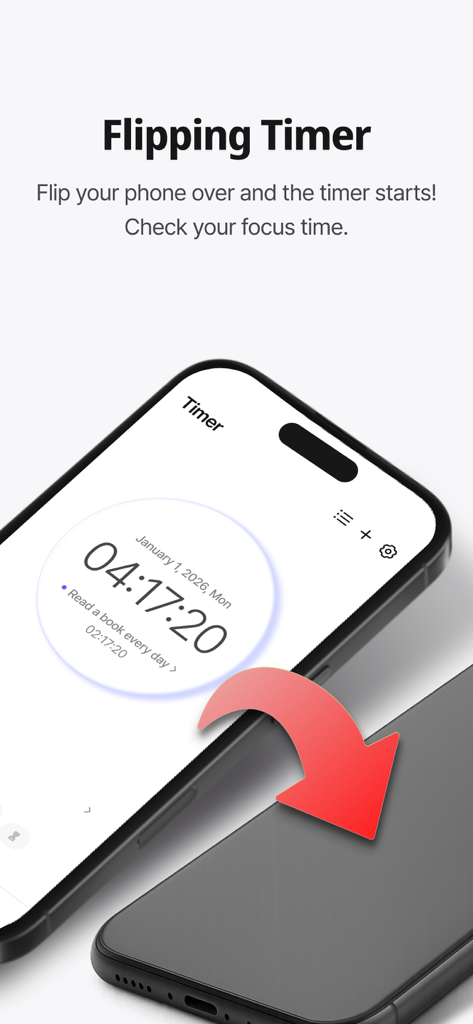
Un smartphone retourné face cachée pour activer la fonction de minuteur de concentration dans l'application Dote Timer.

Un smartphone retourné face cachée pour activer la fonction de minuteur de concentration dans l'application Dote Timer.

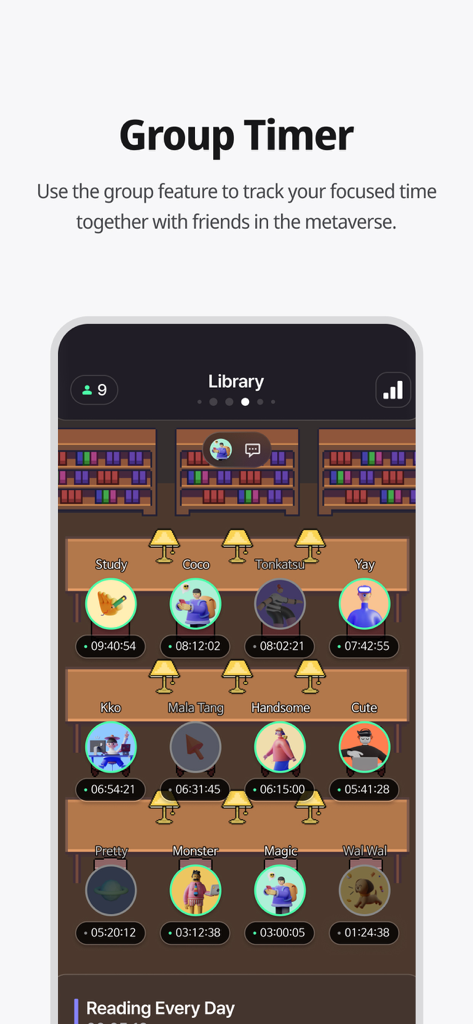
Une capture d'écran de l'application Dote Timer montrant la fonction de minuteur de groupe avec un cadre de bibliothèque virtuelle où les utilisateurs étudient ensemble.

Une capture d'écran de l'application Dote Timer montrant la fonction de minuteur de groupe avec un cadre de bibliothèque virtuelle où les utilisateurs étudient ensemble.

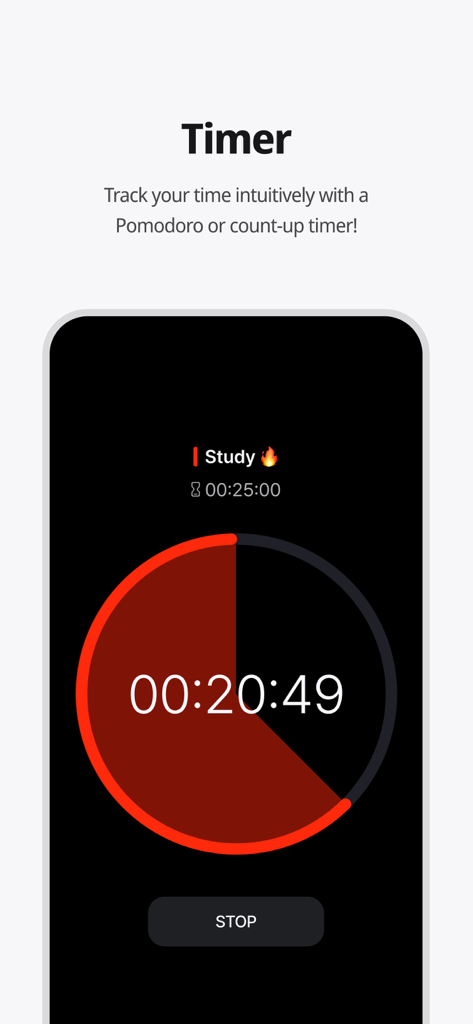
Interface de l'application Dote Timer montrant un compte à rebours circulaire de minuteur d'étude Pomodoro.

Interface de l'application Dote Timer montrant un compte à rebours circulaire de minuteur d'étude Pomodoro.

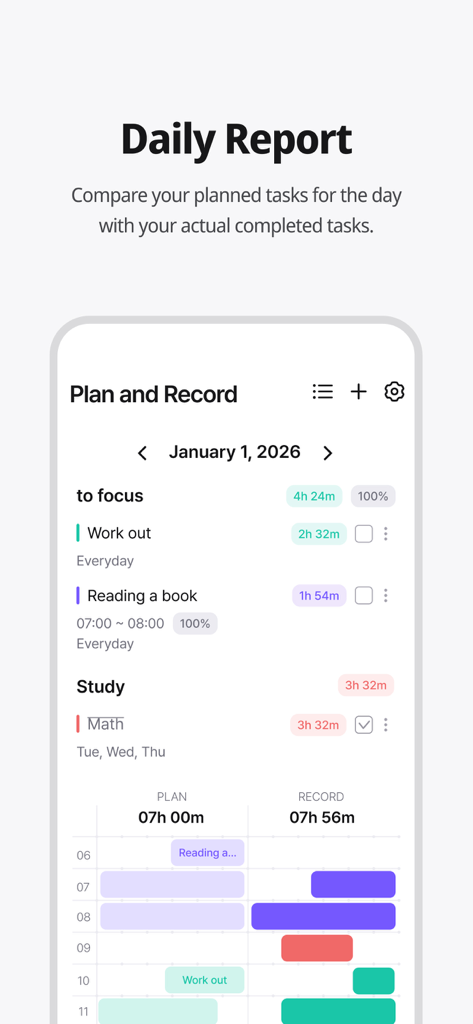
Écran de rapport quotidien de Dote Timer comparant les tâches planifiées et le temps réellement enregistré.

Écran de rapport quotidien de Dote Timer comparant les tâches planifiées et le temps réellement enregistré.

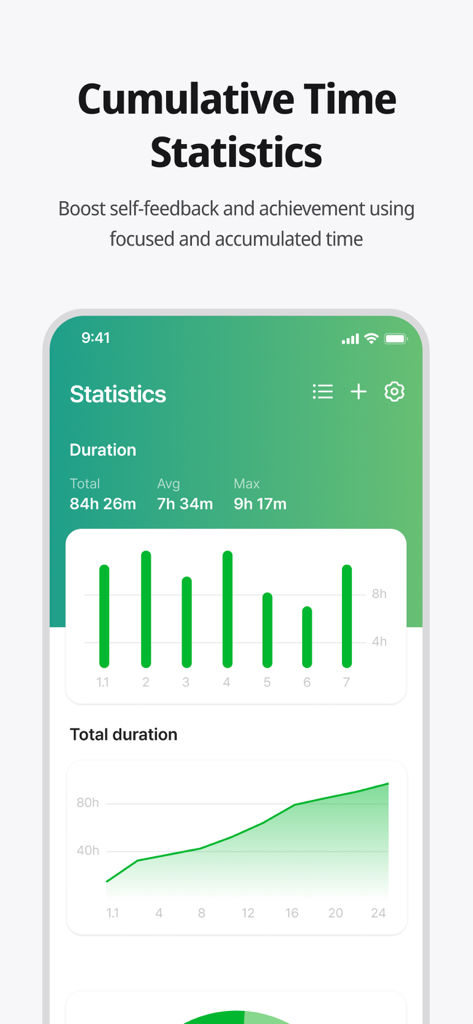
Écran de l'application Dote Timer montrant les statistiques de temps de concentration cumulées et des graphiques.

Écran de l'application Dote Timer montrant les statistiques de temps de concentration cumulées et des graphiques.

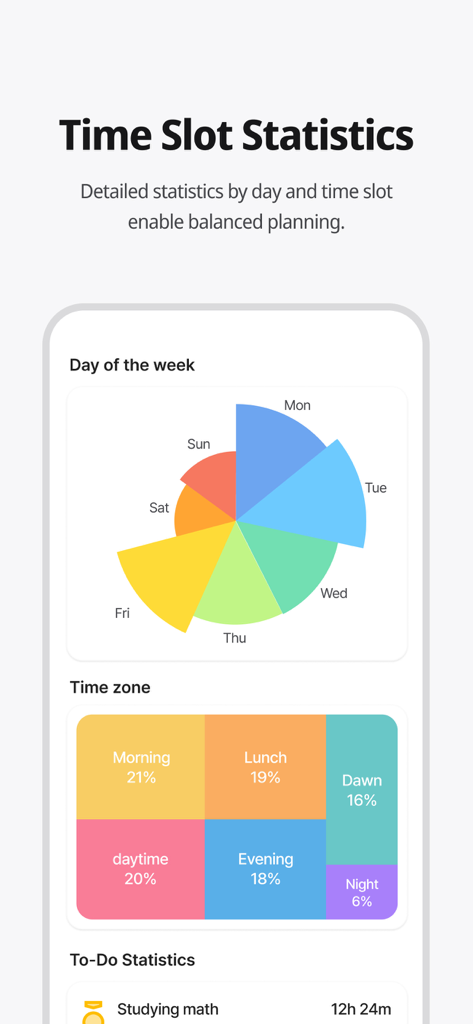
Un tableau d'analyse coloré montrant les statistiques de gestion du temps par jour de la semaine et par heure de la journée.

Un tableau d'analyse coloré montrant les statistiques de gestion du temps par jour de la semaine et par heure de la journée.

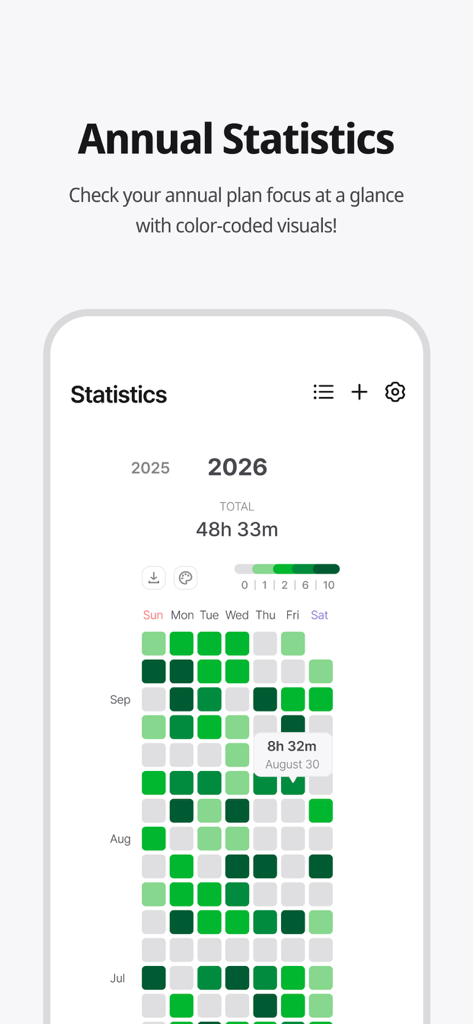
Carte thermique des statistiques de concentration annuelles codées par couleur dans l'application Dote Timer.

Carte thermique des statistiques de concentration annuelles codées par couleur dans l'application Dote Timer.

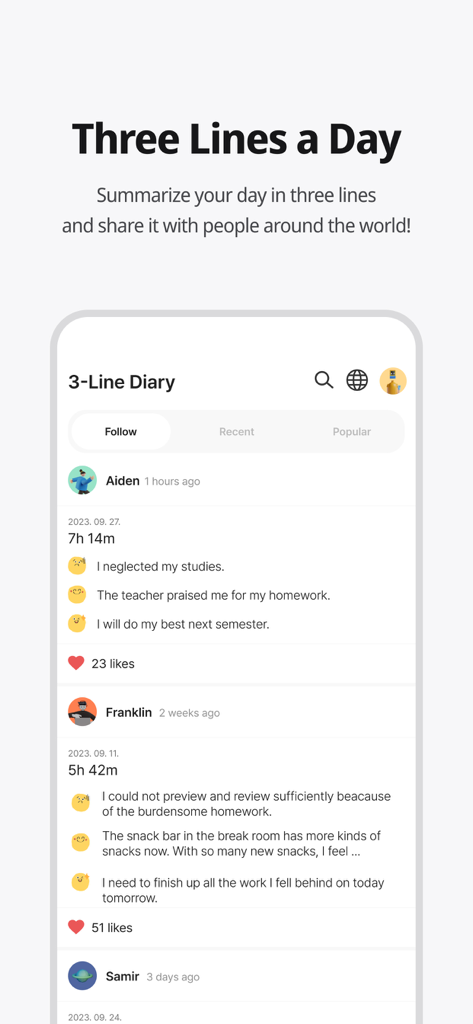
Fonction de journal communautaire 'Three Lines a Day' dans l'application Dote Timer, montrant les résumés des utilisateurs et les temps de concentration.

Fonction de journal communautaire 'Three Lines a Day' dans l'application Dote Timer, montrant les résumés des utilisateurs et les temps de concentration.

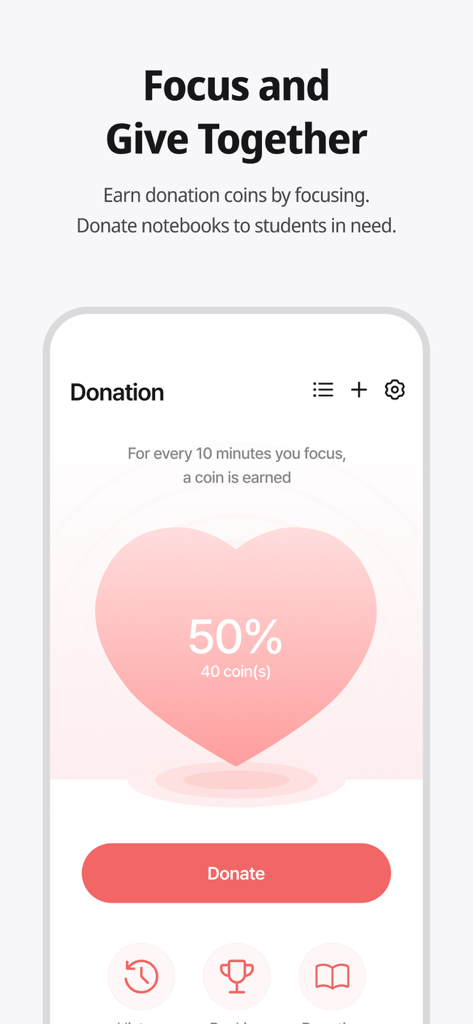
Écran de l'application Dote Timer montrant la fonction de don où les utilisateurs peuvent gagner des pièces en se concentrant et les donner à des étudiants dans le besoin.

Écran de l'application Dote Timer montrant la fonction de don où les utilisateurs peuvent gagner des pièces en se concentrant et les donner à des étudiants dans le besoin.

Améliorez votre productivité avec un but

Les outils qui font la différence, choisis par 56K+ utilisateurs.

📱

Basculez pour un focus profond

Éliminez l'addiction au smartphone avec un minuteur qui ne fonctionne que lorsque votre téléphone est face cachée. Récupérez votre attention et entrez instantanément dans un état de flux.

📈

Analyse Planifié vs Réalité

Comparez vos objectifs à votre temps de concentration réel avec une précision de 10 minutes. Utilisez des cartes thermiques visuelles pour identifier vos heures les plus productives.

🌍

Productivité avec impact

Transformez votre concentration en une force pour le bien. Gagnez des pièces en travaillant pour financer du matériel éducatif pour les étudiants défavorisés du monde entier.

À propos de l'app

Tout ce que vous devez savoir sur Dote Timer - Time Management.

Description

#Time Management Secret of Successful People# Try Dot Timer now, the king of time management! Are you having trouble managing your time? Need to concentrate, but your smartphone is distracting you? Organizing your work or even recording your study time, everything can be done with Dot Timer! ##Flip Timer UP your concentration with a timer that runs when your flip your smartphone! Let's get away from smartphone addiction! Get donation coins every 10 minutes of concentration ##Time Table Unique time table that allows you to compare your plans with the actual records at a glance! Maximize time utilization with a 10-minute dot-separated planner ##Various statistical charts It's not end with record! Analyze your concentration time in detail with various graphs and charts! Identify your improvement with daily statistics, annual statistics, cumulative statistics, weekly statistics, hourly statistics and plan leaderboards at a glance ##Donation Program You can donate the collected coins to gift notes for underprivileged students! Donation rangking are changing in real time basis ##Three Lines a Day How are you today? Share your diary in three lines. Motivate each other with friends around the world ‍##Study Group 'Study With' Try taking notes with your friends in real time! There are various themes such as classrooms, libraries, offices, fitness places and others. Group member statistics. ##Premium Features Try premium features that are constantly being updated. More efficient time management developed by time management experts How to Use Dote Timer Apple Watch 1. Add a to-do in the Dote timer app. 2. Open the Dote Timer Apple Watch app and select a task by pressing the ‘Select Task’ button. 3. Press the START button to start recording. 4. When the recording is finished, press the STOP button to save the recording and end it. Caution : 1. The Apple Watch must be connected to the iPhone. 2. The Dote timer must be installed on the iPhone. * Notice * First, You need to click To Do List and create category to use this app. reporting translation errors -> skyktc75@gmail.com Your review can help a lot for your developer. Thank you. When we try to concentrate on something, there are so many distractions. One of the biggest distractions is the smartphone. You need to focus on the book. But I find myself looking at the phone. The plan was to study for 5 hours But you actually spent only 1 hour on the book? Dote Timer is the answer! Let’s start with the special proprietary features of Dote Timer. First, Dote Timer starts only when you flip the device (screen facing down). It will automatically stop when you use or move the phone after activating the timer. Thus, you can concentrate on study or work. Second, you can compare the plan with your actual concentration record. Set up the D-Day of your task. And categorize it into A, B, or C depending on the importance to set up a precise plan. The actual length of concentration is recorded and can be compared with your original plan. Third, the thickness of color denotes how much you concentrated. Thus, you can easily find out the days when you concentrated on your tasks. Especially the app shows in different colors the days of concentration and the days you failed to concentrate throughout the year. So you can compare how you fared yesterday and today to make your day more productive. In addition, collect coins by using the timer and donate them for underserved people. My accumulated time of concentration is converted into coins. When they reach a certain threshold, Dote Planner and Dote Book will be donated to underserved students. There are also the standings of donation, Which motivates the users to compete in the donation of coins. Dote Timer can be set up as desired. Just focus on what you have to do to contribute to society. The most efficient time management app for the perfect time allocation. Download Dote Timer now!

Dernière version

2.6.6

Taille

103.5 MB

Date de sortie

6 juil. 2021

Transformez votre temps d'écran en impact social

Prêt à vaincre la procrastination ? Rejoignez des milliers d'étudiants et de professionnels qui retournent leur téléphone pour trouver la concentration. Téléchargez Dote Timer dès aujourd'hui et commencez à transformer votre travail approfondi en dons concrets.

Télécharger sur App Store

App information, icons, screenshots, and descriptions displayed on this page are sourced from the Apple App Store and are the property of their respective developers. Download estimates and rankings are based on MWM's proprietary models and may not reflect actual figures. This page is provided for informational and analytical purposes only.

Believe this page infringes your intellectual property? File a dispute