LUNAPARK MEDYA INTERNET TEKNOLOJILERI SANAYI VE TICARET ANONIM SIRKETI
Fax depuis l'iPhone : Sans publicité – La solution complète de fax mobile
Transformez votre appareil en un télécopieur puissant et sécurisé. Scannez des documents avec la précision de l'IA, importez-les depuis le stockage cloud et envoyez des fax dans le monde entier en quelques secondes, le tout sans avoir besoin d'un bureau physique.
LUNAPARK MEDYA INTERNET TEKNOLOJILERI SANAYI VE TICARET ANONIM SIRKETI
Catégorie
Business
Téléchargements
1M+
Note
4.7/5
Nombre d'avis
27K+
Langues
1
Un aperçu de votre bureau mobile
Découvrez l'interface utilisée par 1M+ utilisateurs.
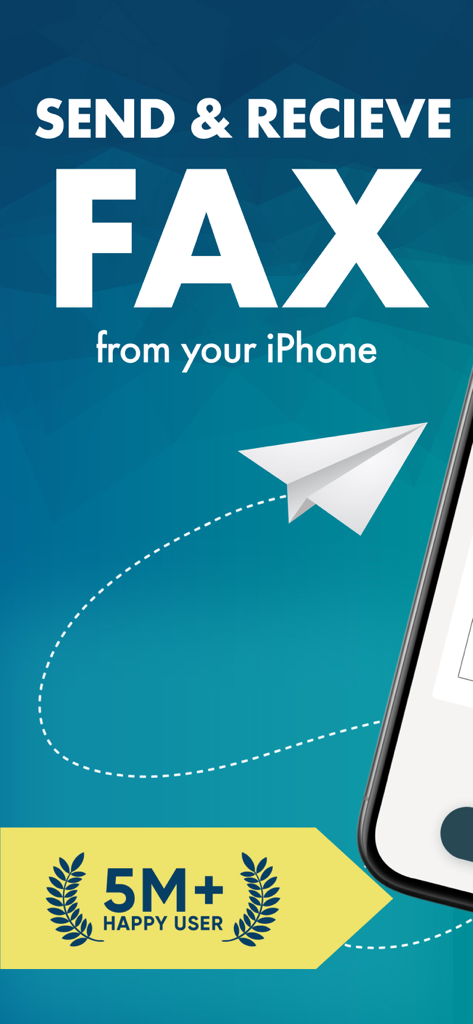
Écran promotionnel pour l'application Fax depuis l'iPhone soulignant la possibilité d'envoyer et de recevoir des fax avec un badge pour cinq millions d'utilisateurs satisfaits
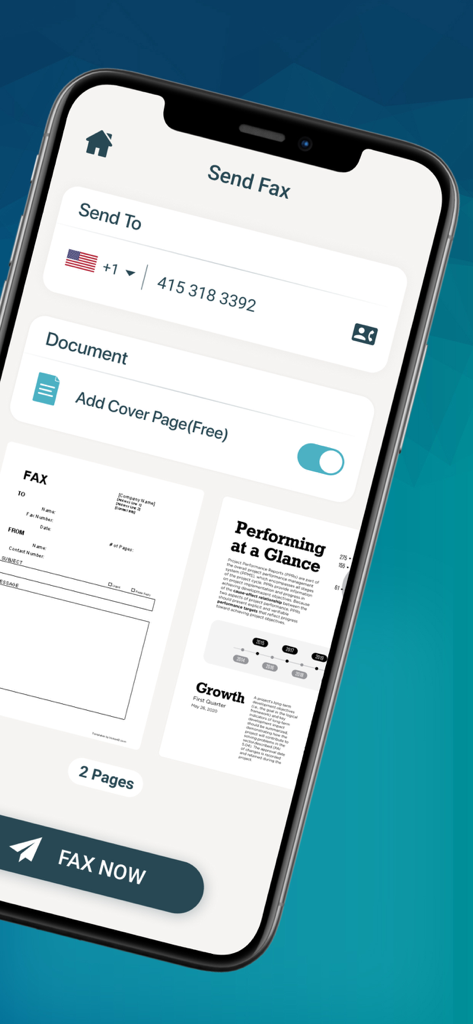
Écran d'envoi de fax dans l'application Easy Fax comprenant la saisie du destinataire, l'aperçu du document et une option de page de garde gratuite
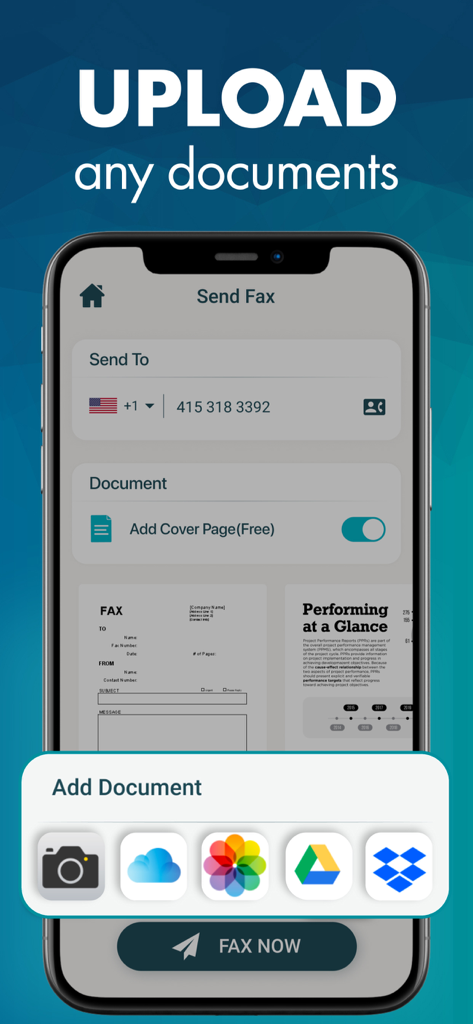
Interface d'application mobile pour envoyer un fax depuis l'iPhone montrant les options de téléchargement de documents depuis l'appareil photo et le stockage cloud.
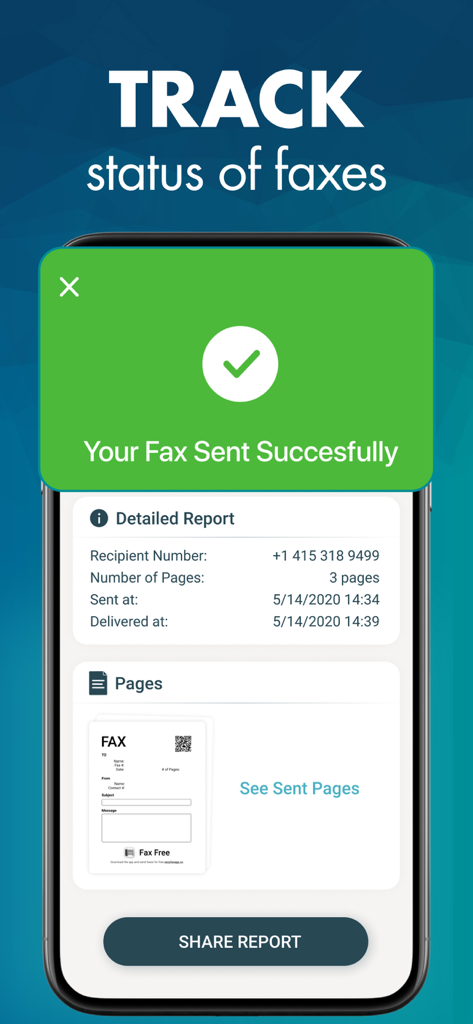
Un écran mobile montrant un rapport de livraison de fax réussi avec des détails de suivi et un message de confirmation d'envoi
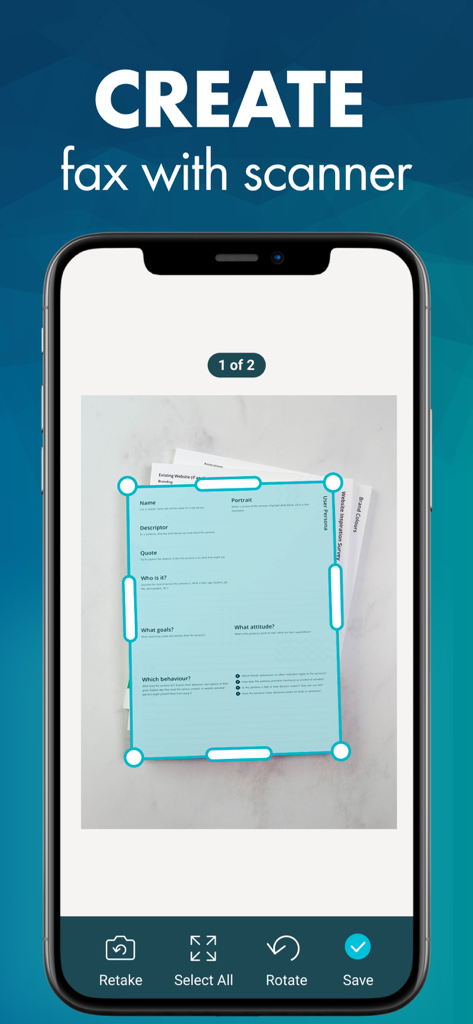
Une capture d'écran de l'application Easy Fax montrant un iPhone scannant un document avec détection automatique des bords pour l'envoi d'un fax.
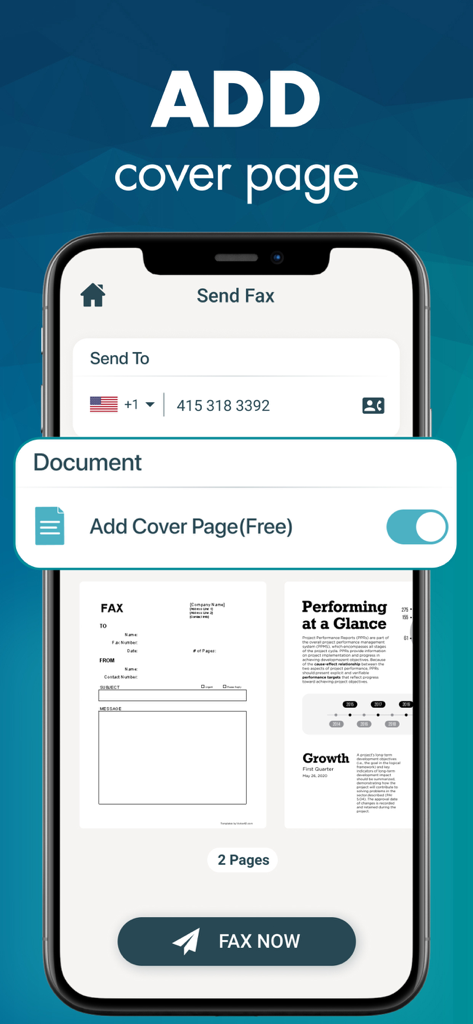
Interface de l'application Fax depuis l'iPhone affichant comment ajouter une page de garde professionnelle gratuite à un document avant l'envoi.
Un télécopieur professionnel dans votre poche
Les outils qui font la différence, choisis par 1M+ utilisateurs.
📷
Scanner intégré avancé
Transformez n'importe quel papier en un document professionnel à contraste élevé. Notre scanner IA corrige automatiquement la perspective et élimine les ombres pour une finition parfaite.
☁️
Flux de travail cloud fluide
Connectez-vous directement à iCloud, Google Drive et Dropbox. Récupérez vos contrats ou dossiers depuis le cloud et télécopiez-les instantanément en déplacement.
🏢
Numéros dédiés aux États-Unis et au Canada
Établissez une présence professionnelle avec votre propre numéro de fax privé. Recevez, imprimez et suivez l'état des documents en temps réel depuis votre iPhone.
Analyse des avis
Insights à partir des avis utilisateurs.
Score de sentiment
26%
Négatif
Résumé
This mobile fax app elicits highly mixed feedback, primarily due to its problematic subscription model. While many users appreciate its ease of use, quick fax sending capabilities, and features like clear document scanning and professional cover pages, widespread issues overshadow these positive aspects. A large number of reviews detail misleading "free trials" that lead to immediate, unexpected charges, along with significant difficulties in canceling subscriptions and obtaining refunds. Furthermore, some users report faxes failing to send or process, despite payment.
Thèmes récurrents
Ease of Use(10)
App Utility & Features(10)
Fax Sending Speed(6)
Document Quality & Management(3)
International Faxing(1)
Security(1)
À propos de l'app
Tout ce que vous devez savoir sur Fax from iPhone: Free of ad.
Description
Download Easy Fax and turn your iPhone or iPad into a full-featured and powerful fax machine in a second.
Save time and money with Easy Fax by skipping old-school fax machine or fax office.
Scan any documents with Easy Fax's advanced built-in scanner or add images from your camera roll and fax them anywhere with a few taps. You can also choose documents from your favorite cloud services, iCloud, Google Drive or Dropbox for faxing.
Easy Fax's built-in advanced scanning algorithm automatically detects borders of the page, corrects perspective, eliminate shadows and set a perfect contrast for text - black on white.
SEND FAX FEATURES:
◉ Send faxes on the go. No fax machine or dedicated phone line needed
◉ Fax images and documents from your camera roll or using iPhone camera.
◉ Import and fax PDF documents from Dropbox, Google Drive or iCloud.
◉ Advanced document scanner with auto corner detection, perspective correction, color enhancement and more
◉ Combine multiple documents into a single fax.
◉ Preview any document before sending.
◉ Use address book to select recipient number.
◉ Add cover pages to your faxes for more professional look
◉ Send faxes to more than 25 countries (see list of countries below)
◉ Track sent fax's status with ease
◉ Easily delete faxes from the history
RECEIVE FAX FEATURES:
◉ Select your own fax number in the US or CA to receive faxes.
◉ Share your new fax number with your contacts easily
◉ Share received faxes via Mail, Text Message, Whatsapp etc.
◉ Print your received fax via AirPrint from your phone
Countries Supported:
US, Canada, UK, Japan, France, Germany, Spain, Austria, Portugal, Italy, Belgium, Denmark, Luxembourg, Jersey, Switzerland, Netherlands, Norway, Sweden, Greece, Romania, Ireland, South Africa, Israel, India, Hong Kong, Argentina, Brazil, Puerto Rico and Australia
Easy Fax automatically and repeatedly retries faxes that don't go through initially without an additional charge. After automatic retries, If the fax still can't be successfully sent, no charge applies no matter what is the reason for failure.
If you have any problem or suggestions please contact us within the app or send an email to support@easyfaxapp.co before leaving negative reviews to App Store. We always reply to every email and provide a solution within 24 hours.
Payment will be charged to iTunes Account at confirmation of purchase. Subscription automatically renews unless auto-renew is turned off at least 24-Hours before the end of the current period. Account will be charged for renewal within 24-hours prior to the end of the current period, and identify the cost of the renewal. Subscriptions may be managed by the user and auto-renewal may be turned off by going to the user’s account settings after purchase
Terms of Service: https://plusminusone.notion.site/Easy-Fax-Terms-and-condition-144d1f25cbf58045831fe847d2acea66
Privacy: http://bit.ly/easyfaxprivacy
By using Easy Fax, you agree to the terms of use. These terms can be found in the app settings menu
Dernière version
3.4.17
Taille
71.0 MB
Date de sortie
26 janv. 2017
Oubliez le télécopieur. Gardez le professionnalisme.
Rejoignez plus d'un million de professionnels qui envoient des fax sécurisés en déplacement. Transformez votre iPhone en un puissant bureau mobile dès aujourd'hui.
Recommandations
Apps Similaires
Apps avec des fonctionnalités et une expérience similaires
App information, icons, screenshots, and descriptions displayed on this page are sourced from the Apple App Store and are the property of their respective developers. Download estimates and rankings are based on MWM's proprietary models and may not reflect actual figures. This page is provided for informational and analytical purposes only.
Believe this page infringes your intellectual property? File a dispute