GroupCal - Shared Calendar

GroupCal - Shared Calendar

Télécharger sur App Store
Logo de GroupCal - Shared Calendar

GroupCal : Le calendrier partagé tout-en-un pour les groupes, les familles et les entreprises

Mettez fin au chaos de la planification. Coordonnez votre famille, votre travail et votre communauté dans une vue unifiée — invitez n'importe qui instantanément en utilisant uniquement son numéro de téléphone.

Éditeur

24me Ltd

Catégorie

Productivity

Téléchargements

337K+

Note

4.6/5

Nombre d'avis

500

Langues

32

Organisation en un coup d'œil

Découvrez l'interface utilisée par 337K+ utilisateurs.
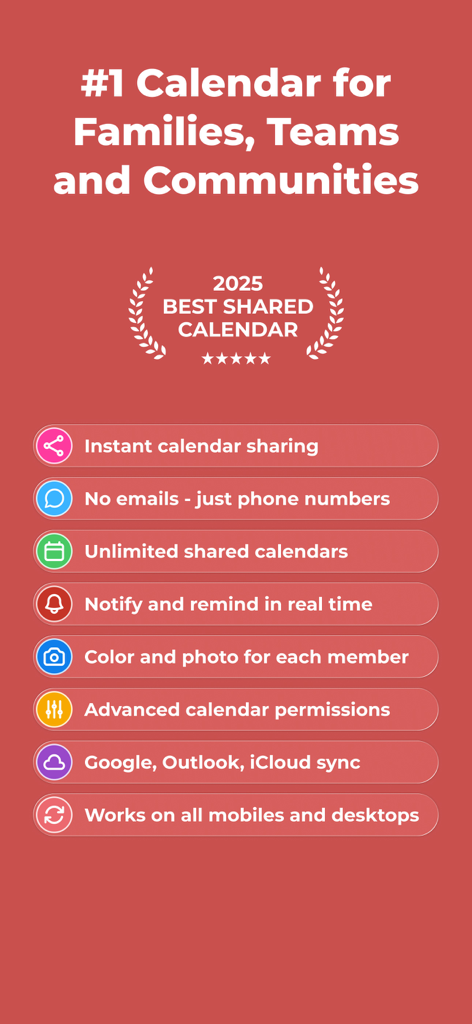
Liste des fonctionnalités de GroupCal pour les calendriers partagés, y compris les invitations par numéro de téléphone et la synchronisation avec Google et Outlook.

Liste des fonctionnalités de GroupCal pour les calendriers partagés, y compris les invitations par numéro de téléphone et la synchronisation avec Google et Outlook.

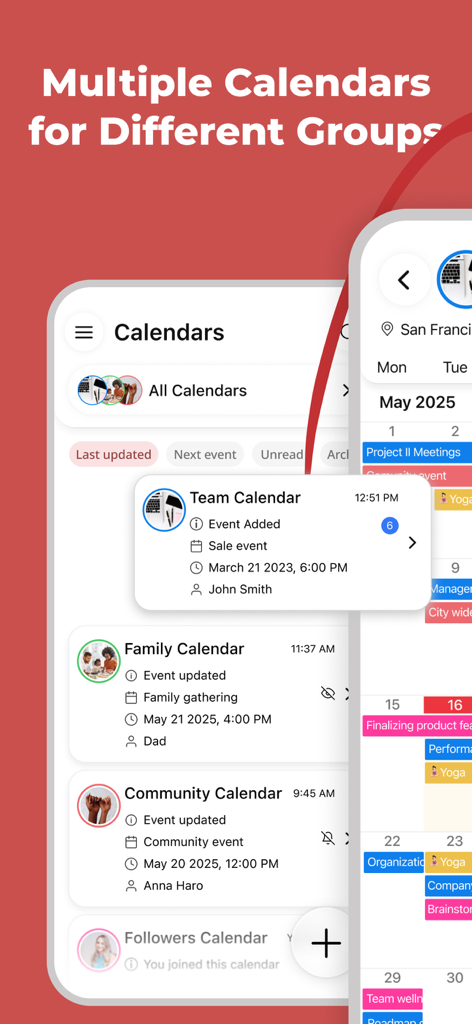
Interface de l'application GroupCal affichant plusieurs calendriers partagés pour des groupes d'équipe, familiaux et communautaires.

Interface de l'application GroupCal affichant plusieurs calendriers partagés pour des groupes d'équipe, familiaux et communautaires.

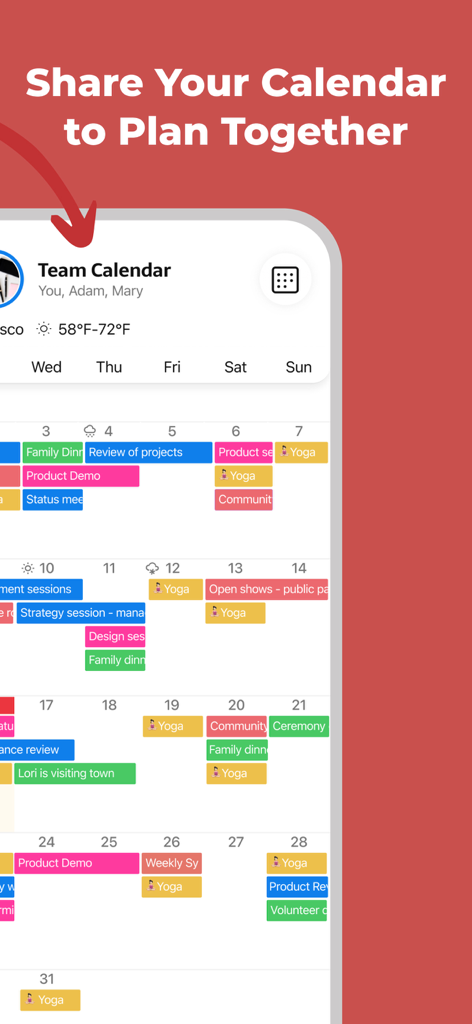
Interface de l'application mobile GroupCal affichant un calendrier d'équipe partagé avec des événements codés par couleur.

Interface de l'application mobile GroupCal affichant un calendrier d'équipe partagé avec des événements codés par couleur.

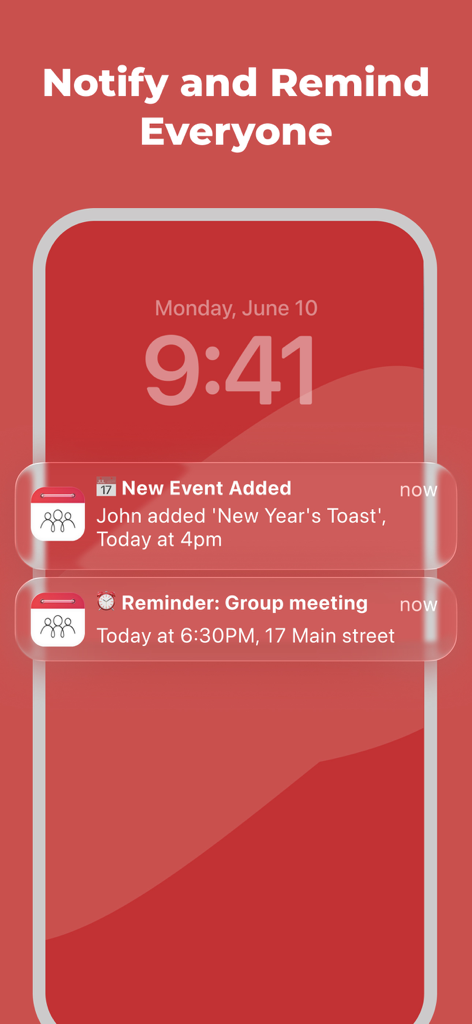
Écran de verrouillage d'un smartphone affichant les notifications du calendrier partagé GroupCal pour les nouveaux événements et les rappels de groupe.

Écran de verrouillage d'un smartphone affichant les notifications du calendrier partagé GroupCal pour les nouveaux événements et les rappels de groupe.

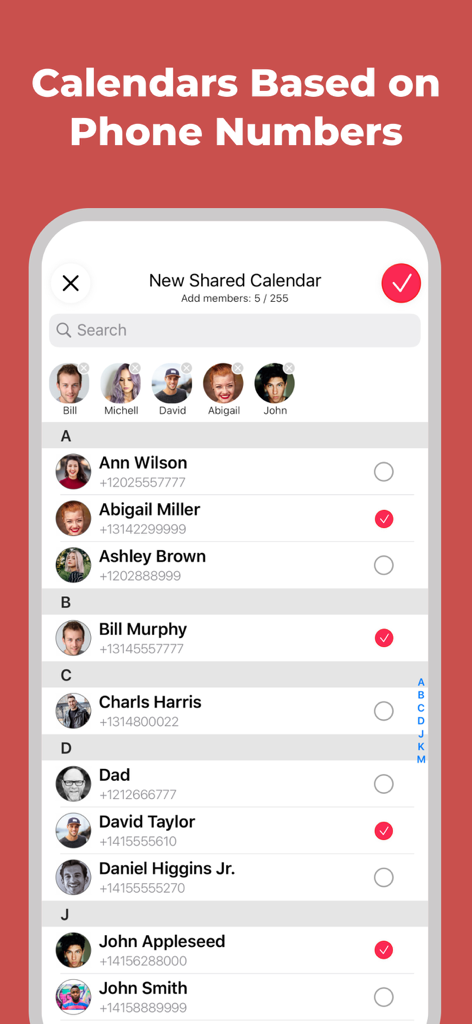
Écran mobile montrant la sélection des contacts par numéro de téléphone pour créer un nouveau calendrier partagé dans GroupCal.

Écran mobile montrant la sélection des contacts par numéro de téléphone pour créer un nouveau calendrier partagé dans GroupCal.

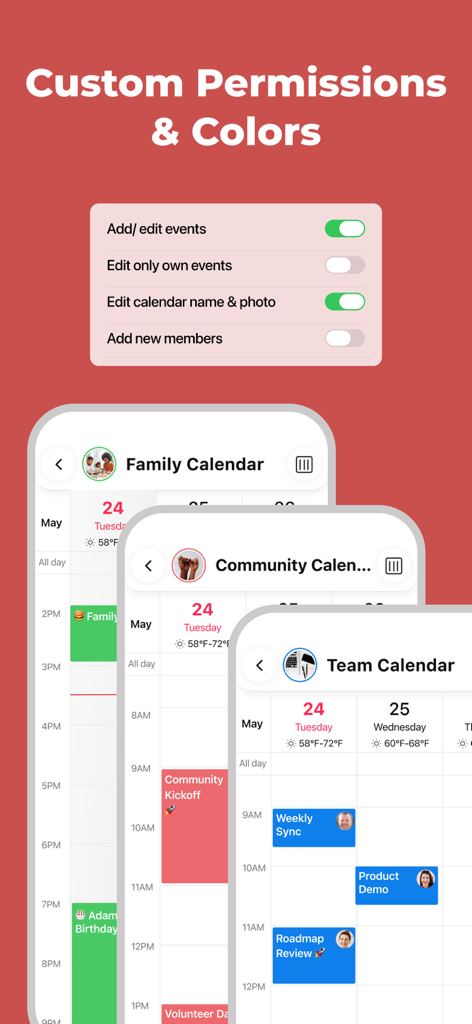
Interface de l'application GroupCal montrant les paramètres de permissions personnalisés du calendrier et les calendriers codés par couleur pour la famille, la communauté et les équipes.

Interface de l'application GroupCal montrant les paramètres de permissions personnalisés du calendrier et les calendriers codés par couleur pour la famille, la communauté et les équipes.

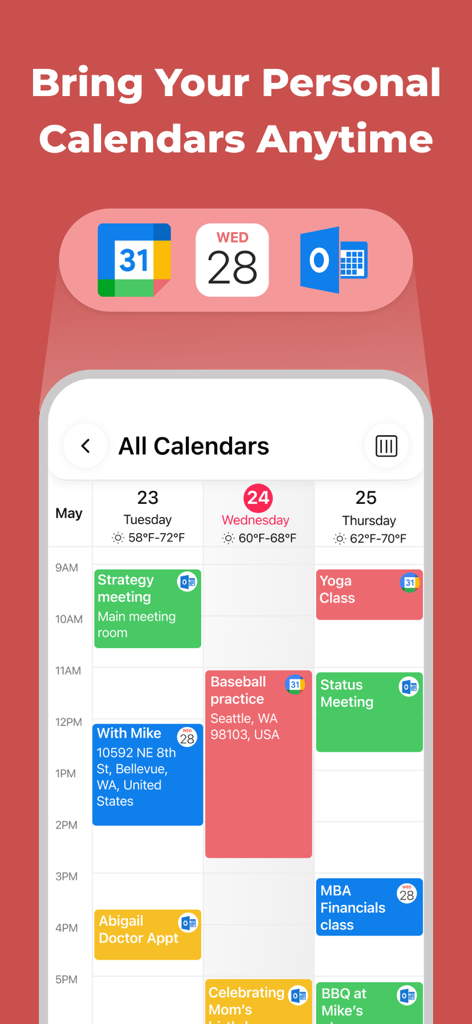
Écran d'application mobile montrant les événements intégrés des calendriers Google, Apple et Outlook dans une vue unifiée.

Écran d'application mobile montrant les événements intégrés des calendriers Google, Apple et Outlook dans une vue unifiée.

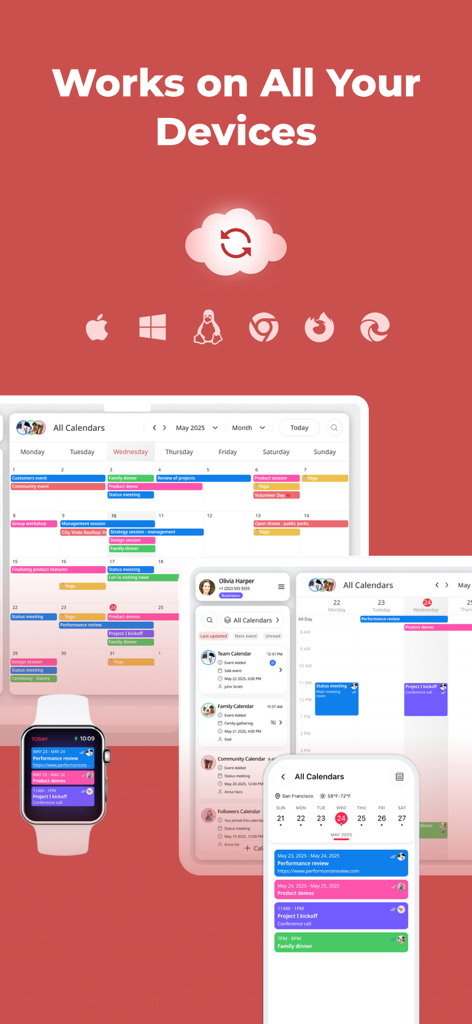
Interface du calendrier partagé GroupCal affichée sur un smartphone, une tablette et une montre connectée, mettant en évidence la synchronisation multi-appareils et la compatibilité multiplateforme.

Interface du calendrier partagé GroupCal affichée sur un smartphone, une tablette et une montre connectée, mettant en évidence la synchronisation multi-appareils et la compatibilité multiplateforme.

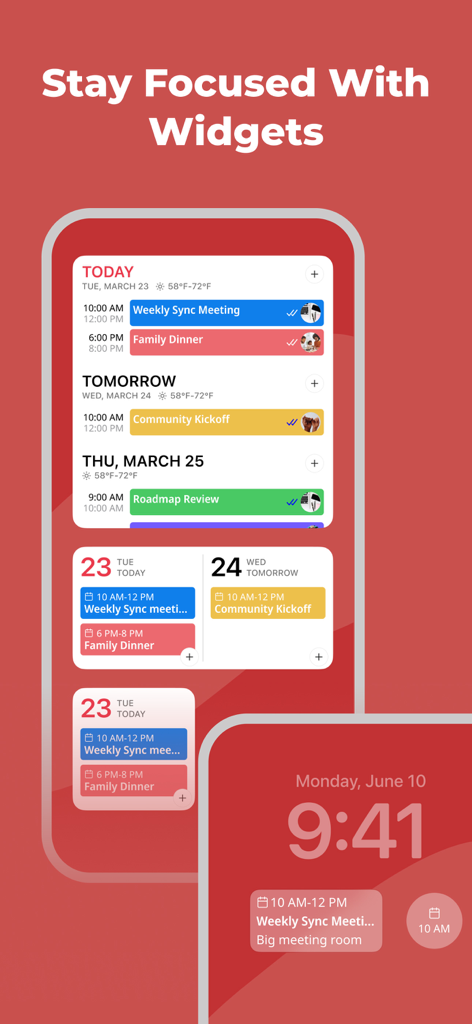
Application de calendrier partagé GroupCal proposant divers widgets pour l'écran d'accueil et de verrouillage.

Application de calendrier partagé GroupCal proposant divers widgets pour l'écran d'accueil et de verrouillage.

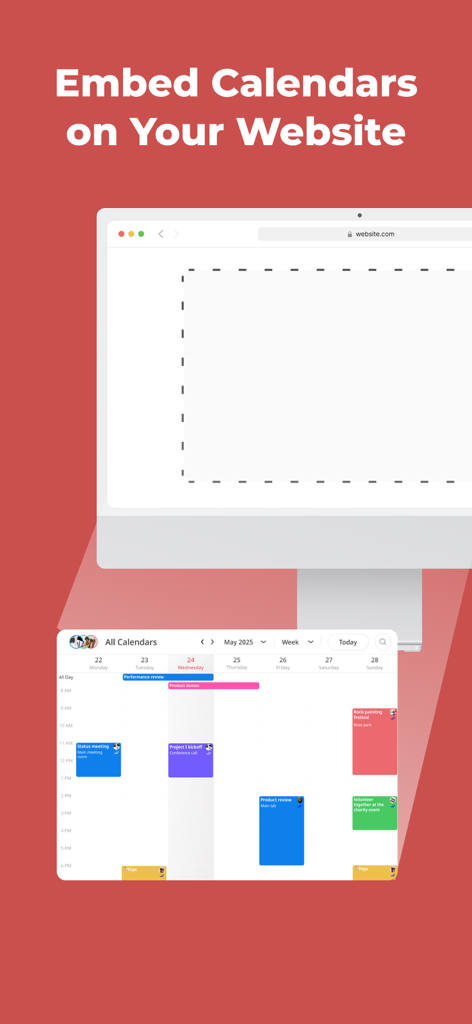
Fonctionnalité de l'application GroupCal montrant comment intégrer un calendrier partagé sur un site Web d'entreprise.

Fonctionnalité de l'application GroupCal montrant comment intégrer un calendrier partagé sur un site Web d'entreprise.

Restez synchronisés sans stress

Les outils qui font la différence, choisis par 337K+ utilisateurs.

🗓️

Une vue pour toute votre vie

Fusionnez vos calendriers privés Apple, Google et Outlook avec les événements de groupe partagés pour voir tout votre emploi du temps en un coup d'œil sans double réservation.

📲

Invitez par numéro de téléphone

Évitez les frictions par e-mail. Partagez votre calendrier instantanément en utilisant votre liste de contacts ou en envoyant un lien rapide via WhatsApp, iMessage ou SMS.

Responsabilité en temps réel

Arrêtez de vous demander s'ils ont vu l'invitation. Obtenez des notifications instantanées et suivez qui a vu ou accepté les événements pour que votre groupe reste organisé et à l'heure.

À propos de l'app

Tout ce que vous devez savoir sur GroupCal - Shared Calendar.

Description

GroupCal is the most powerful platform for individuals and businesses, to share calendars with groups, families, customers, followers and any community. Inviting members to a shared calendar is quick and easy. Simply send a link to members, or invite them using their phone numbers from your contact list. They will be able to instantly view the calendar on any device. Members of shared calendars get real time updates when events are added or updated. GroupCal is free, easy to use, and available on any mobile device. ==== GroupCal - Main Features ==== SHARED CALENDARS FOR VARIOUS PURPOSES People use GroupCal to create shared calendars such as: • Family calendar for parents and children • Calendar for businesses with all activities and events • Calendar for teams to share meetings, projects and schedule • Calendar for students, teachers and classes • Calendar for a group of friends • Calendar for a group with a common interest • Public calendar for universities, clubs, bands and brands - anyone can search and join it CREATE MULTIPLE SHARED CALENDARS EASILY Create multiple shared calendars for different topics and groups. Each calendar is used for its own topic and with its own members. INVITE USING PHONE NUMBERS. NO NEED FOR EMAIL ADDRESS Invite members using their phone numbers, right from your contact list, or by sending a link via Email, Messenger, WhatsApp, or SMS. No need to have email addresses of the members. ALL YOUR CALENDARS IN ONE PLACE Your Existing Calendars are also in GroupCal. Your private schedule from Apple Calendar, Google Calendar, and Outlook is presented in GroupCal, side by side to the shared calendar you create or join using GroupCal. You get a unified view of all your calendars on one screen and in one place. BUSINESSES - CREATE PUBLIC CALENDARS Set calendars as “public” to have them visible to anyone around the world. Public calendars are searchable by GroupCal users. REAL TIME NOTIFICATIONS Members of shared calendars get real time updates and notifications when they are added to the calendar, and when events are added or updated. JOINING SHARED CALENDARS IS SO EASY Either click on a link a member sent to you, or join an existing public calendar on GroupCal by using the search option: discover your University's schedule, Yoga class schedule, your favorite band’s concerts and more. COLOR CODED CALENDARS AND SPECIAL CUSTOMIZATION Select a color and a photo for each calendar to easily distinguish between calendars and their events. KNOW HOW’S ATTENDING Get a better visibility about each event: see when the event was delivered per member, and who accepted or declined participation. MINIMALIST DESIGN & USER FRIENDLY GroupCal has a simple and clear design that makes it super easy to use. It’s built to be very user friendly and intuitive. Features in the app are accompanied with short explanations so you don’t have to spend much time to learn and get used to it. ADD REMINDERS AND TASKS TO CALENDAR EVENTS Use advanced features such as recurrence to events, multiple reminders for each event, or notes and subtasks which are assigned to events. ADVANCED CALENDAR PERMISSIONS Choose the permission level for each shared calendar. Assign admins, set whether the calendar’s name and photo can be changed, who is allowed to add or update events, and whether members can add other new members to the calendar. CROSS PLATFORM GroupCal is available worldwide for all major platforms.

Dernière version

4.2.0

Taille

70.8 MB

Date de sortie

30 déc. 2019

Mettez tout votre cercle sur la même longueur d'onde

Rejoignez plus de 300 000 utilisateurs qui ont simplifié leur charge mentale. Pas besoin d'e-mails — invitez simplement votre famille, votre équipe ou votre groupe avec un lien et commencez à synchroniser en quelques secondes.

Télécharger sur App Store

App information, icons, screenshots, and descriptions displayed on this page are sourced from the Apple App Store and are the property of their respective developers. Download estimates and rankings are based on MWM's proprietary models and may not reflect actual figures. This page is provided for informational and analytical purposes only.

Believe this page infringes your intellectual property? File a dispute