
Cette page n'est pas une page officielle de l'application ou de son développeur, mais une publication éditoriale indépendante créée à des fins d'information et de commentaire. Sauf indication expresse contraire, ni l'application ni son développeur ne sont affiliés, approuvés, sponsorisés, autorisés ou autrement officiellement liés à MWM, Apple, Google Play, à l'éditeur de l'application ou au développeur de l'application, et rien sur cette page n'implique que l'application a été développée en utilisant les services de MWM. Toutes les marques, logos, captures d'écran et autres contenus restent la propriété de leurs propriétaires respectifs.
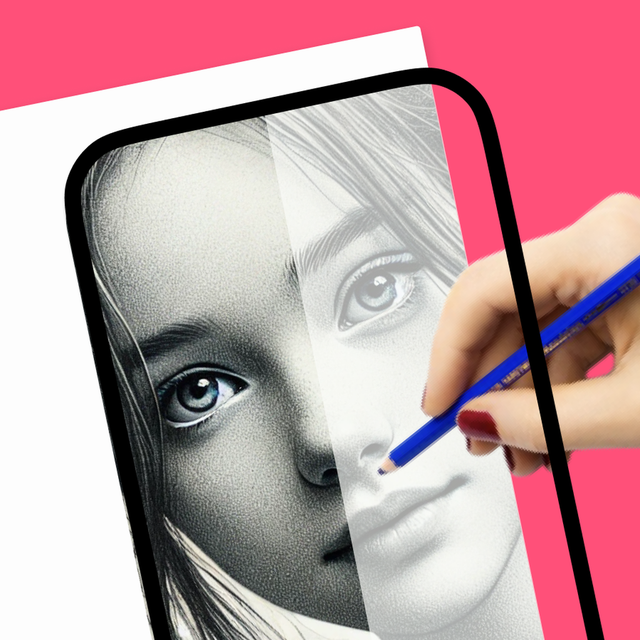

How to Draw, Step by step
Évitez l'angoisse de la page blanche avec le code de triche créatif ultime. Utilisez votre téléphone comme projecteur RA pour tracer, transformez des photos en autocollants personnalisés avec l'IA et enregistrez des vidéos satisfaisantes de vos chefs-d'œuvre à partager sur les réseaux sociaux.
Téléchargements
60K+Note
Nombre d'avis
2K+Éditeur
Catégorie
EducationLangues
12Dernière version
1.4.5Taille
190.1 MBDate de sortie
9 mars 2024Libérez l'artiste qui sommeille en vous grâce à l'IA
Rejoignez plus de 60 000 créateurs utilisant la RA et l'IA pour transformer l'imagination en art de niveau professionnel. Aucune expérience préalable nécessaire – juste votre téléphone et une étincelle de créativité.
Générateur de croquis par IA
Arrêtez de fixer une page blanche. Décrivez simplement votre idée et laissez notre IA générer un modèle de dessin personnalisé à tracer et à maîtriser.
Projecteur de traçage RA
Transformez votre téléphone en projecteur numérique. Superposez n'importe quelle image sur votre papier en utilisant votre appareil photo pour dessiner avec des proportions parfaites à chaque fois.
Questions Fréquentes
Tout ce que vous devez savoir sur How to Draw, Step by step
Quelle est la fonction principale de l'application How to Draw ?
L'application How to Draw aide les utilisateurs à apprendre à dessiner en utilisant l'appareil photo de leur téléphone comme projecteur. Elle propose divers outils et fonctionnalités basés sur l'IA pour améliorer les compétences en dessin de tous niveaux.
Puis-je utiliser l'appareil photo de mon téléphone pour dessiner avec l'application How to Draw ?
Oui, l'application How to Draw permet aux utilisateurs d'utiliser l'appareil photo de leur téléphone comme projecteur pour dessiner. Cette fonctionnalité facilite le traçage d'images sur papier.
L'application How to Draw inclut-elle des fonctionnalités d'IA ?
Oui, l'application How to Draw comprend des fonctionnalités basées sur l'IA telles que Sticker Maker, Photo to Sketch, Background Remover, Enhance Old Photos et AI-Powered Drawing Sketches.
Comment puis-je générer des croquis de dessin à l'aide de l'IA dans l'application Ar Drawing ?
Le générateur de croquis basé sur l'IA de l'application Ar Drawing crée des dessins à partir de descriptions textuelles. Les utilisateurs décrivent ce qu'ils veulent voir et l'IA fournit un croquis correspondant.
Puis-je colorier des dessins dans l'application Ar Drawing ?
Oui, l'application Ar Drawing propose une catégorie "Coloriage". Les utilisateurs peuvent colorier des dessins prêts à l'emploi, créer des palettes de couleurs personnalisées et personnaliser leurs œuvres d'art.
L'application How to Draw propose-t-elle des guides de dessin étape par étape ?
Oui, l'application How to Draw dispose de capacités de boîte à lumière et de projecteur qui permettent aux utilisateurs de suivre des dessins étape par étape sur des croquis prêts à l'emploi.
Comment fonctionnent les abonnements dans l'application How to Draw ?
L'application How to Draw propose un abonnement à renouvellement automatique. Il se renouvelle sauf s'il est désactivé 24 heures avant la fin de la période. Les utilisateurs gèrent leurs abonnements dans les paramètres du compte.
Où puis-je trouver la politique de confidentialité de l'application How to Draw ?
La politique de confidentialité de l'application How to Draw est disponible à l'URL : https://draw.findbluapp.com/privacy-policy.
L'application How to Draw permet-elle d'enregistrer des sessions de dessin ?
Oui, l'application How to Draw permet aux utilisateurs d'enregistrer des vidéos de leur travail en temps réel pendant le dessin. Cette fonctionnalité aide à suivre les progrès.
Les utilisateurs peuvent-ils partager leurs œuvres d'art depuis l'application Ar Drawing ?
Oui, l'application Ar Drawing permet aux utilisateurs de sauvegarder leurs œuvres terminées et de les partager sur diverses plateformes de médias sociaux directement depuis l'application.
Existe-t-il des modèles de dessin gratuits disponibles dans l'application How to Draw ?
Oui, l'application How to Draw propose plus de 1000 modèles gratuits dans des catégories telles que Anime, Animaux, Voitures et Fleurs que les utilisateurs peuvent utiliser pour dessiner.
Puis-je créer de l'art textuel dans l'application How to Draw ?
Oui, l'application How to Draw dispose d'une fonctionnalité "TEXT ART" où les utilisateurs peuvent dessiner des textes fantaisistes en utilisant différents styles de police.
Les captures d'écran et la description suivantes proviennent directement de la fiche officielle de l'application sur le store et sont la propriété du développeur.
App Store
Captures
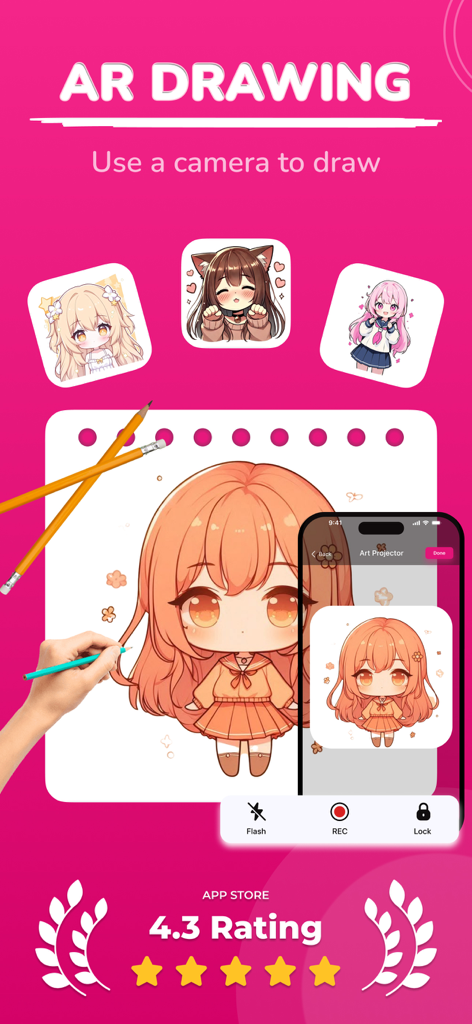
Application de dessin RA projetant un personnage d'anime à tracer sur du papier
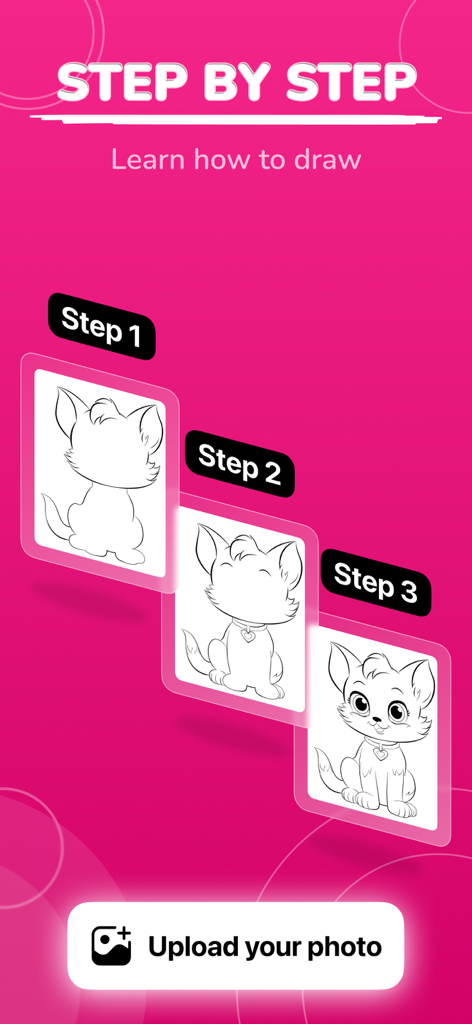
Tutoriel de dessin de chat étape par étape montrant trois étapes du processus d'illustration sur un fond rose vif
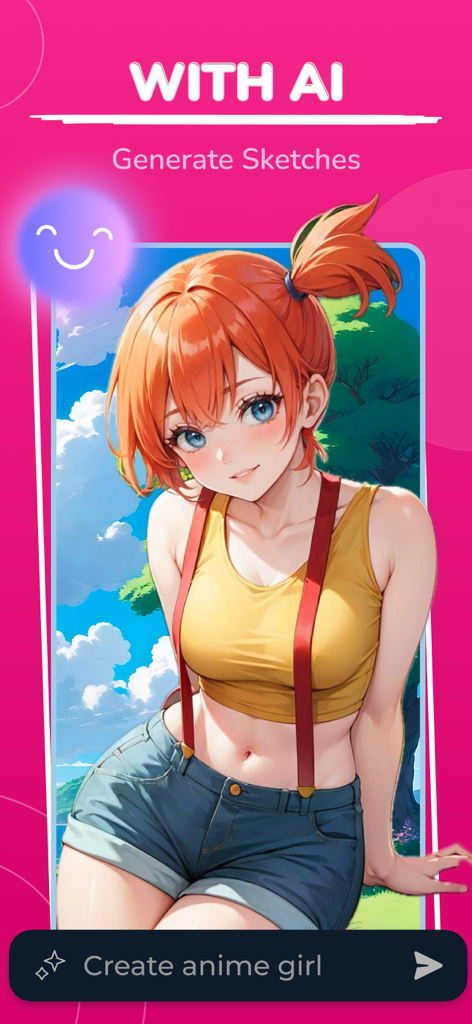
Application de dessin IA montrant une fille d'anime créée à partir d'une invite textuelle
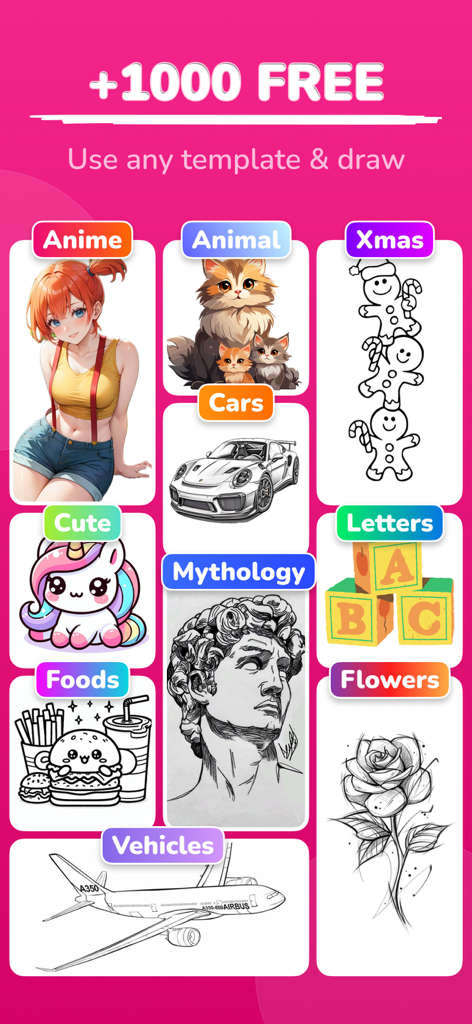
Une collection de modèles de dessin de catégories comme l'anime, les animaux et la mythologie.
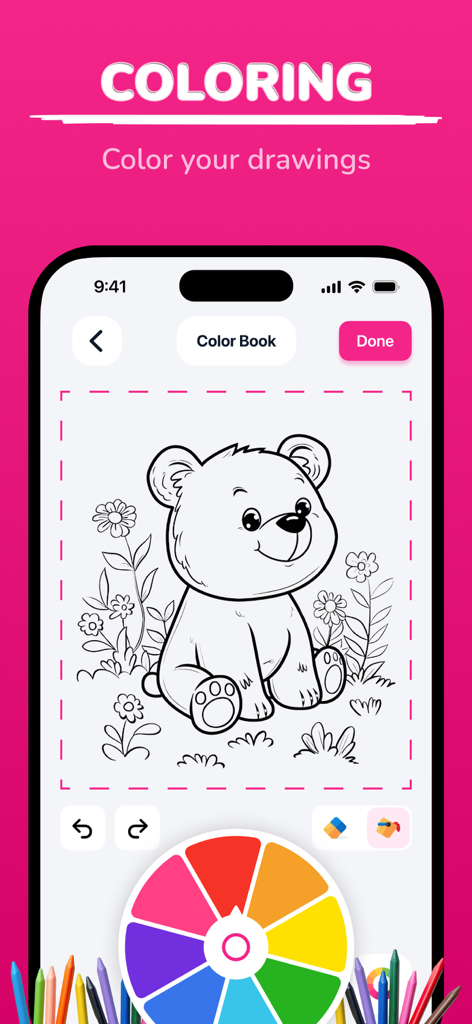
Une interface de livre de coloriage numérique présentant un croquis d'ours en line art et une roue chromatique vibrante
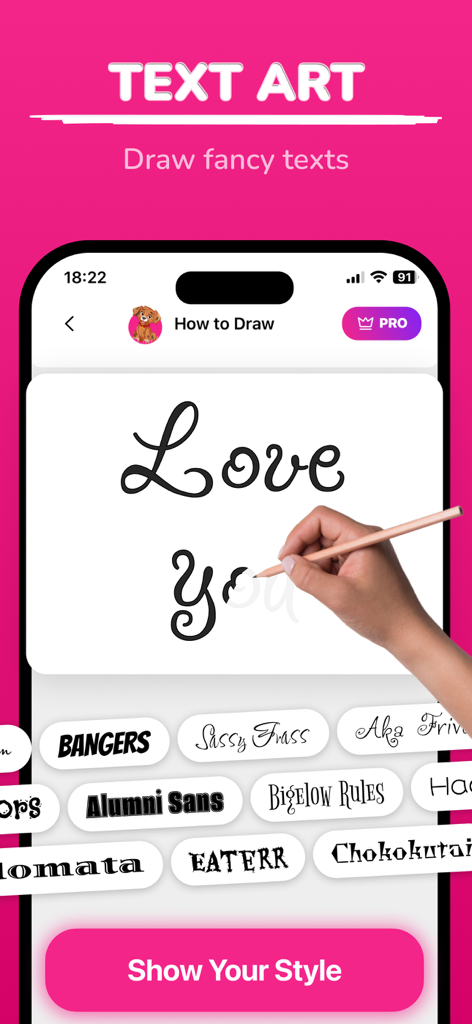
Une interface d'application mobile montrant un guide de traçage pour du texte calligraphique fantaisiste avec différents styles de police en dessous.
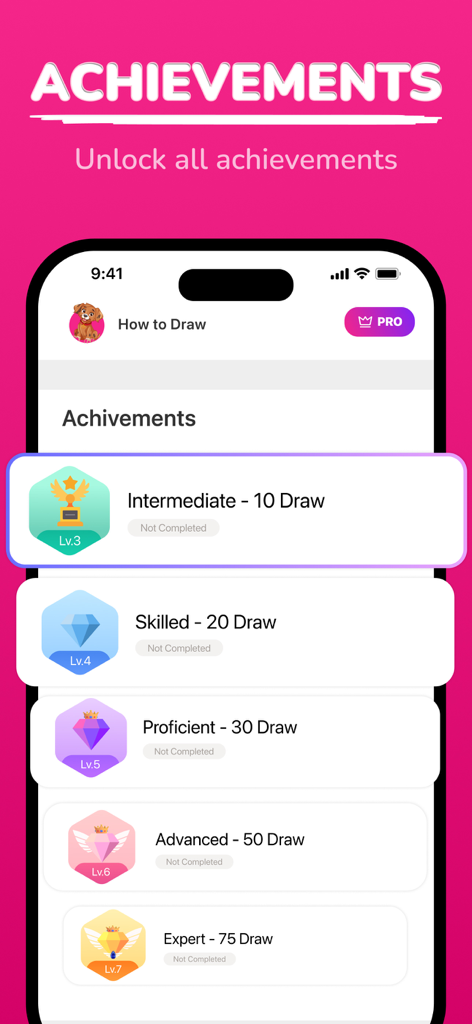
Écran montrant les réalisations de dessin des niveaux Intermédiaire à Expert
Description
Download
Apps Similaires
Apps avec des fonctionnalités et une expérience similaires

AR Drawing Paint Sketch Trace
DROIDFUN LIMITED

Camera Lucida™: AR Drawing
Big Idea Design LLC

AR Drawing Sketch App: ArtEasy
SMDA GROUP SP Z O O SP KOMANDYTOWA

PicTrace: AR Drawing & Sketch
ANDROID VIETNAM TECHNOLOGY CORPORATION

AR Draw: Sketching & Painting
EIGEN SOFTWARE LIMITED

AR Drawing How to Draw Sketch
Magomed Dzhamalov

Da Vinci Eye: AR Trace & Draw
Da Vinci Eye LLC

AR Drawing - AR Sketch
Ketanbhai Khokhani

HEY CLAY®
HEY CLAY LTD
Cette page n'est pas une page officielle de l'application ou de son développeur, mais une publication éditoriale indépendante créée à des fins d'information et de commentaire. Sauf indication expresse contraire, ni l'application ni son développeur ne sont affiliés, approuvés, sponsorisés, autorisés ou autrement officiellement liés à MWM, Apple, Google Play, à l'éditeur de l'application ou au développeur de l'application, et rien sur cette page n'implique que l'application a été développée en utilisant les services de MWM. Toutes les marques, logos, captures d'écran et autres contenus restent la propriété de leurs propriétaires respectifs.