HUD Nav

HUD Nav

Télécharger sur App Store
Logo de HUD Nav

Navigation HUD : Transformez votre pare-brise en un affichage tête haute de haute technologie

Conduisez en toute sécurité grâce à la navigation virage par virage affichée directement dans votre champ de vision. Profitez d'une technologie de pointe dans n'importe quel véhicule, parfaitement optimisée pour la conduite de nuit et les trajets quotidiens.

Télécharger sur App Store

Éditeur

Sebastien BUET

Catégorie

Navigation

Téléchargements

153K+

Note

2.3/5

Nombre d'avis

0

Langues

2

Votre tableau de bord, réinventé

Découvrez l'interface utilisée par 153K+ utilisateurs.

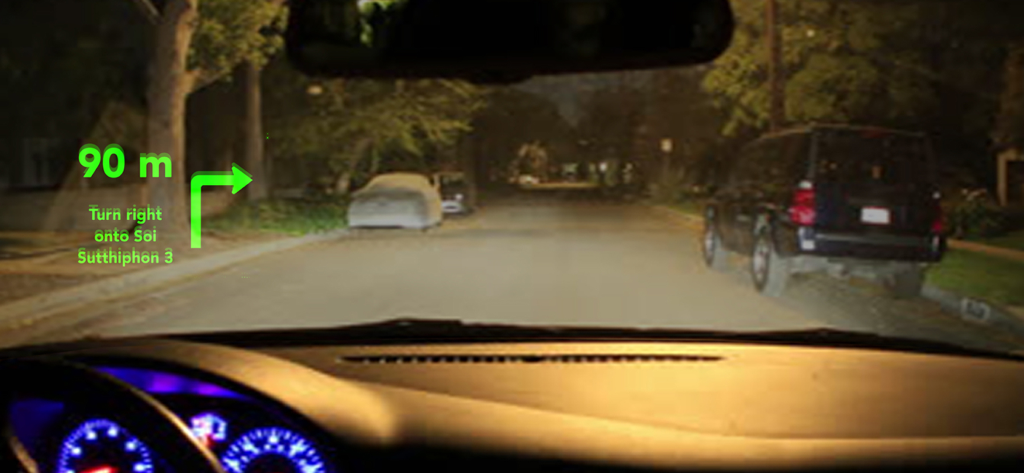
Affichage tête haute montrant les instructions de navigation reflétées sur le pare-brise d'une voiture la nuit

Affichage tête haute montrant les instructions de navigation reflétées sur le pare-brise d'une voiture la nuit

Reflet du système de navigation HUD sur le pare-brise d'une voiture la nuit

Reflet du système de navigation HUD sur le pare-brise d'une voiture la nuit

Interface de navigation HUD projetée sur le pare-brise d'une voiture, affichant les instructions de navigation virage par virage la nuit

Interface de navigation HUD projetée sur le pare-brise d'une voiture, affichant les instructions de navigation virage par virage la nuit

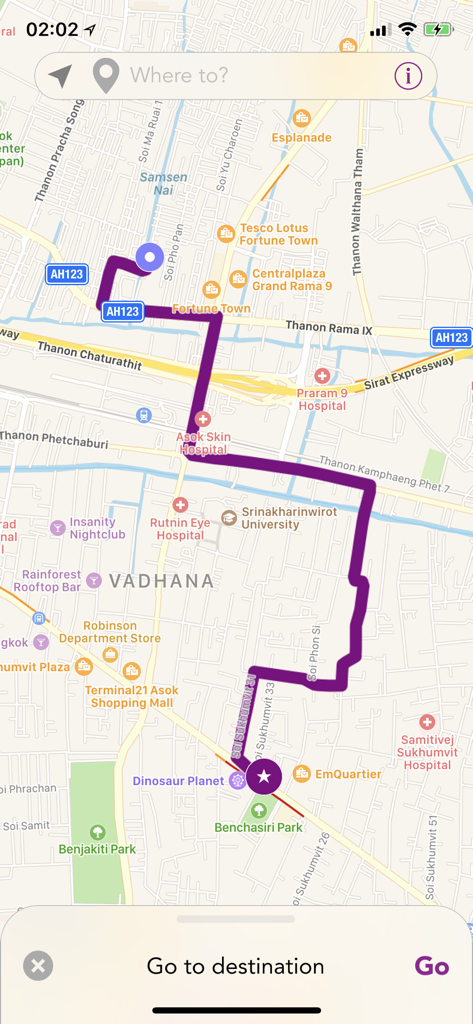
Une interface cartographique dans l'application HUD Nav affichant un itinéraire de navigation violet à travers une ville

Une interface cartographique dans l'application HUD Nav affichant un itinéraire de navigation violet à travers une ville

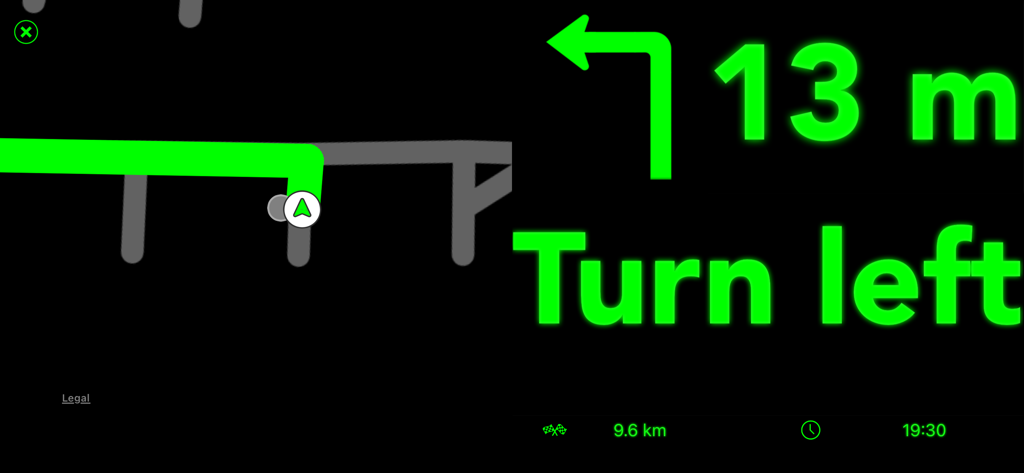
Interface de navigation HUD avec instructions de virage en vert et carte

Interface de navigation HUD avec instructions de virage en vert et carte

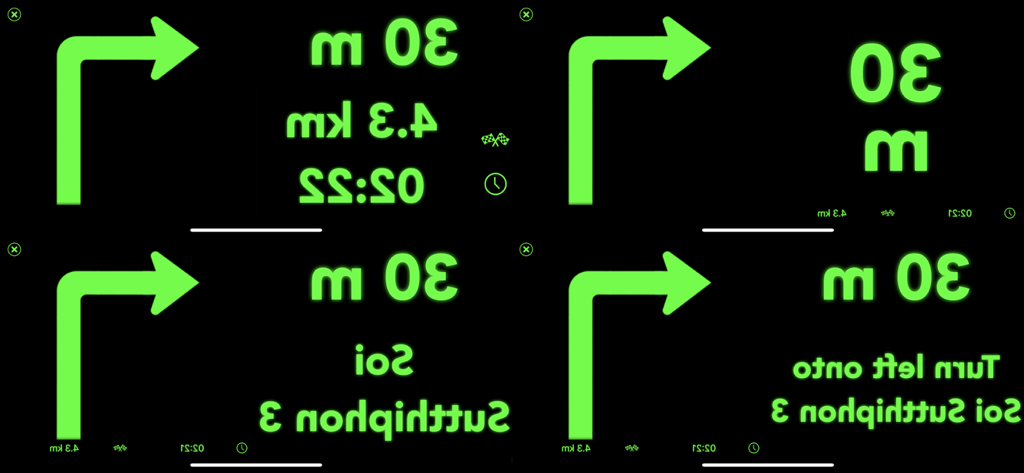
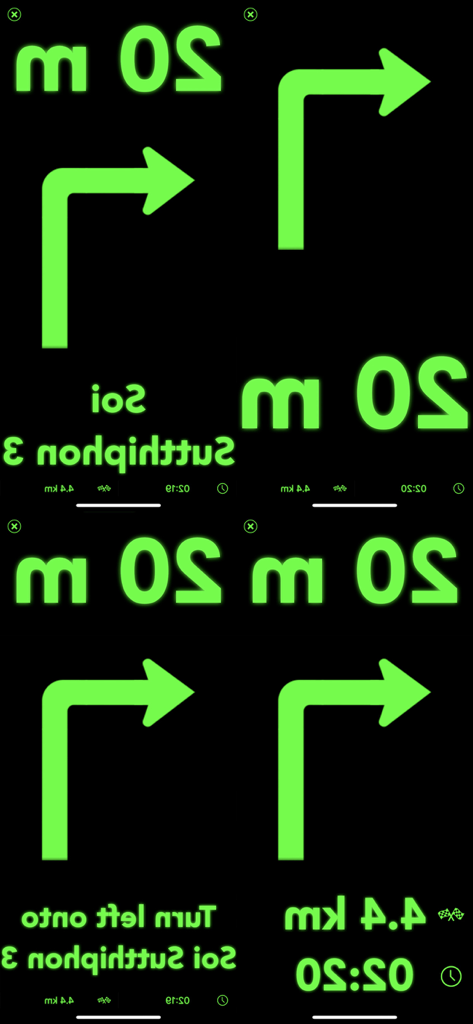
Quatre variantes de l'interface de navigation à affichage tête haute vert miroir indiquant les directions de virage et la distance

Quatre variantes de l'interface de navigation à affichage tête haute vert miroir indiquant les directions de virage et la distance

Quatre écrans d'interface de navigation en miroir avec texte et icônes verts sur fond noir pour l'affichage tête haute

Quatre écrans d'interface de navigation en miroir avec texte et icônes verts sur fond noir pour l'affichage tête haute

Conduisez plus intelligemment grâce à un tableau de bord futuriste

Les outils qui font la différence, choisis par 153K+ utilisateurs.

🛡️

Sécurité routière avec les yeux sur la route

Éliminez le danger de baisser les yeux sur votre téléphone. Projetez les informations de navigation essentielles dans votre champ de vision afin de ne jamais quitter la route des yeux.

📲

Intégration Apple transparente

Exploitez toute la puissance d'Apple Maps. Envoyez vos itinéraires favoris directement dans l'application et profitez d'une expérience d'affichage tête haute (HUD) de pointe sans changer vos habitudes.

🕶️

Interface de cockpit personnalisée

Personnalisez votre affichage grâce à six modes distincts. Que vous préfériez un affichage minimal des flèches ou des estimations d'heure d'arrivée détaillées, adaptez votre HUD à votre style de conduite.

À propos de l'app

Tout ce que vous devez savoir sur HUD Nav.

Description

Transform your iPhone and iPad into a head-up display for any car with HUD Nav - Turn by turn Head up display navigation. Look for a location, chose a route and place your iPhone/iPad on the dashboard — you’ll see the directions, distances, and other information, reflected on your windshield. Drive safer and keep your eyes on the road, and know in advance what’s ahead. Features: - Watch the direction and distance to the next turn, right on the windshield - HUD interfaces with clear, simple and non-distracting information that you understand immediately - Double tap the HUD to change the information displayed. 6 different modes are available: + Direction and distance to the next turn + Direction, road/street name, and distance to the next turn + Direction and distance to the next turn, remaining distance to destination and expected time arrival (ETA) + Detailed direction, road/street name, and distance to the next turn + Map, direction and distance to the next turn + Map, direction, road/street name, and distance to the next turn - Get voice instructions and drive with a co-pilot - Choose the voice that guides you (available in some languages) - Motorcycle mode: the HUD is not mirrored so you can use the app while riding your bike, or driving in bright conditions - Save places and locations in the Historic to quickly drive to them later. Edit your historic and rename places/locations, organize them or delete them - Works with Apple Maps app: send routes from Maps to the app, and drive them with the app HUD Note! - On a clear day or bright conditions, the device screen brightness is typically insufficient to give a decent reflection for HUD mode. In that situation, you can use the app in motorcycle mode with the phone fixed with some mount. At night, in dusk, or in dull weather the reflection is normally well-discernible. - When driving, make sure that your iPhone or iPad is well fixed in some mount or on some sticky pad, and doesn't prevent you from clearly seeing the road. Continued use of GPS running in the background can quickly drain your device battery. Note that the app uses the same "route search engine" as the Maps app. However, as not all the iOS features are available in all countries, you can check the list of features available for your country at https://www.apple.com/ae/ios/feature-availability/. If you face any problems or find any bugs, please email us at support@seb-appstore.com or report the bug right from the app. We appreciate your feedback! Check out our other iPhone and iPad apps at www.seb-appstore.com, with hundreds of discounted and free apps.

Dernière version

2.0

Taille

17.5 MB

Date de sortie

12 mars 2017

Prêt à transformer votre pare-brise en un cockpit futuriste ?

Rejoignez plus de 150 000 conducteurs qui ont amélioré leurs trajets quotidiens. Téléchargez HUD Nav dès maintenant pour garder les yeux sur la route et votre itinéraire en vue ce soir.

Télécharger sur App Store

App information, icons, screenshots, and descriptions displayed on this page are sourced from the Apple App Store and are the property of their respective developers. Download estimates and rankings are based on MWM's proprietary models and may not reflect actual figures. This page is provided for informational and analytical purposes only.

Believe this page infringes your intellectual property? File a dispute