Magic Switch Display Sharing

Magic Switch Display Sharing


Télécharger sur App Store
Logo de Magic Switch Display Sharing

Partage d'écran Magic Switch : Transformez votre iPad en moniteur tactile Windows haute performance

Comblez le fossé entre votre PC et vos appareils iOS avec une mise en miroir d'écran sans décalage, une prise en charge de stylet professionnel avec pression du stylet et un partage de fichiers transparent de style AirDrop.

Télécharger sur App Store

Éditeur

Magic Control Technology Corporation

Catégorie

Utilities

Téléchargements

300

Note

1.0/5

Nombre d'avis

0

Langues

16

Continuité transparente en action

Découvrez l'interface utilisée par 300 utilisateurs.
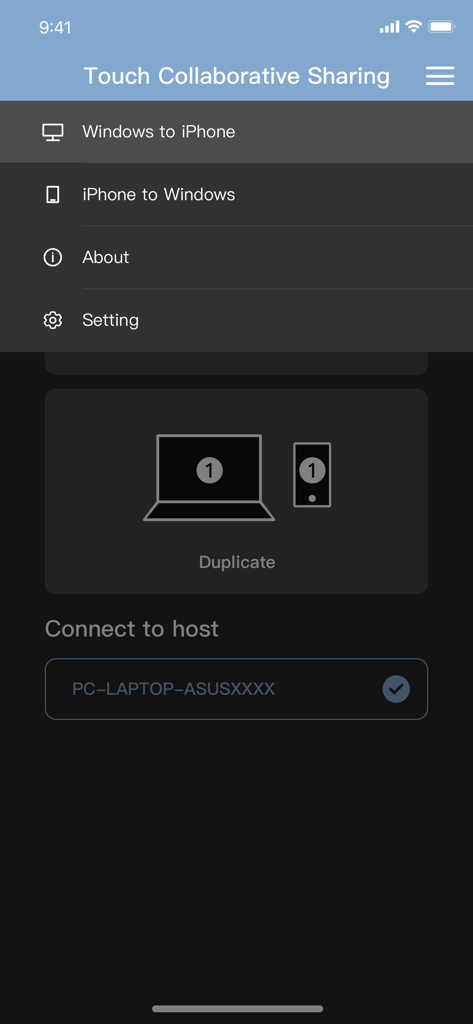
Menu de l'application Magic Switch Display Sharing montrant les options de mise en miroir d'écran de Windows vers iPhone et d'iPhone vers Windows.

Menu de l'application Magic Switch Display Sharing montrant les options de mise en miroir d'écran de Windows vers iPhone et d'iPhone vers Windows.

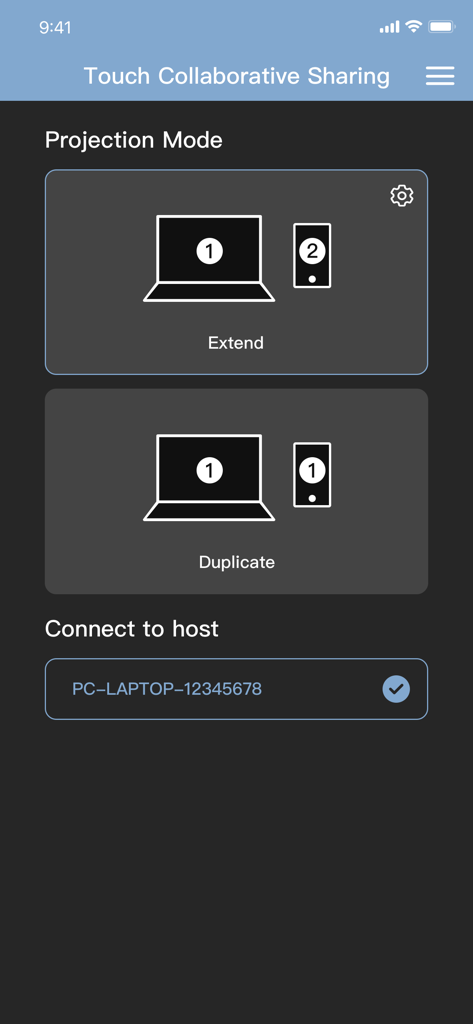
Interface de l'application Magic Switch montrant les options d'extension ou de duplication d'un écran de PC Windows vers un appareil mobile.

Interface de l'application Magic Switch montrant les options d'extension ou de duplication d'un écran de PC Windows vers un appareil mobile.

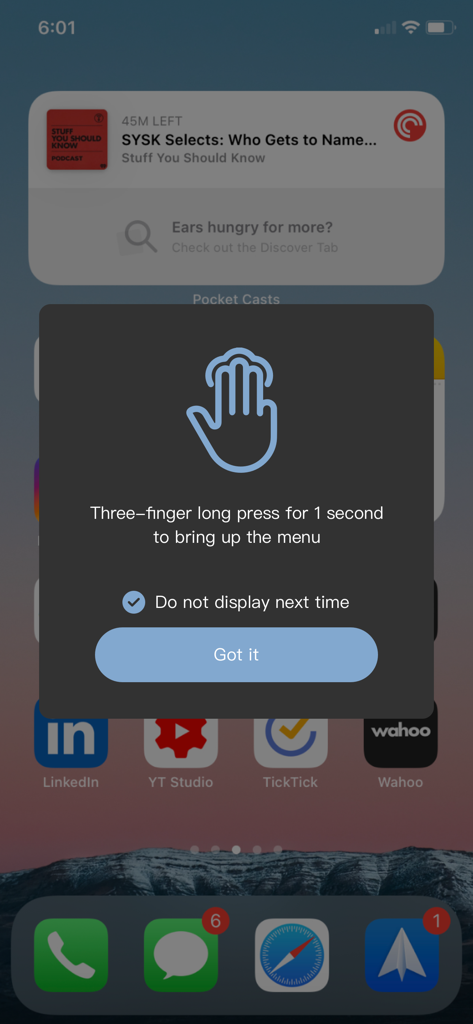
Pop-up d'instruction sur un iPhone expliquant comment utiliser un appui long de trois doigts pour ouvrir le menu Magic Switch.

Pop-up d'instruction sur un iPhone expliquant comment utiliser un appui long de trois doigts pour ouvrir le menu Magic Switch.

Capture d'écran de l'interface de l'application Magic Switch montrant l'écran Mode de projection avec une icône représentant l'extension d'un écran mobile vers un ordinateur portable.

Capture d'écran de l'interface de l'application Magic Switch montrant l'écran Mode de projection avec une icône représentant l'extension d'un écran mobile vers un ordinateur portable.

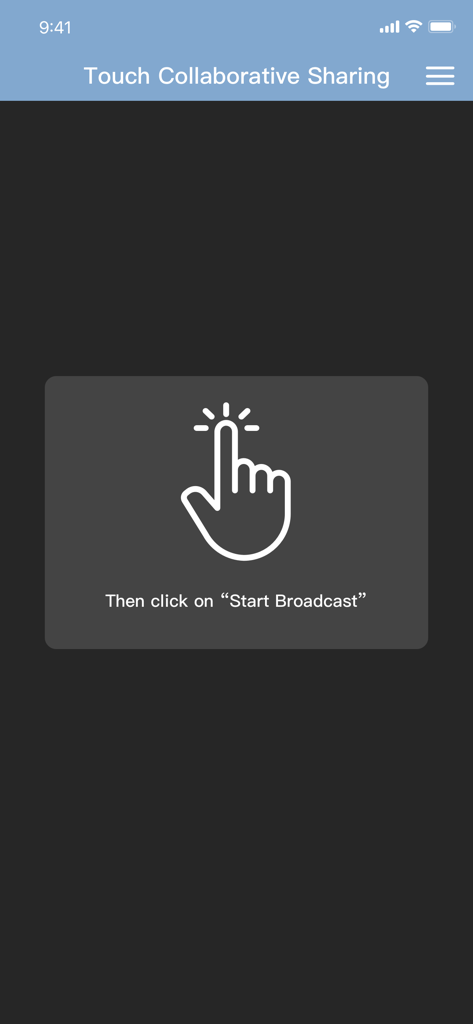
Écran de l'application Magic Switch montrant une icône de main et l'instruction de cliquer sur Démarrer la diffusion pour le partage collaboratif tactile.

Écran de l'application Magic Switch montrant une icône de main et l'instruction de cliquer sur Démarrer la diffusion pour le partage collaboratif tactile.

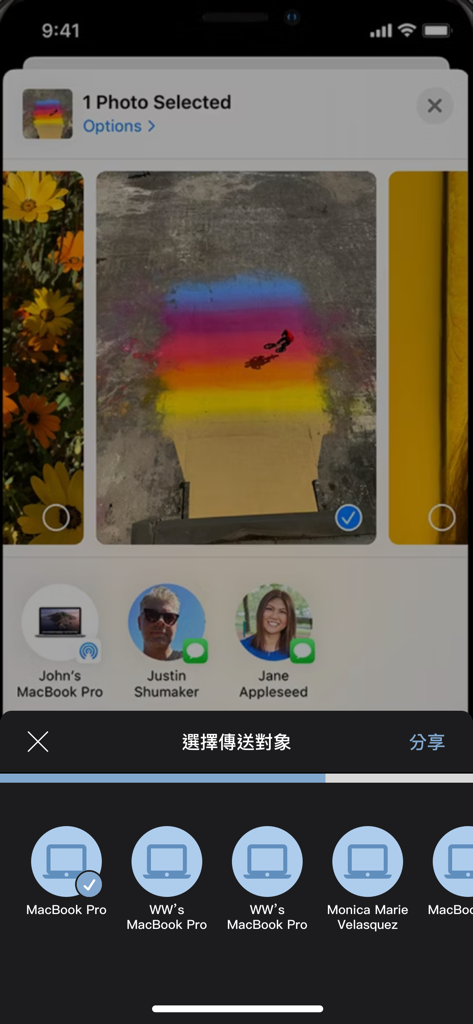
Écran d'iPhone montrant la sélection d'une photo à partager avec des appareils connectés à l'aide de Magic Switch

Écran d'iPhone montrant la sélection d'une photo à partager avec des appareils connectés à l'aide de Magic Switch

Le pont ultime entre Windows et iOS

Les outils qui font la différence, choisis par 300 utilisateurs.

✍️

Intégration de tablette graphique professionnelle

Transformez votre iPad en périphérique d'entrée haut de gamme pour Windows. Utilisez votre Apple Pencil avec prise en charge complète de la pression du stylet et du toucher pour les logiciels Photoshop, Illustrator et CAO.

🖥️

Double affichage sans décalage

Étendez votre espace de travail partout. Utilisez votre iPad comme moniteur secondaire cristallin ou écran virtuel avec la stabilité d'une connexion filaire pour une expérience sans décalage.

Transferts de fichiers de type AirDrop

Mettez fin à la frustration de l'écosystème. Déplacez instantanément des vidéos 4K, des photos haute résolution et de gros fichiers de projet entre votre iPhone et votre PC sans dépendre de synchronisations cloud lentes.

À propos de l'app

Tout ce que vous devez savoir sur Magic Switch Display Sharing.

Description

This companion application can be used with Magic Switch Display Sharing Hub Cable. Magic Switch Display Sharing Hub Cable is a USB hub with host to host connection cable function, besides the hub function, this link cable can also be used to connect Windows PC and iPad/iPhone, once the connection is completed, users can easily duplicate the screen to iPad/iPhone , whereas in an iPad/iPhone you can see the contents of the Windows screen there, you can control or draw something in Windows with your finger or a stylus, and touch events or stylus traces and pen pressure are reflected to Windows, just like directly in operate the touch screen with a finger or a pen on a Windows PC. In addition to mapping the main screen of the Windows PC and directly viewing and operating on the iPad/iPhone, the APP also provides the function of generating a virtual second screen, and at the same time project this virtual second screen to the iPad/iPhone, and directly operate on the iPad/iPhone. Conversely, we can also project the content of the iPad/iPhone to the Windows PC through this cable connection, this function is like AirPlay, you can directly see the screen content and operation of the iPad/iPhone on the screen of the Windows PC. In addition to video screen projection and copying, the app also supports AirDrop-like functionality, allowing you to easily share media content such as videos, photos or files to a "Download" location on your Windows PC. You can also share files to your iPad/iPhone just like you can with AirDrop on a Mac by right-clicking on the file in Windows File Explorer and selecting the share menu function.

Dernière version

1.0.16

Taille

39.2 MB

Date de sortie

7 nov. 2023

Optimisez votre flux de travail multiplateforme

Téléchargez l'application compagnon de votre câble Magic Switch Hub pour transformer votre iPad en écran Windows sans décalage et en station de partage de fichiers transparente.

Télécharger sur App Store

App information, icons, screenshots, and descriptions displayed on this page are sourced from the Apple App Store and are the property of their respective developers. Download estimates and rankings are based on MWM's proprietary models and may not reflect actual figures. This page is provided for informational and analytical purposes only.

Believe this page infringes your intellectual property? File a dispute