NBS Mobile Banking

NBS Mobile Banking

Télécharger sur App StoreTélécharger sur Google Play
Logo de NBS Mobile Banking

NBS Mobile Banking : Votre lien sécurisé avec la Nouvelle-Zélande, où que vous soyez

Restez fidèle à vos racines et gérez vos actifs néo-zélandais en toute simplicité. De la région de Nelson aux États-Unis, profitez de la fiabilité de la plus ancienne société de crédit immobilier de Nouvelle-Zélande, directement sur votre mobile.

Éditeur

Nelson Building Society

Catégorie

Finance

Téléchargements

11K+

Note

3.5/5

Nombre d'avis

0

Langues

1

Votre agence locale, où que vous soyez

Découvrez l'interface utilisée par 11K+ utilisateurs.
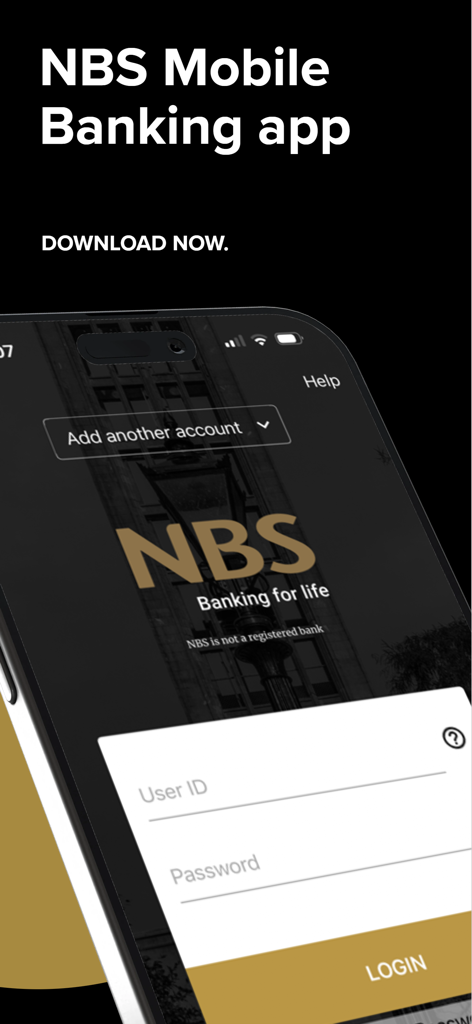
Écran de connexion de l'application NBS Mobile Banking sur un smartphone

Écran de connexion de l'application NBS Mobile Banking sur un smartphone

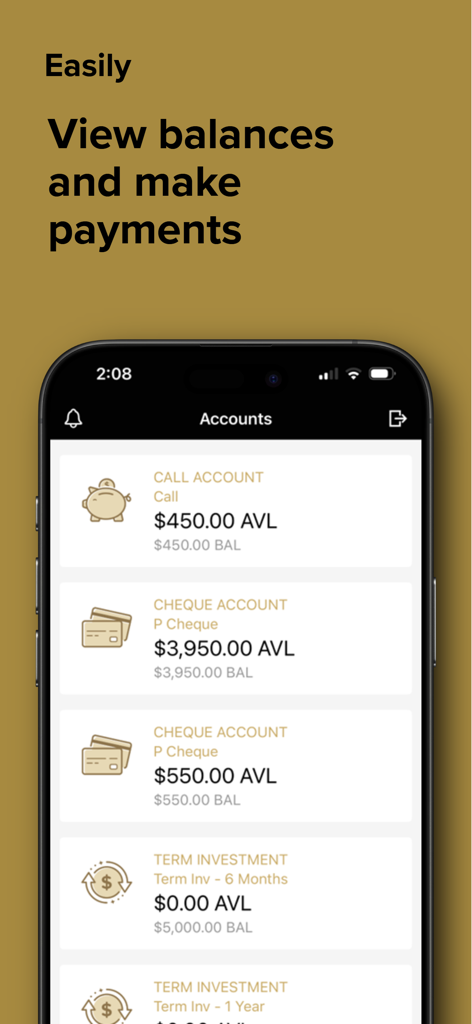
Capture d'écran de l'application NBS Mobile Banking affichant les soldes et les types de comptes, comme les comptes à vue et les comptes chèques.

Capture d'écran de l'application NBS Mobile Banking affichant les soldes et les types de comptes, comme les comptes à vue et les comptes chèques.

Gérez vos finances néo-zélandaises en toute confiance

Les outils qui font la différence, choisis par 11K+ utilisateurs.

💸

Paiements de factures sans effort

Gérez facilement vos impôts fonciers et vos factures d'énergie en Nouvelle-Zélande. Créez de nouveaux bénéficiaires ou configurez des paiements automatiques pour vos obligations récurrentes dans votre pays d'origine, sans avoir besoin d'un ordinateur.

🔒

Accès sécurisé et instantané

Connectez-vous rapidement grâce à un code PIN personnalisé à quatre chiffres. Vos comptes sont protégés par les mêmes normes de sécurité rigoureuses que nos services bancaires en ligne, avec le soutien de votre agence locale.

📱

Surveillance en temps réel

Suivez vos revenus locatifs et consultez les soldes de tous vos comptes NBS. Accédez instantanément à l'historique de vos transactions pour une visibilité optimale sur votre situation financière, quel que soit le fuseau horaire.

À propos de l'app

Tout ce que vous devez savoir sur NBS Mobile Banking.

Description

NBS Mobile app - easy and convenient access for you to bank while you’re on the go. Log-in to our secure Mobile App to: * Sign in quickly with a four digit PIN * Check account balances * View transactions * Transfer between your NBS accounts * Pay existing Bill Payees * Make one-off payments to a New Zealand bank account * Create a New Payee * Create an Automatic Payment using an existing Bill Payee IMPORTANT: By downloading and completing the setup of NBS Mobile app you agree to NBS Electronic Banking Terms & Conditions forming part of NBS General Terms & Conditions available at www.nbs.co.nz. How it works: If you are an existing NBS Internet Banking customer then; 1. Download the NBS Mobile app; 2. Call into your nearest NBS Branch or phone 0800 101 700 to ensure all ID held on file, is current. 3. You are good to go! If you are not a NBS Internet Banking customer or you know your ID is not current, call into your local Branch or phone us on 0800 101 700. Acceptable forms of ID are detailed below: Photographic (Current and original) * New Zealand Driver Licence * New Zealand or Overseas Passport * New Zealand Firearms Licence Non Photographic (Current and original) * New Zealand Birth Certificate or Certificate of New Zealand Citizenship * An embossed Debit Card or Credit Card issued by a registered New Zealand bank * A government agency issued card i.e. SuperGold Card Address Verification (Less than three months old) * A recent statement from any New Zealand bank. Must be on Bank Letterhead * A utility bill such as power, gas, water, telephone or internet service provider * Any official insurance policy that includes a name and address Security The NBS Mobile App is every bit as secure as NBS Internet Banking. You can choose your own four digit PIN to access the NBS Mobile App and if you lose your mobile device, access can be disabled by your local Branch. Things you should know NBS Mobile App is only available for NBS customers registered with NBS Internet Banking and using an appropriate Mobile device. NBS recommends you always adhere to manufacturers software and support to ensure your mobile devices are covered by the latest software and security updates. If you are connecting via Wi-Fi a trusted network is recommended. Downloading the NBS Mobile App is FREE, however internet data charges may be incurred through your mobile service provider. All information submitted by you during the setup and use of NBS Mobile App will be retained by NBS and used in accordance with our Privacy obligations set out in NBS General Terms & Conditions. NBS reserves the right to modify or withdraw this service at any time. Access is subject to availability and maintenance. About NBS A local, independent and mutually owned Building Society. You’ll find us in eight locations throughout Nelson, Tasman, Buller, West Coast, Golden Bay and Mid Canterbury. NBS - New Zealand’s Oldest Building Society, building lifestyles, dreams and a sense of local pride since 1862. Need help? Phone us on 0800 101 700 between 9.00am to 4.30pm business days, call into your local Branch or visit www.nbs.co.nz.

Dernière version

5.6.3

Taille

27.3 MB

Date de sortie

1 avr. 2014

Faites vos opérations bancaires avec fierté locale, où que vous soyez dans le monde.

Rejoignez les milliers de Néo-Zélandais qui gèrent leurs finances en toute sécurité depuis l'étranger. Téléchargez l'application NBS dès aujourd'hui et profitez de la fiabilité de la plus ancienne société de crédit immobilier de Nouvelle-Zélande.

Télécharger sur App StoreTélécharger sur Google Play

App information, icons, screenshots, and descriptions displayed on this page are sourced from the Apple App Store and are the property of their respective developers. Download estimates and rankings are based on MWM's proprietary models and may not reflect actual figures. This page is provided for informational and analytical purposes only.

Believe this page infringes your intellectual property? File a dispute