Noteflow+ Digital Notebook
Télécharger sur App Store

Cette page n'est pas une page officielle de l'application ou de son développeur, mais une publication éditoriale indépendante créée à des fins d'information et de commentaire. Sauf indication expresse contraire, ni l'application ni son développeur ne sont affiliés, approuvés, sponsorisés, autorisés ou autrement officiellement liés à MWM, Apple, Google Play, à l'éditeur de l'application ou au développeur de l'application, et rien sur cette page n'implique que l'application a été développée en utilisant les services de MWM. Toutes les marques, logos, captures d'écran et autres contenus restent la propriété de leurs propriétaires respectifs.


Logo de Noteflow+ Digital Notebook
Télécharger sur App Store

Noteflow+ Digital Notebook

La toile vectorielle de haute précision pour les penseurs visuels. Convertissez sans effort des tableaux blancs en encre modifiable et rationalisez votre flux de travail professionnel sur iPad.

Chiffres Clés

Téléchargements

141K+

Note

4.4/5

Nombre d'avis

300

Éditeur

Qrayon, LLC

Catégorie

Business

Langues

1

Dernière version

3.4

Taille

15.9 MB

Date de sortie

19 sept. 2017
Fonctionnalités

Vos Idées, Évoluées Numériquement

Découvrez un carnet numérique qui combine la liberté tactile du stylo et du papier avec la puissance de la précision vectorielle et une intégration cloud transparente.

Capturez le Monde Physique

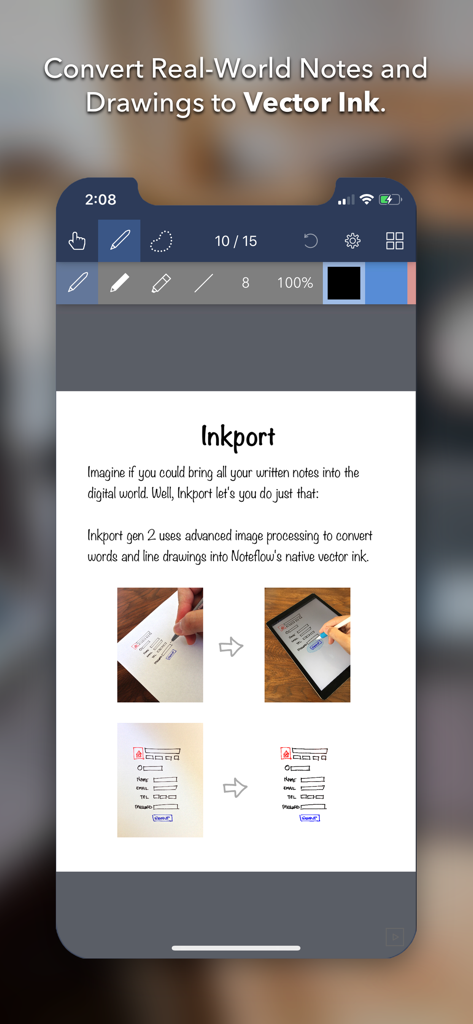
Transformez instantanément les croquis de tableaux blancs et les notes papier en encre numérique modifiable à l'aide d'Inkport Gen 2, sans matériel spécialisé.

Précision Vectorielle Infinie

Agrandissez vos dessins et notes sans jamais perdre en qualité. Notre moteur vectoriel maintient votre travail d'une netteté irréprochable, offrant une toile infinie pour vos plus grandes réflexions.

Les captures d'écran et la description suivantes proviennent directement de la fiche officielle de l'application sur le store et sont la propriété du développeur.

App Store

Captures
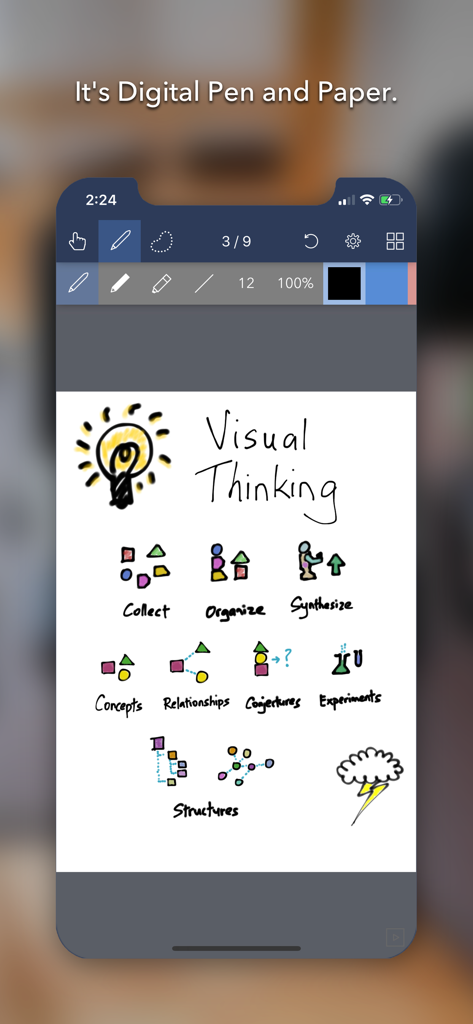
Noteflow+ Digital Notebook - Application Noteflow+ carnet numérique affichant un croquis de pensée visuelle avec une ampoule et des icônes de flux de travail
Application Noteflow+ carnet numérique affichant un croquis de pensée visuelle avec une ampoule et des icônes de flux de travail

Noteflow+ Digital Notebook - Application Noteflow+ convertissant des dessins papier en encre vectorielle numérique
Application Noteflow+ convertissant des dessins papier en encre vectorielle numérique

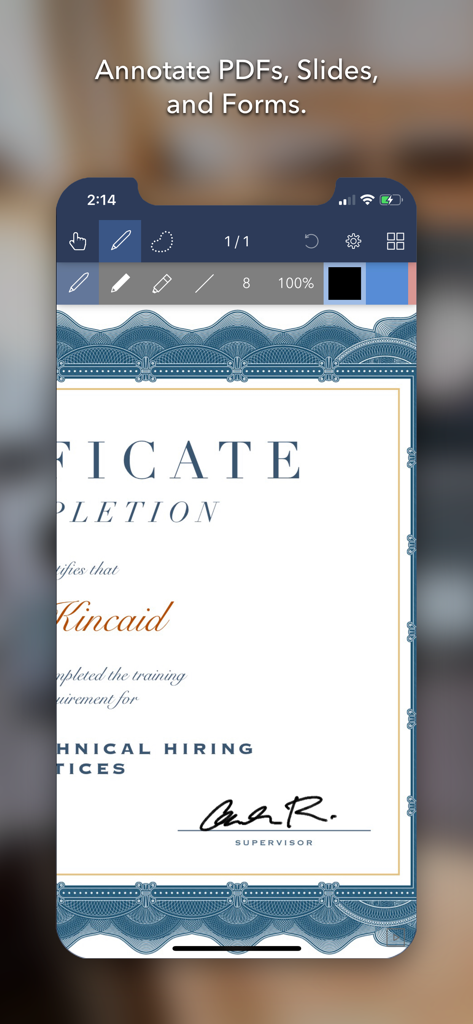
Noteflow+ Digital Notebook - Écran d'iPhone montrant un certificat annoté dans l'application Noteflow plus
Écran d'iPhone montrant un certificat annoté dans l'application Noteflow plus

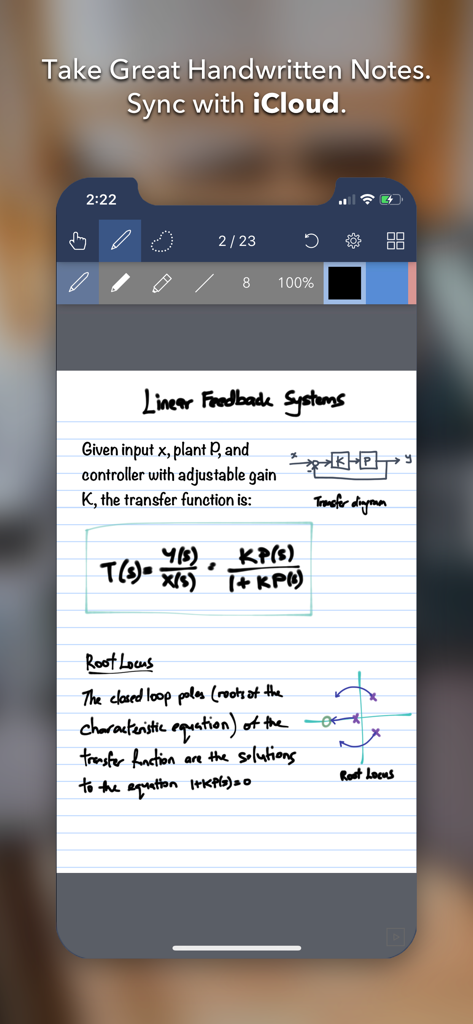
Noteflow+ Digital Notebook - Interface de l'application Noteflow plus sur iPhone montrant des notes académiques manuscrites avec des équations et des diagrammes
Interface de l'application Noteflow plus sur iPhone montrant des notes académiques manuscrites avec des équations et des diagrammes

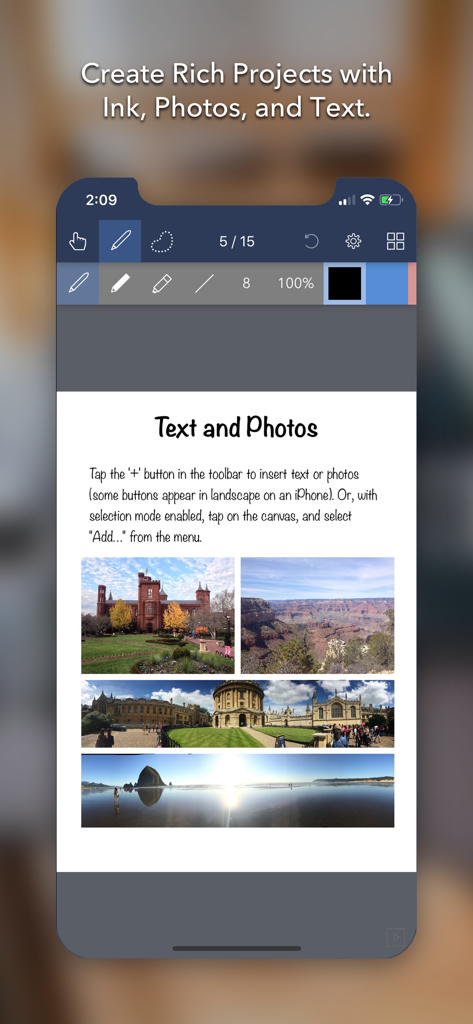
Noteflow+ Digital Notebook - Interface de l'application Noteflow plus montrant une page de carnet numérique avec du texte et quatre photos de voyage

Interface de l'application Noteflow plus montrant une page de carnet numérique avec du texte et quatre photos de voyage

Description

Noteflow is designed to replace pen and paper. It is a modern digital notebook that lets you get the most out of your iPad or iPhone. Use it for taking notes, annotating PDFs, sketching and doodling, plus a whole lot more: Copy and paste from the real world: Use Inkport gen 2 to snap a picture of a whiteboard or writing and convert it into Noteflow's native vector ink. No special paper needed. Then resize, re-color, or edit as if you wrote it in Noteflow. Create layered drawings without layers: Use the highlighter tool to color and shade behind existing ink. Use Color-Select to separate and edit individual colors. It's a much more fluid and natural editing experience than with layers. Use the straight-line tool with a grid for fast and intuitive wireframes and drafting. Drag-and-drop, cloud-storage, and more: Noteflow natively integrates with iOS's file system and drag-and-drop capabilities. Drop photos and text into Noteflow, and drag your drawings into other apps. Store your files locally or sync with the cloud service of your choice. Make Noteflow a seamless part of your workflow, the way you like. SPACE FOR YOUR IDEAS TO ROAM Our vision for Noteflow is simple: to be digital pen and paper. The magic of pen and paper is in their versatility. They are useful for so many things, but particularly for the freeform capture of ideas. Noteflow expands upon this quality. You can naturally do all the things you normally do with pen and paper: take notes in meetings or class, and jot down flashes of inspirations on the go. And you can take that to a whole new level: One of Noteflow’s best uses is for "thinking on digital paper": quickly capture key ideas and concepts, then move and organize them on the screen. Noteflow's vector ink engine lets you scale and edit your work without any loss of quality. Your words and drawings remain tack sharp when zoomed in, giving you a huge effective working canvas even on a single page. There are analogues in the physical world, such as sketchnotes or everyday working on a white board, but being able to fluidly edit and move your ideas around the page is something you can only do digitally. When you represent the ideas in your head with your own personal scribbles on the screen, it effectively becomes an extension of your mind - giving you more room to think. We've designed every part of Noteflow to let you intuitively capture and work on your ideas the way you like. Whether it's dropping in existing information, quickly sketching concepts, or assembling polished presentations for others. By resizing ink and zooming in, you have a huge effective canvas to work with, even on a single page. As your ideas shape up, Noteflow has all the tools you need to tidy them up and format them to share with others. DIGITAL TOOLS FOR A DIGITAL AGE I hope you'll find Noteflow a useful part of your workflow, and that you'll discover new ways to do things with it that weren't easy before. We're very proud of the work we've put into Noteflow, but we're also just seen the beginning of what's possible with powerful new digital platforms like the iPad. Our goal is to push these platforms to their limits to craft useful tools. Tools that can help us think a little more clearly, communicate a bit more effectively, and connect with other in new and enriching ways. Thanks for joining us on this journey! -- The App Makers @ Qrayon.

Download

Télécharger sur App Store

Cette page n'est pas une page officielle de l'application ou de son développeur, mais une publication éditoriale indépendante créée à des fins d'information et de commentaire. Sauf indication expresse contraire, ni l'application ni son développeur ne sont affiliés, approuvés, sponsorisés, autorisés ou autrement officiellement liés à MWM, Apple, Google Play, à l'éditeur de l'application ou au développeur de l'application, et rien sur cette page n'implique que l'application a été développée en utilisant les services de MWM. Toutes les marques, logos, captures d'écran et autres contenus restent la propriété de leurs propriétaires respectifs.








