OCR Text Scanner – Text reader

OCR Text Scanner – Text reader

Télécharger sur App Store
Logo de OCR Text Scanner – Text reader

Scanner de Texte OCR – Lecteur de Texte : Transformez sans effort des documents physiques en texte numérique éditable

Arrêtez de perdre du temps avec la saisie manuelle de données. Utilisez la technologie OCR professionnelle pour numériser, extraire et exporter du texte à partir de n'importe quelle photo ou document directement en PDF en quelques secondes.

Télécharger sur App Store

Éditeur

David Serrano Canales

Catégorie

Utilities

Téléchargements

1K+

Note

4.7/5

Nombre d'avis

100

Langues

9

L'efficacité en action

Découvrez l'interface utilisée par 1K+ utilisateurs.
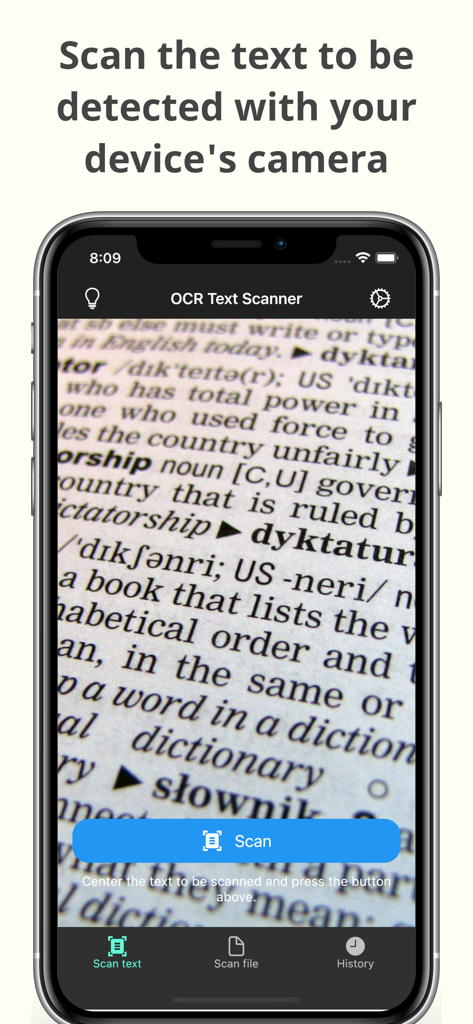
Interface caméra de l'application OCR Text Scanner numérisant du texte à partir d'un document

Interface caméra de l'application OCR Text Scanner numérisant du texte à partir d'un document

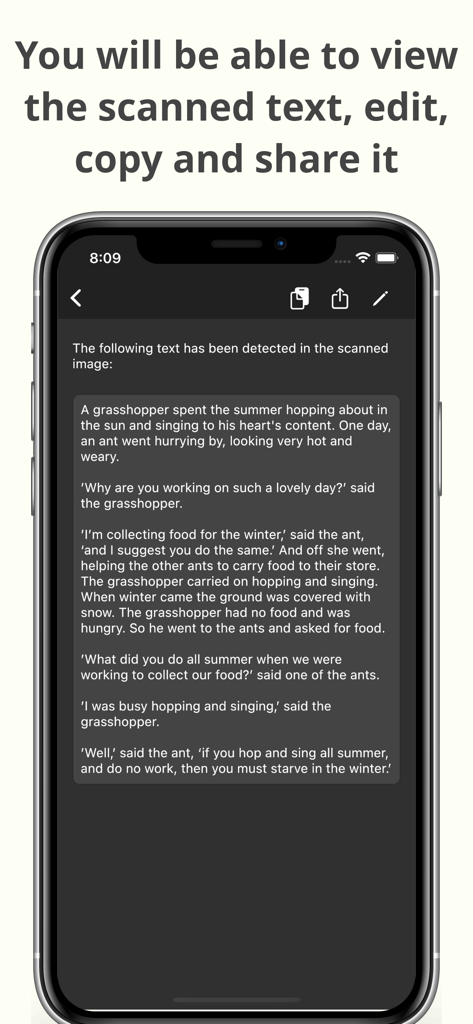
Un smartphone affichant du texte numérisé avec des options pour modifier, copier et partager dans l'application OCR Text Scanner

Un smartphone affichant du texte numérisé avec des options pour modifier, copier et partager dans l'application OCR Text Scanner

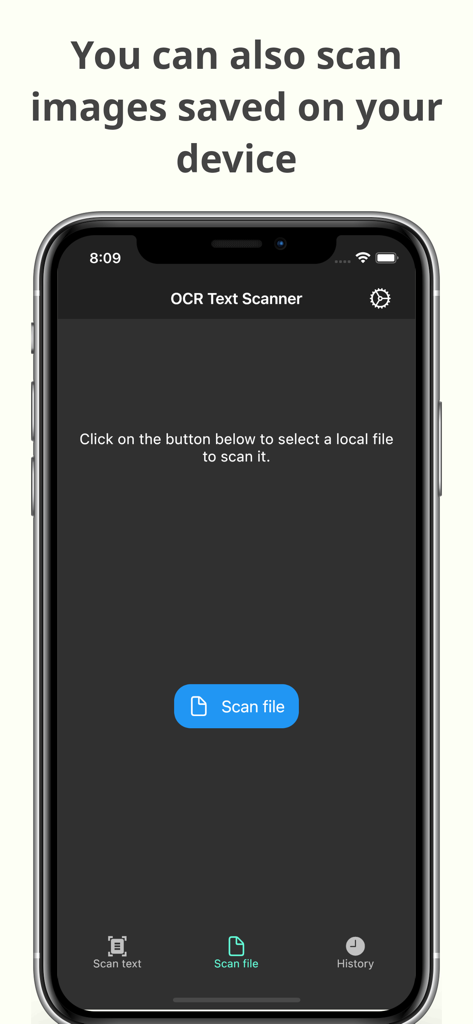
Interface de l'application OCR Text Scanner montrant la fonction de numérisation d'images enregistrées sur l'appareil pour la reconnaissance de texte

Interface de l'application OCR Text Scanner montrant la fonction de numérisation d'images enregistrées sur l'appareil pour la reconnaissance de texte

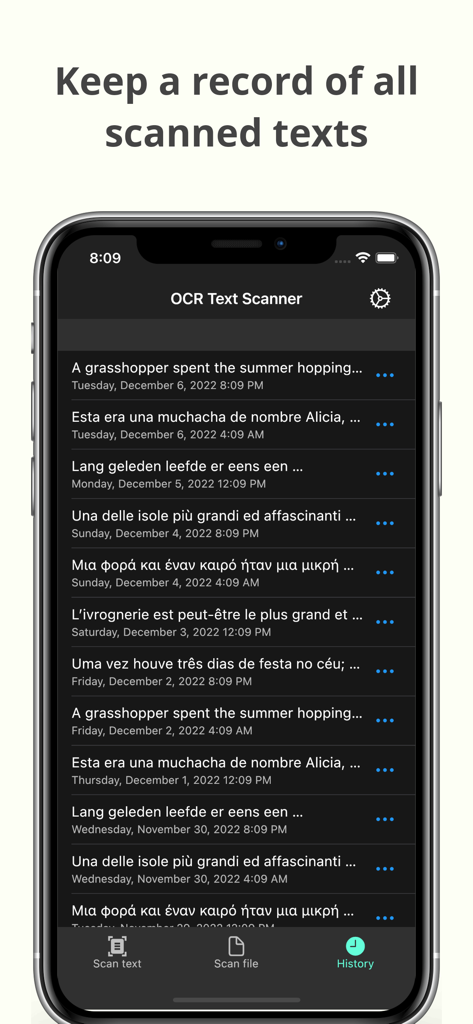
Écran d'historique de l'application OCR Text Scanner montrant une liste des numérisations de texte enregistrées avec les dates

Écran d'historique de l'application OCR Text Scanner montrant une liste des numérisations de texte enregistrées avec les dates

Transformez des documents physiques en actifs numériques

Les outils qui font la différence, choisis par 1K+ utilisateurs.

Extraction de texte instantanée

Prenez une photo pour extraire le texte des livres, documents ou tableaux blancs avec une précision inégalée.

📲

Copie et partage instantanés

Déplacez vos données là où vous en avez besoin. Envoyez le texte numérisé directement à votre e-mail, vos notes ou vos outils de gestion de projet.

🗂️

Archive automatisée et PDF

Accédez à votre historique complet des numérisations et générez des PDF professionnels pour un flux de travail sans encombrement et sans papier.

À propos de l'app

Tout ce que vous devez savoir sur OCR Text Scanner – Text reader.

Description

OCR Text Scanner is an OCR reader (Optical Character Recognition) that will allow you to scan texts from the physical world with your device's camera and convert them to digital format quickly and easily. Features: - Image to text: scan any text with the camera and get its digital representation - You can also scan local images of your device to convert any picture to text - Copy, edit, and share all the texts you have scanned - Convert text scanned with the OCR reader to a PDF file - Review any text previously recognized with the OCR scanner in the History section > How does this application work? To start text scanning, all you have to do is open the application, which by default will open with the camera scanner ready to scan text. From there you just have to point at the text you want to scan and press the “Scan” button. The app will show you a preview of the captured image, at this point you can choose to scan only a fraction of the taken image if you don't want to scan it all. The application will then proceed to perform text recognition and show you the recognized characters, allowing you to go from image to text quickly and easily. > Can I convert an existing picture to text? Of course! To do a photo to text conversion, go to the image scanning section and press the button to choose an image. A selector will open where you can choose which pre-existing image from your device you want to scan. From this point the process is exactly the same as when scanning with the camera: you will be shown a preview of the image where you can choose to scan it all or just a fraction, then the text recognition will start and you will be shown the recognized characters. > What can I do with scanned texts? After using the Text Scanner function to recognize text, it will be displayed on the screen. Here you can edit the recognized text to make any corrections you deem appropriate. You can then copy that text to use it in any other application on your device, as well as share it with other people or applications through the sharing option. Additionally, users who have subscribed to the Premium membership can also automatically convert scanned text into a PDF file. > Is there any type of record of the scanned texts? Yes. All texts that have been scanned with the Text Reader function, regardless of whether they were scanned with your device's camera or by image file recognition, are stored in the History section. Go to this section to see all these texts and click on any of them to see their details, copy it, share it, or export it to a file in PDF format. Here you can also delete texts that you no longer want to keep. In short, OCR Text Scanner is your trusted OCR scanner that will allow you to convert any picture to text that you can capture with your camera or from any image you have, it will allow you to perform all the appropriate actions on them and give you all the power of digitization within your mobile device. Download now to start digitizing text!

Dernière version

1.15.0

Taille

84.2 MB

Date de sortie

17 nov. 2021

Arrêtez de retaper et commencez à numériser dès aujourd'hui

Rejoignez des milliers d'étudiants et de professionnels qui économisent des heures de travail manuel. Téléchargez le scanner OCR de haute précision et transformez n'importe quel document en texte éditable en quelques secondes.

Télécharger sur App Store

App information, icons, screenshots, and descriptions displayed on this page are sourced from the Apple App Store and are the property of their respective developers. Download estimates and rankings are based on MWM's proprietary models and may not reflect actual figures. This page is provided for informational and analytical purposes only.

Believe this page infringes your intellectual property? File a dispute