Off - Shutdown and Wake On Lan

Off - Shutdown and Wake On Lan


Télécharger sur App Store
Logo de Off - Shutdown and Wake On Lan

Off - Arrêt et Wake On Lan : La puissance de votre ordinateur, contrôlée depuis votre poignet ou votre voix

Éteignez, réveillez ou mettez en veille votre PC et Mac de n'importe où. Économisez de l'énergie, automatisez votre bureau à domicile avec les raccourcis Siri et gérez vos appareils d'un simple toucher.

Télécharger sur App Store

Éditeur

BRIDGETECH SOLUTIONS LIMITED

Catégorie

Utilities

Téléchargements

39K+

Note

4.3/5

Nombre d'avis

1K+

Langues

8

Votre centre de commande

Découvrez l'interface utilisée par 39K+ utilisateurs.
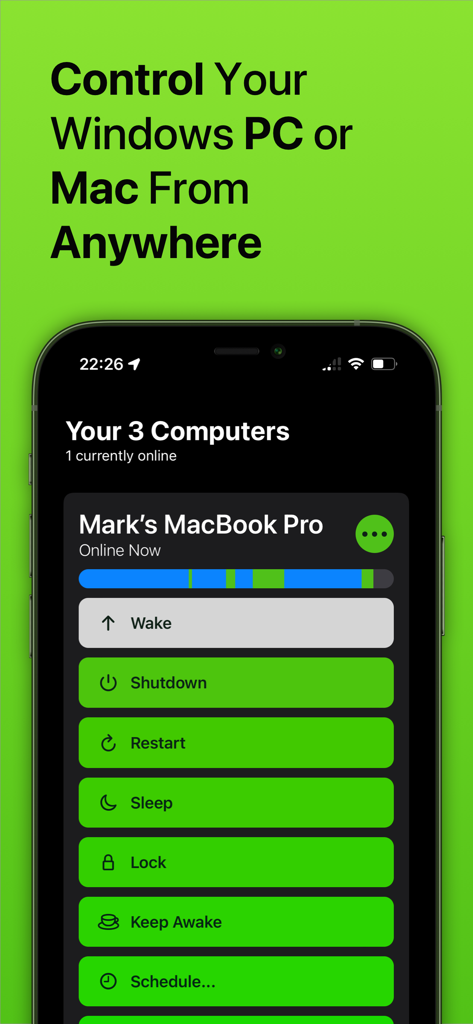
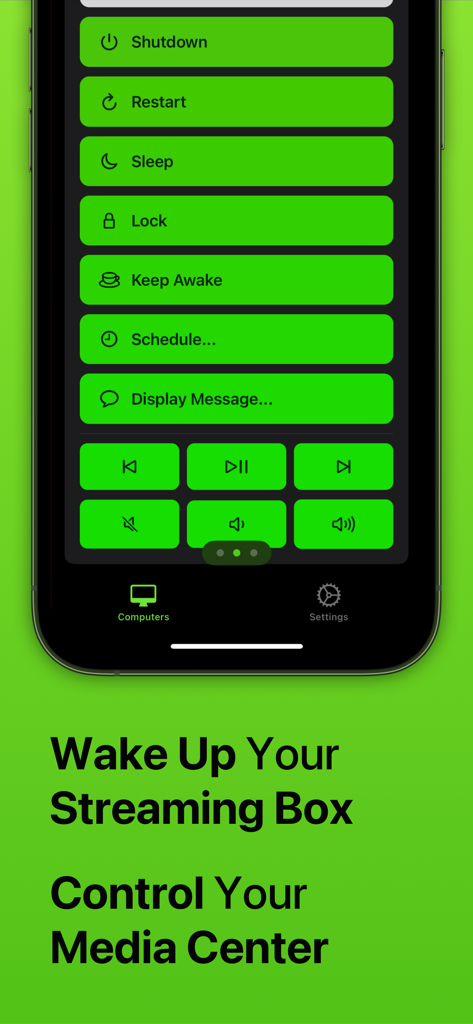
Écran d'application de gestion d'ordinateur à distance avec des options d'arrêt, de redémarrage et de mise en veille.

Écran d'application de gestion d'ordinateur à distance avec des options d'arrêt, de redémarrage et de mise en veille.

Capture d'écran de l'application Off montrant des boutons de contrôle à distance pour l'arrêt, le redémarrage, la mise en veille et le contrôle de la lecture multimédia sur un smartphone.

Capture d'écran de l'application Off montrant des boutons de contrôle à distance pour l'arrêt, le redémarrage, la mise en veille et le contrôle de la lecture multimédia sur un smartphone.

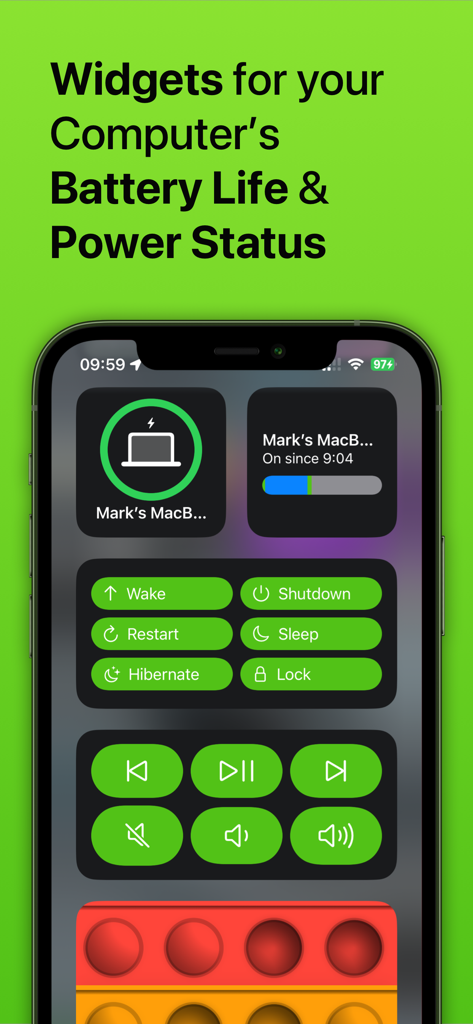
Écran d'iPhone montrant des widgets pour l'état d'alimentation de l'ordinateur et des boutons de contrôle à distance

Écran d'iPhone montrant des widgets pour l'état d'alimentation de l'ordinateur et des boutons de contrôle à distance

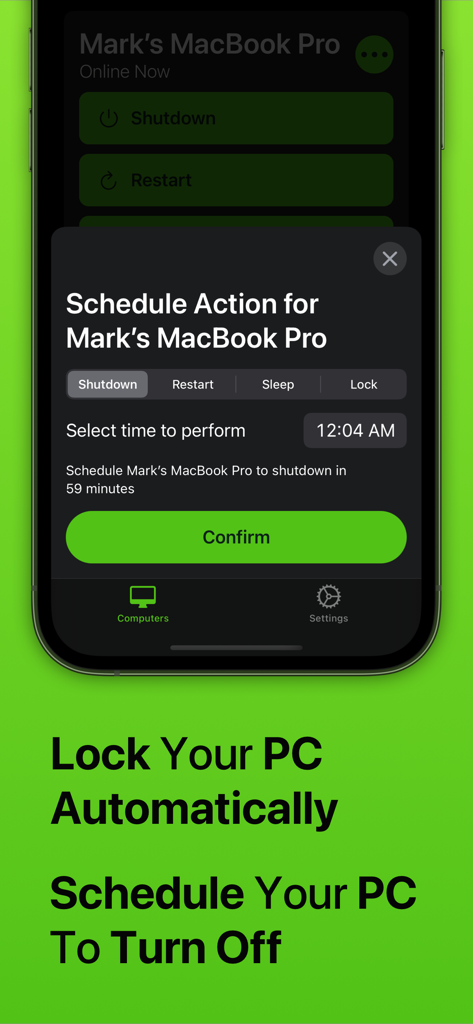
Interface de l'application Off sur iPhone montrant le menu d'action de planification pour arrêter ou verrouiller automatiquement un Mac

Interface de l'application Off sur iPhone montrant le menu d'action de planification pour arrêter ou verrouiller automatiquement un Mac

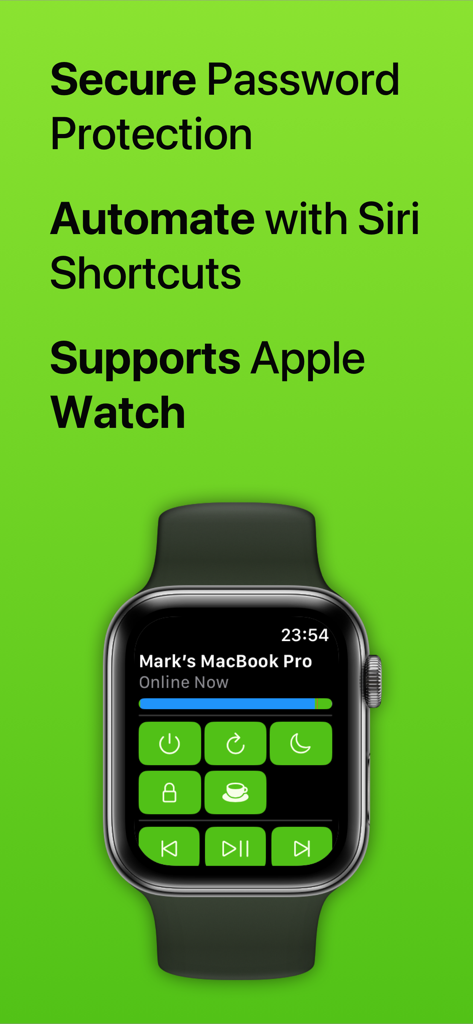
Interface de l'application Off sur une Apple Watch montrant les commandes à distance pour un MacBook Pro

Interface de l'application Off sur une Apple Watch montrant les commandes à distance pour un MacBook Pro

Maîtrisez votre espace de travail avec un contrôle à distance total

Les outils qui font la différence, choisis par 39K+ utilisateurs.

🪄

Automatisation par la voix

Intégration transparente avec Siri et l'application Raccourcis pour créer des routines puissantes. Éteignez votre bureau et verrouillez votre PC avec une seule commande vocale personnalisée lorsque vous quittez la pièce.

Gestion depuis le poignet

Plus besoin de quitter le canapé ou de marcher jusqu'à votre bureau. Réveillez, mettez en veille ou redémarrez votre Mac ou PC directement depuis votre Apple Watch, offrant une commodité ultime pour votre configuration multimédia.

Énergie intelligente et planification

Réduisez vos factures d'électricité et gérez le temps d'écran de votre famille en toute simplicité. Planifiez des arrêts automatiques pour vous assurer que votre station de jeu gourmande en énergie ne fonctionne pas inutilement toute la nuit.

À propos de l'app

Tout ce que vous devez savoir sur Off - Shutdown and Wake On Lan.

Description

With Off, you can control your computers remotely, from anywhere in the world. Off has several commands it can trigger on your computers, including: - Shutdown - Restart - Sleep - Lock - Wake Up (WOL) - Display Message - Keep Awake It works with any Windows PC, Mac or Linux PC. It doesn’t require any complex setup or configuration; anyone can use it. Off is integrated into Siri. You can create voice commands like "Hey Siri, switch off my computer" or "Hey Siri, wake up my Mac". Off is fully compatible with Apple's Shortcuts app. With this, you can design your own automation routines that combine Off's ability to control your computers with any other action available through Shortcuts. For example, you could create a 'Finished Work' routine that turns off your office lights and shuts down your computer at the same time. If you've got kids, you can use Off to limit how long they're spending on their computers. Use the app to schedule their computer to automatically turn off when it's time for bed. Off comes with an Apple Watch app. With just a tap on your wrist, you can control the computers in your home. With Off, you’ll be able to save money on your electricity because it’ll be effortless to shut down your power-hungry machines. If you stream media from your computer to your iPhone or iPad, Off is invaluable as it allows you to fix problems by restarting without even getting up. You can set your computer to shut down at a scheduled time if you’re watching something in bed and don’t want your computer to be left on all night. Off is secure, if you want to set a password to stop unwanted access you can. Off requires the Off Helper application to be installed on any computer you wish to control. This is available to download for free from www.bridgetech.io Off is compatible with: Windows Vista (32bit and 64bit) Windows 8 (32bit and 64bit) Windows 10 (32bit and 64bit) Windows 11 macOS 10.14 (Mojave) macOS 10.15 (Catalina) macOS 11 (Big Sur) macOS 12 (Monterey) macOS 13 (Ventura) macOS 14 (Sonoma) Ubuntu Raspbian Full Terms and Conditions: http://bit.ly/2KylV0Y Follow me on Twitter for the latest promotions, news and updates. @MarkBridgesApps

Dernière version

3.39

Taille

57.9 MB

Date de sortie

4 juin 2012

Prêt à maîtriser votre espace de travail ?

Rejoignez des milliers d'utilisateurs qui contrôlent leurs ordinateurs d'un simple toucher ou d'une commande vocale Siri. Économisez de l'énergie et gagnez une tranquillité d'esprit totale dès aujourd'hui.

Télécharger sur App Store

App information, icons, screenshots, and descriptions displayed on this page are sourced from the Apple App Store and are the property of their respective developers. Download estimates and rankings are based on MWM's proprietary models and may not reflect actual figures. This page is provided for informational and analytical purposes only.

Believe this page infringes your intellectual property? File a dispute