OnSong 2026 : Le gestionnaire professionnel de scène et de partitions pour les musiciens modernes
Abandonnez les classeurs lourds et prenez le contrôle total de votre performance. Organisez de manière transparente les accords, automatisez l'éclairage de scène et le MIDI, et restez synchronisé avec votre groupe grâce à l'outil le plus fiable conçu pour la scène live.
Découvrez l'interface utilisée par 259K+ utilisateurs.
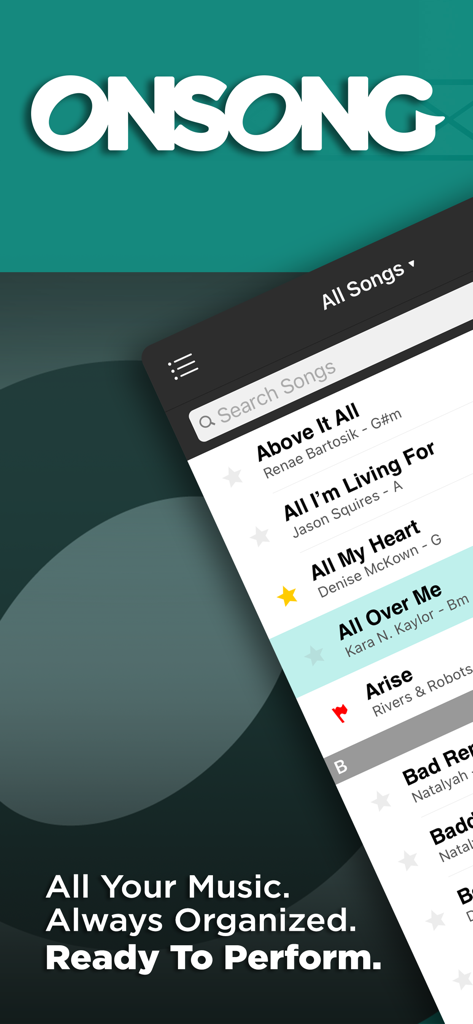
Interface de l'application OnSong 2026 affichant une bibliothèque musicale numérique consultable sur un appareil mobile
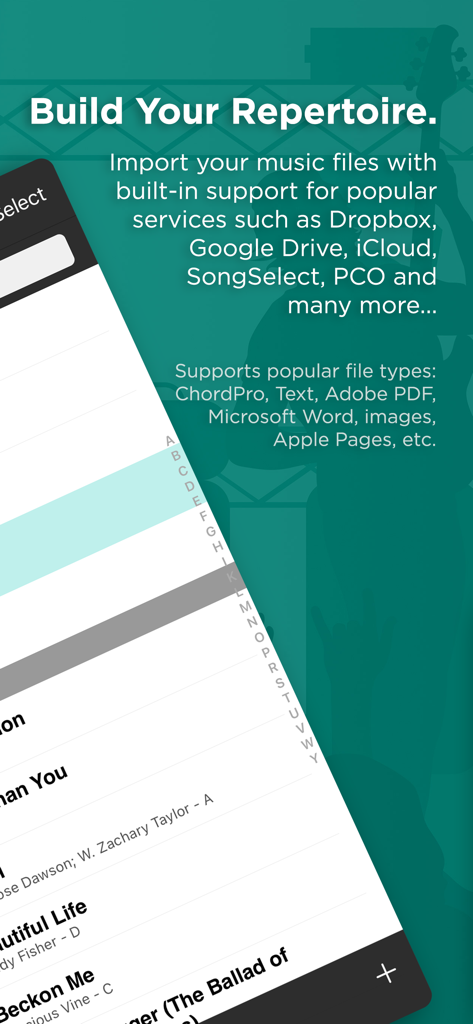
Interface de la bibliothèque musicale OnSong 2026 et options d'importation de fichiers
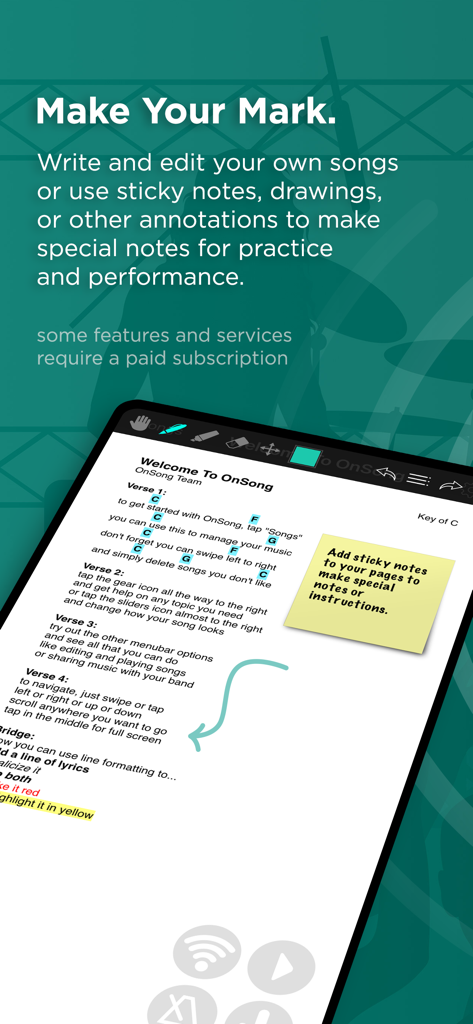
Partition numérique avec des notes autocollantes et des annotations dessinées à la main dans l'application OnSong 2026
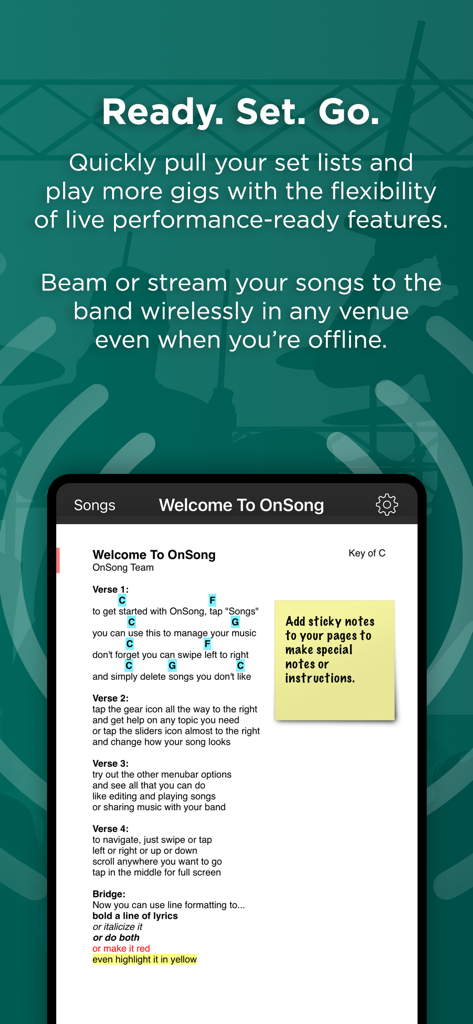
Interface de l'application OnSong 2026 montrant une grille d'accords numérique avec paroles et une note virtuelle autocollante
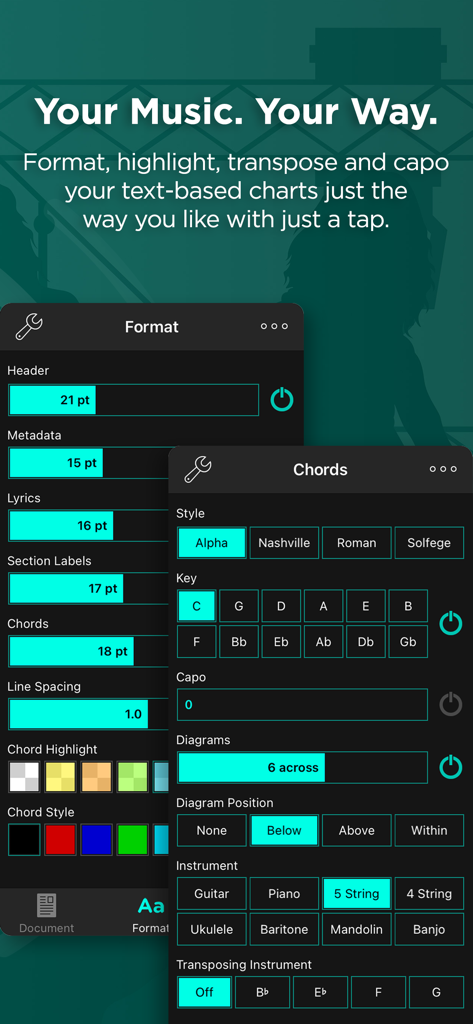
Interface d'OnSong 2026 montrant les paramètres de formatage et de transposition d'accords
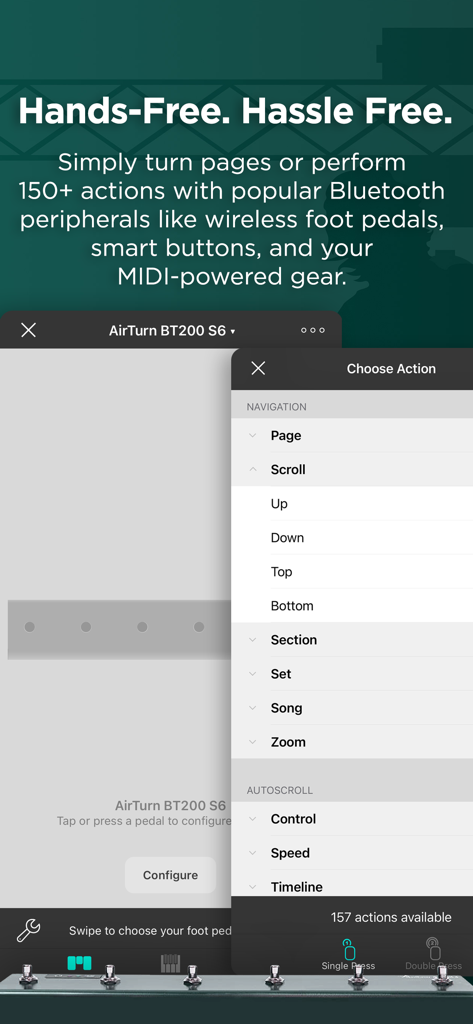
Interface d'OnSong 2026 montrant la configuration des pédales Bluetooth et les actions de navigation mains libres pour les musiciens.
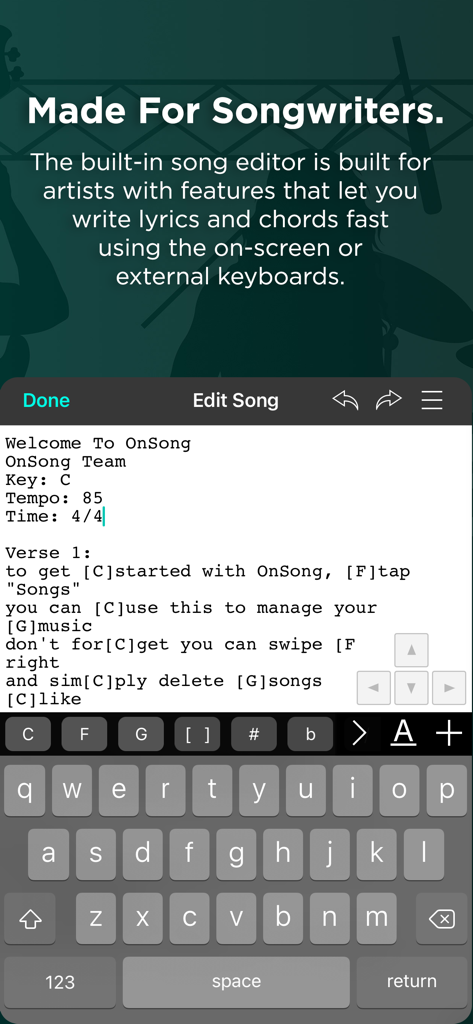
Interface de l'éditeur de chansons dans OnSong 2026 montrant l'entrée des paroles et des accords
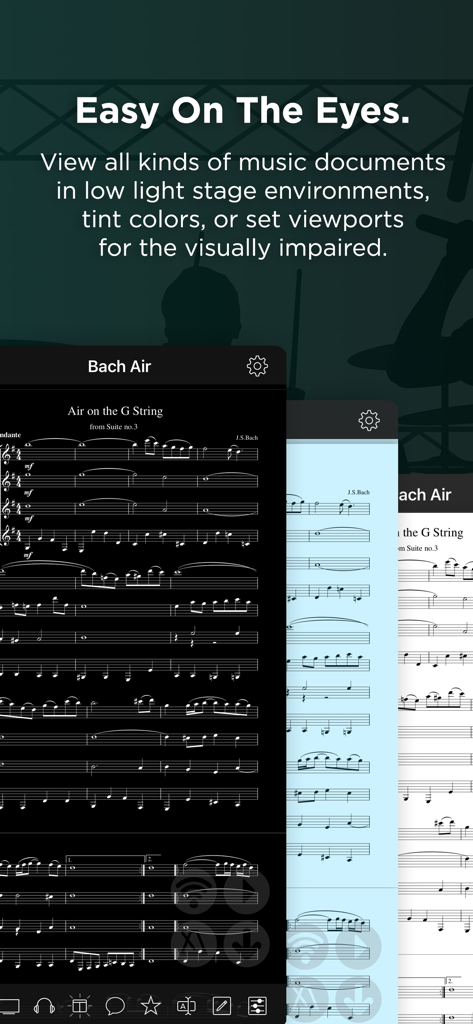
Application OnSong 2026 proposant un mode sombre et des arrière-plans teintés pour la lecture de musique dans des conditions de faible luminosité
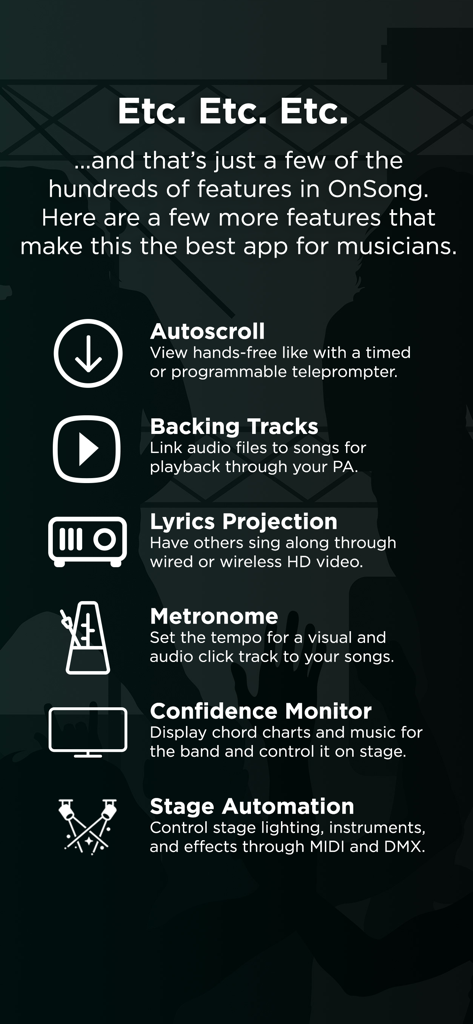
Liste des fonctionnalités de performance professionnelles d'OnSong 2026, y compris le défilement automatique, les pistes d'accompagnement, les paroles, la projection, le métronome, le moniteur de confiance et l'automatisation de la scène
Maîtrisez chaque performance
Les outils qui font la différence, choisis par 259K+ utilisateurs.
📚
Oubliez les classeurs lourds
Numérisez tout votre répertoire. Importez et organisez instantanément des milliers de partitions depuis Dropbox, Google Drive ou SongSelect.
🎸
Jouez en toute confiance
Transposez instantanément les tonalités, appliquez des capodastres et passez en mode mains libres avec des pédales sans fil pour rester concentré sur la musique.
🔗
Synchronisez tout votre groupe
Assurez-vous que tout le monde est sur la même longueur d'onde grâce au partage de setlists sans fil, à l'automatisation MIDI et au contrôle intégré de l'éclairage de scène.
Analyse des avis
Insights à partir des avis utilisateurs.
Score de sentiment
28%
Négatif
Résumé
OnSong elicits mixed reactions, with many long-time users expressing significant frustration over the app's transition to a subscription model, which has rendered previously purchased features or even entire versions unusable. A prevalent issue, particularly following iOS 26 updates, is frequent app crashes, preventing users from opening the app, performing on stage, or saving work. While some users praise its utility for musicians, noting features like Bluetooth page turner compatibility, metronome, scroll functions, and comprehensive library management, these positive aspects are often overshadowed by widespread complaints about bugs, data loss, poor user experience, and unresponsive support. Additionally, OnSong 2024 specifically has been noted for bugs like reverting saved changes, font size issues, and incompatibility with older app versions.
Thèmes récurrents
App Stability(15)
Subscription Model(11)
Musician Features(10)
Data Management(9)
OS Compatibility(7)
User Experience(5)
Customer Support(3)
À propos de l'app
Tout ce que vous devez savoir sur OnSong 2026.
Description
OnSong is the best app for musicians. Get ready to prepare, practice and perform with ease. Download the app for free, create your account, and get started importing and viewing up to 30 songs. You can even receive sets and play with other OnSong users. When you're ready to go to the next level with more songs and features, subscribe to OnSong Essentials or OnSong Premium.
ALWAYS READY
Import and build your library of chords and lyrics with built-in support for Dropbox, Google Drive, SongSelect, Planning Center, and more to work the way you do. Even scan your paper charts directly and extract text¹. OnSong supports text-based chord charts, Adobe PDF and many other file types you can import from any supporting app like Safari. OnSong Console¹ lets you manage your library from your Mac or PC in any web browser. Whether you have ten or ten-thousand songs in your repertoire², it's always lightweight and mobile so you can play anytime, anywhere.
PLAYS WELL WITH OTHERS
Play more gigs with planning made easy. Pull your set lists in moments² and gather the band. Transpose, capo, and format your text-based chord charts² to look just right and then annotate or draw on the page to make special notes¹. When you're all done, share wirelessly with your team in real-time¹, or print, email, and export too². OnSong is as flexible as it is powerful.
BUILT FOR PERFORMANCE
OnSong is built for the stage. Tap to turn pages or go hands-free with wireless foot pedals or intelligent autoscrolling². No more clumsy page turning on cluttered music stands. Every aspect of the song is at your fingertips. Assign tempo and time signature for a reassuring click², sing a cappella with a digital pitch pipe², link to backing tracks to play along², or even send MIDI events to automate your stage¹, all without complicated or confusing equipment.
BE SEEN AND HEARD
OnSong features powerful video features that go well beyond other apps. Display lyrics on a projector or an HDTV with a video adapter, AppleTV, or Google Cast-compatible device¹. Compose custom backgrounds with still or motion graphics, or live video¹ feeds for dynamic performances. Stay on the same page with your band with confidence monitors you control on-stage. While you're at it, run stage lighting too¹. OnSong is the ultimate creative tool for musicians.
GET STARTED WITH ONSONG® ESSENTIALS
Add an unlimited number of songs to your library and enable the features that let you perform with confidence including:
• Pulling sets and organizing songs into books.
• Hands-free control with foot pedals and actions.
• Writing your own songs with custom formatting.
• Transposing charts, applying capo and diagrams.
• Sharing with your team.
ONSONG® PREMIUM MEANS MORE POWER
While OnSong Essentials has many of the basic features you need, there are a few that are only available with a Premium subscription including: advanced actions, annotations such as sticky notes, clips, text, and drawings, timeline, backing tracks, click tracks, multitracks, video tracks, Connect and OnCue, Console, document scanner, live video and motion videos backgrounds, MIDI automation, scenes, and premium technical support.
Want to learn more? Visit http://onsongapp.com/features to find out if OnSong is right for you.
¹ Requires an active Premium subscription.
² Requires an active Essentials subscription.
Terms of Use
http://onsongapp.com/premium/terms
Privacy Policy
http://onsongapp.com/privacy-policy
Dernière version
2026.0
Taille
121.6 MB
Date de sortie
13 nov. 2020
Abandonnez le classeur et maîtrisez la scène
Rejoignez plus de 250 000 musiciens et chefs de culte qui ont révolutionné leurs performances. Téléchargez OnSong dès aujourd'hui et préparez vos 30 premières chansons pour les projecteurs.
Recommandations
Apps Similaires
Apps avec des fonctionnalités et une expérience similaires
App information, icons, screenshots, and descriptions displayed on this page are sourced from the Apple App Store and are the property of their respective developers. Download estimates and rankings are based on MWM's proprietary models and may not reflect actual figures. This page is provided for informational and analytical purposes only.
Believe this page infringes your intellectual property? File a dispute