PDF Converter & PDF Scanner

PDF Converter & PDF Scanner

Télécharger sur App Store
Logo de PDF Converter & PDF Scanner

Convertisseur PDF et Scanner PDF : Votre assistant PDF professionnel tout-en-un

Transformez votre iPhone en une puissante suite bureautique mobile. Scannez, modifiez, signez et convertissez des documents en Word ou Excel en quelques secondes grâce à l'OCR alimenté par l'IA et au chiffrement sécurisé pour un flux de travail sans papier.

Télécharger sur App Store

Éditeur

家俊 张

Catégorie

Utilities

Téléchargements

11K+

Note

4.5/5

Nombre d'avis

0

Langues

10

Un aperçu de l'intérieur

Découvrez l'interface utilisée par 11K+ utilisateurs.
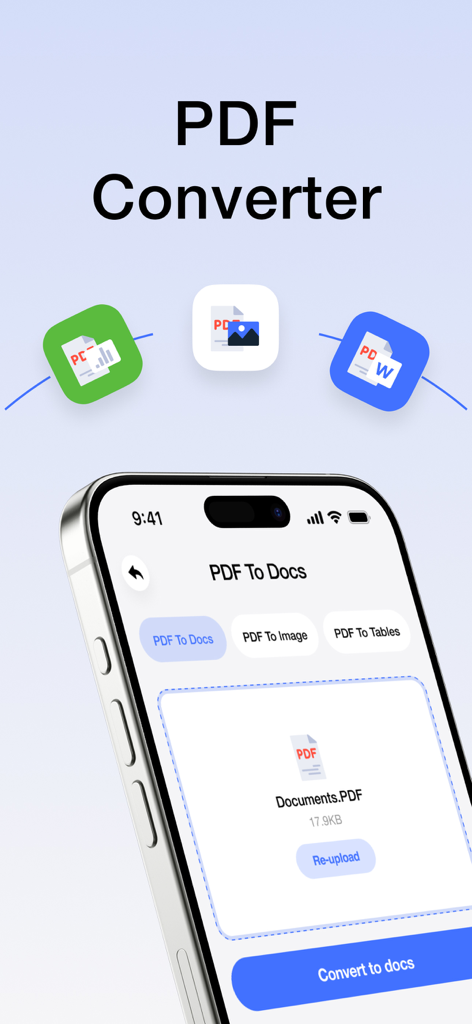
Écran d'une application mobile montrant les options pour convertir des fichiers PDF en documents et images

Écran d'une application mobile montrant les options pour convertir des fichiers PDF en documents et images

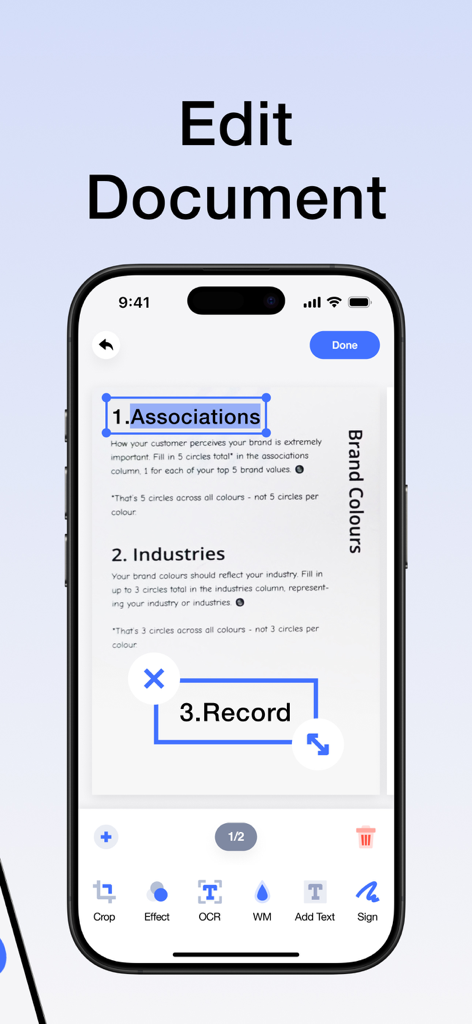
Interface d'une application d'édition de PDF sur un smartphone montrant les fonctionnalités d'édition de documents et de reconnaissance de texte

Interface d'une application d'édition de PDF sur un smartphone montrant les fonctionnalités d'édition de documents et de reconnaissance de texte

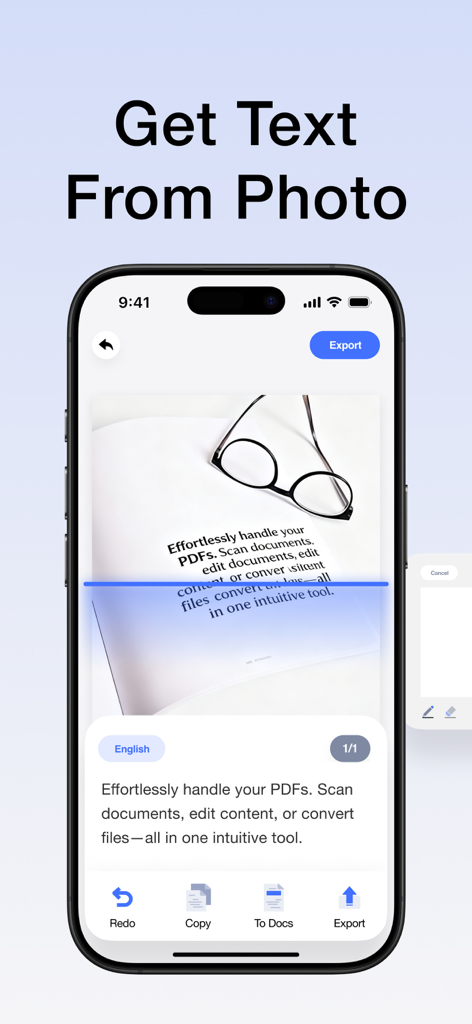
Une interface de smartphone montrant la fonction OCR extrayant du texte à partir d'une photo de document avec une ligne de balayage bleue.

Une interface de smartphone montrant la fonction OCR extrayant du texte à partir d'une photo de document avec une ligne de balayage bleue.

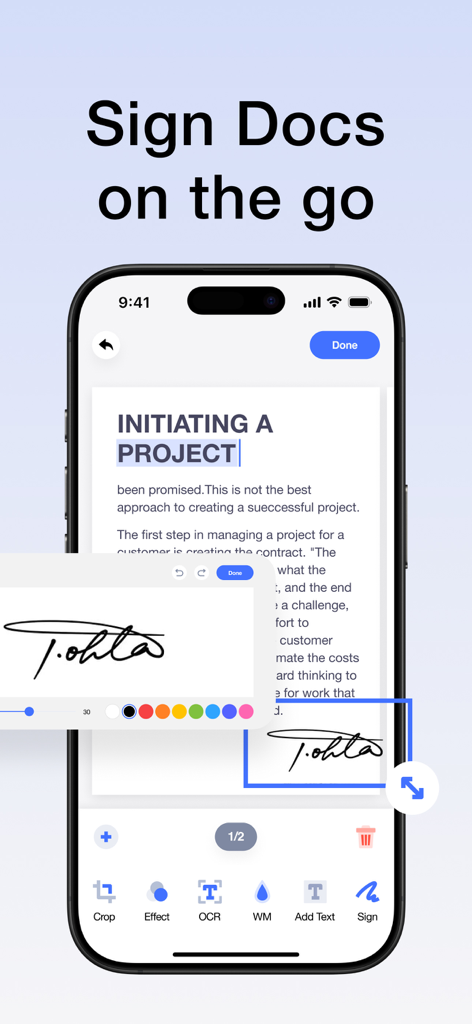
Interface d'iPhone montrant une signature numérique appliquée à un document pour la productivité mobile

Interface d'iPhone montrant une signature numérique appliquée à un document pour la productivité mobile

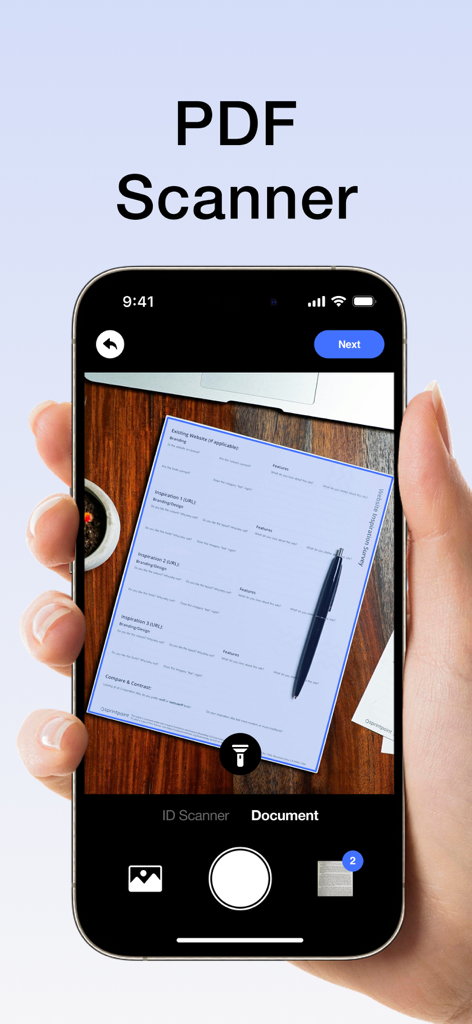
Un smartphone scannant un document papier sur un bureau en bois à l'aide de l'interface d'une application de scanner PDF

Un smartphone scannant un document papier sur un bureau en bois à l'aide de l'interface d'une application de scanner PDF

Votre bureau PDF mobile tout-en-un

Les outils qui font la différence, choisis par 11K+ utilisateurs.

Numérisation et OCR professionnels

Transformez instantanément le papier en PDF haute définition. Utilisez l'OCR intelligent pour extraire et modifier du texte à partir de n'importe quel scan, éliminant ainsi la nécessité de retaper manuellement.

✍️

Modifier, signer et annoter

Gérez vos contrats et notes sans imprimante. Ajoutez des signatures électroniques professionnelles, du texte et des annotations à vos documents lors de vos déplacements.

🔄

Conversion de format universelle

Convertissez des PDF en Word, Excel ou images en un seul clic. Comblez l'écart entre les types de fichiers et protégez vos données sensibles grâce au chiffrement avancé.

À propos de l'app

Tout ce que vous devez savoir sur PDF Converter & PDF Scanner.

Description

Your portable PDF assistant: easily scan,Clean-scan ,edit and convert! This is an intuitive and powerful PDF tool that allows you to effortlessly handle PDFs and enjoy a convenient experience. Whether you're scanning photos or paper documents, editing PDF content, or converting file formats, it's all made easy. Key Features: -High-Quality Scanning: Easily scan paper documents using your phone's camera to generate high-definition PDF files, with support for automatic cropping and image enhancement. -Smart OCR: Equipped with a powerful OCR text recognition engine, it can convert text in scanned documents into editable text, allowing you to copy, edit, translate, and more. -All-in-One Editing: Supports a variety of editing operations on PDF files, including adding text, images, annotations, signatures, watermarks, and more, meeting all your needs. -Format Conversion: Converts PDF files into various formats such as Word, Excel, and images, making it easy for further editing and sharing. -Secure Encryption: Utilizes advanced encryption technology to protect your PDF files and prevent information leaks. Whether you're a student, business professional, designer, or everyday user, you can efficiently handle PDF documents, easily edit PDF materials, and enjoy a convenient digital life. Download now to experience efficient and convenient PDF processing! About Subscription: Subscription automatically renews unless auto-renew is turned off at least 24 hours before the end of the current period. Account will be charged for renewal within 24-hours prior to the end of the current period, and identify the cost of the renewal. Subscriptions may be managed by the user and auto-renewal may be turned off by going to the user’s Account Settings after purchase. Any unused portion of a free trial period, if offered, will be automatically invalidated when the user purchases the applicable subscription. Privacy Policy: https://sites.google.com/view/pdfpp/home Terms of Use: https://sites.google.com/view/pdftou/home

Dernière version

1.5.8

Taille

42.3 MB

Date de sortie

18 juin 2024

Toute votre bureau, toujours dans votre poche

Rejoignez plus de 11 000 professionnels et étudiants qui simplifient leur flux de travail. Scannez, modifiez et signez des documents en quelques secondes.

Télécharger sur App Store

App information, icons, screenshots, and descriptions displayed on this page are sourced from the Apple App Store and are the property of their respective developers. Download estimates and rankings are based on MWM's proprietary models and may not reflect actual figures. This page is provided for informational and analytical purposes only.

Believe this page infringes your intellectual property? File a dispute