PDF Scanner AI: Scan Documents

PDF Scanner AI: Scan Documents

Télécharger sur App Store
Logo de PDF Scanner AI: Scan Documents

Scanner PDF AI : Numériser des Documents : Votre Bureau de Poche alimenté par l'IA

Rejoignez plus de 3 millions de professionnels qui numérisent leur flux de travail en quelques secondes. Numérisez, modifiez et convertissez n'importe quel document, pièce d'identité ou livre en fichiers numériques consultables de haute qualité avec une précision OCR leader de l'industrie.

Éditeur

CACAO MOBILE SP Z O O

Catégorie

Business

Téléchargements

3M+

Note

4.7/5

Nombre d'avis

13K+

Langues

17

L'Efficacité en un Coup d'Œil

Découvrez l'interface utilisée par 3M+ utilisateurs.
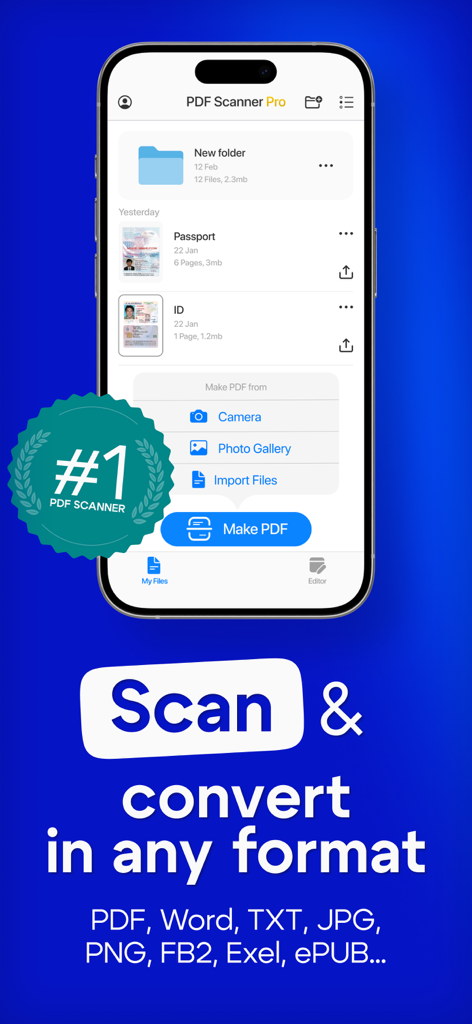
Application Scanner PDF AI sur l'écran d'un smartphone montrant les fonctionnalités de numérisation et de conversion de documents

Application Scanner PDF AI sur l'écran d'un smartphone montrant les fonctionnalités de numérisation et de conversion de documents

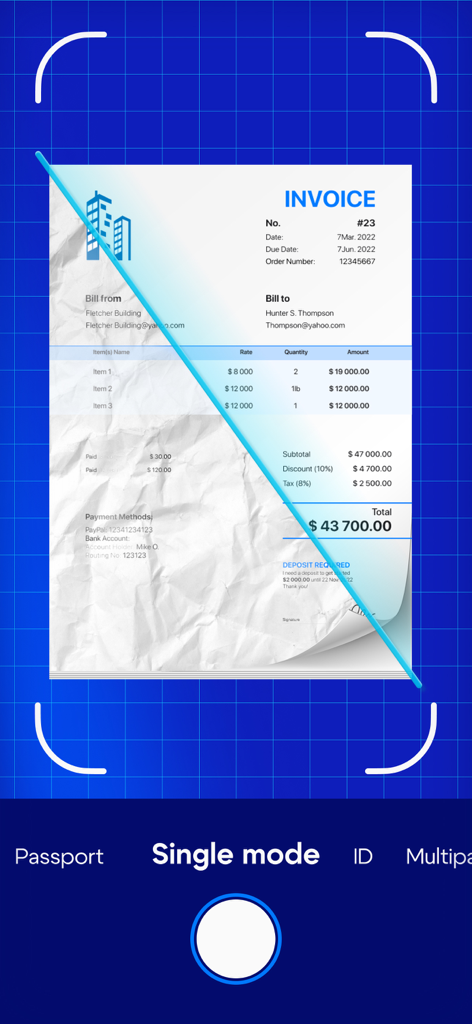
Interface de l'application Scanner PDF AI montrant une facture physique en cours de numérisation et d'amélioration numérique

Interface de l'application Scanner PDF AI montrant une facture physique en cours de numérisation et d'amélioration numérique

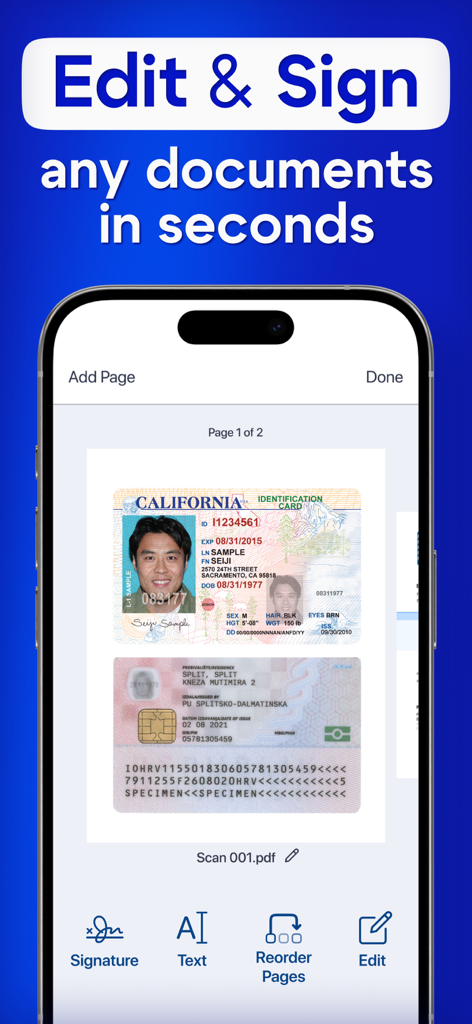
Une interface de smartphone de l'application Scanner PDF AI affichant la modification et la signature de cartes d'identité numérisées

Une interface de smartphone de l'application Scanner PDF AI affichant la modification et la signature de cartes d'identité numérisées

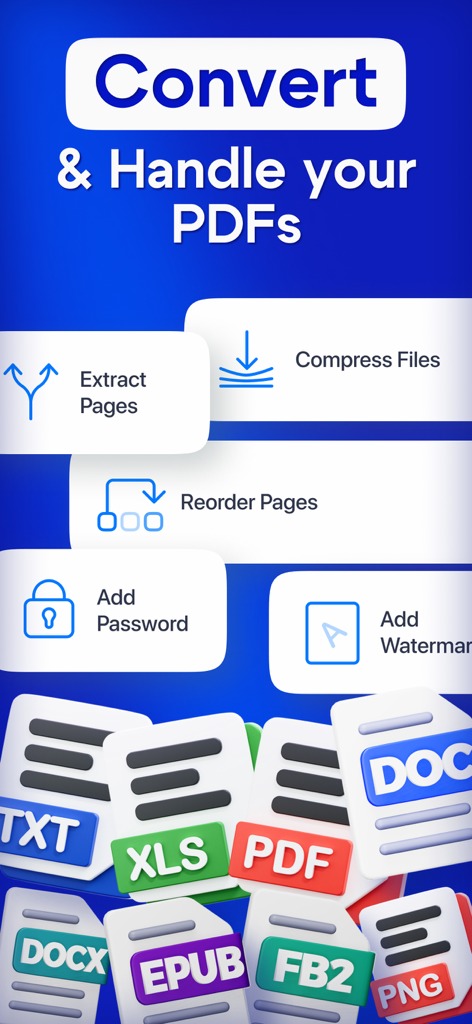
Écran de gestion des PDF avec des outils de compression de conversion et de sécurité

Écran de gestion des PDF avec des outils de compression de conversion et de sécurité

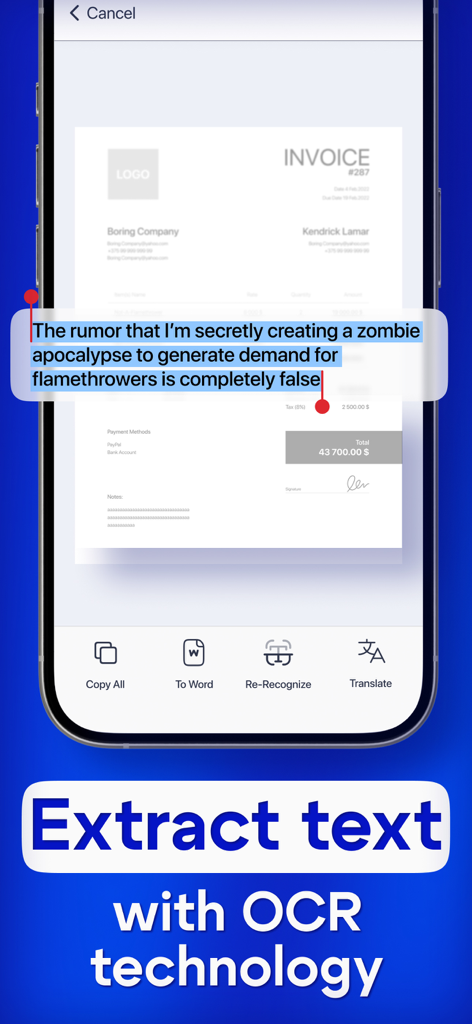
Un écran de smartphone montrant la fonction de reconnaissance de texte OCR dans l'application Scanner PDF AI

Un écran de smartphone montrant la fonction de reconnaissance de texte OCR dans l'application Scanner PDF AI

Votre Bureau Professionnel, en Taille de Poche

Les outils qui font la différence, choisis par 3M+ utilisateurs.

🤖

Reconnaissance Intelligente du Texte par IA

Convertissez instantanément des images en texte éditable grâce à l'OCR avancé, idéal pour numériser des notes, des manuels et des contrats.

📸

Numérisation de Documents HD

Capturez des numérisations d'une clarté cristalline de pièces d'identité, de passeports et de livres de plusieurs pages avec détection automatique des bords et amélioration de la qualité.

🔒

Flux de Travail Sécurisé et Exportation

Protégez vos données sensibles tout en exportant de manière transparente des fichiers en PDF, Word ou JPG pour une utilisation professionnelle n'importe où.

À propos de l'app

Tout ce que vous devez savoir sur PDF Scanner AI: Scan Documents.

Description

Turn your device into powerful portable scanner, that recognizes text and have rich editor tools. Trusted by millions users. PDF Scanner can scan PDF files, ID Photo and books for recognition. After processing the file, get the result. Fast and easy HD scanning! Highly accurately recognizes different materials, scan identity documents, accurately prepares the sources, exports to office formats. PDF scanning app allows you to create, edit and view PDFs, work with content, convert, improve the quality of content and work with scanner. Just in one click! File formats Images: jpg, jpeg, png Multi-page documents: pdf Functions: * Camera scanner allows recognition of scanned files and photos that contain text * Formatting paper and PDF multiple documents into editable formats * Doc scanner & OCR - Online document editing by and retrieving Printed Text * Quickly scan - Easy and convenient interface * Genius scanner has features of Multilanguage, fast text recognition and unlimited requests * Data protection. * Conversion of scanned works, recognition of different formats and data editing Do you have a textbook or any magazine you want to get the text from, but don't have time to print the text? Recognizing Text has never been easier. With PDF scanner document all you need is to scan or photograph the text, then select the file and upload it to our text recognition service. If the image with the text was accurate enough, then you will receive recognized and readable text. What can be done by scannerpro: PDF scan & photo scanner easily scans all documents. ID scanner - simply take a photo of the document, just as you usually photograph food, cats or yourself. It also can scan ID cards, passports, driving licenses, visas, and other identity documents. Isn't it cool? Scan Book, your favorite books and literature also can be scanned. Scan novels, magazines to PDF by using our document edge recognition system in the section of document scan or OCR. Scan Photo and save your favorite pictures by using a pro photo scanner app and OCR scanner. Program for scanning documents, allows you to recognize and identify texts and images, digitize materials, convert them and much more. The PDF format allows you to preserve formatting, regardless of which screen and in which program the file is viewed. In addition, printing documents becomes more convenient, all elements of the document in picture scanner will remain in place, the text will not be able to go beyond the boundaries of the sheet, and the pagination of the text will remain exactly as it is on the device screen. PDF scanner application differs in a set of useful functions, advanced features and settings. Utilities with additional options, intelligent components and high-quality work algorithms are available. Easily analyzes and recognizes and scans documents, files and photos thanks to an intelligent system, also exports recognized material for correction and editing. Terms of use: https://pdfscanner.xyz/termsofuse Privacy policy https://pdfscanner.xyz/privacy

Dernière version

2.7.111

Taille

182.4 MB

Date de sortie

14 mai 2021

Prêt à abandonner le papier ?

Rejoignez plus de 3 millions de professionnels qui ont transformé leur appareil en un puissant bureau de poche piloté par l'IA. Commencez à numériser, modifier et organiser en quelques secondes.

Télécharger sur App Store
FAQ

Questions Fréquentes

Tout ce que vous devez savoir sur PDF Scanner AI: Scan Documents

Qu'est-ce que PDF Scanner AI: Scan Documents ?

PDF Scanner AI: Scan Documents transforme votre appareil en un scanner portable. Il reconnaît le texte, offre des outils d'édition riches et numérise divers types de documents comme des PDF, des pièces d'identité et des livres pour la reconnaissance et la conversion.

PDF Scanner AI: Scan Documents peut-il reconnaître du texte à partir de documents numérisés ?

Oui, PDF Scanner AI: Scan Documents dispose de la technologie OCR (reconnaissance optique de caractères). Il reconnaît le texte à partir de fichiers, de photos et de documents numérisés, permettant des formats modifiables et l'extraction de texte.

Quels types de documents PDF Scanner AI: Scan Documents peut-il numériser ?

PDF Scanner AI: Scan Documents numérise des fichiers PDF, des photos d'identité, des livres, des factures, des passeports, des permis de conduire et d'autres documents d'identité. Il convertit également le papier et les PDF en formats modifiables.

PDF Scanner AI: Scan Documents permet-il de modifier les documents numérisés ?

Oui, PDF Scanner AI: Scan Documents fournit de riches outils d'édition. Les utilisateurs peuvent modifier des documents numérisés, ajouter des signatures, réorganiser des pages et convertir des documents reconnus pour des corrections et des modifications ultérieures.

Quels formats de fichiers PDF Scanner AI: Scan Documents prend-il en charge pour l'exportation ?

PDF Scanner AI: Scan Documents prend en charge divers formats de fichiers pour les images (jpg, jpeg, png) et les documents multipages (pdf). Il peut également convertir et exporter vers des formats tels que Word, TXT, JPG, PNG, FB2, Exel et ePUB.

Mes données sont-elles protégées lorsque j'utilise PDF Scanner AI: Scan Documents ?

Oui, PDF Scanner AI: Scan Documents inclut des fonctionnalités de protection des données. L'application fournit une politique de confidentialité détaillant la manière dont les données des utilisateurs sont traitées, garantissant la sécurité des informations des utilisateurs.

Puis-je ajouter un mot de passe à mes documents PDF à l'aide de PDF Scanner AI: Scan Documents ?

Oui, PDF Scanner AI: Scan Documents permet aux utilisateurs d'ajouter un mot de passe à leurs documents PDF. Cette fonctionnalité fait partie de ses outils avancés pour la gestion et la sécurisation des PDF.

PDF Scanner AI: Scan Documents prend-il en charge la traduction de texte ?

Oui, PDF Scanner AI: Scan Documents prend en charge la traduction de texte. Après avoir extrait le texte avec la technologie OCR, les utilisateurs ont la possibilité de traduire le texte reconnu.

Quelle est la précision de la reconnaissance de texte dans PDF Scanner AI: Scan Documents ?

PDF Scanner AI: Scan Documents utilise une technologie de reconnaissance très précise. Il analyse, reconnaît et numérise intelligemment les documents, les fichiers et les photos avec une reconnaissance de texte précise.

Puis-je réorganiser les pages d'un PDF à l'aide de PDF Scanner AI: Scan Documents ?

Oui, PDF Scanner AI: Scan Documents permet aux utilisateurs de réorganiser les pages de leurs documents. Cette fonctionnalité est disponible dans les outils d'édition et de gestion des PDF.

App information, icons, screenshots, and descriptions displayed on this page are sourced from the Apple App Store and are the property of their respective developers. Download estimates and rankings are based on MWM's proprietary models and may not reflect actual figures. This page is provided for informational and analytical purposes only.

Believe this page infringes your intellectual property? File a dispute