
Cette page n'est pas une page officielle de l'application ou de son développeur, mais une publication éditoriale indépendante créée à des fins d'information et de commentaire. Sauf indication expresse contraire, ni l'application ni son développeur ne sont affiliés, approuvés, sponsorisés, autorisés ou autrement officiellement liés à MWM, Apple, Google Play, à l'éditeur de l'application ou au développeur de l'application, et rien sur cette page n'implique que l'application a été développée en utilisant les services de MWM. Toutes les marques, logos, captures d'écran et autres contenus restent la propriété de leurs propriétaires respectifs.


Camera Scanner: Scan to PDF
Votre iPhone est un bureau. L'application le transforme en scanner, éditeur et archiviste.
Téléchargements
1M+Note
Nombre d'avis
42.4KÉditeur
Catégorie
ProductivityLangues
1Dernière version
8.1Taille
67.7 MBDate de sortie
29 déc. 2021Évaluation des capacités principales de 'Camera Scanner: Scan to PDF' pour optimiser la productivité et la gestion documentaire.
Analyse des Fonctionnalités Clés
Numérisation Mobile Avancée
L'application transforme l'iPhone en un scanner portable puissant, permettant de numériser divers documents (contrats, notes, pièces d'identité, reçus) avec une haute précision, une détection automatique des bords et une correction de perspective pour des résultats nets.
Conversion Photo vers PDF & Création de PDF Multi-pages
Cet outil permet aux utilisateurs de convertir aisément des photos en documents PDF professionnels et de combiner plusieurs images ou numérisations en un seul fichier PDF multipage.
Édition, Annotation et Signature de PDF
L'application offre des fonctionnalités complètes pour éditer, annoter et signer électroniquement des documents PDF directement depuis l'appareil, facilitant la gestion des formulaires et contrats.
Gestionnaire de Fichiers Intelligent et Lecteur PDF
Il intègre un lecteur PDF rapide et un gestionnaire de fichiers robuste pour organiser, rechercher et accéder efficacement à tous les documents numérisés et gérés.
Numérisation Optimisée pour les Reçus
Cet outil propose une fonction dédiée de numérisation des reçus, permettant aux individus et petites entreprises de suivre et gérer leurs dépenses et enregistrements fiscaux de manière numérique.
Partage et Exportation Rapides
L'application permet un partage instantané des documents numérisés via e-mail, messagerie ou vers des services de stockage cloud, assurant une diffusion rapide et facile.
Questions Fréquentes
Tout ce que vous devez savoir sur Camera Scanner: Scan to PDF
What is the main function of the PDF Scanner App for Documents?
The PDF Scanner App for Documents transforms an iPhone into a powerful scanning tool, enabling users to scan various documents like receipts, contracts, notes, and IDs directly from their phone.
Does the PDF Scanner App for Documents offer a free version?
Yes, the PDF Scanner App for Documents offers a free version that allows users to scan, save, and share documents without needing an account or subscription.
Can the PDF Scanner App for Documents scan multi-page documents?
Yes, the PDF Scanner App for Documents can scan dozens of pages at once and provides features to easily add, remove, or rearrange pages for multi-page PDFs.
What types of documents can I scan with the PDF Scanner App for Documents?
Users can scan business receipts, contracts, school notes, ID cards, multi-page forms, books, and handwritten notes using the PDF Scanner App for Documents.
Are scans made with the PDF Scanner App for Documents stored securely?
Yes, all scans made with the PDF Scanner App for Documents stay on the user's device. The app ensures privacy with no automatic uploads or tracking of personal information.
Can I use the PDF Scanner App for Documents without an internet connection?
Yes, the PDF Scanner App for Documents supports offline scanning. Users can utilize the app's features and scan documents free without Wi-Fi or an internet connection.
What are the subscription costs for the PDF Scanner App for Documents?
The PDF Scanner App for Documents offers a weekly subscription for $1.99, a monthly subscription for $4.99, and a yearly subscription for $19.99.
Does the PDF Scanner App for Documents include OCR text recognition?
Yes, the PDF Scanner App for Documents includes text recognition features. Users can extract and edit any text from scanned documents, as shown in the app's interface.
Can I convert scanned documents to formats other than PDF using the PDF Scanner App for Documents?
Yes, the PDF Scanner App for Documents can convert PDFs to various formats including TXT, PPT, Word, HTML, and Excel. It also allows exporting as JPEG.
How does the PDF Scanner App for Documents enhance scan quality?
The PDF Scanner App for Documents enhances quality with auto edge detection, advanced image enhancement to clean shadows, improve contrast, and smart modes like Color, Grayscale, and Black & White filters.
Can users sign documents within the PDF Scanner App for Documents?
Yes, the PDF Scanner App for Documents allows users to edit and sign documents directly within the app. It provides tools for adding signatures to scanned files.
Does the PDF Scanner App for Documents allow for sharing scanned files?
Yes, the PDF Scanner App for Documents allows users to share scans as PDF or JPEG via email, text, and other methods. Users can also create zip files or set password protection.
Is there a quick way to start scanning with the PDF Scanner App for Documents?
Yes, the PDF Scanner App for Documents offers a Quick Launch Widget, allowing users to start scanning directly from their home screen for fast access.
Does the PDF Scanner App for Documents handle ID card scanning?
Yes, the PDF Scanner App for Documents provides specific functionality to digitize ID cards, ensuring they are scanned with precision and clarity.
Can the PDF Scanner App for Documents scan QR codes?
Yes, the PDF Scanner App for Documents functions as both a QR Code Scanner and Maker. It enables users to scan QR codes and perform actions like opening URLs.
Les captures d'écran et la description suivantes proviennent directement de la fiche officielle de l'application sur le store et sont la propriété du développeur.
App Store
Captures
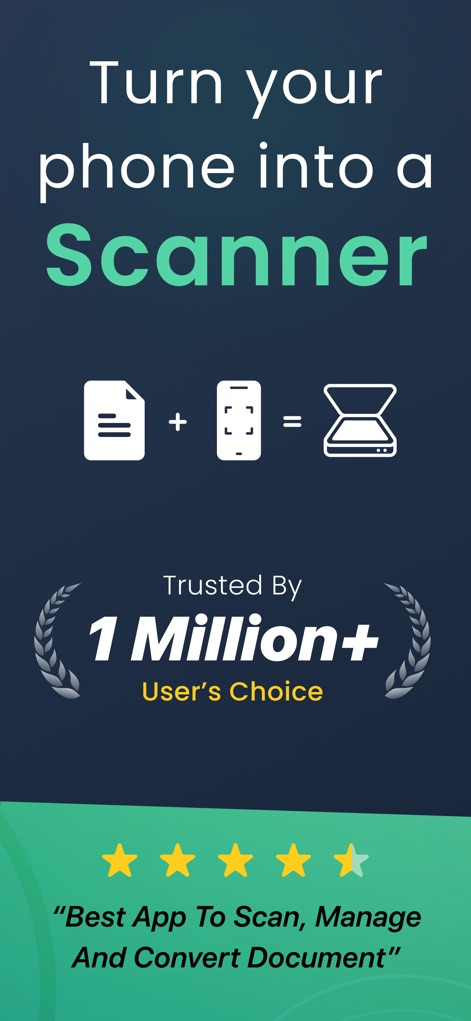
L'application transforme instantanément l'appareil mobile en un puissant scanner portable, plébiscité par plus d'un million d'utilisateurs pour sa capacité à gérer et convertir des documents.
Votre iPhone, un scanner
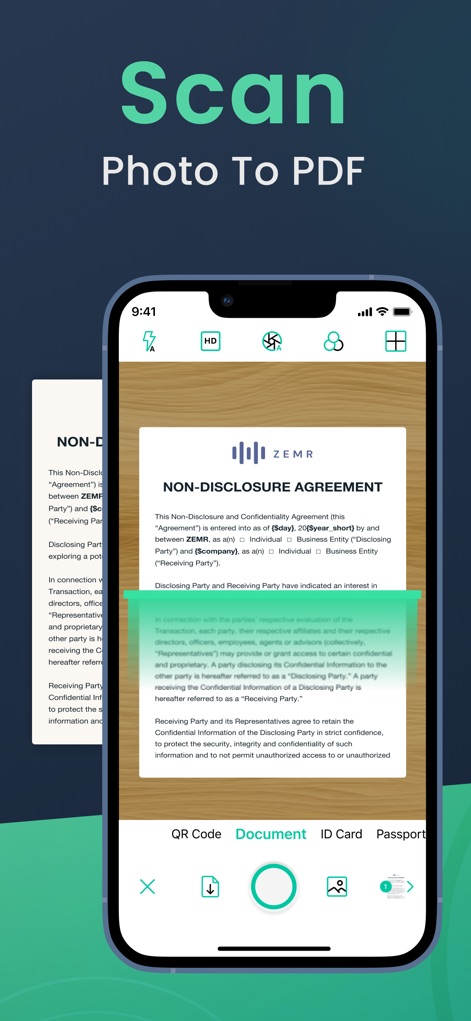
Cet outil convertit efficacement les photos en PDF grâce à une détection automatique des bords et une correction de perspective, assurant des numérisations nettes et professionnelles.
Numérisation instantanée
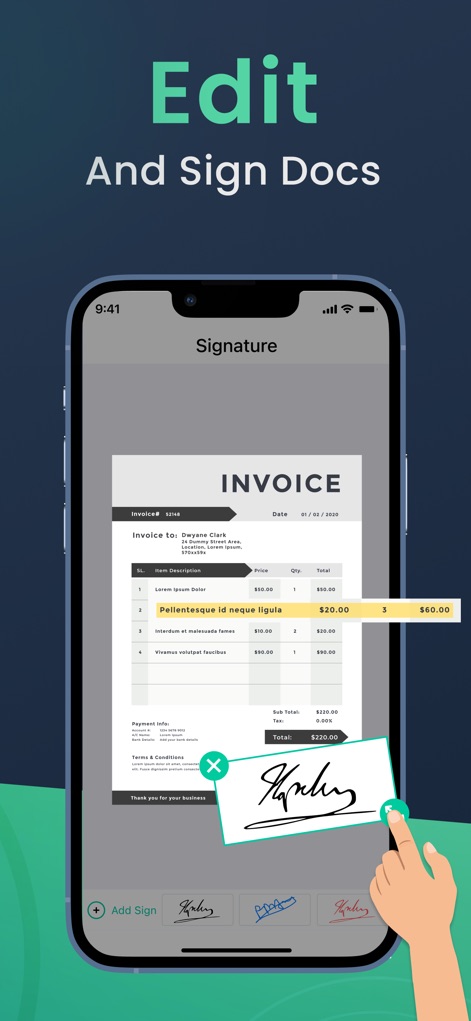
Les utilisateurs peuvent éditer et signer des documents directement depuis leur téléphone, ajoutant des signatures électroniques fluides et des annotations pour une gestion rapide des formulaires.
Signez vos documents
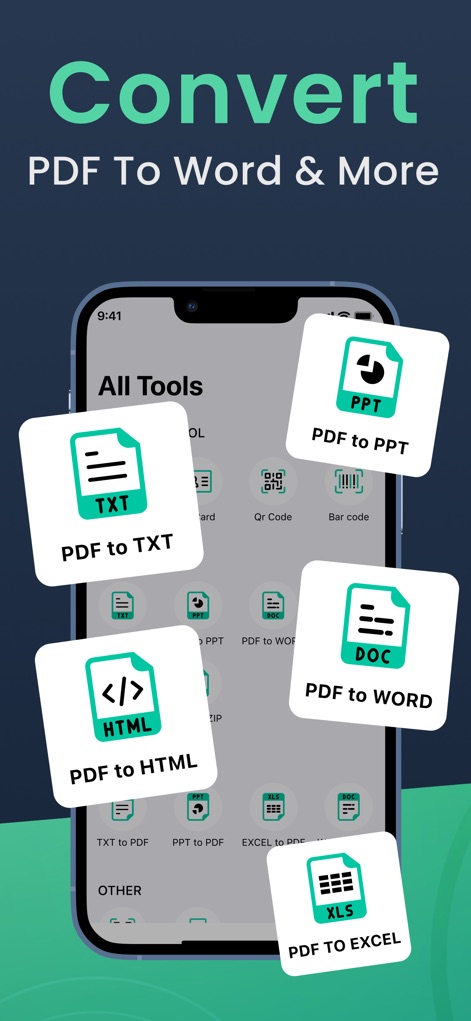
L'application offre une polyvalence remarquable, permettant de convertir des fichiers PDF vers une multitude de formats tels que Word, Excel, PowerPoint, TXT et HTML.
Convertissez vos PDF
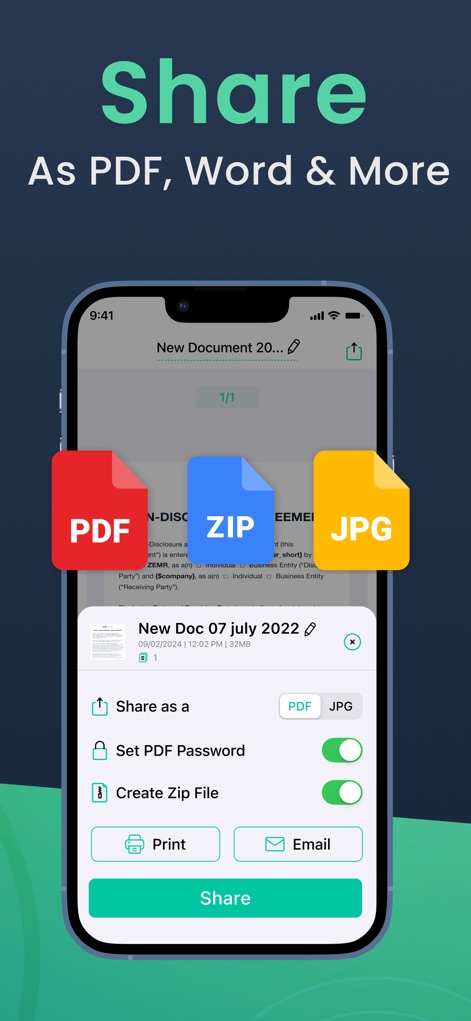
Cet outil facilite le partage des documents numérisés sous divers formats comme le PDF, le ZIP et le JPG, et offre la possibilité de sécuriser les fichiers avec un mot de passe.
Partage simplifié
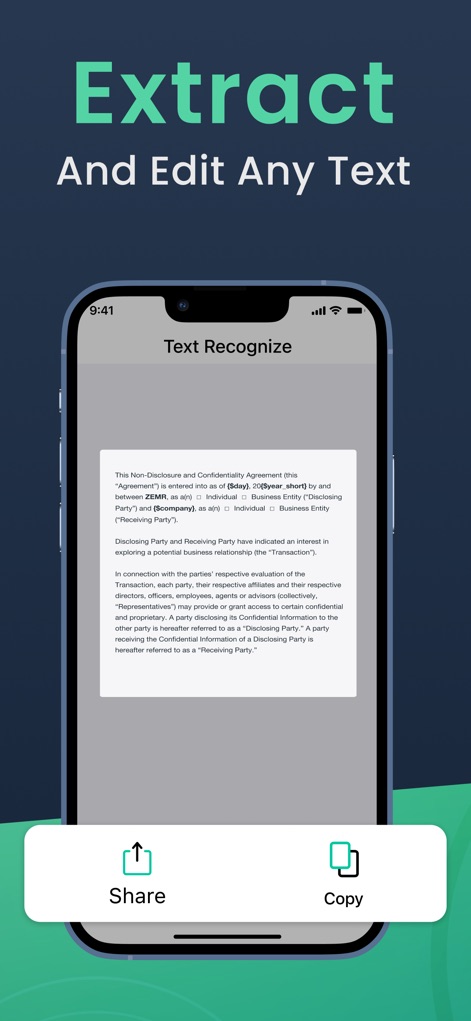
Grâce à sa reconnaissance optique de caractères avancée, l'application permet d'extraire et de copier facilement le texte de n'importe quel document numérisé pour une édition rapide.
Extrayez le texte
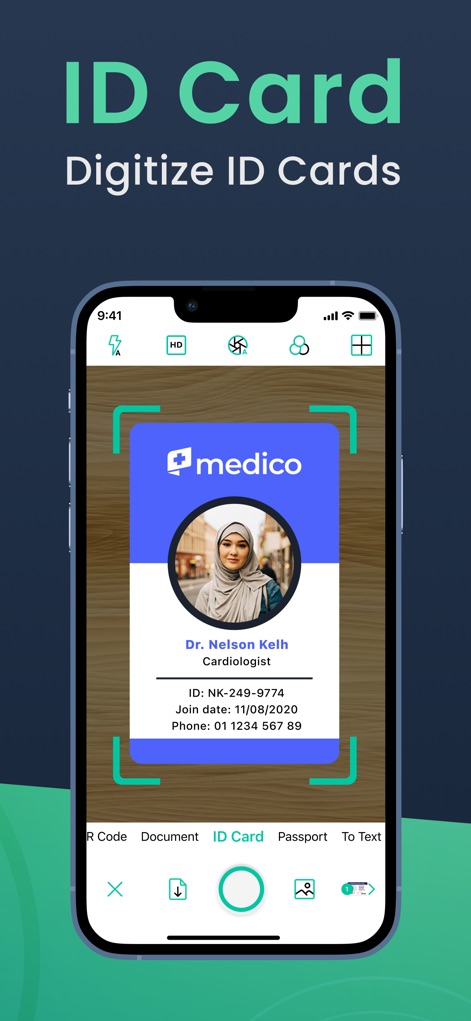
Cet outil permet une numérisation rapide et précise des cartes d'identité et passeports, offrant une détection des bords pour des résultats impeccables et la gestion sécurisée de ces documents essentiels.
Scannez vos identités
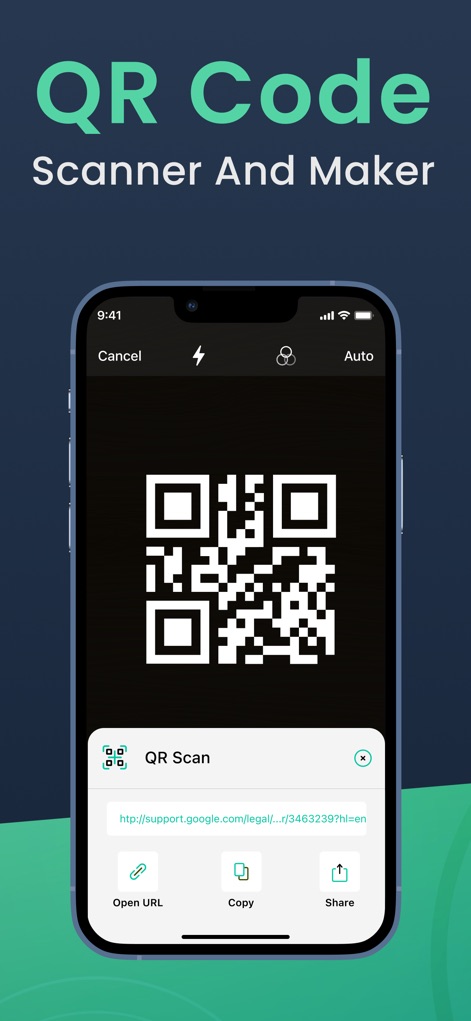
L'application intègre un scanner et un créateur de codes QR performant, permettant aux utilisateurs de décoder des liens instantanément et d'effectuer des actions directes comme ouvrir l'URL.
QR Code complet
Description
Download
Apps Similaires
Apps avec des fonctionnalités et une expérience similaires

PDF PRO Scan Image & Documents
Balzo srl

The PDF Scanner, PDF editor HQ
NEXT K.U.M. LTD

CamScanner - PDF Scanner App
INTSIG Information Co., Ltd

Adobe Scan: PDF & OCR Scanner
Adobe Inc.

WPS Office: PDF, Docs, Sheets
KINGSOFT OFFICE SOFTWARE CORPORATION LIMITED

iLovePDF - PDF Editor & Scan
ILOVEPDF S.L.

Scanner App: Genius Scan
The Grizzly Labs

Microsoft Lens: PDF Scanner
Microsoft Corporation

Clear Scan: Doc Scanner App
INDY MOBILE APP COMPANY LIMITED
Cette page n'est pas une page officielle de l'application ou de son développeur, mais une publication éditoriale indépendante créée à des fins d'information et de commentaire. Sauf indication expresse contraire, ni l'application ni son développeur ne sont affiliés, approuvés, sponsorisés, autorisés ou autrement officiellement liés à MWM, Apple, Google Play, à l'éditeur de l'application ou au développeur de l'application, et rien sur cette page n'implique que l'application a été développée en utilisant les services de MWM. Toutes les marques, logos, captures d'écran et autres contenus restent la propriété de leurs propriétaires respectifs.