PDF Scanner App: Scan docs

PDF Scanner App: Scan docs

Télécharger sur App Store
Logo de PDF Scanner App: Scan docs

Application Scanner PDF : Numérisez des documents – Votre bureau mobile professionnel tout-en-un

Transformez votre iPhone en un centre de productivité. Numérisez, signez et organisez des documents sans effort avec l'OCR avancé et des signatures électroniques sécurisées, conçu pour le professionnel moderne en déplacement.

Télécharger sur App Store

Éditeur

Yuliia Ganziienko

Catégorie

Business

Téléchargements

113K+

Note

4.8/5

Nombre d'avis

2K+

Langues

4

La précision dans votre poche

Découvrez l'interface utilisée par 113K+ utilisateurs.
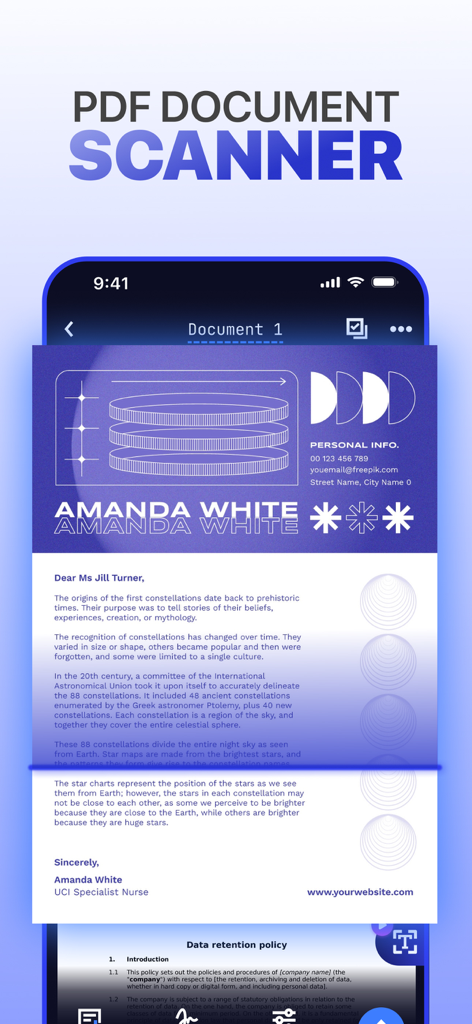
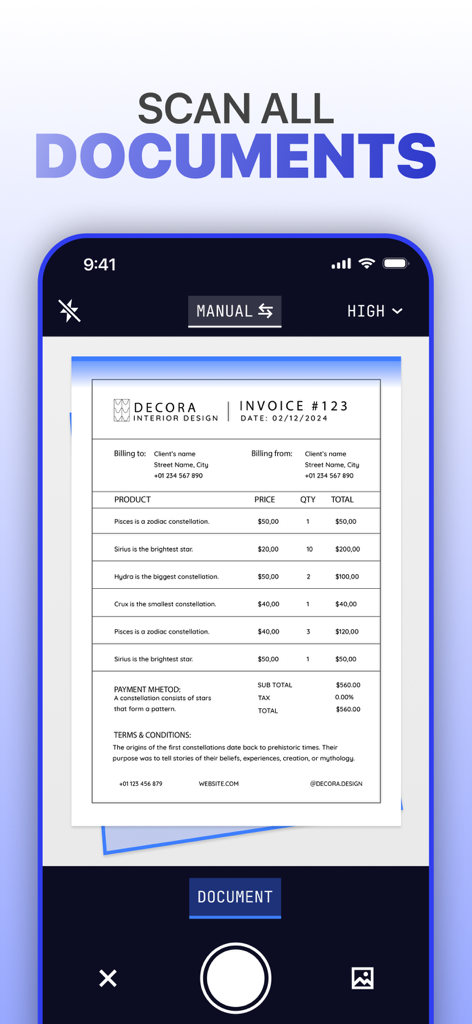
Une interface de smartphone affichant un document en cours de numérisation par une application de numérisation PDF mobile.

Une interface de smartphone affichant un document en cours de numérisation par une application de numérisation PDF mobile.

Un écran de smartphone montrant l'interface de l'Application Scanner PDF numérisant une facture commerciale.

Un écran de smartphone montrant l'interface de l'Application Scanner PDF numérisant une facture commerciale.

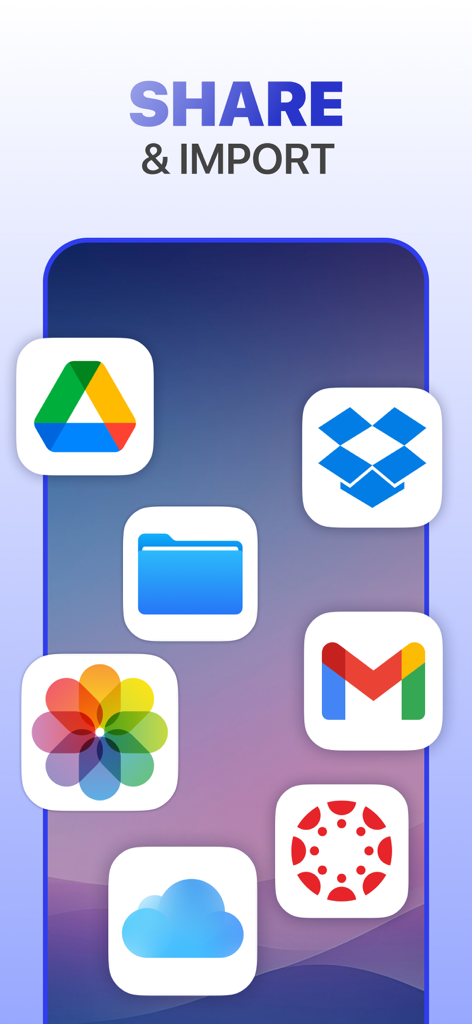
Graphique montrant des icônes de stockage cloud et d'applications d'e-mail pour le partage et l'importation de documents

Graphique montrant des icônes de stockage cloud et d'applications d'e-mail pour le partage et l'importation de documents

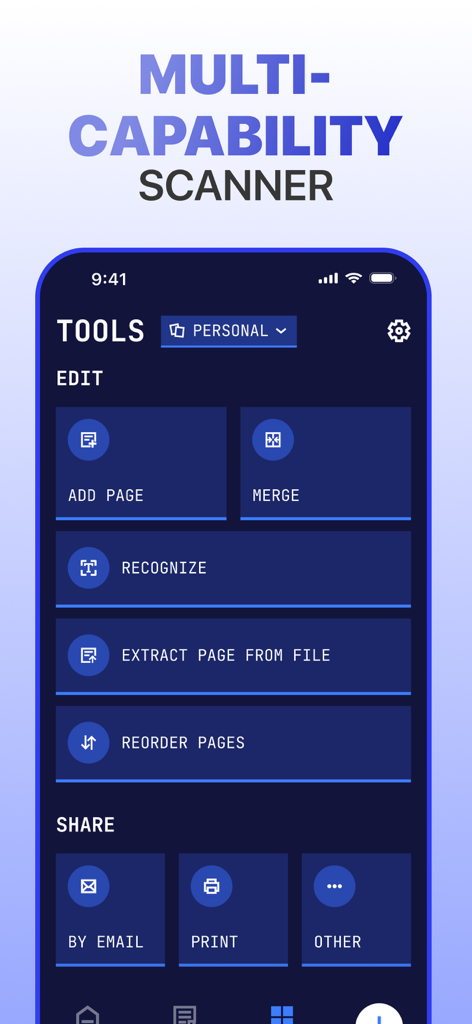
Une interface d'application mobile affichant des outils de gestion de documents, y compris les options de fusion, de reconnaissance et de partage

Une interface d'application mobile affichant des outils de gestion de documents, y compris les options de fusion, de reconnaissance et de partage

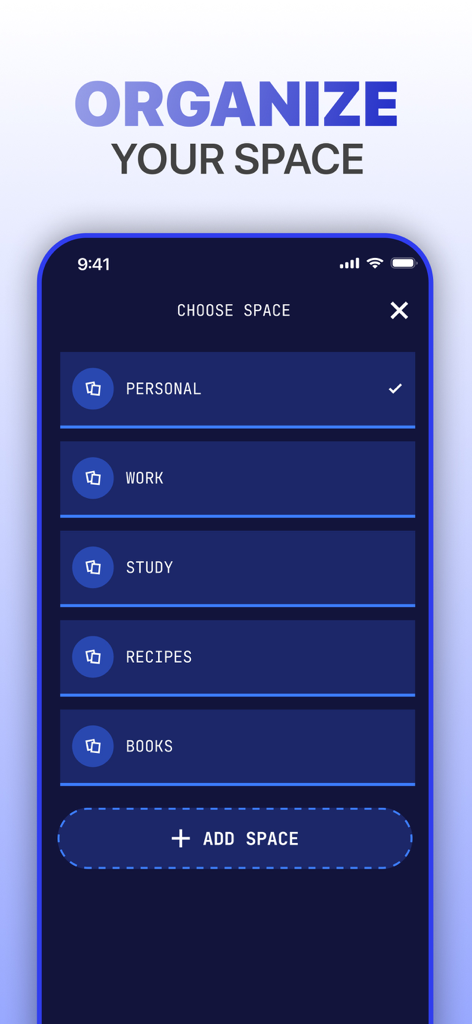
Interface d'application mobile montrant la catégorisation des documents par dossiers pour les fichiers personnels, professionnels et d'études.

Interface d'application mobile montrant la catégorisation des documents par dossiers pour les fichiers personnels, professionnels et d'études.

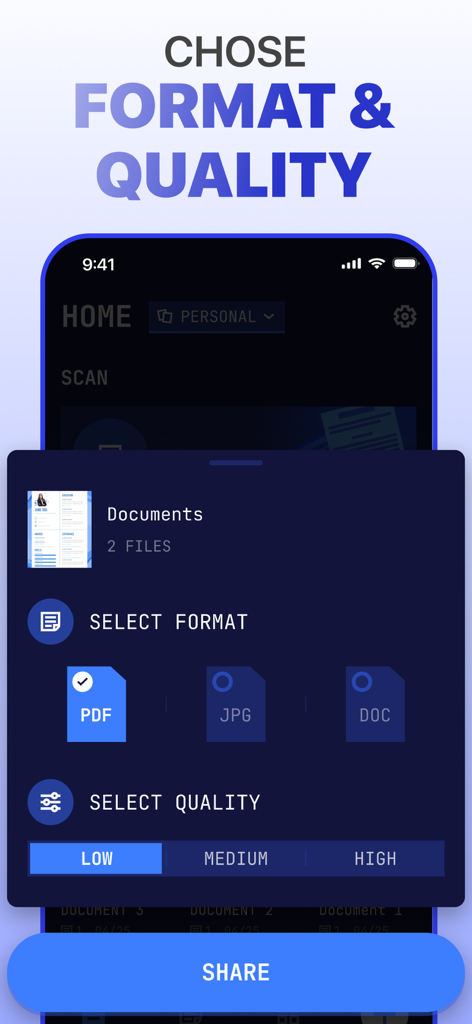
Interface d'une application de numérisation PDF montrant des options pour sélectionner le format de fichier comme PDF, JPG ou DOC et la qualité du document de faible à élevée avant le partage.

Interface d'une application de numérisation PDF montrant des options pour sélectionner le format de fichier comme PDF, JPG ou DOC et la qualité du document de faible à élevée avant le partage.

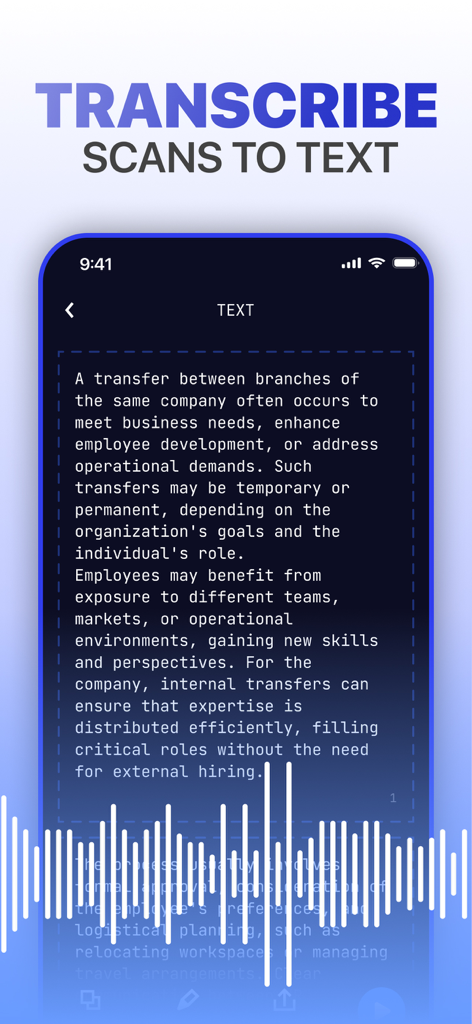
Interface d'application mobile montrant un document en cours de transcription à partir d'une numérisation en texte modifiable avec visualisation audio

Interface d'application mobile montrant un document en cours de transcription à partir d'une numérisation en texte modifiable avec visualisation audio

Le bureau mobile ultime dans votre poche

Les outils qui font la différence, choisis par 113K+ utilisateurs.

Transformation numérique instantanée

Transformez n'importe quel document en PDF ou JPG de haute qualité avec une détection de bord intelligente et des filtres d'amélioration de la clarté.

🔐

Signez et sécurisez sans effort

Concluez des affaires plus rapidement avec des signatures électroniques intégrées et protégez vos données privées avec une protection robuste par mot de passe.

🗣️

Synthèse vocale intelligente

Maximisez votre temps en convertissant le texte numérisé en audio – parfait pour réviser des notes ou des contrats pendant vos déplacements.

À propos de l'app

Tout ce que vous devez savoir sur PDF Scanner App: Scan docs.

Description

Scanner App – Revolutionizing Document Management Scanner App adapts to your workflow like a chameleon to its surroundings, delivering precision, clarity, and unmatched efficiency. Whether you're digitizing, organizing, or sharing, Scanner App empowers you to turn piles of paperwork into neatly organized digital assets, all with a few taps. With Scanner App , your mobile device becomes a powerhouse for productivity, ready to scan, save, and transform your documents anytime, anywhere. Key Features • Advanced Scanning Capabilities: Enjoy high-quality document scans with precise border detection and unique dynamic filter technology that enhances clarity, brightness, and contrast. • Transcribe Scans to Text: Go beyond simple scanning – listen to your document’s content or convert it into editable text for multitasking and accessibility. • Create Organized Spaces: Effortlessly group documents for work, study, or personal projects, keeping everything perfectly categorized. • PDF Converter: Save and share documents in various formats, including JPG, DOC, and PDF, for ultimate flexibility. • Save in Custom Quality: Tailor document quality to your needs – choose high-resolution for detailed prints or optimized sizes for quick sharing. • Quick Import and Sharing: Seamlessly import files and share them via email, messaging apps, or cloud storage platforms like Google Drive and Dropbox. • E-signatures Made Simple: Digitally sign contracts and agreements right within the app, eliminating the need for printing and scanning. • Editing and Management: Refine your scans with advanced filters, add watermarks, crop, merge, and manage your files with ease. • Password Protection: Keep your sensitive files secure by locking them with passwords for extra peace of mind. Whether you're a student navigating coursework, a professional managing critical business documents, or someone simply striving for better personal organization, Scanmeleon is your ultimate pocket companion. Scan anything – from handwritten notes to official contracts – extract text with cutting-edge OCR, save your files in multiple formats and qualities, and organize them securely with ease. Turn chaos into order and revolutionize the way you manage your documents. Start scanning, transforming, and sharing with Scanner App – the future of document management is here! Subscriptions automatically renew unless canceled at least 24 hours before the end of the current billing period. You can manage or disable auto-renewal at any time in your Apple ID account settings. Terms of use - http://tou.scanner2pdf.com/ Privacy Notice - http://pp.scanner2pdf.com/

Dernière version

1.1.0

Taille

46.3 MB

Date de sortie

7 janv. 2025

Prêt à révolutionner votre flux de travail ?

Rejoignez plus de 113 000 professionnels et étudiants qui ont transformé leur iPhone en un bureau numérique haute performance. Numérisez, signez et sécurisez vos documents en quelques secondes.

Télécharger sur App Store

App information, icons, screenshots, and descriptions displayed on this page are sourced from the Apple App Store and are the property of their respective developers. Download estimates and rankings are based on MWM's proprietary models and may not reflect actual figures. This page is provided for informational and analytical purposes only.

Believe this page infringes your intellectual property? File a dispute