
Cette page n'est pas une page officielle de l'application ou de son développeur, mais une publication éditoriale indépendante créée à des fins d'information et de commentaire. Sauf indication expresse contraire, ni l'application ni son développeur ne sont affiliés, approuvés, sponsorisés, autorisés ou autrement officiellement liés à MWM, Apple, Google Play, à l'éditeur de l'application ou au développeur de l'application, et rien sur cette page n'implique que l'application a été développée en utilisant les services de MWM. Toutes les marques, logos, captures d'écran et autres contenus restent la propriété de leurs propriétaires respectifs.

PDF Signer Express - Sign PDFs
Optimisez votre flux de travail sans papier grâce à des outils professionnels pour signer, annoter et remplir des formulaires. Commencez sur votre iPhone et terminez sur votre Mac grâce à la synchronisation iCloud instantanée, sans abonnement.
Téléchargements
6K+Note
Nombre d'avis
0Éditeur
Catégorie
BusinessLangues
1Dernière version
1.7.5Taille
17.8 MBDate de sortie
8 mai 2015Maîtrisez votre flux de travail sans papier
PDF Signer Express combine de puissants outils d'annotation avec une intégration iCloud transparente, conçue spécifiquement pour les professionnels utilisant des produits Apple.
Fonctionne sur tous les appareils
Grâce à la prise en charge d'iCloud Drive et de Handoff, vos fichiers PDF vous suivent de votre iPhone à votre Mac sans interruption.
Signez et annotez facilement
Remplissez des formulaires, signez des contrats et dessinez des diagrammes à l'aide de gestes tactiles naturels ou de la précision de l'Apple Pencil.
Questions Fréquentes
Tout ce que vous devez savoir sur PDF Signer Express - Sign PDFs
Qu'est-ce que PDF Signer Express ?
PDF Signer Express est un outil flexible de prise de notes, de signature, de remplissage de formulaires, de dessin/schéma et d'annotation pour iCloud sur iOS et OS X. Il propose le dessin à main levée dans un format PDF natif.
PDF Signer Express est-il gratuit ?
Oui, PDF Signer Express est gratuit pour les appareils iOS. La version OS X est disponible pour 5,99 $ (USD).
Quelles plateformes sont compatibles avec PDF Signer Express ?
PDF Signer Express prend en charge iOS et OS X. Il offre également la compatibilité avec iCloud Drive pour les PC Windows, à condition qu'iCloud Drive soit installé sur ces machines.
Puis-je dessiner sur des documents PDF avec PDF Signer Express ?
Oui, PDF Signer Express permet le dessin à main levée sur des PDF à l'aide d'outils de prise de notes "Vectoriels" tels que Crayon, Gomme et Surligneur, ce qui contribue à réduire la taille des fichiers PDF.
PDF Signer Express offre-t-il la synchronisation iCloud ?
Oui, PDF Signer Express prend en charge iCloud Drive pour la synchronisation des PDF sur iPhone, iPad, Mac et PC Windows. Il inclut également iCloud Continuity/HandOff pour le transfert instantané de documents entre appareils.
Quelles sont les fonctionnalités iOS uniques de PDF Signer Express ?
PDF Signer Express fournit un gestionnaire de fichiers graphique innovant avec des gestes tactiles naturels, des animations de balayage de page photoréalistes et la technologie de dessin avec repose-main ou fenêtre de loupe.
PDF Signer Express prend-il en charge les PDF protégés par mot de passe ?
Oui, PDF Signer Express offre une prise en charge en lecture des fichiers PDF protégés par mot de passe, garantissant ainsi aux utilisateurs l'accès aux documents sécurisés.
PDF Signer Express fonctionne-t-il sans connexion Internet ?
Oui, PDF Signer Express fonctionne hors ligne. La prise en charge d'iCloud est facultative, ce qui signifie que l'application fonctionne aussi bien en ligne qu'hors ligne.
Comment ajouter du texte à un PDF dans PDF Signer Express ?
L'outil Texte de PDF Signer Express permet aux utilisateurs de toucher ou de cliquer pour taper n'importe où sur un PDF sur iPad et Mac. Les utilisateurs peuvent également créer des PDF vierges et y ajouter du texte.
Puis-je ajouter des images à des PDF avec PDF Signer Express ?
Oui, PDF Signer Express permet aux utilisateurs d'ajouter instantanément des images, du texte et des pages Web à un PDF sur les appareils iPad et Mac.
Les captures d'écran et la description suivantes proviennent directement de la fiche officielle de l'application sur le store et sont la propriété du développeur.
App Store
Captures
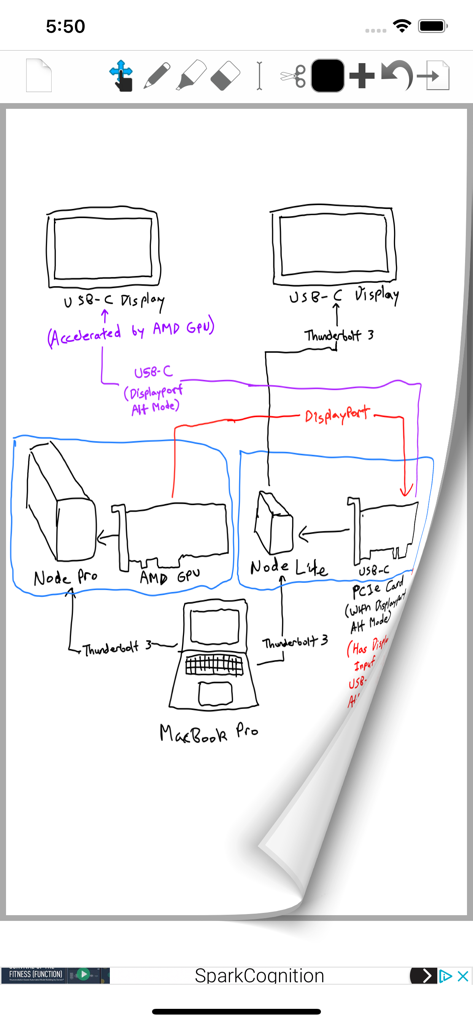
Schéma technique dessiné à la main sur une page numérique à l'aide des outils PDF Signer Express
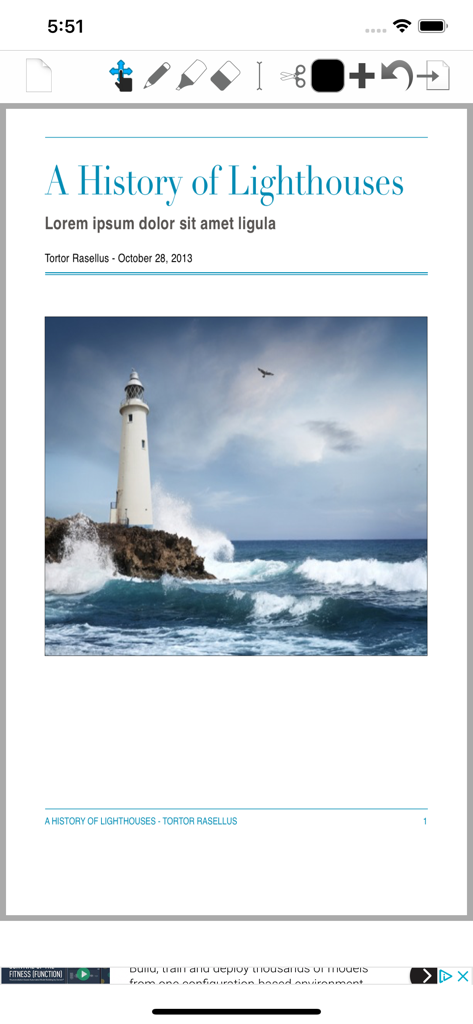
Capture d'écran de PDF Signer Express montrant un document PDF ouvert avec des outils d'édition
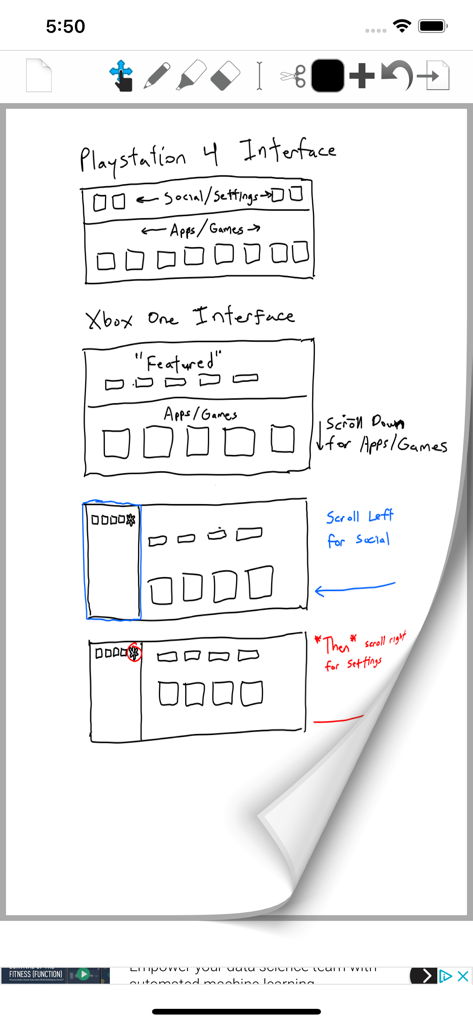
Maquette d'interface utilisateur dessinée à la main pour les interfaces de console avec des notes manuscrites dans PDF Signer Express
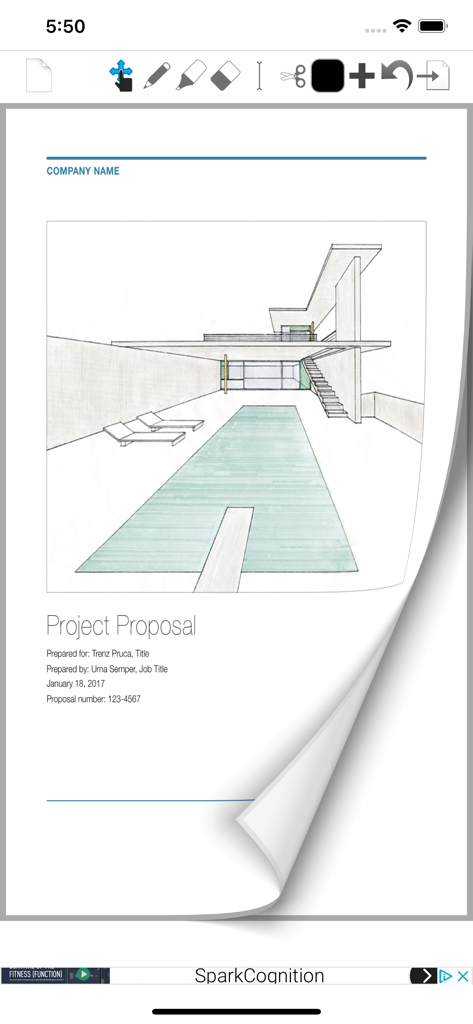
L'application PDF Signer Express permet d'afficher une proposition de projet avec un croquis architectural et des outils d'édition de documents.
Description
Download
Apps Similaires
Apps avec des fonctionnalités et une expérience similaires

PDF PRO Scan Image & Documents
Balzo srl

The PDF Scanner, PDF editor HQ
NEXT K.U.M. LTD

CamScanner - PDF Scanner App
INTSIG Information Co., Ltd

Adobe Scan: PDF & OCR Scanner
Adobe Inc.

WPS Office: PDF, Docs, Sheets
KINGSOFT OFFICE SOFTWARE CORPORATION LIMITED

iLovePDF - PDF Editor & Scan
ILOVEPDF S.L.

Scanner App: Genius Scan
The Grizzly Labs

Microsoft Lens: PDF Scanner
Microsoft Corporation

Clear Scan: Doc Scanner App
INDY MOBILE APP COMPANY LIMITED
Cette page n'est pas une page officielle de l'application ou de son développeur, mais une publication éditoriale indépendante créée à des fins d'information et de commentaire. Sauf indication expresse contraire, ni l'application ni son développeur ne sont affiliés, approuvés, sponsorisés, autorisés ou autrement officiellement liés à MWM, Apple, Google Play, à l'éditeur de l'application ou au développeur de l'application, et rien sur cette page n'implique que l'application a été développée en utilisant les services de MWM. Toutes les marques, logos, captures d'écran et autres contenus restent la propriété de leurs propriétaires respectifs.