PDFgear Scan: PDF Scanner App

PDFgear Scan: PDF Scanner App


Télécharger sur App StoreTélécharger sur Google Play
Logo de PDFgear Scan: PDF Scanner App
PDFgear Scan : Le hub documentaire alimenté par l'IA pour les professionnels performants

Transformez votre iPhone en un bureau portable. Numérisez des livres, signez des contrats et utilisez l'IA intégrée pour résumer et extraire instantanément des informations de n'importe quel document.

Télécharger sur App Store

Éditeur

PDF GEAR TECH PTE. LTD.

Catégorie

Business

Téléchargements

93K+

Note

4.9/5

Nombre d'avis

400

Langues

11

L'efficacité en action

Découvrez l'interface utilisée par 93K+ utilisateurs.
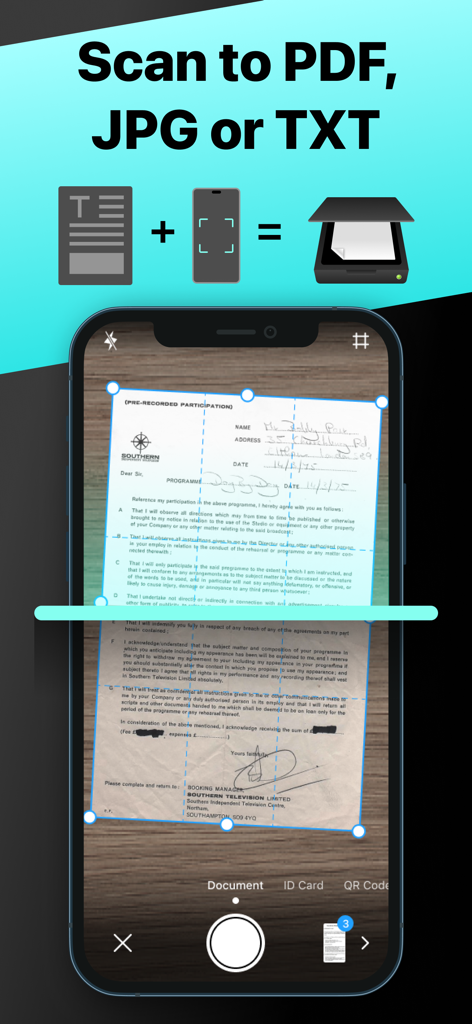
Interface de l'application PDFgear Scan montrant un document capturé pour conversion en formats PDF JPG ou TXT

Interface de l'application PDFgear Scan montrant un document capturé pour conversion en formats PDF JPG ou TXT

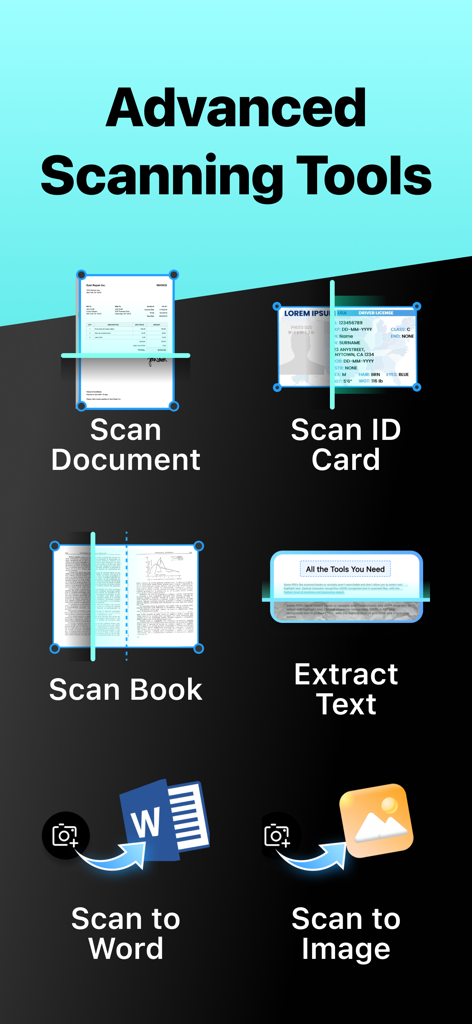
Un menu montrant les fonctionnalités de PDFgear Scan telles que la numérisation de documents, la numérisation de cartes d'identité, la numérisation de livres, l'extraction de texte et l'exportation vers Word ou Image.

Un menu montrant les fonctionnalités de PDFgear Scan telles que la numérisation de documents, la numérisation de cartes d'identité, la numérisation de livres, l'extraction de texte et l'exportation vers Word ou Image.

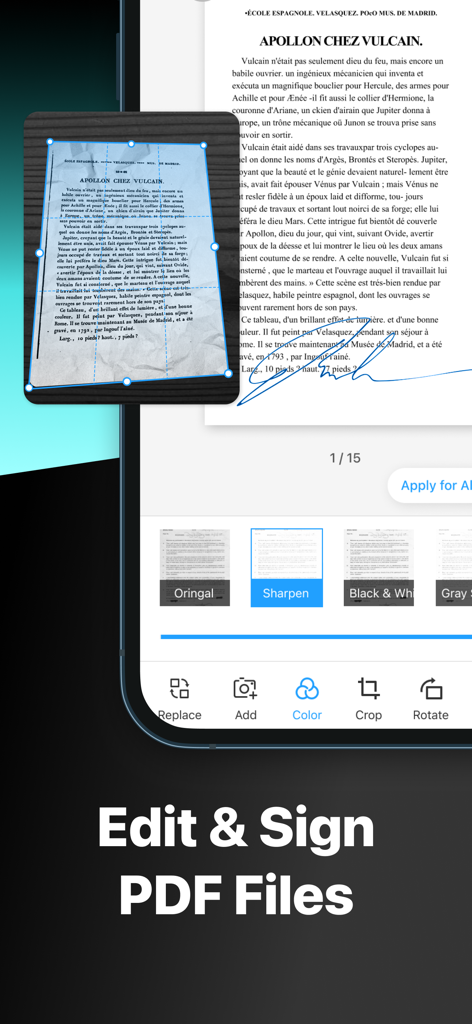
Interface de l'application PDFgear Scan montrant les outils d'édition et de signature de documents

Interface de l'application PDFgear Scan montrant les outils d'édition et de signature de documents

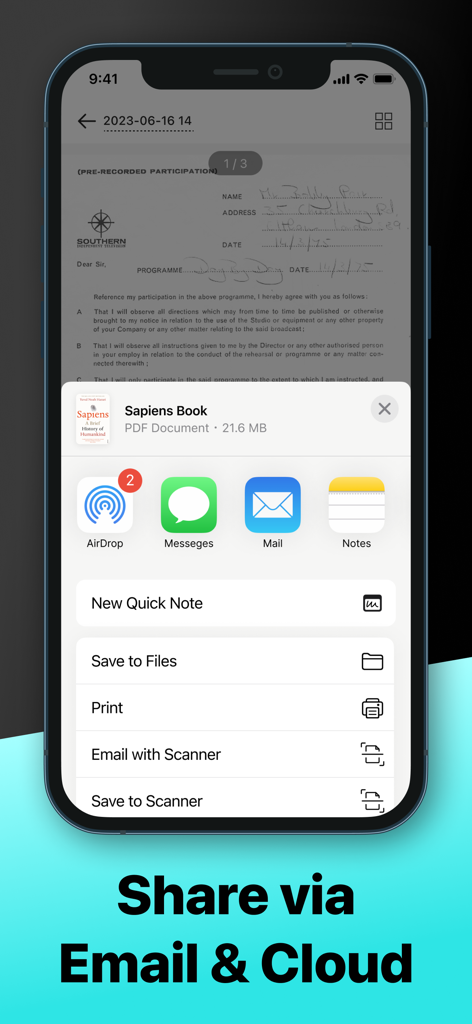
Interface de l'application PDFgear Scan montrant les options de partage de documents via AirDrop, Messages, Email et services Cloud

Interface de l'application PDFgear Scan montrant les options de partage de documents via AirDrop, Messages, Email et services Cloud

Votre centre de productivité portable

Les outils qui font la différence, choisis par 93K+ utilisateurs.

🤖

Informations documentaires alimentées par l'IA

Extrayez du texte avec un OCR de haute précision et utilisez l'assistant IA intégré pour résumer des contrats complexes ou trouver des informations spécifiques en quelques secondes.

📚

Modes spécialisés pour chaque tâche

Numérisez facilement tout, des passeports aux manuels scolaires. Notre 'Mode Livre' aplatit automatiquement les pages incurvées pour des copies numériques d'une clarté cristalline.

✍️

Édition professionnelle et signatures électroniques

Signez des contrats à la volée, appliquez des filtres d'amélioration et exportez des fichiers en Word ou PDF pour maintenir votre flux de travail professionnel, où que vous soyez.

À propos de l'app

Tout ce que vous devez savoir sur PDFgear Scan: PDF Scanner App.

Description

PDFgear Scan is a feature-rich PDF Scanner App that digitizes all your documents and simplifies your life. It can transform your iPhone or iPad into a powerful and portable scanner, extract texts and data from the document with cutting-edge OCR technology and advanced editing capabilities, and share the scanned document as PDF, Word, TXT, or images effortlessly. PDFgear Scan boosts productivity and saves time for anyone who works with documents: lawyers, officers, realtors, managers, students, accountants, and more. Download PDFgear Scan now to streamline your workflow and experience the most convenient way to store, manage, and share all your paper documents. Key Features: Smart Document Scanner - Capture documents, remove cluttered backgrounds, and deskew in one step automatically - Scan multiple pages into one file easily - Scan with the device’s cameras or stored photos - Save scans as PDF, Word, or image files Multi-Scanning Modes for Every Need: – Receipts & Expense Reports: Effortlessly scan receipts, automatically categorize expenses, and generate professional reports in seconds. Simplify your bookkeeping and tax prep! – ID & Passport Scan: Securely capture and store IDs, passports, and other vital documents with a specialized, high-speed mode designed for accuracy and convenience. – Book & Magazine Scan (with Smart Flattening): Digitize entire books and magazines with ease. Our innovative "Book Mode" automatically flattens curved pages, ensuring crystal-clear, perfectly aligned scans every time. – QR & Barcode Reader: Instantly scan any QR code or barcode with your camera. Get quick access to websites, product information, and more. Powerful Editing Tools - Crop or rotate the captured images with a simple tap - Apply filters to enhance the quality of scanned documents - Create and insert signatures into documents, perfect for professionals dealing with contracts Advanced OCR Capabilities - Recognize and extract texts from documents using OCR technology - Export the OCR result to Word or TXT and share with others - Auto-split the OCR results for optimal layout Page Management & Scan Organization - Add, rotate, delete, and reorder pages with ease - Manage and rename scans in list view for quick access Flexible Sharing Options - Share scanned documents in formats like PDF, Word, Images, or a long image based on your needs - Collaborate with others by sharing files through Airdrop, Email, messaging apps, and more AI Chat for Instant Document Insights: – Ask AI Anything About Your Scans: Have questions about a scanned document? Our integrated AI chat allows you to instantly ask anything about your captured text – from summarizing key points to extracting specific information. It's like having a personal document assistant! PDFgear Scan revolutionizes the way you handle paperwork, offering a seamless scanning experience. Embrace the convenience of PDFgear Scan and elevate your document management efficiency now. Terms of service: https://www.pdfgear.com/terms-conditions/ Privacy Policy: https://www.pdfgear.com/privacy/ Contact us at https://www.pdfgear.com/contact-us/

Dernière version

1.19

Taille

52.6 MB

Date de sortie

11 août 2023

Prêt à maîtriser vos documents grâce à l'IA ?

Rejoignez plus de 93 000 professionnels qui gagnent du temps et améliorent leur productivité. Téléchargez PDFgear Scan dès aujourd'hui et transformez votre iPhone en un assistant documentaire intelligent.

Télécharger sur App StoreTélécharger sur Google Play

App information, icons, screenshots, and descriptions displayed on this page are sourced from the Apple App Store and are the property of their respective developers. Download estimates and rankings are based on MWM's proprietary models and may not reflect actual figures. This page is provided for informational and analytical purposes only.

Believe this page infringes your intellectual property? File a dispute