PenToPRINT Handwriting to Text

PenToPRINT Handwriting to Text

Télécharger sur App Store
Logo de PenToPRINT Handwriting to Text

PenToPRINT : Transformez vos notes manuscrites en texte numérique consultable

L'outil OCR manuscrit ultime pour les étudiants et les professionnels. Convertissez le cursif, les scripts ou l'impression en documents Word modifiables et faites le pont entre le papier et le numérique.

Éditeur

Serandi systems LTD

Catégorie

Productivity

Téléchargements

765K+

Note

4.4/5

Nombre d'avis

4K+

Langues

1

Du stylo au pixel

Découvrez l'interface utilisée par 765K+ utilisateurs.

Écran bleu avec texte blanc indiquant Convertir l'écriture manuscrite en texte
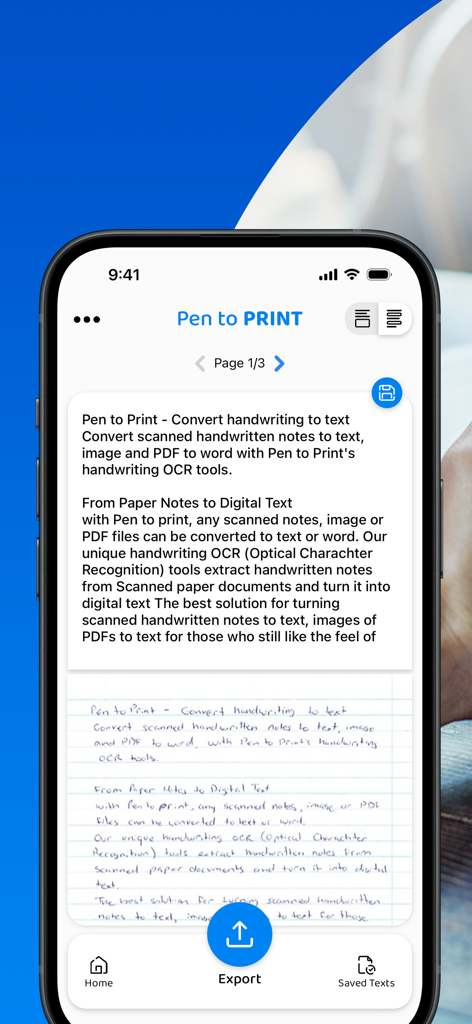
Écran bleu avec texte blanc indiquant Convertir l'écriture manuscrite en texte

Un écran de smartphone montrant l'application PenToPRINT convertissant une note manuscrite en texte numérique modifiable avec une option d'exportation.
Un écran de smartphone montrant l'application PenToPRINT convertissant une note manuscrite en texte numérique modifiable avec une option d'exportation.

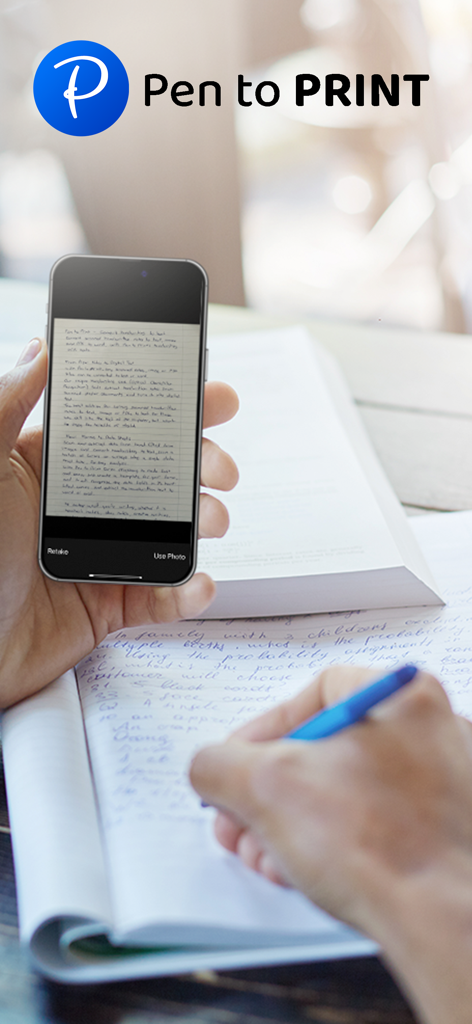
Personne scannant des notes manuscrites avec l'application Pen to Print sur un smartphone
Personne scannant des notes manuscrites avec l'application Pen to Print sur un smartphone

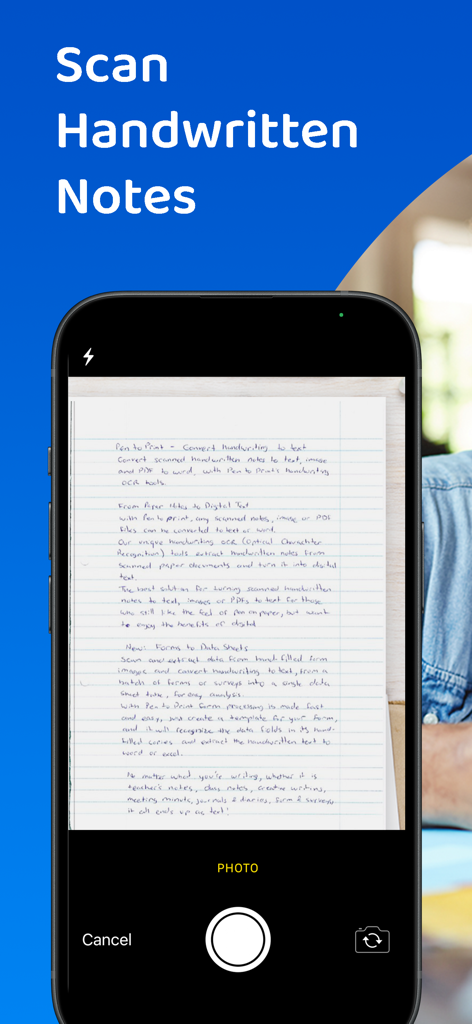
Une interface de smartphone scannant un document manuscrit à l'aide de la fonction OCR de PenToPRINT

Une interface de smartphone scannant un document manuscrit à l'aide de la fonction OCR de PenToPRINT

Un étudiant utilisant un smartphone pour numériser des notes manuscrites pendant qu'il étudie
Un étudiant utilisant un smartphone pour numériser des notes manuscrites pendant qu'il étudie

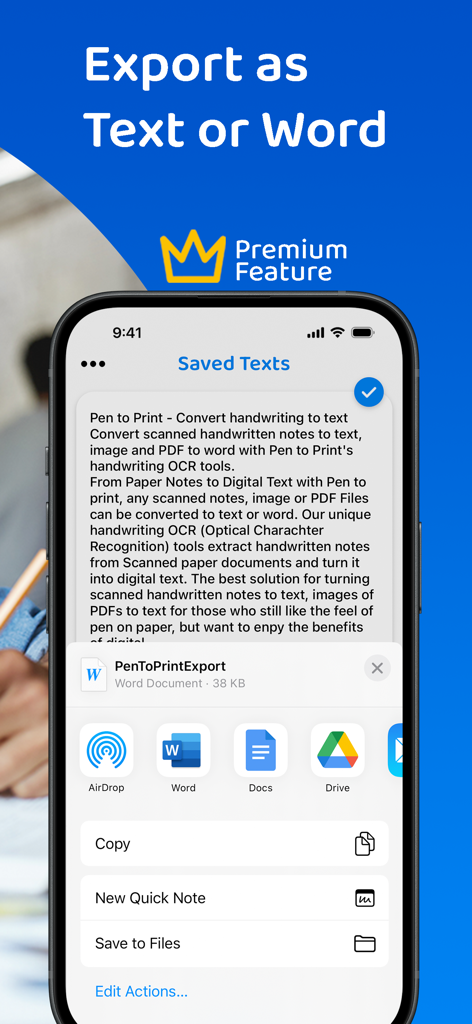
Écran de l'application PenToPRINT affichant les options d'exportation vers Word et Google Docs
Écran de l'application PenToPRINT affichant les options d'exportation vers Word et Google Docs

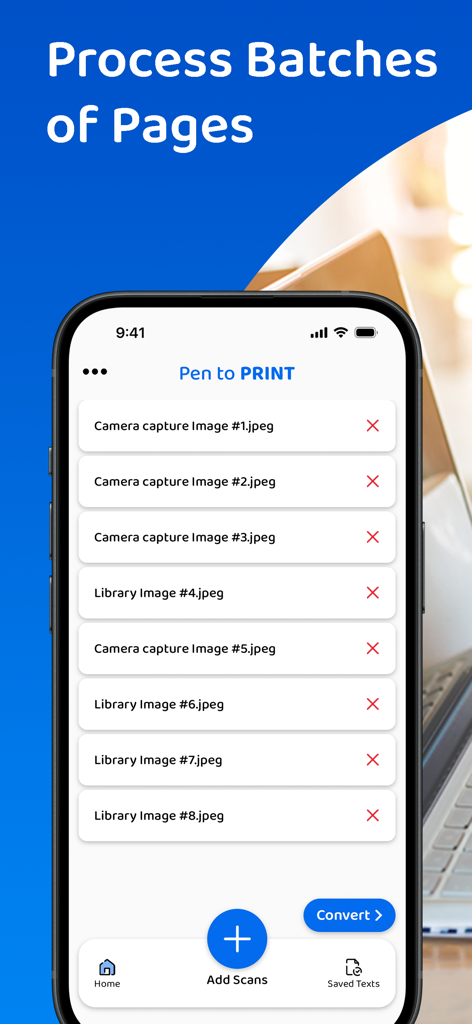
Une interface mobile pour l'application PenToPRINT montrant une liste de pages manuscrites scannées prêtes à être converties en texte numérique

Une interface mobile pour l'application PenToPRINT montrant une liste de pages manuscrites scannées prêtes à être converties en texte numérique

Une personne utilisant un smartphone pour scanner des notes manuscrites d'un carnet à spirale
Une personne utilisant un smartphone pour scanner des notes manuscrites d'un carnet à spirale

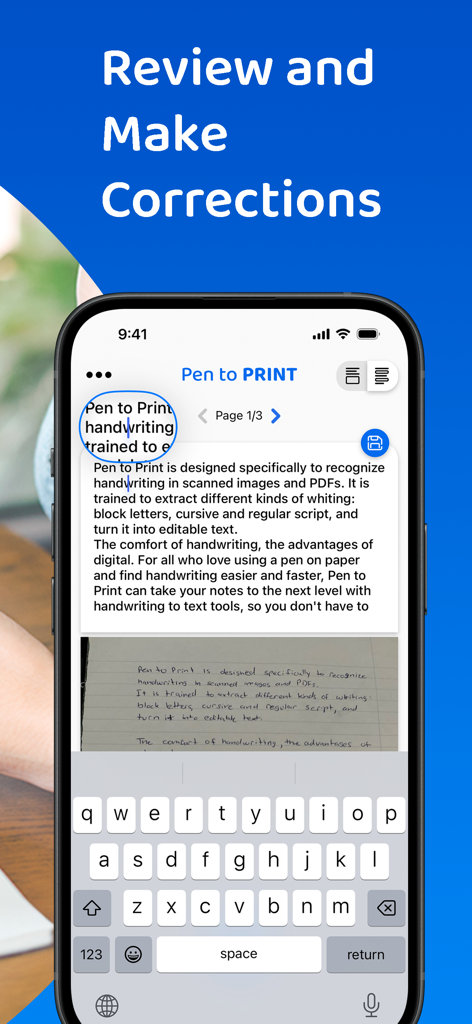
Interface de l'application PenToPRINT montrant la fonction de révision et de correction de l'écriture manuscrite convertie en texte numérique
Interface de l'application PenToPRINT montrant la fonction de révision et de correction de l'écriture manuscrite convertie en texte numérique

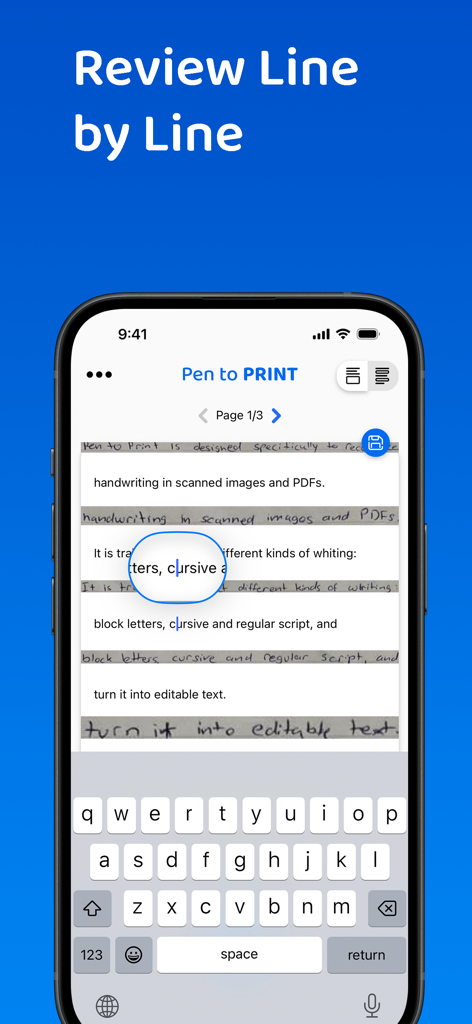
Smartphone affichant l'interface de l'application PenToPRINT pour la révision et l'édition ligne par ligne des notes manuscrites converties en texte numérique.

Smartphone affichant l'interface de l'application PenToPRINT pour la révision et l'édition ligne par ligne des notes manuscrites converties en texte numérique.

Faites le pont entre le papier et l'écran

Les outils qui font la différence, choisis par 765K+ utilisateurs.

🖋️

Déchiffrez le cursif avec facilité

Notre moteur OCR spécialisé lit les écritures désordonnées et cursives, vous faisant gagner des heures de ressaisie manuelle de votre carnet préféré.

🚀

Flux de travail numérique rationalisé

Exportez votre texte converti directement vers Word ou par e-mail, intégrant vos idées manuscrites dans vos projets professionnels ou académiques.

🔍

Archive numérique consultable

Transformez des piles de papier en une base de données consultable. Trouvez exactement ce dont vous avez besoin sans feuilleter d'interminables pages physiques.

À propos de l'app

Tout ce que vous devez savoir sur PenToPRINT Handwriting to Text.

Description

Pen to Print, the leading handwriting to text OCR platform, is converting scanned handwritten notes into editable, searchable, and shareable digital text. Leveraging advanced Handwriting OCR (Optical Character Recognition) technology, Pen to Print is your go-to solution for digitizing handwritten notes, enhancing your productivity by bridging the gap between traditional handwriting and the digital world. Our unique handwriting to text OCR (Optical character recognition) engine extracts handwritten texts from scanned paper notes and turns them into digital editable text. Unlike other OCR scanner apps, it is designed specifically to recognize handwriting and works great as a cursive reader and deciphering illegible handwriting. Elevate your experience by opting for our premium plan, which allows you to export your text or share it effortlessly with others. With a premium subscription, you gain the flexibility to export your text in either txt or Word formats to any compatible applications on your device. Additionally, premium subscribers have the convenience of sharing their texts with others through email, messaging platforms, or social media networks. We suggest starting with assessing our handwriting recognition capability and the app's effectiveness in transforming handwriting to text before deciding to upgrade to the premium plan. Although Digital text is easier to edit, search and store, handwriting on paper notes is still commonly used, since it's fast, easy, and accessible. Pen to Print's handwriting recognition (OCR) is an excellent solution for those who still like the feel of pen on paper, but want to enjoy the benefits of digital. It is easy to use, fast and affordable. Converting handwriting to text with Pen to Print is a perfect solution for cursive reading and illegible writing, for students, for sharing meeting minutes, protocols, and other handwritten documents with multiple participants. Please note: The success of handwriting recognition relates directly to the quality of your scan. For best results scan your document in a well-lighted area, and make sure the paper is straightened and not folded or skewed. If unsuccessful, just try scanning again, it might make all the difference. The app currently supports Latin script only. Our handwriting recognition system can convert different kinds of handwriting to text: block letters, cursive, and regular script. Significant time and effort are invested in this app in order to provide an efficient quality handwriting to text OCR tool. We hope you find this app useful and enjoy using it to convert your handwritten notes to text. We welcome all feedback and are always happy to hear from our users. If you like our app, an app review will be well appreciated :-) If you encounter a problem, please contact us at: contact@serendi.me, so we can provide you assistance and support. For more information, visit our website: https://www.pen-to-print.com Download Pen to Print now, and start converting your handwriting to text! The Yearly Plan and Monthly Plan are auto-renewing subscriptions, providing an unlimited amount of text exports for a year/a month respectively, therefore: Payment will be charged to iTunes Account at confirmation of purchase. Subscription automatically renews unless auto-renew is turned off at least 24 hours before the end of the current period. Account will be charged for renewal within 24 hours prior to the end of the current period, and identify the cost of the renewal. Subscriptions may be managed by the user and auto-renewal may be turned off by going to the user's Account Settings after purchase. Any unused portion of a free trial period, if offered, will be forfeited when the user purchases a subscription to that publication, where applicable. Check out our terms & conditions at: https://www.serendi.me/p2p-terms-and-conditions

Dernière version

2.13

Taille

31.2 MB

Date de sortie

7 nov. 2017

Faites entrer vos notes manuscrites dans le monde numérique

Arrêtez de perdre des heures à retranscrire manuellement vos réunions et vos cours. Rejoignez plus de 765 000 utilisateurs et convertissez instantanément vos notes cursives en texte modifiable.

Télécharger sur App Store

App information, icons, screenshots, and descriptions displayed on this page are sourced from the Apple App Store and are the property of their respective developers. Download estimates and rankings are based on MWM's proprietary models and may not reflect actual figures. This page is provided for informational and analytical purposes only.

Believe this page infringes your intellectual property? File a dispute