Photo finish app

Photo finish app

Télécharger sur App Store
Logo de Photo finish app

Photo finish app : La précision du chronométrage professionnel dans votre poche

Éliminez les litiges à la ligne d'arrivée avec une précision de 0,004 seconde. Capturez des preuves visuelles définitives pour chaque course, des compétitions d'athlétisme au cyclisme, en utilisant uniquement votre smartphone.

Éditeur

IURII VOEVODIN

Catégorie

Sports

Téléchargements

2K+

Note

1.0/5

Nombre d'avis

0

Langues

1

La précision dans chaque pixel

Découvrez l'interface utilisée par 2K+ utilisateurs.
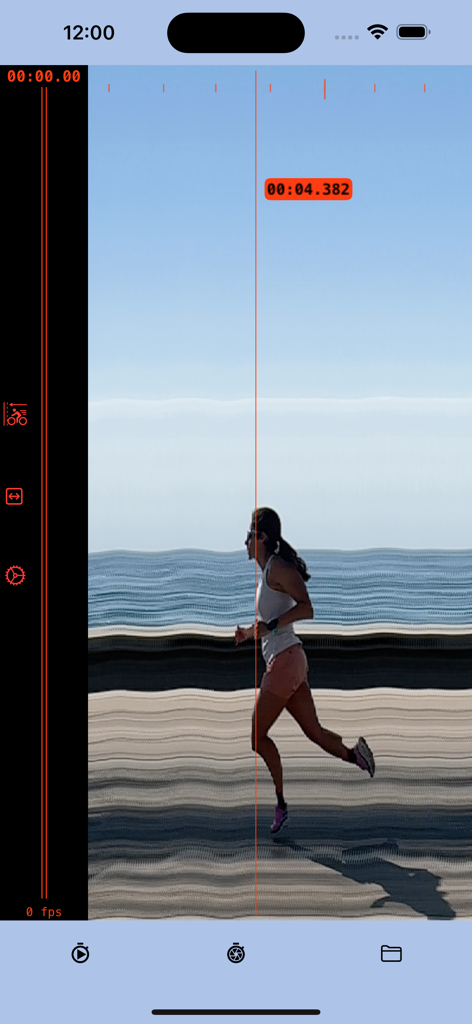
Une capture photo-slit montrant une coureuse franchissant la ligne d'arrivée avec un horodatage précis de quatre virgule trois huit deux secondes

Une capture photo-slit montrant une coureuse franchissant la ligne d'arrivée avec un horodatage précis de quatre virgule trois huit deux secondes

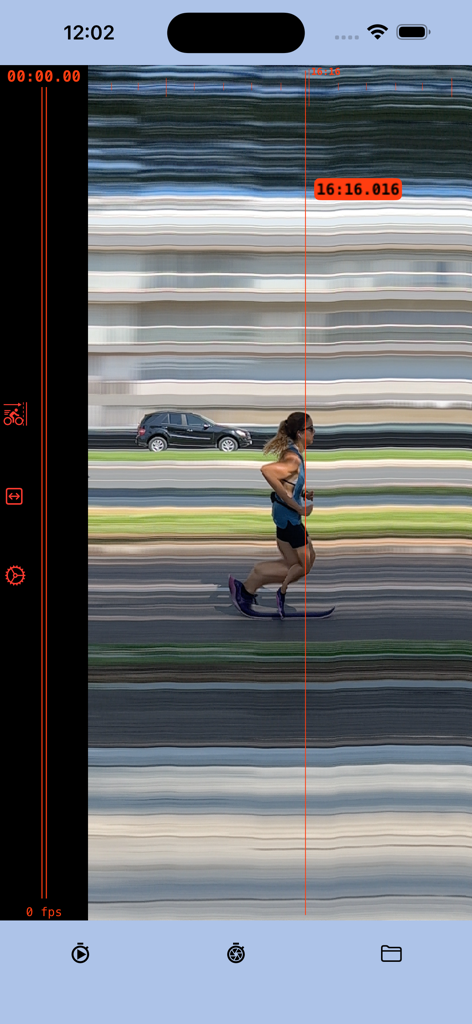
Capture d'écran de l'application Photo finish montrant un coureur franchissant la ligne d'arrivée avec un horodatage précis de 16:16.016

Capture d'écran de l'application Photo finish montrant un coureur franchissant la ligne d'arrivée avec un horodatage précis de 16:16.016

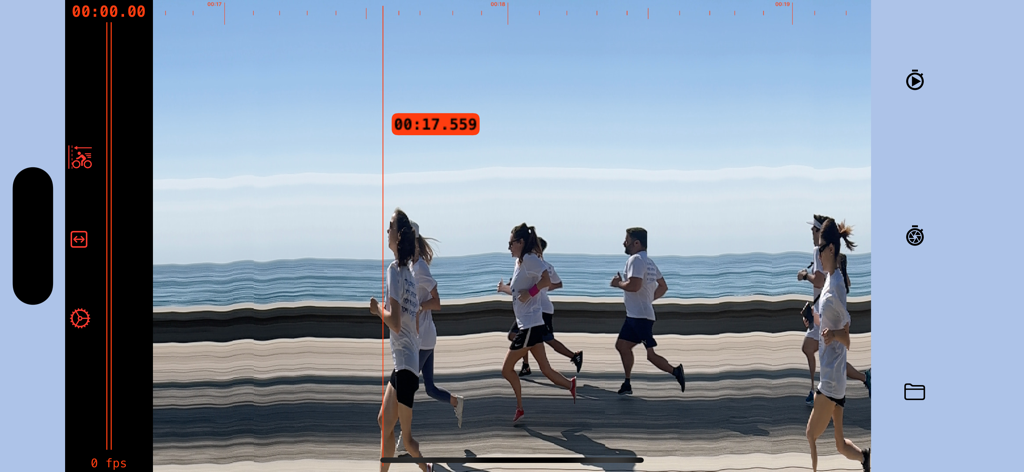
Écran de photo-finish numérique montrant des coureurs franchissant la ligne d'arrivée avec un horodatage précis de 17,559 secondes

Écran de photo-finish numérique montrant des coureurs franchissant la ligne d'arrivée avec un horodatage précis de 17,559 secondes

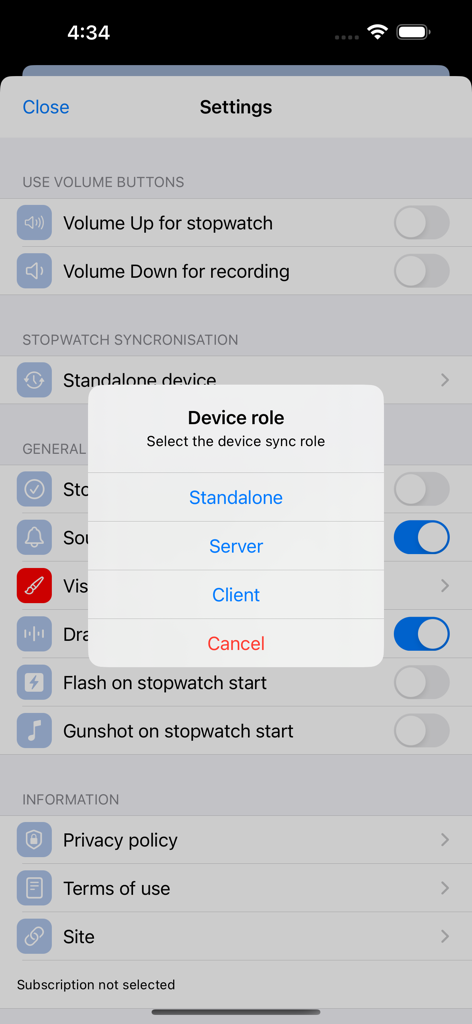
Sélection du rôle de l'appareil dans les paramètres de l'application Photo finish

Sélection du rôle de l'appareil dans les paramètres de l'application Photo finish

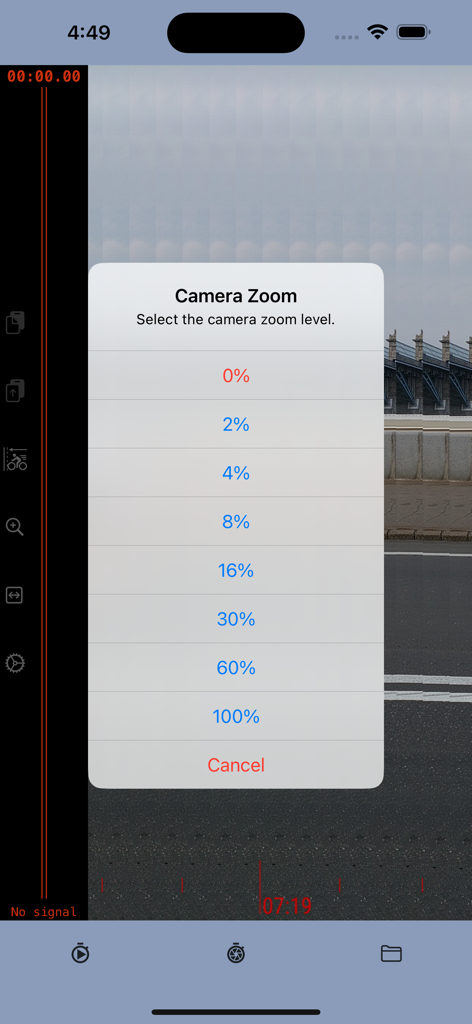
Menu de sélection du niveau de zoom de la caméra dans l'application Photo finish

Menu de sélection du niveau de zoom de la caméra dans l'application Photo finish

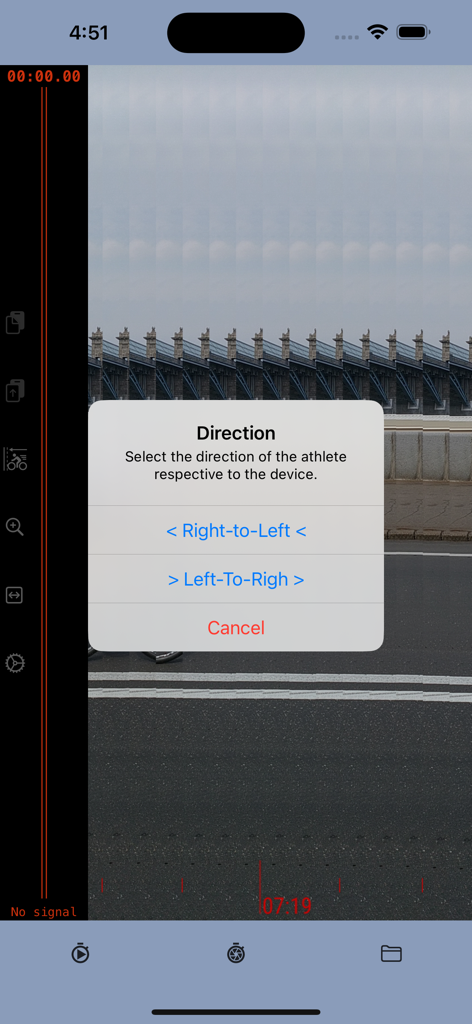
Interface de l'application Photo finish montrant un menu contextuel pour sélectionner la direction de l'athlète entre droite-gauche ou gauche-droite

Interface de l'application Photo finish montrant un menu contextuel pour sélectionner la direction de l'athlète entre droite-gauche ou gauche-droite

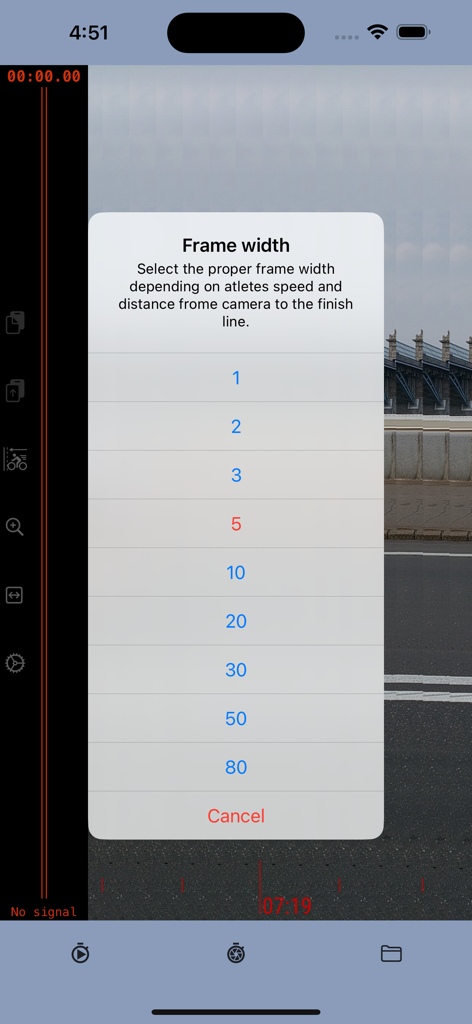
Menu pour sélectionner les paramètres de largeur de trame dans l'application Photo finish en fonction de la vitesse de l'athlète et de la distance de la caméra

Menu pour sélectionner les paramètres de largeur de trame dans l'application Photo finish en fonction de la vitesse de l'athlète et de la distance de la caméra

Précision de niveau professionnel pour chaque ligne d'arrivée

Les outils qui font la différence, choisis par 2K+ utilisateurs.

⏱️

Chronométrage de précision à 0,004 s

Utilisez la technologie de caméra haute vitesse de 240 ips pour une précision à la milliseconde. Obtenez des résultats exacts que les chronomètres manuels ne peuvent tout simplement pas égaler.

🏁

Preuve visuelle irréfutable

Mettez fin aux disputes à la ligne d'arrivée. Générez une photo-slit chronologique qui montre clairement qui a franchi la ligne en premier et quand.

📊

Résultats professionnels, budget DIY

Remplacez le matériel de chronométrage coûteux par un outil professionnel qui tient dans votre poche. Parfait pour les compétitions d'athlétisme du secondaire, le cyclisme et les courses amateurs.

À propos de l'app

Tout ce que vous devez savoir sur Photo finish app.

Description

The photo-finish technique enables the precise measurement of the finishing time in any race event and provides a detailed image to accurately determine the winner. The photo-finish application enables you to measure finish time with a precision of 0.004 seconds, identify the race winner, and save a picture as evidence of the winner and results. The app captures a sequence of slit photos of the finish line, with each photo frame featuring a timestamp indicating a precise time. When the frame shows the crossing of the finish line, the timestamp of that specific frame serves as the defining finish time. Instructions: 1. Position the camera to capture the finish line within the frame borders. 2. Initiate the stopwatch at the beginning of the race. 3. Commence recording as the winning participant nears the finish line. 4. Cease recording once the athlete has crossed the finish line. 5. Identify the frame capturing the winner crossing the finish line; the timestamp at the cursor line indicates the precise result. Direction: The application employs the slit-photo technique, merging a sequence of frames into a chronological resulting image. The top scale on the resulting image provides an approximate timeline. Depending on the winner's approach to the finish line, it is advisable to combine frames in either "left to right" or "right to left" order. For instance, if the camera is positioned inside the stadium track, the direction should be "right to left"; if outside, then "left to right" would be appropriate. Frame width.  The frame width setting is contingent upon the distance between the camera and the track, as well as the speed of the athlete. If the camera is too close or the winner's speed is high, there's a risk of the winner crossing the frame sector too rapidly, potentially compromising the clarity of the image. Therefore, it is advisable to increase the frame width. However, it's essential to consider that the size of the resulting image is constrained. If the frame width is excessively wide, it may limit the time available to record the winner's result. Striking a balance between frame width and image size is crucial for optimal performance.us it is better to increase the image width. From another point, the size of the resulting image is limited. If the frame is too wide then you will have less time to record the winner result. Precision Note: The estimated measurement precision is approximately 0.004 seconds, with the main determinant being the camera frame rate. The iPhone camera, for instance, supports 240 frames per second (fps), resulting in a precision of 1:240, equivalent to 0.0041 Subscription Guidelines: 1. A complimentary trial period of 14 days is accessible for new users exclusively. The trial period does not automatically renew. 2. Payment will be debited from the iTunes Account upon confirmation of purchase. 3. Subscriptions, excluding the trial, automatically renew unless the auto-renewal feature is disabled at least 24 hours before the ongoing period concludes. 4. The account will incur charges for renewal within 24 hours prior to the termination of the ongoing period, specifying the renewal cost. 5. Users can manage subscriptions, and auto-renewal can be deactivated by navigating to the user's Account Settings post-purchase. 6. During the active subscription period, cancellation of the current subscription is not permitted. 7. Any remaining unused duration of a complimentary trial, if provided, will be forfeited upon the user's subscription purchase for that publication. Please read the: 1. Privacy Policy https://photo-finish.app/contacts/privacy-policy/ 2. Terms of Use https://www.apple.com/legal/internet-services/itunes/dev/stdeula/

Dernière version

2.52

Taille

18.5 MB

Date de sortie

13 oct. 2022

Prêt à sacrer le vrai vainqueur ?

Arrêtez de compter sur les chronomètres manuels et éliminez les litiges à la ligne d'arrivée. Commencez votre essai gratuit de 14 jours dès aujourd'hui pour obtenir une précision de 0,004 s et des preuves professionnelles de type photo-finish directement dans votre poche.

Télécharger sur App Store

App information, icons, screenshots, and descriptions displayed on this page are sourced from the Apple App Store and are the property of their respective developers. Download estimates and rankings are based on MWM's proprietary models and may not reflect actual figures. This page is provided for informational and analytical purposes only.

Believe this page infringes your intellectual property? File a dispute