
Cette page n'est pas une page officielle de l'application ou de son développeur, mais une publication éditoriale indépendante créée à des fins d'information et de commentaire. Sauf indication expresse contraire, ni l'application ni son développeur ne sont affiliés, approuvés, sponsorisés, autorisés ou autrement officiellement liés à MWM, Apple, Google Play, à l'éditeur de l'application ou au développeur de l'application, et rien sur cette page n'implique que l'application a été développée en utilisant les services de MWM. Toutes les marques, logos, captures d'écran et autres contenus restent la propriété de leurs propriétaires respectifs.

Photomator – Photo Editor
Découvrez la retouche RAW de qualité professionnelle sur votre iPhone, iPad et Mac. Améliorez vos clichés grâce à des outils intelligents, une synchronisation iCloud transparente et des fonctionnalités d'IA puissantes conçues pour le créateur moderne.
Téléchargements
1M+Note
Nombre d'avis
8K+Éditeur
Catégorie
Photo & VideoLangues
11Dernière version
3.4.12Taille
793.4 MBDate de sortie
9 avr. 2019La puissance professionnelle à portée de main
Découvrez l'avenir de la retouche photo avec des outils basés sur l'IA et des performances de qualité professionnelle, conçus exclusivement pour vos appareils Apple préférés.
Améliorations intelligentes par IA
Augmentez instantanément la résolution, supprimez le bruit et sélectionnez des sujets grâce à l'apprentissage automatique entraîné sur 20 millions de photos professionnelles.
Véritable retouche RAW
Prise en charge complète de plus de 750 formats RAW, y compris Apple ProRAW, vous offrant un contrôle non destructif total sur chaque pixel.
Questions Fréquentes
Tout ce que vous devez savoir sur Photomator – Photo Editor
Qu'est-ce que Photomator ?
Photomator est une application d'édition photo puissante conçue pour les appareils mobiles. Elle comprend des ajustements de couleurs de pointe, des sélections alimentées par l'IA, la prise en charge de plus de 750 formats d'images RAW, et des outils pour la suppression d'objets et l'amélioration de la qualité des photos.
Photomator utilise-t-il l'IA pour les tâches d'édition photo ?
Oui, Photomator utilise l'IA pour les sélections automatiques de sujets, de ciels et d'arrière-plans, la réduction du bruit (Denoise), l'augmentation de la résolution (Super Resolution), la suppression des bandes de couleur (Smart Deband) et le recadrage automatique intelligent.
Photomator prend-il en charge les formats d'images RAW ?
Oui, Photomator prend en charge plus de 750 formats d'images RAW pour l'ouverture et l'édition, y compris les formats Apple ProRAW et les fichiers RAW Fujifilm compressés, permettant des ajustements professionnels complets.
Photomator peut-il supprimer des objets indésirables des photos ?
Oui, Photomator inclut un outil de réparation magique qui permet aux utilisateurs de supprimer sans effort les objets indésirables de leurs photos, garantissant une image finale nette et ciblée.
Photomator est-il compatible avec Mac, iPhone et iPad ?
Oui, Photomator offre une synchronisation transparente des modifications entre Mac, iPhone et iPad via iCloud Drive. Il est nativement conçu pour iOS et iPadOS 18, garantissant une expérience utilisateur cohérente.
Puis-je modifier plusieurs photos en lot avec Photomator ?
Oui, Photomator permet aux utilisateurs de copier et coller facilement des modifications entre les photos ou de modifier des centaines de photographies en lot à la fois, accélérant considérablement le flux de travail d'édition.
Où puis-je trouver la politique de confidentialité de Photomator ?
La politique de confidentialité de Photomator est accessible via le lien fourni : https://www.apple.com/legal/privacy/en-ww/. Ce lien explique comment les données des utilisateurs sont traitées.
Quels types d'outils d'ajustement des couleurs sont disponibles dans Photomator ?
Photomator propose des ajustements de couleurs étendus, notamment la température, la teinte, l'exposition, le contraste, la luminosité, la teinte, la saturation, la vibrance, la clarté, la texture, la couleur sélective, la balance des couleurs, les niveaux, les courbes et le mélange des canaux RVB.
Photomator inclut-il des préréglages photo ?
Oui, Photomator comprend une variété de préréglages conçus par des photographes pour des styles tels que le paysage et le noir et blanc. Il propose également des préréglages inspirés de la photographie argentique pour modifier instantanément l'esthétique de l'image.
Photomator offre-t-il des fonctionnalités d'amélioration automatique des photos ?
Oui, Photomator peut améliorer automatiquement les photos en utilisant un algorithme d'apprentissage automatique entraîné sur 20 millions de photos professionnelles. Il permet également d'affiner les ajustements individuels tels que la balance des blancs d'un simple toucher.
Les captures d'écran et la description suivantes proviennent directement de la fiche officielle de l'application sur le store et sont la propriété du développeur.
App Store
Captures
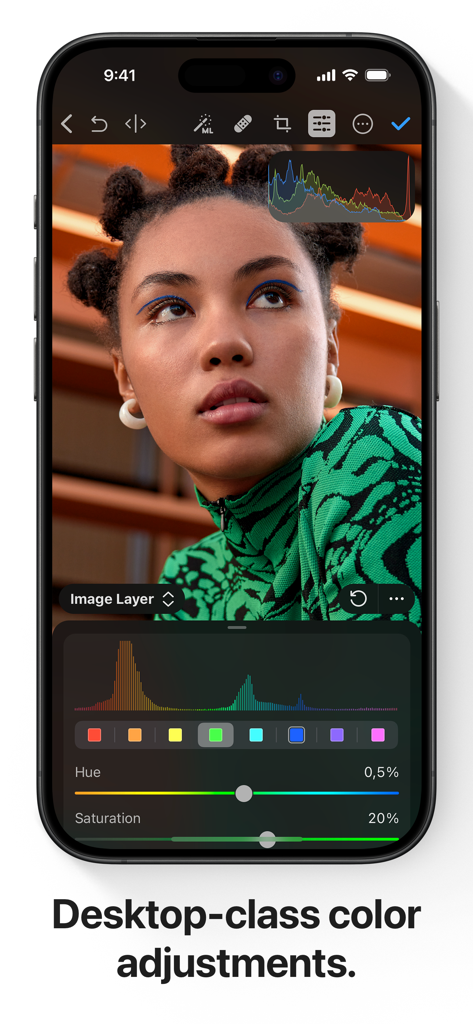
Écran d'iPhone montrant des outils professionnels d'ajustement des couleurs et un portrait dans Photomator.
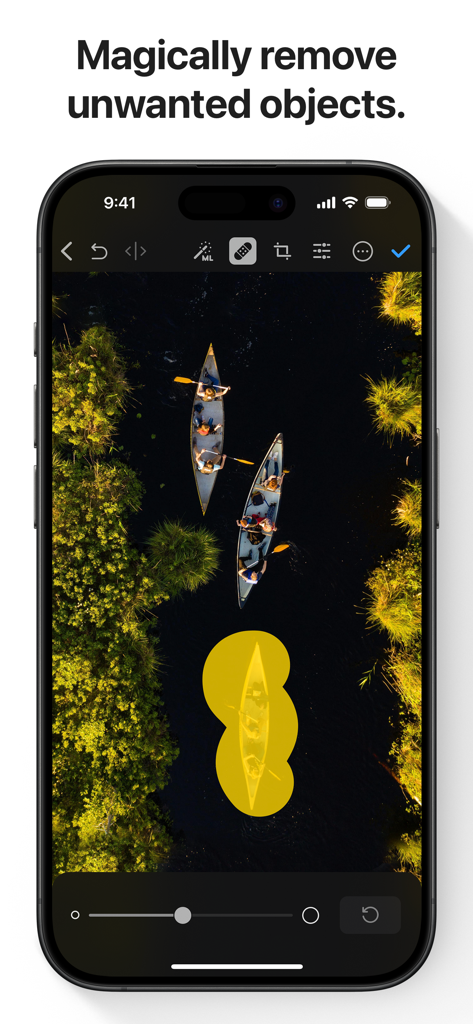
Une capture d'écran de l'application Photomator montrant l'outil de suppression d'objets alimenté par l'IA utilisé sur une photo aérienne de canoës.
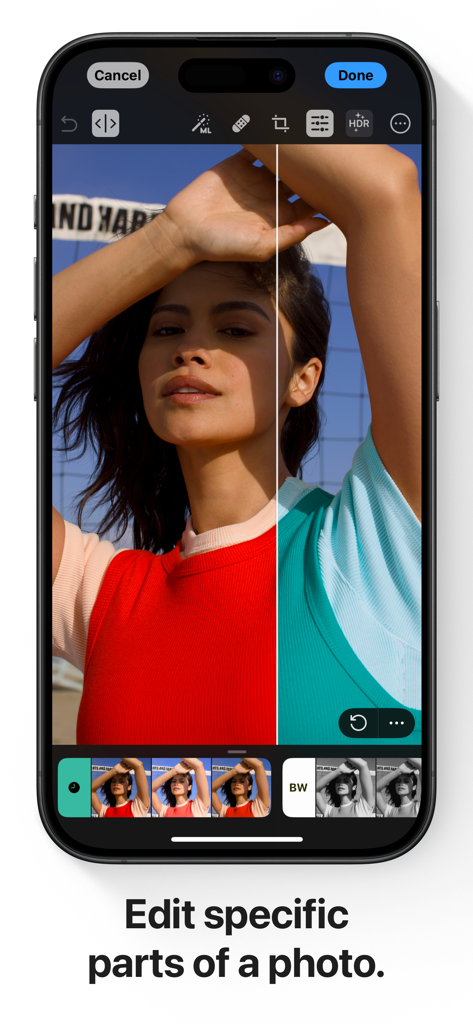
Écran d'iPhone montrant une démonstration en vue partagée de la retouche sélective des couleurs dans l'application Photomator.
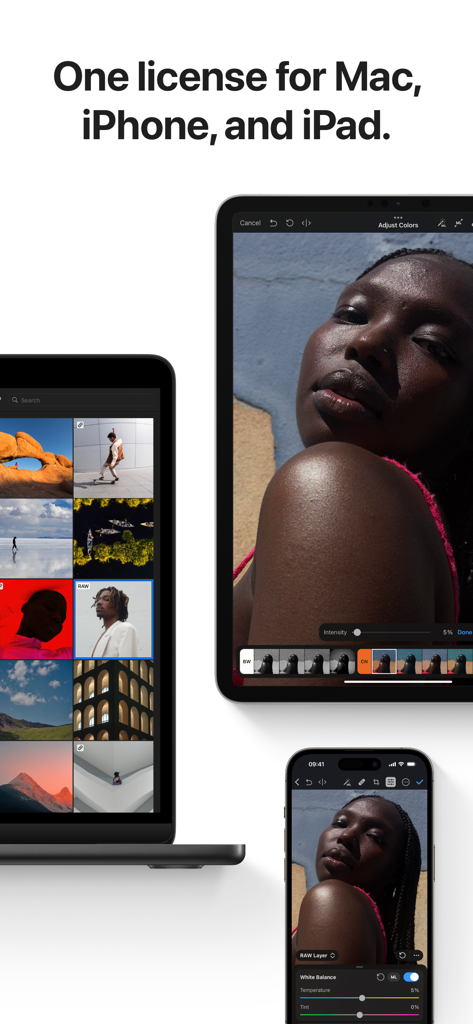
Interface de l'application Photomator présentée sur MacBook, iPad et iPhone.
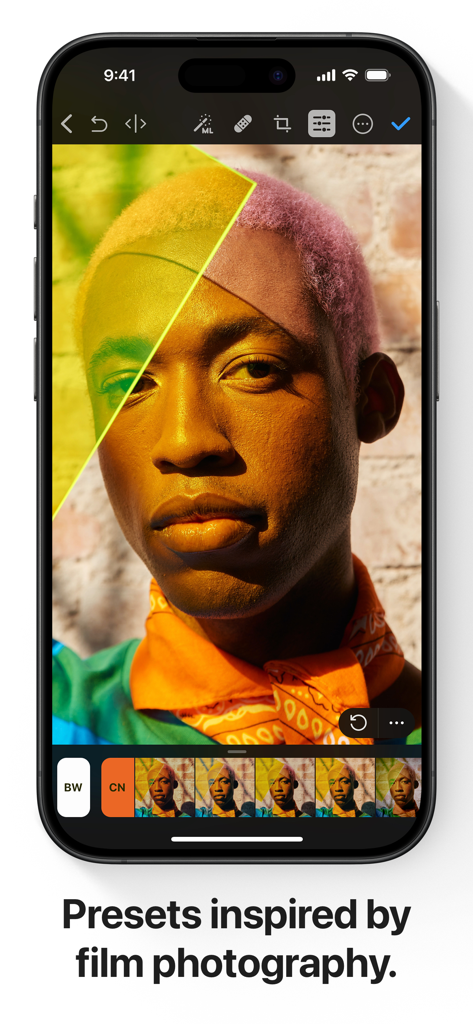
Interface de l'application Photomator sur iPhone affichant des préréglages professionnels inspirés du film pour la retouche de portraits.
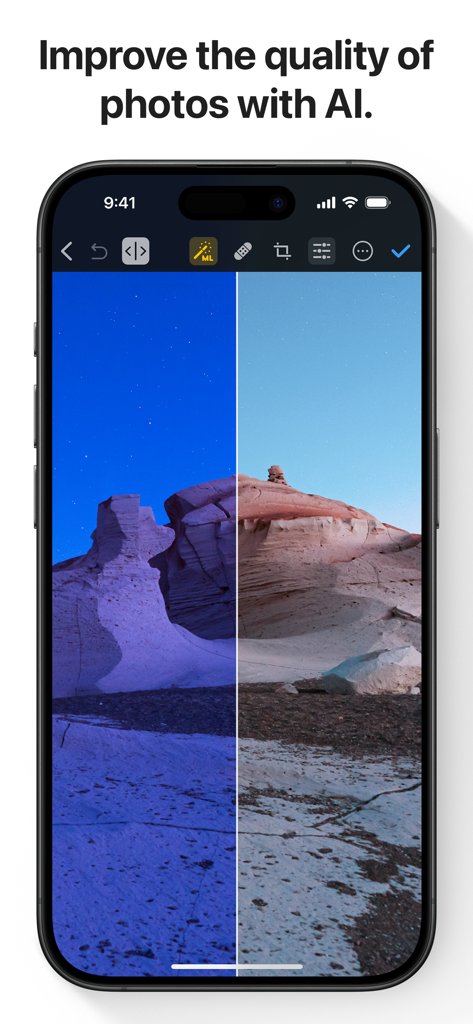
Une comparaison avant/après d'un paysage désertique amélioré par l'IA dans l'application Photomator.
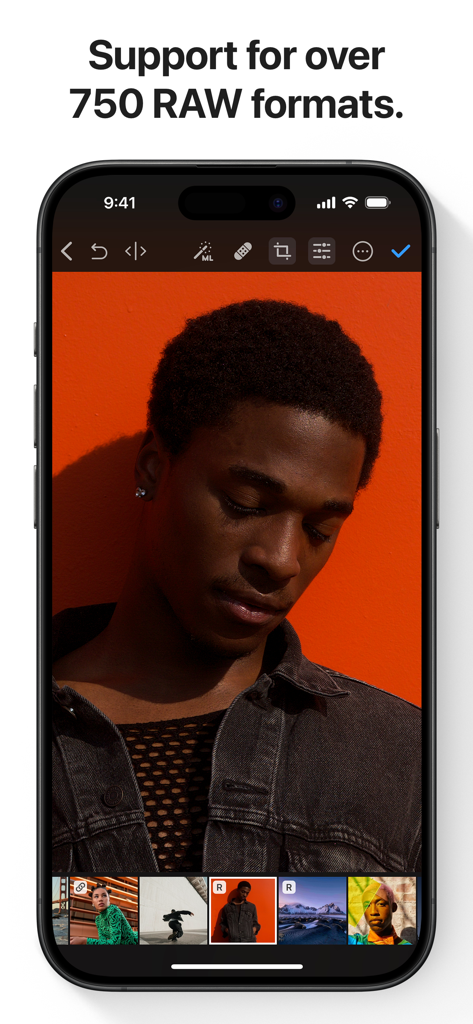
Application Photomator sur iPhone affichant la retouche photo RAW d'un portrait avec un fond orange.
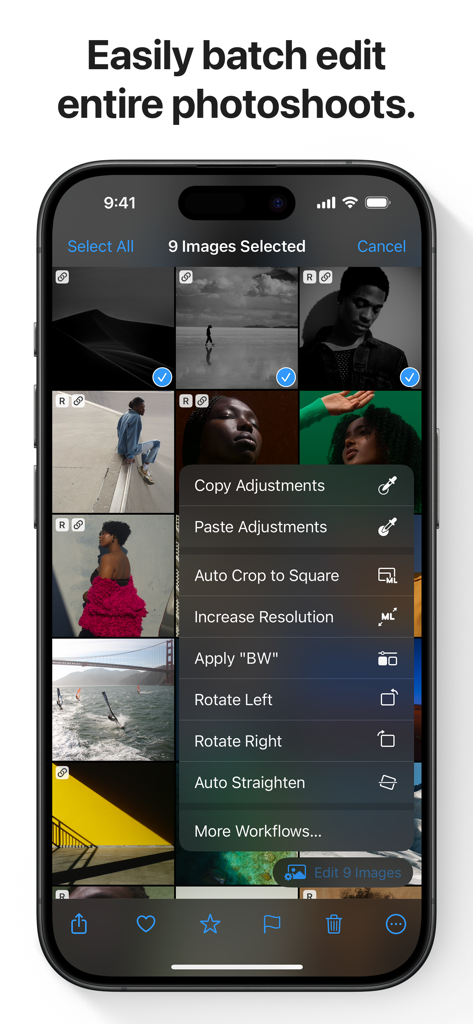
Interface de l'application Photomator sur iPhone montrant les options de retouche photo par lots pour plusieurs images sélectionnées.
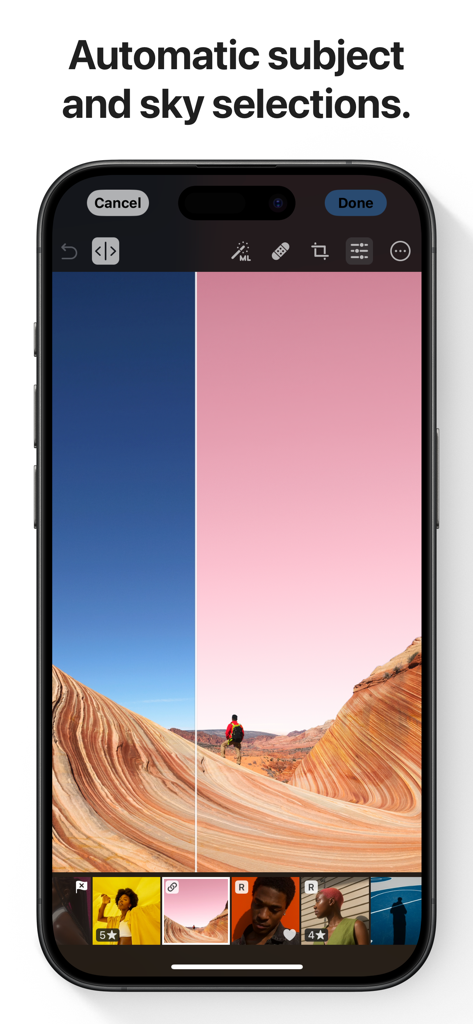
Un smartphone montrant l'application Photomator avec la fonction de sélection automatique du ciel et du sujet par IA sur une photo de paysage.
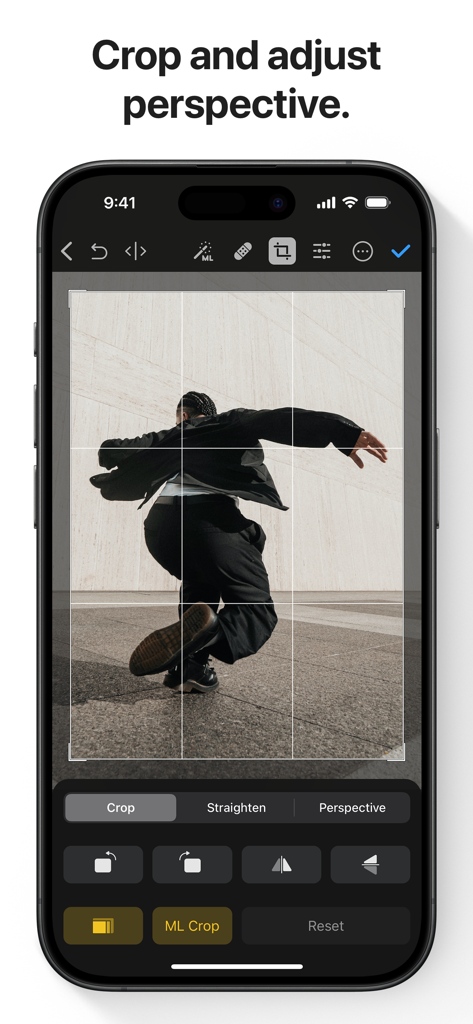
Interface de l'application Photomator montrant les outils d'ajustement de recadrage et de perspective sur un iPhone.
Description
Download
Apps Similaires
Apps avec des fonctionnalités et une expérience similaires

Evoto-AI Photo Editor&Retouch
TRUESIGHT PTE. LTD.

Darkroom: Photo & Video Editor
Bergen Co.

LD - Photo & Video Finishing
Lens Distortions, LLC

Focos
Mosaic S.r.l.

SKRWT
Mathaeus Jagielski

Polarr Pro Photo Editor
Polarr Inc

Canon DPP Express
Canon Inc.

Snapseed: Photo Editor
Google LLC

原片
Beijing Kwai Technology Co., Ltd.
Cette page n'est pas une page officielle de l'application ou de son développeur, mais une publication éditoriale indépendante créée à des fins d'information et de commentaire. Sauf indication expresse contraire, ni l'application ni son développeur ne sont affiliés, approuvés, sponsorisés, autorisés ou autrement officiellement liés à MWM, Apple, Google Play, à l'éditeur de l'application ou au développeur de l'application, et rien sur cette page n'implique que l'application a été développée en utilisant les services de MWM. Toutes les marques, logos, captures d'écran et autres contenus restent la propriété de leurs propriétaires respectifs.