PicMonkey Photo + Vidéo Design : la plateforme créative tout-en-un pour votre marque
Créez des publications sociales professionnelles, effacez les arrière-plans instantanément et concevez du matériel marketing époustouflant sans compétences en design. Rejoignez plus de 3 millions de créateurs qui développent leur entreprise en toute simplicité.
Éditeur
PicMonkey, Inc.
Catégorie
Photo & Video
Téléchargements
3M+
Note
4.8/5
Nombre d'avis
41K+
Langues
2
Créez comme un pro
Découvrez l'interface utilisée par 3M+ utilisateurs.
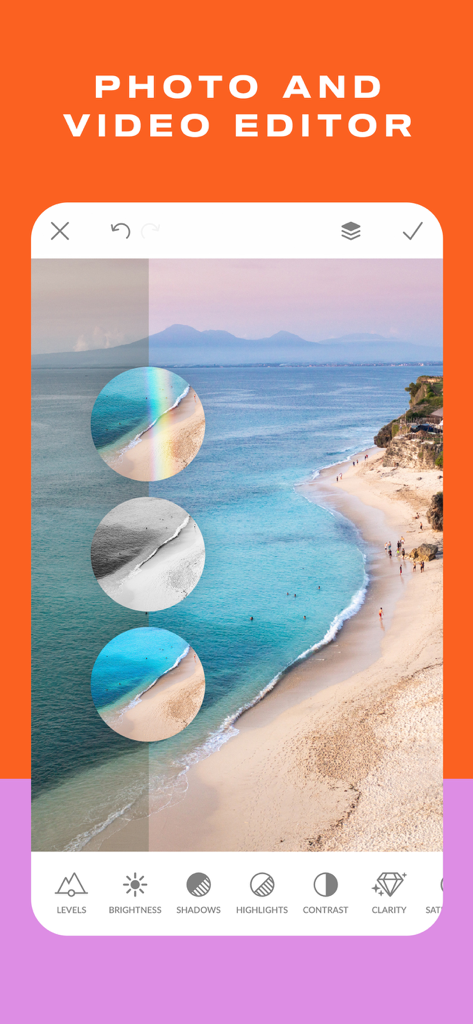
Interface de l'application mobile PicMonkey montrant des outils de retouche photo et des aperçus de filtres sur une scène de plage
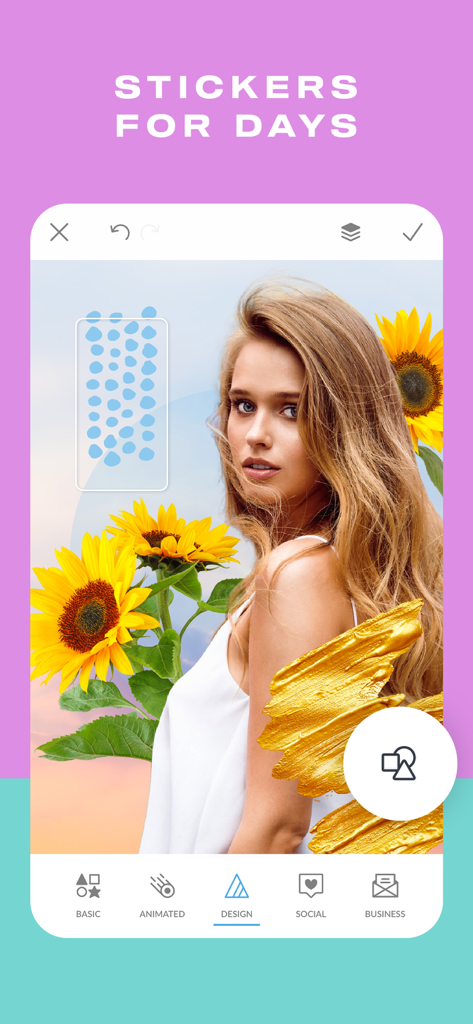
Interface de l'application PicMonkey montrant la retouche photo avec des tournesols et des autocollants graphiques
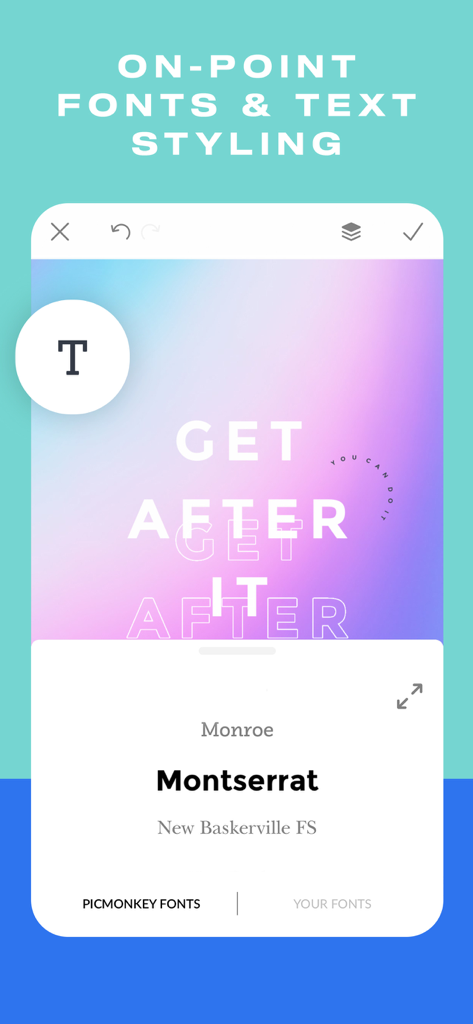
Capture d'écran de l'application PicMonkey montrant l'interface de sélection de polices et le style de texte sur un fond dégradé
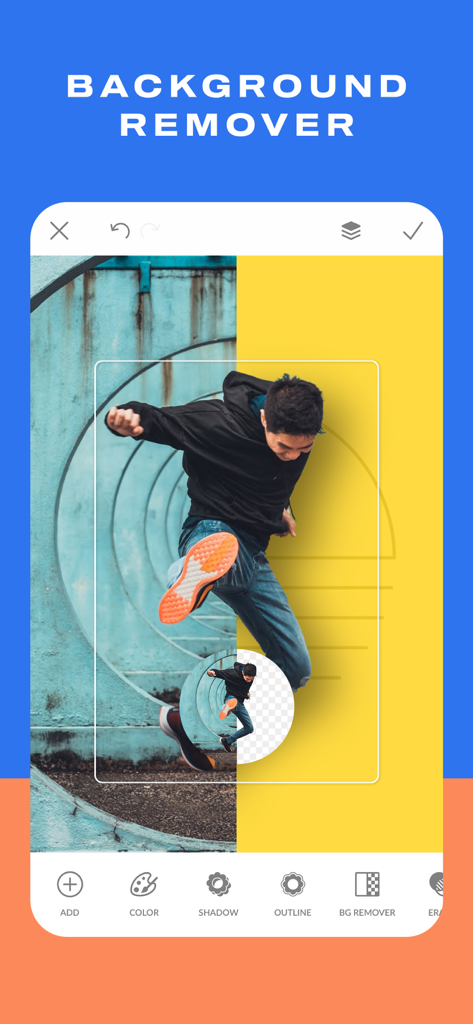
Interface de l'application mobile PicMonkey montrant l'outil de suppression d'arrière-plan sur la photo d'un homme qui saute.
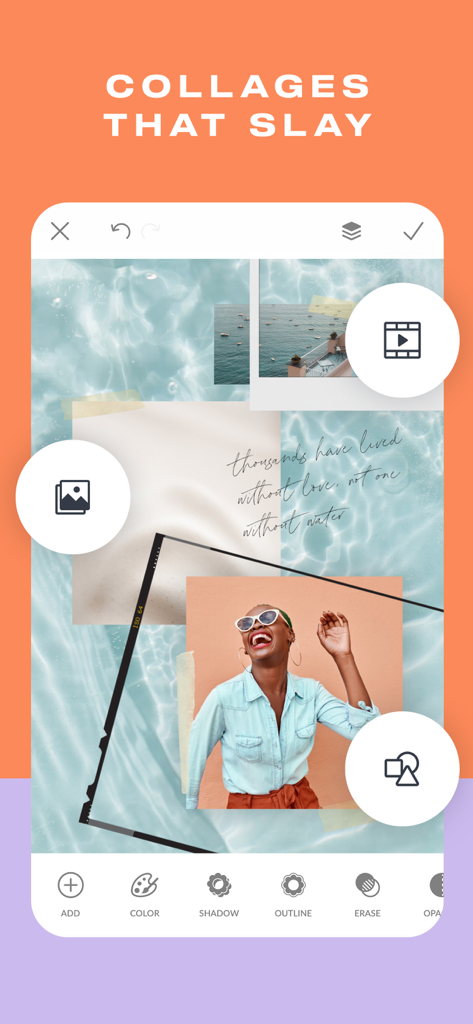
Conception d'un collage photo élégant à l'aide des outils d'édition de l'application PicMonkey
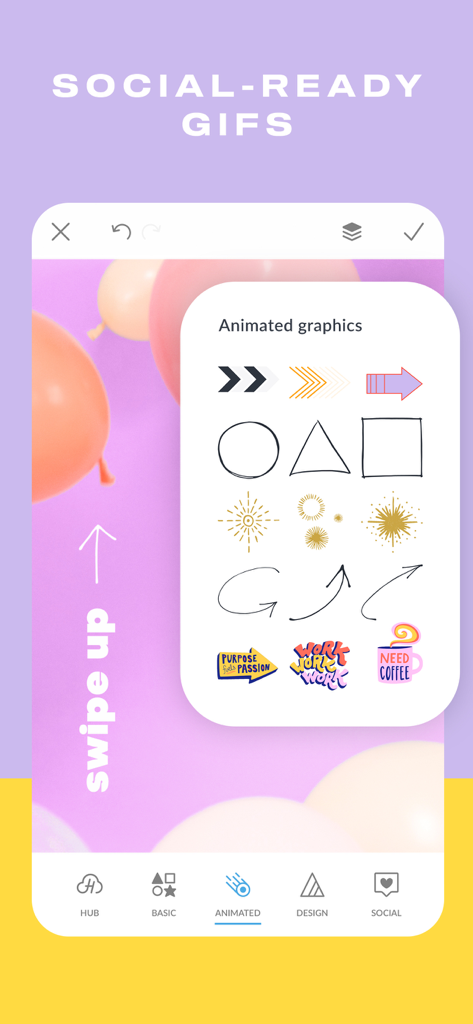
Interface de l'application PicMonkey affichant une sélection de graphiques animés et d'autocollants pour les publications sur les réseaux sociaux.
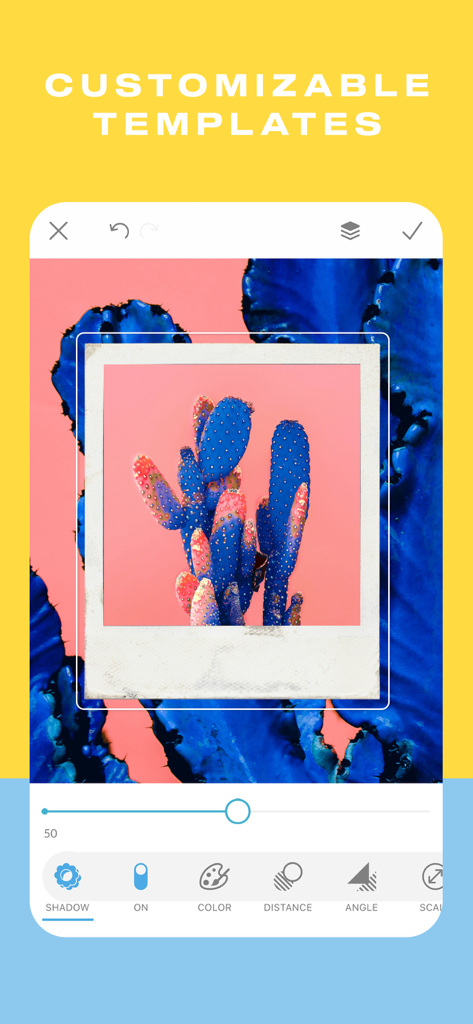
Interface de l'application PicMonkey montrant des modèles personnalisables et des outils de réglage des ombres pour une photo.
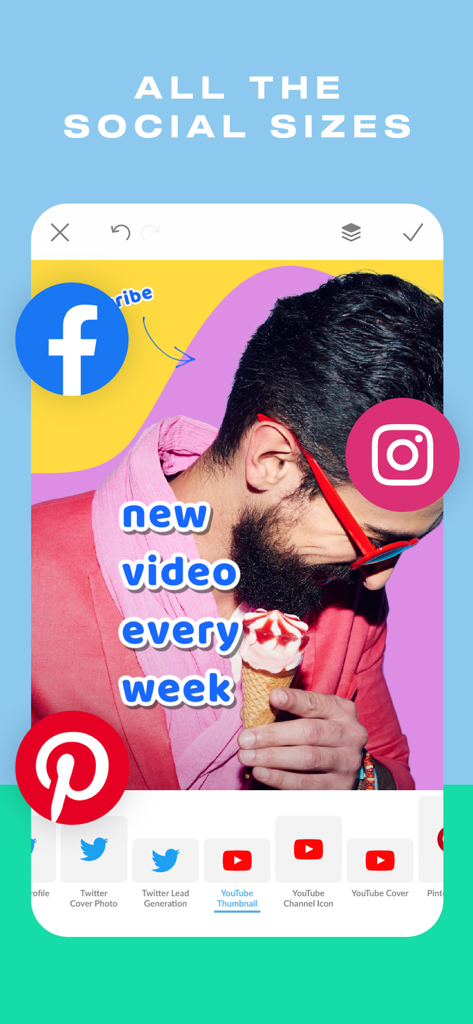
Interface de l'application PicMonkey montrant des modèles de taille pour les réseaux sociaux YouTube, Twitter, Facebook et Instagram
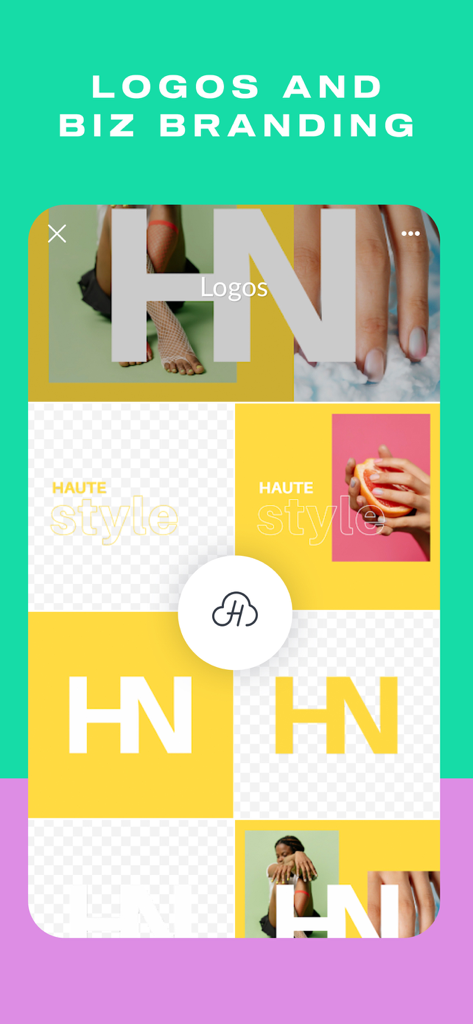
Interface de l'application PicMonkey montrant la conception de logos et des modèles de branding d'entreprise.
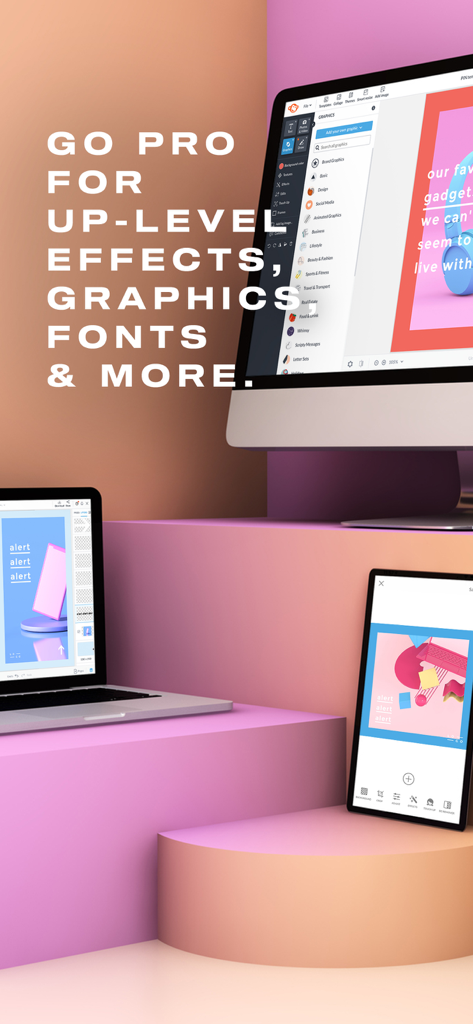
Logiciel de conception graphique PicMonkey affiché sur un ordinateur de bureau, un ordinateur portable et un smartphone montrant la synchronisation entre appareils.
Le design professionnel en toute simplicité
Les outils qui font la différence, choisis par 3M+ utilisateurs.
🪄
Suppression instantanée de l'arrière-plan
Éliminez le désordre de vos photos de produits en un geste — parfait pour créer des fiches produits Etsy et Shopify à fort taux de conversion.
🎨
Kits de branding et réseaux sociaux
Accédez à des milliers de polices et de modèles parfaitement dimensionnés pour Instagram, Pinterest et Facebook afin de maintenir la cohérence de votre marque.
✨
Retouche de portrait impeccable
Soyez prêt pour la photo avec notre outil d'ajustement automatique Presto pour des portraits professionnels et des photos de profil de qualité influenceur.
Analyse des avis
Insights à partir des avis utilisateurs.
Score de sentiment
28%
Négatif
Résumé
This mobile app receives overwhelmingly negative feedback, with many users expressing frustration over critical features like the background remover consistently failing for extended periods, and widespread app instability leading to crashes, freezes, and lost work, particularly for iPhone 14 ProMax users. Users frequently highlight the stark difference in functionality and user experience compared to the desktop version, describing the mobile app as "useless" or "limited" and lacking essential editing tools, iPad landscape mode, and proper hub integration. Furthermore, numerous reviews detail severe issues with subscriptions and billing, including unexpected charges and difficulty canceling, alongside unhelpful customer support and a frustrating login process. While a few long-time users appreciate the app's core editing capabilities and its potential for creative tasks, the current state of the mobile application is a major disappointment.
Thèmes récurrents
Mobile App Features(11)
Background Remover(7)
Subscription & Billing(6)
App Stability(5)
Login Process(5)
Customer Support(4)
Core Editing Experience(3)
À propos de l'app
Tout ce que vous devez savoir sur PicMonkey Photo + Video Design.
Description
PicMonkey is a photo editor, design maker, sticker maker, collage maker, ad maker, and background eraser, all rolled into one.
CREATE STUNNING DESIGNS
• Make a photo into a design or start with a blank canvas and add graphics and text to it.
• Make Facebook post designs, ads, banners, quote posts, flyers, collages
• Draw, erase, and adjust transparency on everything, including graphic stickers (overlays)
• Add your own photos or graphics to a background. When you add your logo, it keeps its transparency
• Tons of graphics to choose from, and fonts galore.
EDIT YOUR PHOTOS
• Elevate your photos with classic photo editor effects like B&W, Orton, Pixelate, Soften.
• Juice the color with photo filters like ColorAmp, Tint, Ombre.
• Get oldie looks with effects like Instafilm, Seventies, Light Leaks.
• New effects are added all the time! You can paint them onto a specific area or apply them to the whole image.
• Use our background eraser to instantly remove pixels around a photo subject.
• Have fun doodling over your photos with Draw.
• Crop photos and resize them—we have all the sizes.
STICKER MAKER/BACKGROUND ERASER
Work wonders with our insanely easy Background Remover—one tap and the pixels around your photo subject are GONE. Use it for product shots or to put people in front of different backgrounds. And you can make stickers with it, too.
ADD TEXT TO PHOTOS
• Add curved text and drop shadows, and adjust them to perfection
• Adjust letter spacing and line height
• Tons of fonts to choose from
• Match any color in your design or photo with the eyedropper tool
• Get an exact color using hex code, RGB code, or the color wheel
TOUCH UP YOUR PORTRAITS
Touch up photos on the quick with the Presto automatic adjustment or use our other tools to adjust complexions, fix blemishes, create dramatic contours, and brighten eyes and teeth (in-app purchase).
BLOW UP YOUR SOCIAL CHANNELS
• Create social posts by starting with a blank canvas or a photo. We have all the sizes—YouTube, Pinterest, Facebook, Instagram, • and more.•
• Design banners and cover images, edit profile pics, and ads for social.
• Share directly to Instagram; choose Story or post.
MAKE GORGEOUS COLLAGES
Start with a colored background and add your own photos as graphic stickers. Make 'em grid-like or go free-form. Add text and graphic flourishes.
BOOST YOUR BIZNAZZ
Create banners, profile images, and store icons.
Make product shots perfect with our background eraser tool —no need to use expensive photo setups. We've got all the Etsy sizes and it's easy to crop for the other online shops.
WHAT OUR USERS ARE SAYING:
"So easy! I have zero professional background but I love to create. This just makes it so so easy. The app and online editor work so well together. I would highly recommend! "—LizS42
CONTACT US: FOLLOW, LIKE, SHARE
Facebook: https://www.facebook.com/PicMonkey-363288993696707/
Twitter: http://www.twitter.com/PicMonkeyapp
LEGAL SCHTUFF
Our Terms of Use and Privacy Policy:
https://www.picmonkey.com/legal
SUBSCRIPTIONS
Touch Up is free if you have a Basic or Pro subscription. Just log in, via the gear icon in the upper left corner of the app. Or you can buy it as a one-time purchase in-app.
- *Basic/Monthly* — Adds 1 GB of storage for images and full access on Desktop. Auto-renews monthly.
- *Basic/Annual* — Adds 1GB of storage for images and full access on Desktop. Auto-renews annually.
- *Pro/Monthly* — Adds unlimited image storage, full access on Desktop. Auto-renews annually.
- *Pro/Annual* — Adds unlimited image storage, and full access on Desktop. Auto-renews annually.
Subscriptions automatically renew unless you turn off auto-renewal at least 24 hours before the end of the current billing period. You can manage your subscription any time from your iTunes account settings—this includes renewal options and cancellations.
Dernière version
1.43.7
Taille
270.3 MB
Date de sortie
30 juil. 2016
Transformez votre projet passion en une marque incontournable
Rejoignez plus de 3 millions de créateurs utilisant notre gomme d'arrière-plan en un geste, nos filtres de niveau professionnel et nos modèles prêts pour Etsy pour développer leur activité partout.
Recommandations
Apps Similaires
Apps avec des fonctionnalités et une expérience similaires
App information, icons, screenshots, and descriptions displayed on this page are sourced from the Apple App Store and are the property of their respective developers. Download estimates and rankings are based on MWM's proprietary models and may not reflect actual figures. This page is provided for informational and analytical purposes only.
Believe this page infringes your intellectual property? File a dispute