Scanner App - PDF Scan Pro: Votre Bureau de Poche Haute Performance
Optimisez votre flux de travail en transformant votre iPhone en un hub de documents puissant. Numérisez, signez et organisez vos fichiers en quelques secondes avec OCR professionnel et synchronisation cloud sécurisée, conçus pour le professionnel moderne.
Éditeur
Digitap Inc.
Catégorie
Business
Téléchargements
1M+
Note
4.9/5
Nombre d'avis
46K+
Langues
2
Votre Bureau, Réinventé
Découvrez l'interface utilisée par 1M+ utilisateurs.
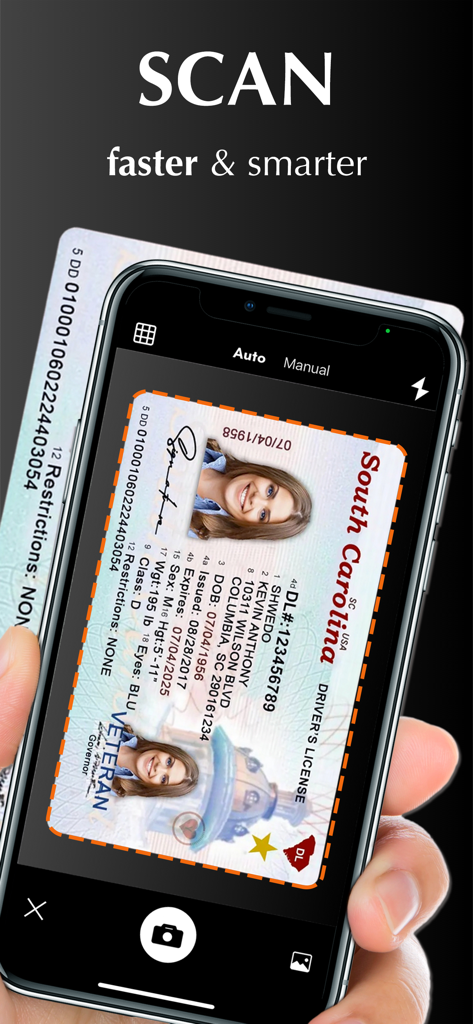
Une main tenant un iPhone en train de numériser une carte d'identité avec Scanner App PDF Scan Pro.
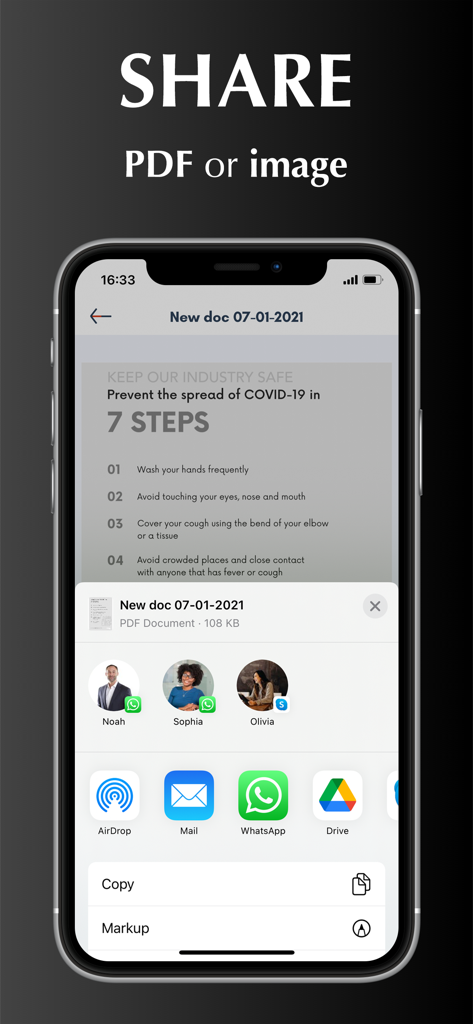
Écran d'iPhone montrant des options pour partager un PDF ou une image numérisée via diverses applications.
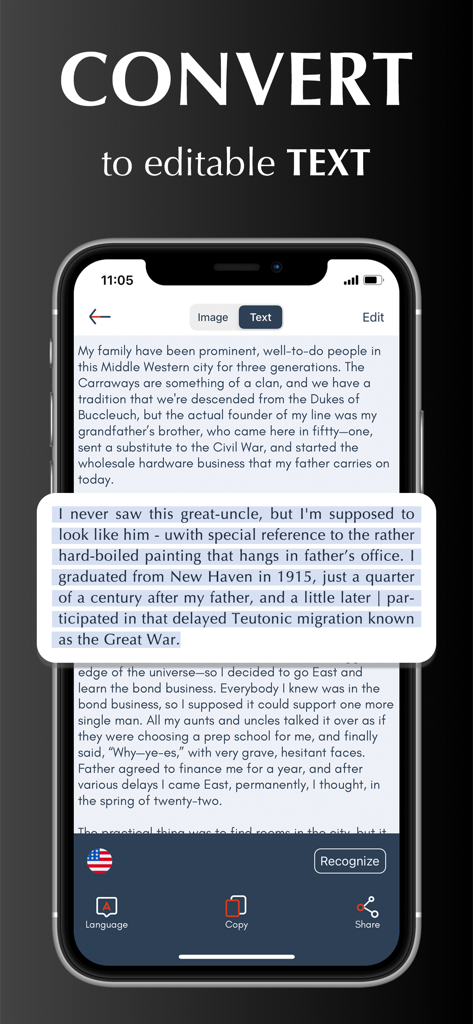
Écran d'iPhone montrant Scanner App convertissant un document numérisé en texte modifiable.
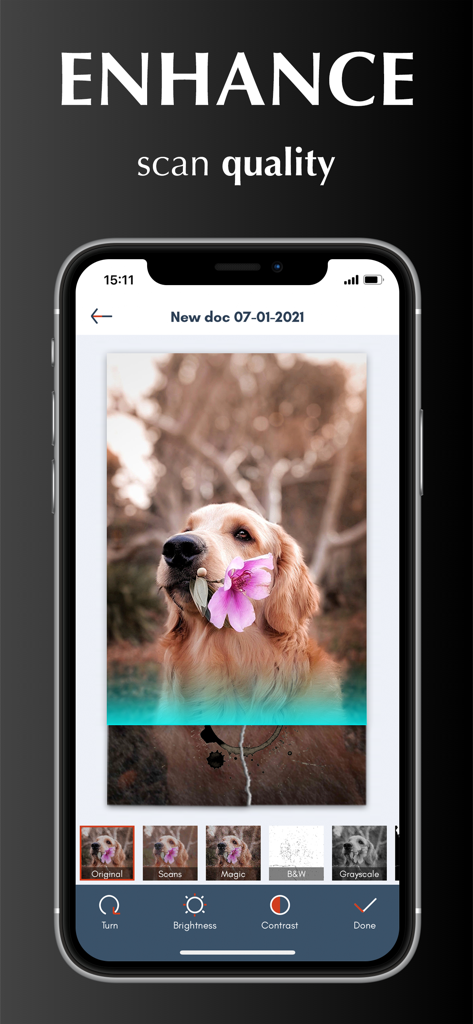
Interface montrant les outils d'amélioration de la qualité de numérisation et les filtres d'image dans Scanner App PDF Scan Pro.
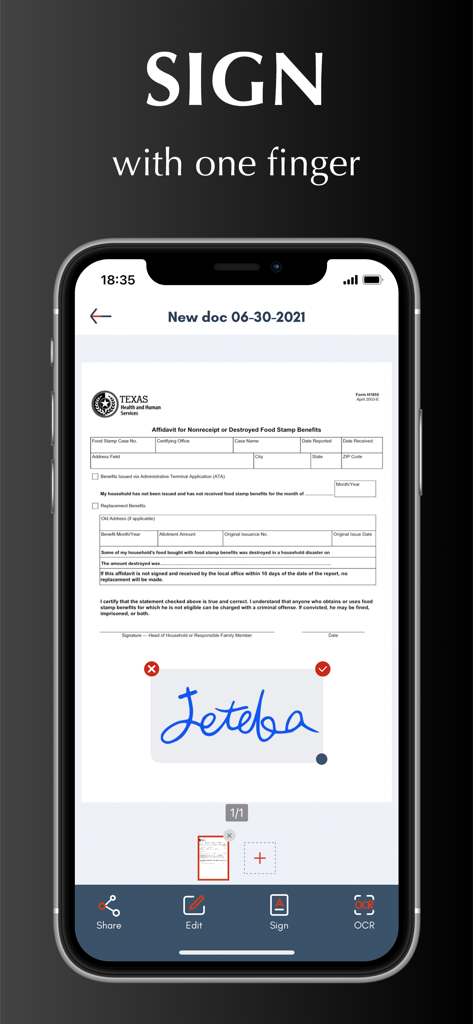
Fonction de signature numérique sur un document dans l'interface de Scanner App.
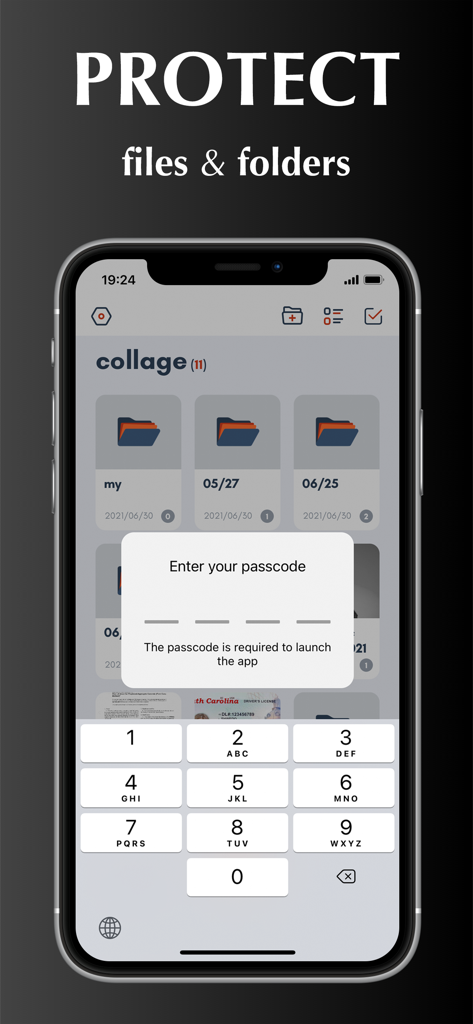
Écran d'iPhone montrant une fonction de verrouillage par code d'accès pour protéger les documents et les dossiers dans Scanner App.
Votre Bureau de Poche Professionnel
Les outils qui font la différence, choisis par 1M+ utilisateurs.
✍️
Signez et Modifiez en Déplacement
Évitez les tracas de 'Imprimer-Signer-Numériser'. Créez votre signature numérique et utilisez des filtres de couleur magiques pour que chaque document paraisse net et officiel.
🔍
Extraction Intelligente de Texte (OCR)
Convertissez instantanément les numérisations en texte modifiable. Extrayez des données des reçus ou traduisez des documents dans plus de 10 langues avec précision.
☁️
Intégration Cloud Sécurisée
Synchronisation automatique vers iCloud, Dropbox ou Google Drive. Gardez vos documents sensibles en sécurité grâce à la protection par mot de passe et aux dossiers personnalisés.
À propos de l'app
Tout ce que vous devez savoir sur Scanner App - PDF Scan Pro.
Description
Scanner App turns your iPhone into a powerful pocket scanner and help you increase productivity at work. With scanner app, you can scan any paper document into clear PDF or PNG, and sign, enhance, organize and share it to email, iCloud, Dropbox, Box......
SCANNER APP FEATURES
Scan:
√ Accurately detect edges of documents.
√ Automatically scan without tapping.
√ Scan multiple pages of files into one single PDF or long image.
√ Unlimited scan business documents, receipts, ID cards, written notes, agreements, paper sketches, books, printed photos, rentals, or any other printed documents...
√ Add pictures for scanning from camera roll.
√ Batch scanning mode automates multiple pages scanning tasks.
Edit:
√ Create and add signature to electronic documents.
√ Apply magic color effect to scanned files, or change filter to grayscale, black & white, threshold.
√ Adjust contrast or brightness to enhance scan quality.
√ Convert PDF document to PNG, JPG, TXT.
Share:
√ Share through Text, Email, WhatsApp, Facebook, LinkedIn, Messenger……
√ Save scanned files to cloud services (including OneDrive, Google Drive, Dropbox, Box, iCloud) in one tap.
OCR:
√ Use text recognition to extract or grab texts from scanned image.
√ Select, copy, cut, edit and share text.
√ Support 10+ languages.
Translate:
√ Translate Text to different languages.
Organize:
√ Import files from iPhone or cloud services.
√ Create, move and manage files and folders.
√ Rename and share files with friends or colleagues.
√ Protect everything with a Password.
Sync:
√ Sync and access your files from cloud space in seconds.
√ Sync files across multiple devices.
HOW TO USE
Open your scanner app. Place your document in view of the camera. Tap the Camera button. If your scanner app is in Auto mode, your document will automatically scan. Tap “Manual” if you need manually capture a scan. Then drag the corners to adjust the scan to fit the page, then tap the Camera button. Tap “continue” and “done” to save your scans.
UNLIMITED ACCESS MEMBERSHIP SUBSCRIPTION
- You can subscribe for premium account with all premium features and no ads and watermark
- Subscription is from $9.99 monthly, $4.99 weekly, $39.99 yearly
- Subscription automatically renews for the same price and duration period as the original "one week"/"one month"/"one year" package unless auto-renew is turned off at least 24-hours before the end of the current period
- Payment will be charged to iTunes Account at confirmation of purchase
- Subscriptions may be managed by the user and auto-renewal may be turned off by going to the user's Account Settings after purchase
- Any unused portion of a free trial period, if offered, will be forfeited when the user purchases a subscription to that publication, where applicable
Privacy Policy: https://scannerocr.com/privacy.html
Terms of Use: https://scannerocr.com/terms.html
Dernière version
4.2.0
Taille
115.8 MB
Date de sortie
26 août 2020
Transformez Votre iPhone en une Puissance Professionnelle
Rejoignez plus d'un million de personnes performantes qui ont abandonné le matériel encombrant. Découvrez l'outil ultime pour numériser, signer et synchroniser vos documents en déplacement.
Recommandations
Apps Similaires
Apps avec des fonctionnalités et une expérience similaires
App information, icons, screenshots, and descriptions displayed on this page are sourced from the Apple App Store and are the property of their respective developers. Download estimates and rankings are based on MWM's proprietary models and may not reflect actual figures. This page is provided for informational and analytical purposes only.
Believe this page infringes your intellectual property? File a dispute