Scanner-App: Scan Text & Notes

Scanner-App: Scan Text & Notes

Télécharger sur App Store
Logo de Scanner-App: Scan Text & Notes

Scanner-App : Numérisez, signez et organisez des documents en quelques secondes

Transformez votre iPhone en un bureau portable performant. Utilisez l'OCR intelligent pour extraire du texte, signer des contrats en déplacement et synchronisez-vous instantanément avec le cloud pour un flux de travail sans papier et à haute efficacité.

Éditeur

Appsorama Media Limited

Catégorie

Business

Téléchargements

587K+

Note

3.1/5

Nombre d'avis

200

Langues

1

L'efficacité en perspective

Découvrez l'interface utilisée par 587K+ utilisateurs.
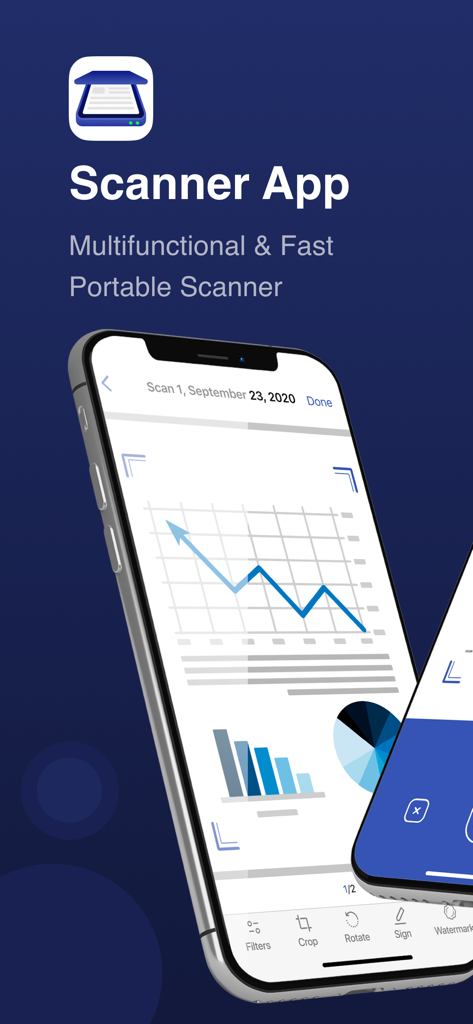
Un smartphone affichant l'interface de Scanner App avec une numérisation numérique d'un document commercial présentant des graphiques et des outils d'édition comme le recadrage et la signature

Un smartphone affichant l'interface de Scanner App avec une numérisation numérique d'un document commercial présentant des graphiques et des outils d'édition comme le recadrage et la signature

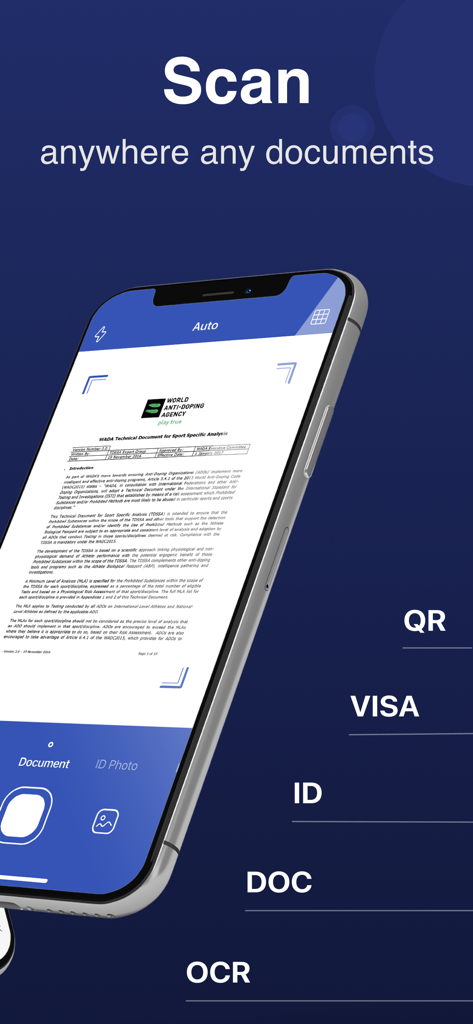
Un iPhone affichant l'interface de Scanner-App numérisant un document avec les modes OCR et scan d'identité

Un iPhone affichant l'interface de Scanner-App numérisant un document avec les modes OCR et scan d'identité

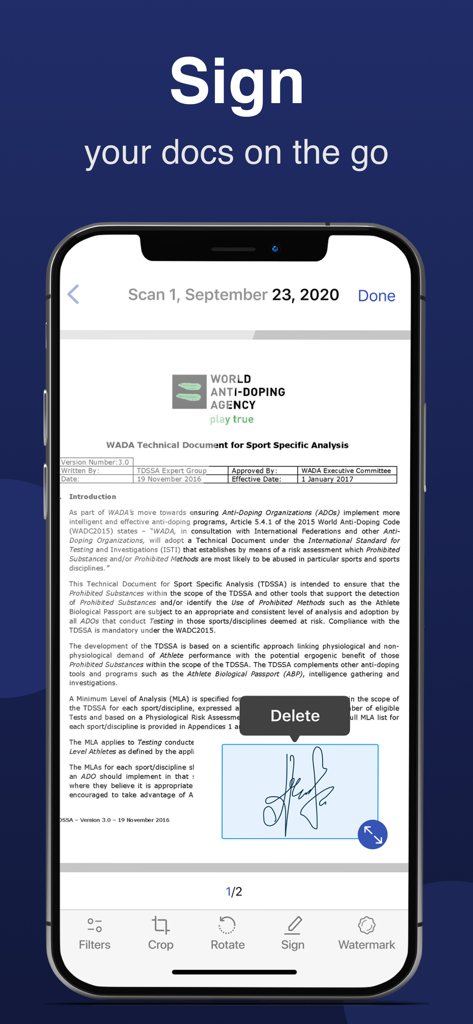
L'écran d'un smartphone montrant la fonction de signature électronique de Scanner-App sur un document officiel

L'écran d'un smartphone montrant la fonction de signature électronique de Scanner-App sur un document officiel

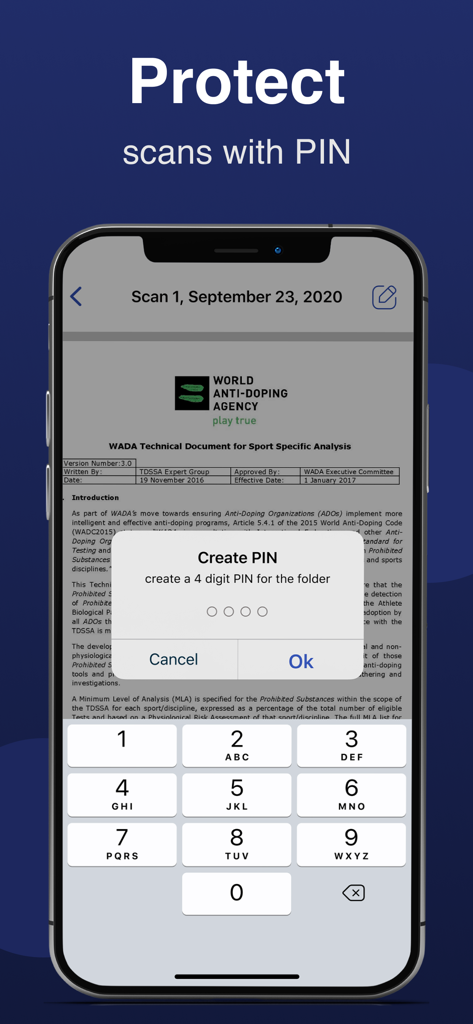
Interface d'application mobile montrant une invite pour créer un code PIN à quatre chiffres afin de protéger les dossiers de documents numérisés

Interface d'application mobile montrant une invite pour créer un code PIN à quatre chiffres afin de protéger les dossiers de documents numérisés

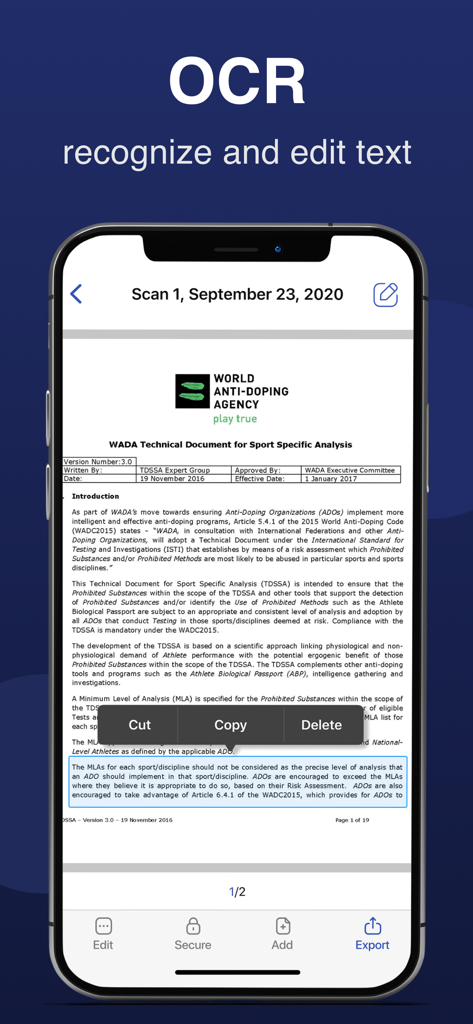
Capture d'écran d'une application mobile montrant la reconnaissance et l'édition de texte OCR sur un document numérisé

Capture d'écran d'une application mobile montrant la reconnaissance et l'édition de texte OCR sur un document numérisé

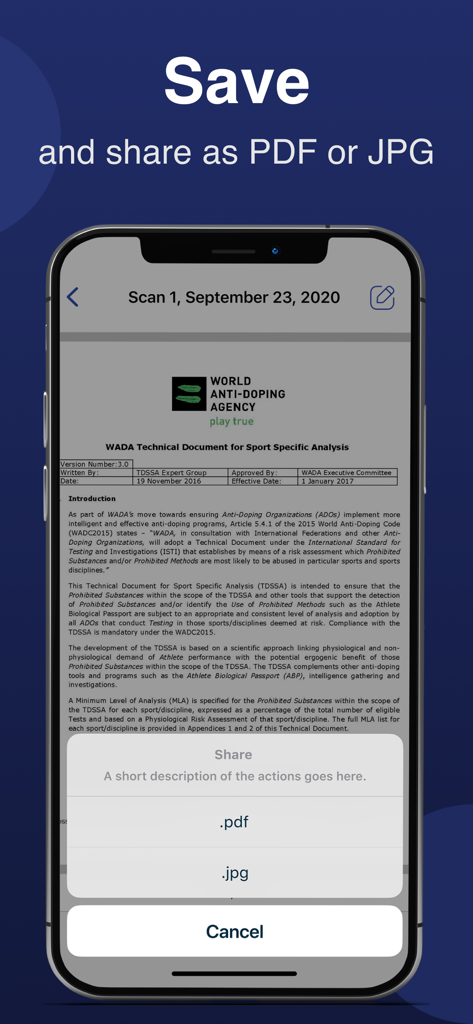
Écran de smartphone montrant une application de numérisation de documents avec des options pour enregistrer et partager une numérisation en PDF ou JPG

Écran de smartphone montrant une application de numérisation de documents avec des options pour enregistrer et partager une numérisation en PDF ou JPG

Le seul outil de bureau dont vous avez besoin dans votre poche

Les outils qui font la différence, choisis par 587K+ utilisateurs.

✍️

Signez des contrats n'importe où

Finalisez des transactions en déplacement. Ajoutez votre signature électronique à n'importe quelle numérisation et renvoyez-la en quelques secondes, sans imprimante ni encre.

📑

Extraction de texte OCR de précision

Arrêtez de retaper vos notes. Utilisez l'OCR intelligent pour extraire du texte de documents physiques et les convertir instantanément en fichiers Word modifiables.

☁️

Flux de travail cloud transparent

Gardez votre espace de travail épuré. Synchronisez automatiquement vos numérisations avec Google Drive ou Dropbox pour un système de classement sans papier, parfait et organisé.

Analyse des avis

Insights à partir des avis utilisateurs.

Score de sentiment

22%
Négatif

Résumé

General feedback for this app is overwhelmingly negative, with many users feeling misled by "free trial" claims, encountering unexpectedly high subscription costs (some as high as $15/week), and struggling with difficult cancellation processes and refund issues. Several users reported that the core scanning functionality either did not work as advertised, was complicated to use, or offered no significant improvement over a standard phone camera. While a few users praised the app for its "fabulous" scanning capabilities and expressed general satisfaction, these positive remarks are significantly overshadowed by widespread complaints about persistent notifications, poor user experience, and a perceived lack of value for money.

Thèmes récurrents

Misleading Pricing & Subscriptions(23)
Core Functionality Issues(11)
Cancellation & Refund Difficulty(10)
General Positive Feedback(8)
Poor User Experience(5)
Excessive Notifications & Ads(5)
Effective Scanning / Features(2)

À propos de l'app

Tout ce que vous devez savoir sur Scanner-App: Scan Text & Notes.

Description

Scanner-App is a user-friendly multifunctional mobile scanning app that turns everything from IDs to receipts into digital information. No more queuing up near a huge scanner. Tiny and fast Scanner-App will scan and share docs via email or massager in some minutes. Forget about tons of paper. Organize, manage and store documents in the app or in a cloud. With Scanner-App, you don’t need to wait until you get to your office or home office. You can scan and sign documents and send them while you are in a transport or walking through the street. Main features: - High quality PDF and JPG scans - Live border detection and perspective auto correction - OCR (convert image text to word format editable text) - E-sign any document by adding your signature to scans within the app - Full featured file and folder organizer - Edit docs: move, rotate, add or delete pages - Print your scans with any Wi-Fi printer - Cloud services like Dropbox or Google Drive - Multiple pages in a single document - Scan QR codes - Share your scans via email, massager send to iBooks. Unique technology of image transformation allows the algorithm of the application instantly detects borders, removes unnecessary shadows and edit perspective. In 5 seconds the Scanner-App creates a full scan of any document. It will not lose clarity and color. There is also the possibility of flexible color adjustment of the document. By using Scanner-App, you are agreeing to our Privacy Policy and Terms of Use: http://p.appsorama.me/com.appsorama.scanner http://p.appsorama.me/com.appsorama.scanner.terms

Dernière version

2.7

Taille

186.1 MB

Date de sortie

28 déc. 2020

Prêt à jeter le papier ?

Rejoignez plus de 587 000 professionnels et étudiants qui ont transformé leur iPhone en un bureau de poche à haute vitesse. Numérisez, signez et partagez vos documents en quelques secondes.

Télécharger sur App Store

App information, icons, screenshots, and descriptions displayed on this page are sourced from the Apple App Store and are the property of their respective developers. Download estimates and rankings are based on MWM's proprietary models and may not reflect actual figures. This page is provided for informational and analytical purposes only.

Believe this page infringes your intellectual property? File a dispute