SCANNER - PDF Document Scan

SCANNER - PDF Document Scan

Télécharger sur App Store
Logo de SCANNER - PDF Document Scan

SCANNER - Scan de Documents PDF : Votre Bureau Mobile Professionnel

L'outil tout-en-un pour les professionnels hybrides afin de numériser, signer et convertir des documents avec une précision OCR. Sécurisez vos données sensibles avec FaceID et synchronisez instantanément sur tous vos appareils.

Éditeur

Zafar Ullah

Catégorie

Business

Téléchargements

2M+

Note

4.4/5

Nombre d'avis

30K+

Langues

11

Votre Bureau Mobile, Visualisé

Découvrez l'interface utilisée par 2M+ utilisateurs.
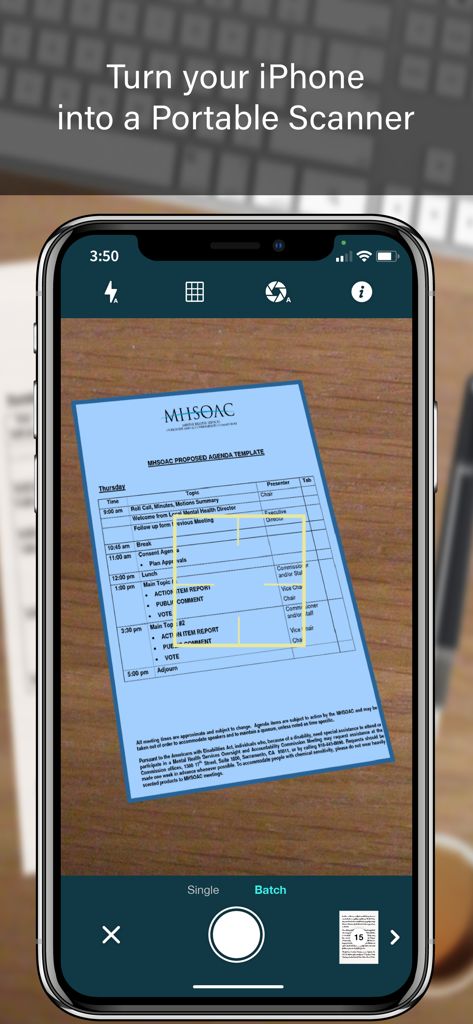
Écran d'iPhone affichant l'interface de l'application SCANNER capturant un document avec détection automatique des bords et mode de numérisation par lots.

Écran d'iPhone affichant l'interface de l'application SCANNER capturant un document avec détection automatique des bords et mode de numérisation par lots.

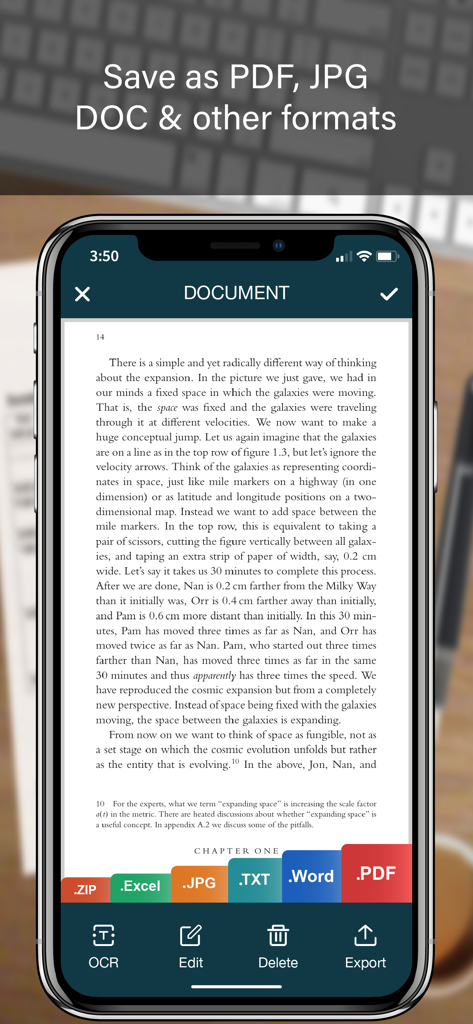
Interface de l'application de numérisation mobile montrant un document avec des options d'exportation pour PDF, JPG, Word et Excel.

Interface de l'application de numérisation mobile montrant un document avec des options d'exportation pour PDF, JPG, Word et Excel.

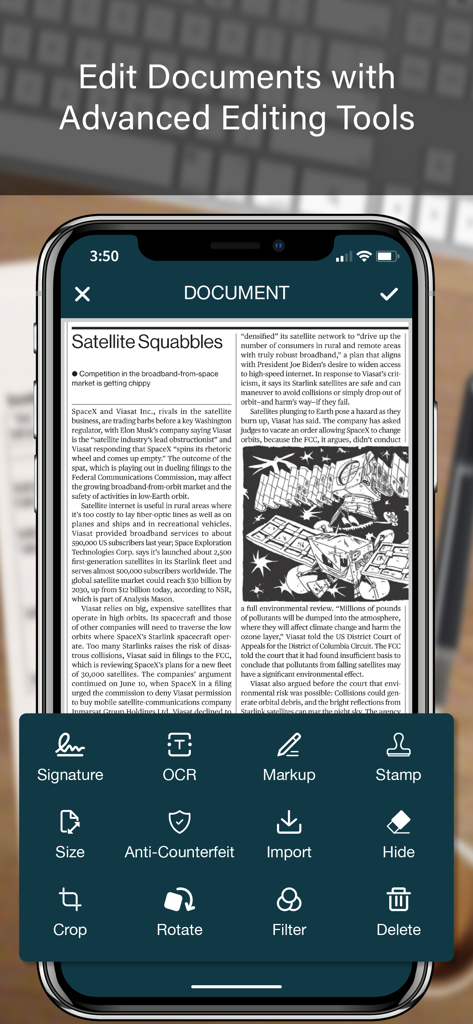
Interface de l'application SCANNER montrant des outils d'édition de documents avancés, y compris OCR, signature numérique et balisage.

Interface de l'application SCANNER montrant des outils d'édition de documents avancés, y compris OCR, signature numérique et balisage.

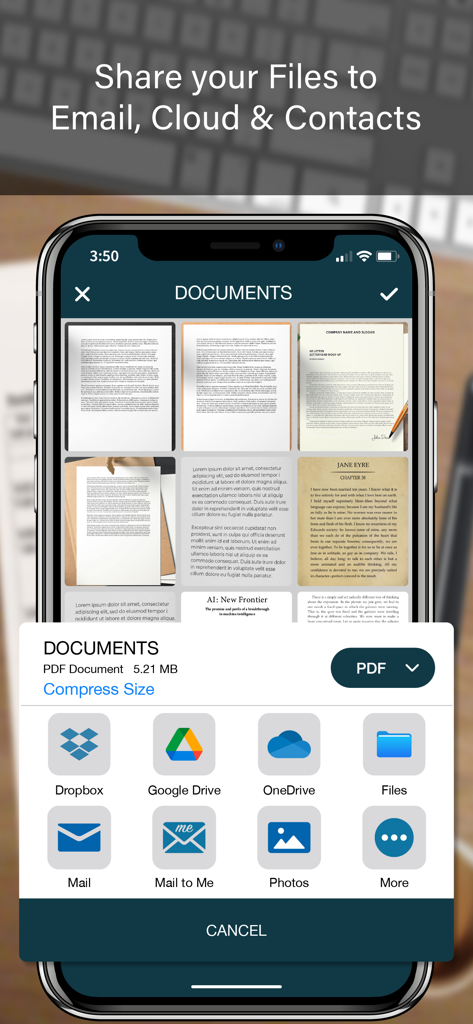
Une interface mobile montrant les options de partage de documents pour une application de numérisation PDF, y compris le stockage cloud et l'e-mail.

Une interface mobile montrant les options de partage de documents pour une application de numérisation PDF, y compris le stockage cloud et l'e-mail.

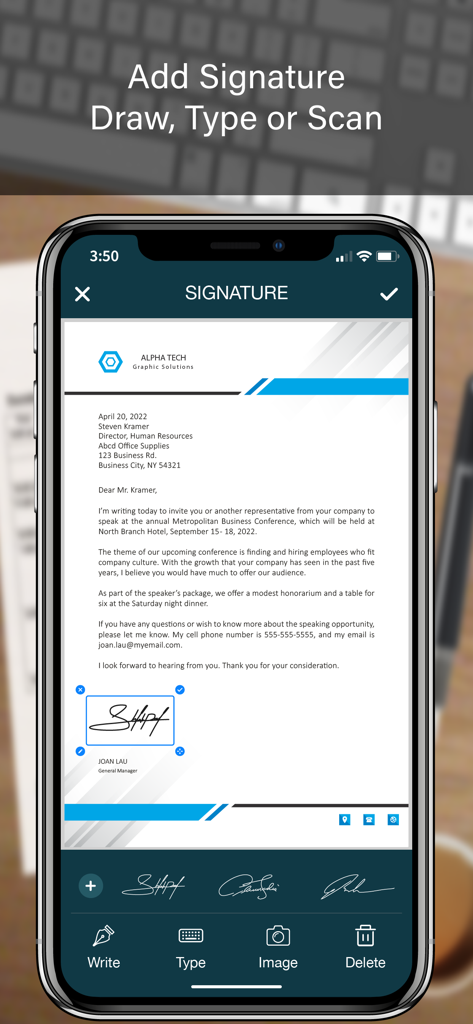
Interface de l'application mobile montrant comment ajouter une signature numérique à un document commercial.

Interface de l'application mobile montrant comment ajouter une signature numérique à un document commercial.

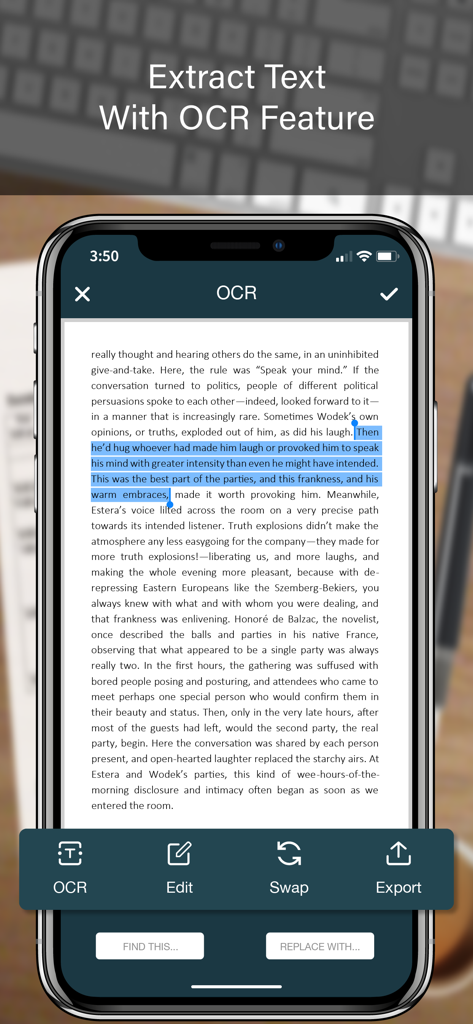
Écran de l'application mobile montrant l'extraction de texte OCR à partir d'un document numérisé.

Écran de l'application mobile montrant l'extraction de texte OCR à partir d'un document numérisé.

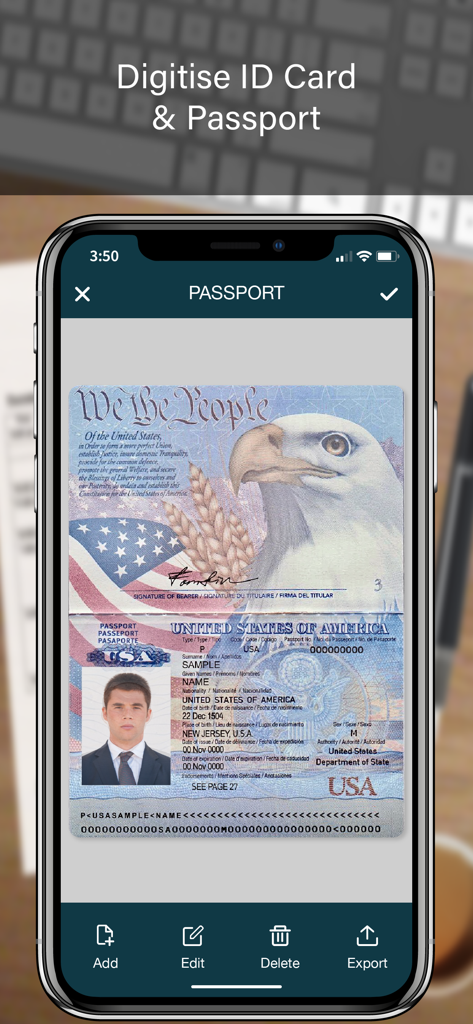
Un écran d'application mobile montrant un passeport américain numérisé pour le stockage numérique de documents.

Un écran d'application mobile montrant un passeport américain numérisé pour le stockage numérique de documents.

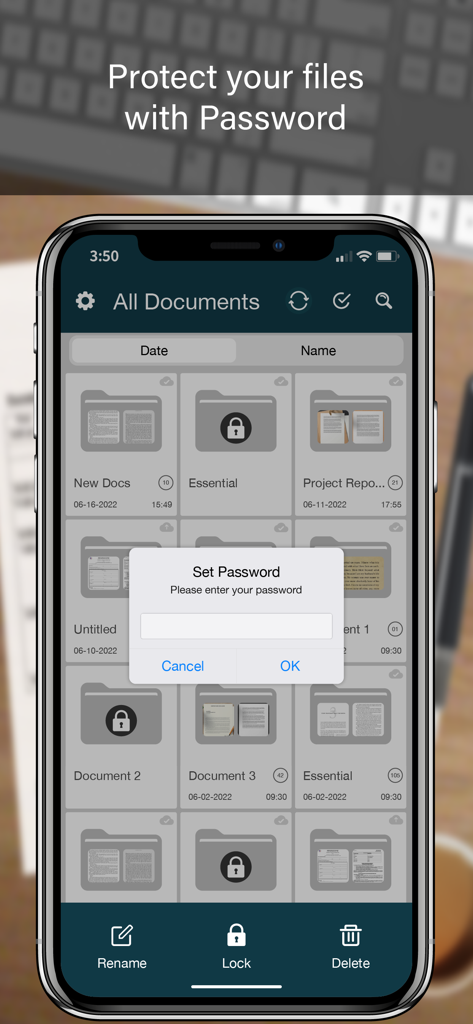
Un écran de smartphone montrant une application de numérisation de documents avec une invite de verrouillage par mot de passe au-dessus d'une liste de dossiers.

Un écran de smartphone montrant une application de numérisation de documents avec une invite de verrouillage par mot de passe au-dessus d'une liste de dossiers.

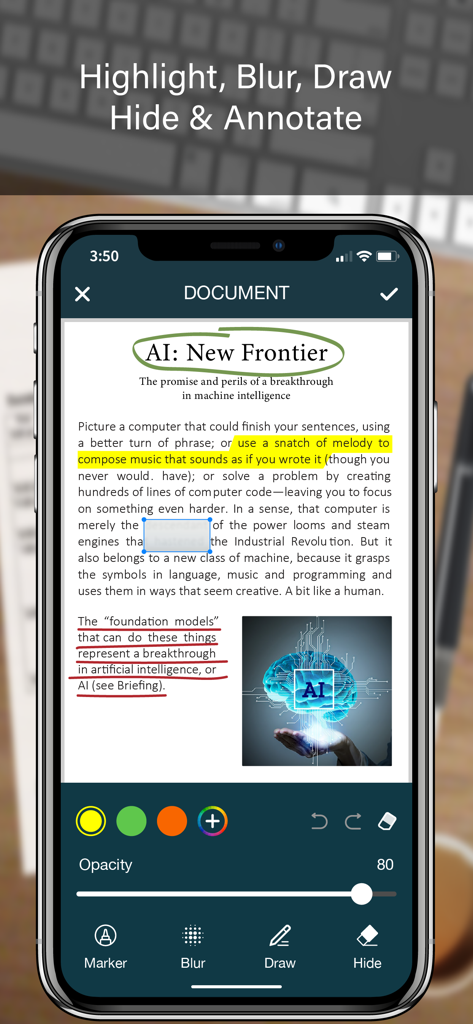
Écran d'iPhone affichant des fonctionnalités d'annotation de documents comme le surlignage, le floutage et le dessin sur un document PDF numérisé.

Écran d'iPhone affichant des fonctionnalités d'annotation de documents comme le surlignage, le floutage et le dessin sur un document PDF numérisé.

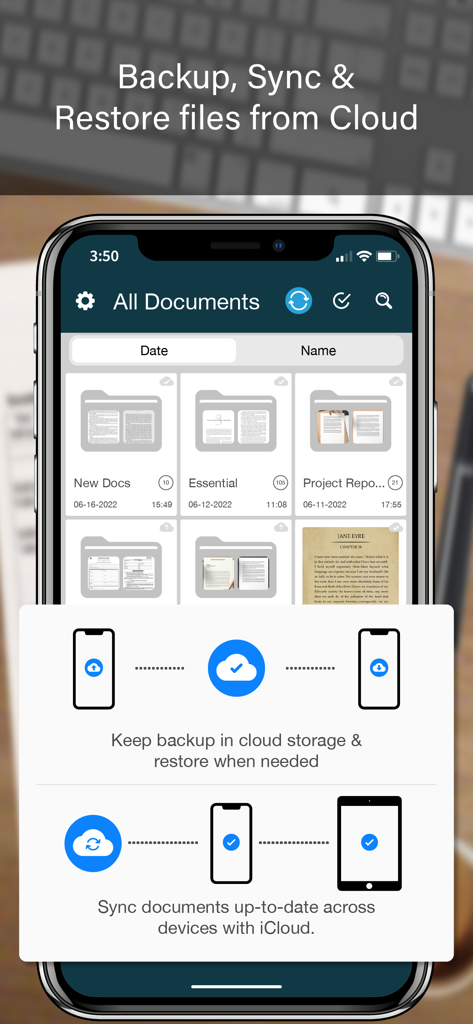
L'interface de l'application SCANNER montrant l'organisation des documents et les fonctionnalités de sauvegarde cloud sur un iPhone.

L'interface de l'application SCANNER montrant l'organisation des documents et les fonctionnalités de sauvegarde cloud sur un iPhone.

Tout ce dont votre bureau mobile a besoin

Les outils qui font la différence, choisis par 2M+ utilisateurs.

🖋️

Signez et Scellez Instantanément

Finalisez vos contrats à la volée avec des signatures numériques et des tampons officiels qui maintiennent votre intégrité professionnelle, où que vous soyez.

📊

OCR Intelligent et Extraction de Données

Évitez la saisie manuelle en convertissant vos reçus papier et tableaux en fichiers Excel, Word et Texte modifiables grâce à une reconnaissance de haute précision.

🛡️

Coffre-fort Sécurisé pour Documents

Protégez les données sensibles de vos clients avec des verrous de dossiers Face ID et des filigranes anti-contrefaçon pour une sécurité de niveau professionnel.

À propos de l'app

Tout ce que vous devez savoir sur SCANNER - PDF Document Scan.

Description

SCANNER is the easiest & simple app to use, which will turn your iPhone into a portable mobile scanner. Use SCANNER to scan receipts, notes, invoices, whiteboard discussions, business cards, certificates, photo & just anything you want. Easily scan, save and share any document in PDF, DOC, EXCEL, TEXT, ZIP & JPEG format. ** Key Feature ** ============== ADVANCED & HIGHLY OPTIMIZED SCANNER : - Scan to create high quality PDF, DOC, EXCEL, TEXT, ZIP & JPEG file. - Auto edge detection for easy, fast and accurate scanning. - Batch Scan feature to scan multiple documents simultaneously. - Control flash and capture mode very easily. - Turn camera grid on/off based on needs. - Auto enhancement make the graphics & text look more clear & sharper. - Automatic noise removing, color correction & perspective correction. EXTRACT TEXT FROM IMAGE (OCR) : - Extract text from image & Turn your images into text file. - Best OCR performance to get most accurate text output from the image. - Search & replace specific text or phrase in OCR. BACKUP & SYNC: - Create backup of documents and restore it when needed. - Sync data with iCloud to keep it up-to-date. - Sync data across multiple devices. ADD DIGITAL SIGNATURE : - Sign in your documents just right in the app. - Add signature by drawing and typing. - Extract signature from image by scanning. - Adjust the size, color & rotation of your signature easily. CONVERTER : - Convert your files into PDF, DOC, EXCEL, TEXT, ZIP & JPEG format. - Compress and control file size very easily. FOLDER LOCK : - Keep you documents safe with folder lock. - Use Pin Code, Face ID & Touch ID to lock and unlock folder. FILE MANAGER : - Full featured file manager with custom folder creation. - Organize documents by copying and moving from one folder to another. - Edit, Sort, Rename & Delete your folder. DOCUMENT EDITOR : - Smart polygonal cropping with auto edge detection feature. - Professional filters to turn image into document. - Draw, mark and annotate document with markup. - Change document dimension into different paper sizes (Such as: A3, A4, A5, Letter, Legal). - Import image from camera and gallery to add on documents. - Hide unwanted/confidential parts of the document with color and blur effects. - Use stamp & seal to make official document. - Add anti-counterfeit watermark. - File rotation feature. SHARING : - 3rd Party Cloud Storage Service : Dropbox, OneDrive, Google Drive & Email. - Airdrop sharing to share your files to any cloud or social media you want. - Easily Print out your files with any WiFi printer. - Save scans to camera roll. Premium Subscription: - With premium subscription, you have access to all features. - Premium subscription is billed monthly or annually at the rate corresponding to the selected plan. - Payment will be charged to iTunes Account at confirmation of purchase. - Subscription automatically renews unless auto-renew is turned off at least 24-hours before the end of the current period. - Account will be charged for renewal within 24-hours prior to the end of the current period, and identify the cost of the renewal. - Subscriptions may be managed by the user and auto-renewal may be turned off by going to the user's Account Settings after purchase. - Any unused portion of a free trial period, if offered, will be forfeited when the user purchases a subscription to that publication, where applicable. Privacy Policy https://zalgotech.com/privacy-policy/ Terms of Use https://zalgotech.com/terms-of-use/ Feel free to contact us: info@zalgotech.com, your feedback and suggestions are important to us!

Dernière version

2.9

Taille

67.5 MB

Date de sortie

9 janv. 2017

Transformez Votre iPhone en Bureau Mobile Professionnel

Rejoignez plus de 2 millions de professionnels qui numérisent, signent et sécurisent des documents à la volée. Découvrez l'efficacité d'un scanner de bureau dans la paume de votre main.

Télécharger sur App Store

App information, icons, screenshots, and descriptions displayed on this page are sourced from the Apple App Store and are the property of their respective developers. Download estimates and rankings are based on MWM's proprietary models and may not reflect actual figures. This page is provided for informational and analytical purposes only.

Believe this page infringes your intellectual property? File a dispute