ScannerHD Pro - PDF Scan
Télécharger sur App Store

Cette page n'est pas une page officielle de l'application ou de son développeur, mais une publication éditoriale indépendante créée à des fins d'information et de commentaire. Sauf indication expresse contraire, ni l'application ni son développeur ne sont affiliés, approuvés, sponsorisés, autorisés ou autrement officiellement liés à MWM, Apple, Google Play, à l'éditeur de l'application ou au développeur de l'application, et rien sur cette page n'implique que l'application a été développée en utilisant les services de MWM. Toutes les marques, logos, captures d'écran et autres contenus restent la propriété de leurs propriétaires respectifs.

Logo de ScannerHD Pro - PDF Scan
Télécharger sur App Store

ScannerHD Pro - PDF Scan

Numérisez instantanément contrats, reçus et notes grâce à l'OCR ultra-rapide, à la détection automatique des bords et à la synchronisation transparente dans le cloud. Conçu pour les professionnels et les étudiants très efficaces.

Chiffres Clés

Téléchargements

143K+

Note

4.8/5

Nombre d'avis

1K+

Éditeur

HiThink Financial Services Inc.

Catégorie

Business

Langues

3

Dernière version

2.2.5

Taille

44.3 MB

Date de sortie

22 sept. 2019
Fonctionnalités

Un Scanner Professionnel dans Votre Poche

Transformez votre flux de travail avec une numérisation de haute qualité, une reconnaissance instantanée du texte et une synchronisation transparente dans le cloud conçue pour le professionnel moderne.

Détection Précise des Bords

Gagnez du temps grâce à la détection automatique des bordures de document et à la correction de perspective pour des résultats nets et professionnels à chaque fois.

Technologie OCR Intelligente

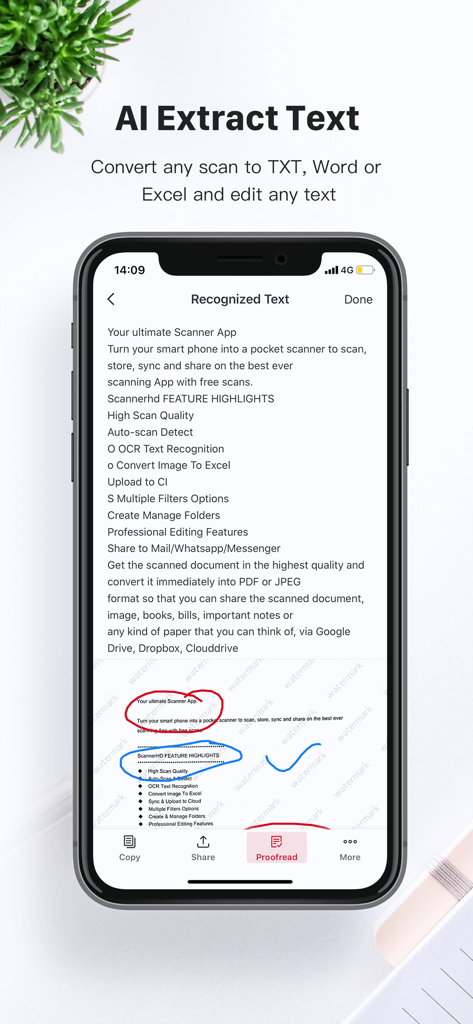
Extrayez du texte de n'importe quelle numérisation pour rechercher, modifier ou partager, transformant les images statiques en données dynamiques et utilisables pour vos projets.

Les captures d'écran et la description suivantes proviennent directement de la fiche officielle de l'application sur le store et sont la propriété du développeur.

App Store

Captures
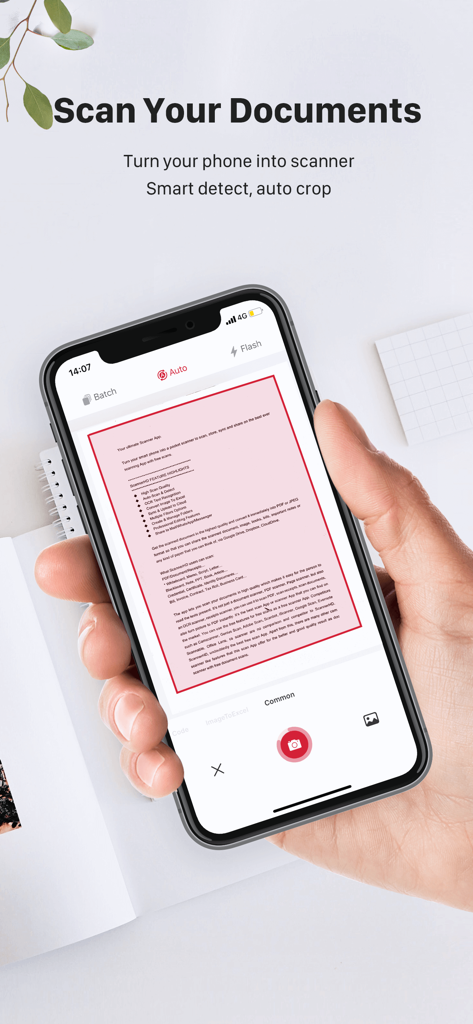
ScannerHD Pro - PDF Scan - Une personne tenant un smartphone utilisant ScannerHD Pro pour numériser un document avec détection automatique des bords
Une personne tenant un smartphone utilisant ScannerHD Pro pour numériser un document avec détection automatique des bords

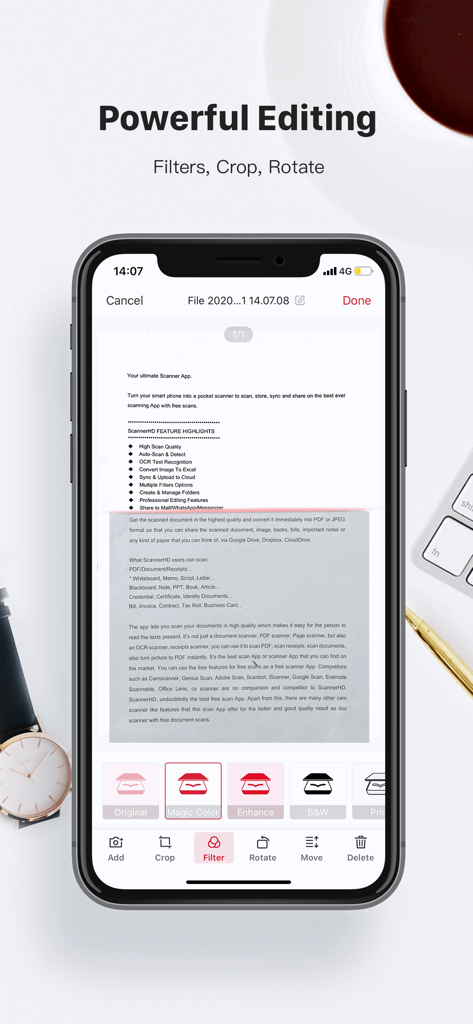
ScannerHD Pro - PDF Scan - Application mobile ScannerHD Pro montrant des outils d'édition de documents professionnels tels que filtres, recadrage et rotation
Application mobile ScannerHD Pro montrant des outils d'édition de documents professionnels tels que filtres, recadrage et rotation

ScannerHD Pro - PDF Scan - Application ScannerHD Pro montrant l'extraction de texte par IA à partir d'un document numérisé
Application ScannerHD Pro montrant l'extraction de texte par IA à partir d'un document numérisé

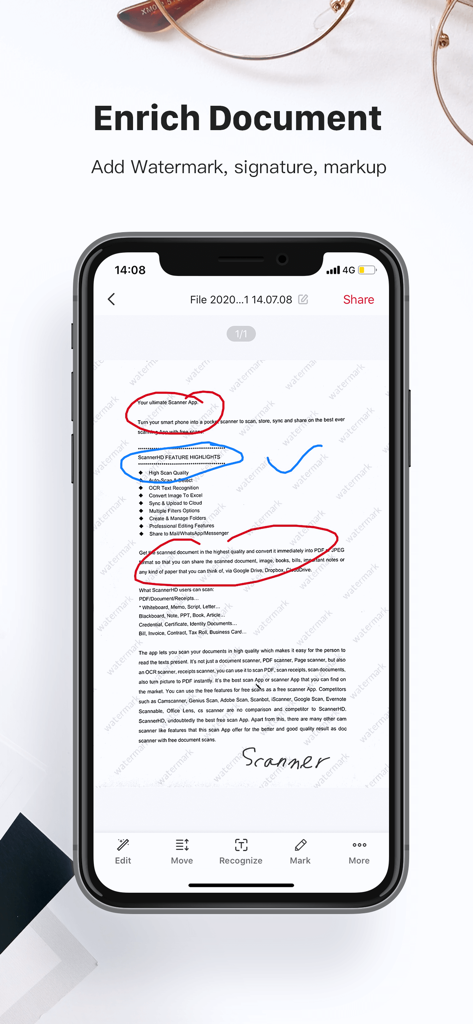
ScannerHD Pro - PDF Scan - Un smartphone montrant l'interface de l'application ScannerHD Pro pour ajouter des filigranes, des signatures et des annotations aux documents numérisés.
Un smartphone montrant l'interface de l'application ScannerHD Pro pour ajouter des filigranes, des signatures et des annotations aux documents numérisés.

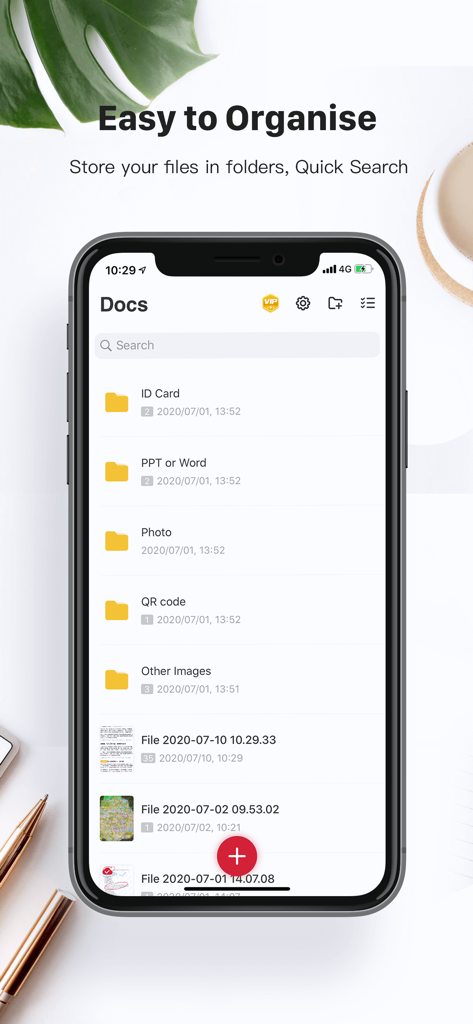
ScannerHD Pro - PDF Scan - Interface de l'application ScannerHD Pro montrant des dossiers organisés pour les cartes d'identité et les photos avec une barre de recherche.
Interface de l'application ScannerHD Pro montrant des dossiers organisés pour les cartes d'identité et les photos avec une barre de recherche.

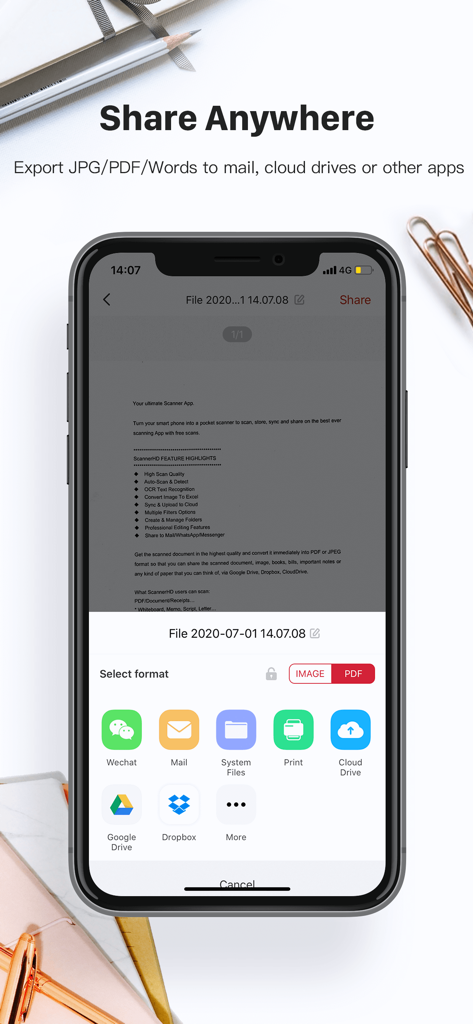
ScannerHD Pro - PDF Scan - Interface de l'application ScannerHD Pro montrant les options d'exportation de documents vers des services cloud tels que Google Drive et Dropbox

Interface de l'application ScannerHD Pro montrant les options d'exportation de documents vers des services cloud tels que Google Drive et Dropbox

Description

ScannerHD Pro is the best scanning app with hassle free work that saves a huge amount of both time and money. So get this amazing mini pocket scanner app now in your smartphones and get the scanning done from any part of the world and send the scanned image to any person at any location. * High Scan Quality * OCR Text Recognition * Sync & Auto-upload * Create & Manage Folders * Sync & Auto-upload * Cloud Storage/Space * OCR Text Recognition ScannerHD Pro users scan and manage * Bill, Invoice, Contract, Tax Roll, Business Card… * Whiteboard, Memo, Script, Letter… * Blackboard, Note, PPT, Book, Article… * Credential, Certificate, Identity Documents 3rd Party Cloud Storage Services Supported: - CloudDrive, Google Drive, Dropbox, Evernote(soon) Now convert your smart phone into a mini pocket scanner and enjoy the high quality image in your device within just one touch with the best ever scanning mobile app ScannerHD Pro - Scanner to scan PDF. “ScannerHD Pro” is a must for every person be it a school student, college student, business person or lawyer, office clerks, or any other person. The app lets you scan your photographs and documents in high quality which makes it easy for the person to read the texts present. The app automatically detects the corner of the file that you want to scan for better quality along with you can also crop the part of the document that you want to scan. Share the files immediately over mail, Dropbox, CloudDrive, Google Drive, or via link to enjoy the joy of scanning. ScannerHD Pro allows the user to convert the scanned document to JPEG format or PDF format. You can even print the scanned document or image over air print. The app also offers various professional editing features even after saving the images along with various multiple filters. ************* - Automatic document edge detection and perspective correction - Extremely Fast Processing - Professional quality results with multiple filter options: enhance, B&W, Print, Grayscale, - Flexible editing, able to edit file after save - Easily create and manage folders - Document naming, storage inside the app - Adding or Deleting one page or the whole document - Page reordering after adding or deleting - Set page sizes for PDF (Letter, Legal, A4, and more) - Email specific pages or whole document - Print PDF file via Cloud Print - Open PDFs or JPEGs in other apps such as Dropbox, Google Drive, Evernote, etc. to send to clouds - Extract Texts from image OCR ,transfer images to texts so you can search, edit or share - Tiny app size ScannerHD PRO Auto Renewal Product Description: 1. Payment: The automatic renewal items includes “monthly subscription VIP” and “yearly subscription VIP". 2. Subscription price: “monthly subscription VIP” is $4.99 per month, “yearly subscription VIP" is $39.99 per year. After confirming the purchase, you will deduct the fee from your Apple iTunes account, first subscription, free trial for the first 7 days, and cancellation of the subscription during the trial period will be exempt from deduction. 3. Renewal membership: 24 hours before the expiration of your membership, Apple will automatically deduct the charge from your iTunes account, and the validity period will be automatically extended by one cycle. 4. Cancellation of Renewal: If you need to cancel the automatic renewal, please turn it off in "iOS-Account Settings" 24 hours before the expiration date. 5. Privacy Policy:https://scanner.hithink.com/#/privacyPolicy 6. Terms of Use: https://scanner.hithink.com/website/termsofservice 7. Auto Renewal Product Agreement: https://scanner.hithink.com/website/auto_renewal_policy/index.html ************* Say Hello ************* We’d love to hear your feedback: scanner@hithink.com Follow us on Twitter: https://twitter.com/ScannerHD1 Like us on Facebook: https://www.facebook.com/ScannerHDoffcial/ Follow us on Instagram: https://www.instagram.com/scannerhdpro/ Website: https://scanner.hithink.com

Download

Télécharger sur App Store

Cette page n'est pas une page officielle de l'application ou de son développeur, mais une publication éditoriale indépendante créée à des fins d'information et de commentaire. Sauf indication expresse contraire, ni l'application ni son développeur ne sont affiliés, approuvés, sponsorisés, autorisés ou autrement officiellement liés à MWM, Apple, Google Play, à l'éditeur de l'application ou au développeur de l'application, et rien sur cette page n'implique que l'application a été développée en utilisant les services de MWM. Toutes les marques, logos, captures d'écran et autres contenus restent la propriété de leurs propriétaires respectifs.








