Scrivener Companion - Scrivo 4 : Votre Studio d'Écriture Professionnel en Déplacement
La boîte à outils mobile ultime pour les auteurs et les chercheurs. Synchronisez vos projets Scrivener en toute transparence, gérez des recherches complexes et écrivez sans distraction grâce à des analyses alimentées par l'IA, le tout depuis votre iPad et iPhone.
Découvrez l'interface utilisée par 5K+ utilisateurs.
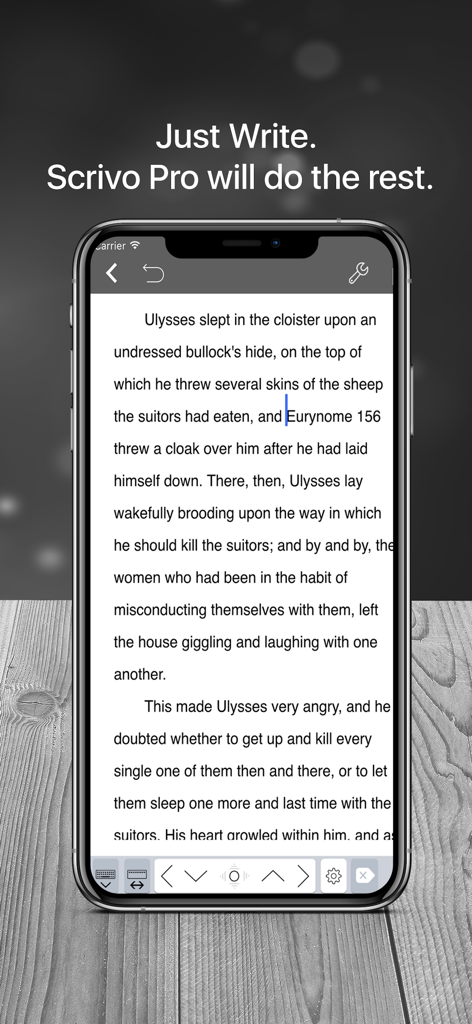
Interface d'écriture sans distraction de Scrivo 4 sur un smartphone
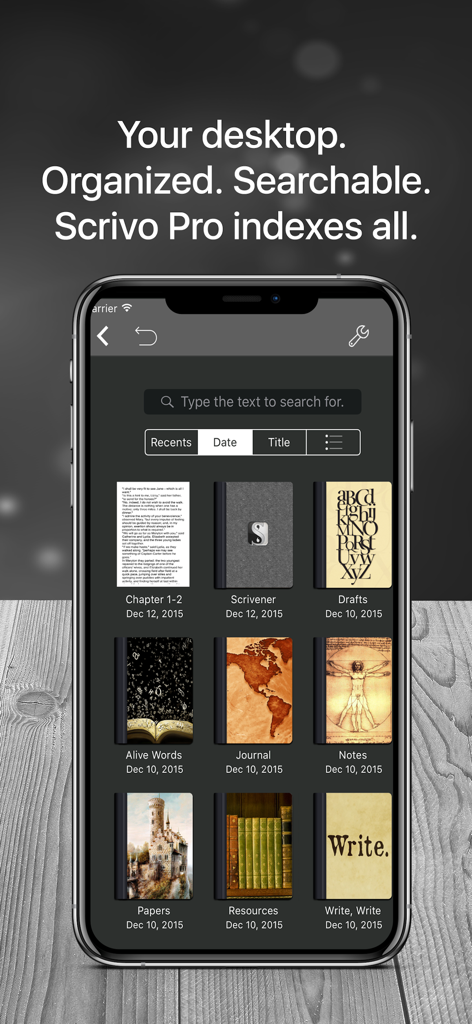
Interface de l'application Scrivo 4 montrant des projets d'écriture organisés et une bibliothèque de notes consultable
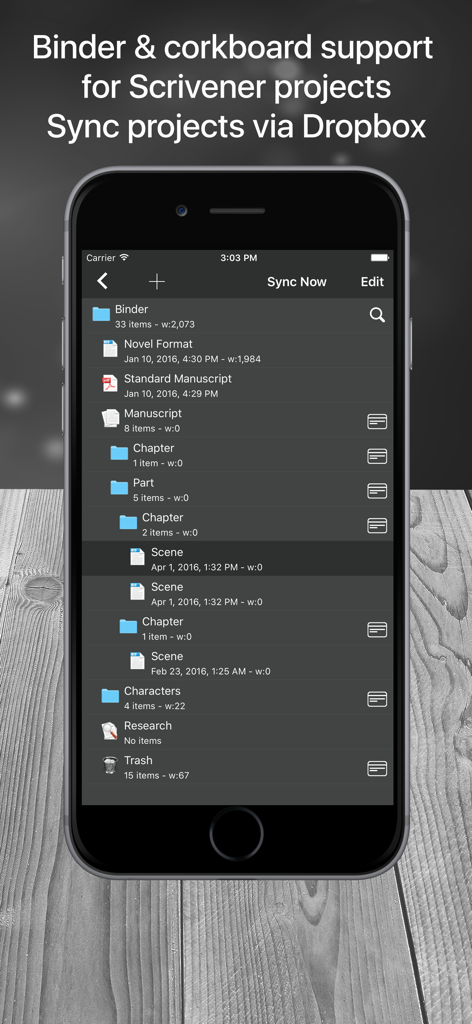
Interface mobile de Scrivo 4 affichant un classeur de projet Scrivener avec chapitres et scènes
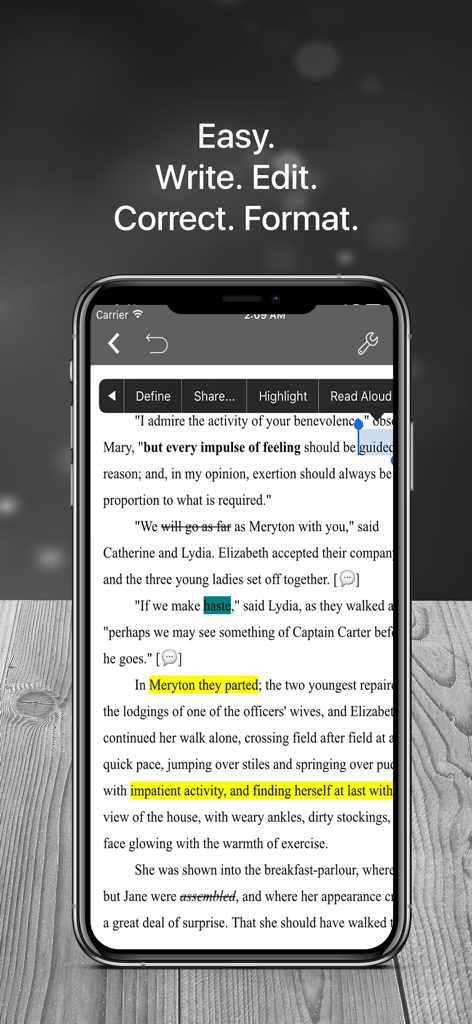
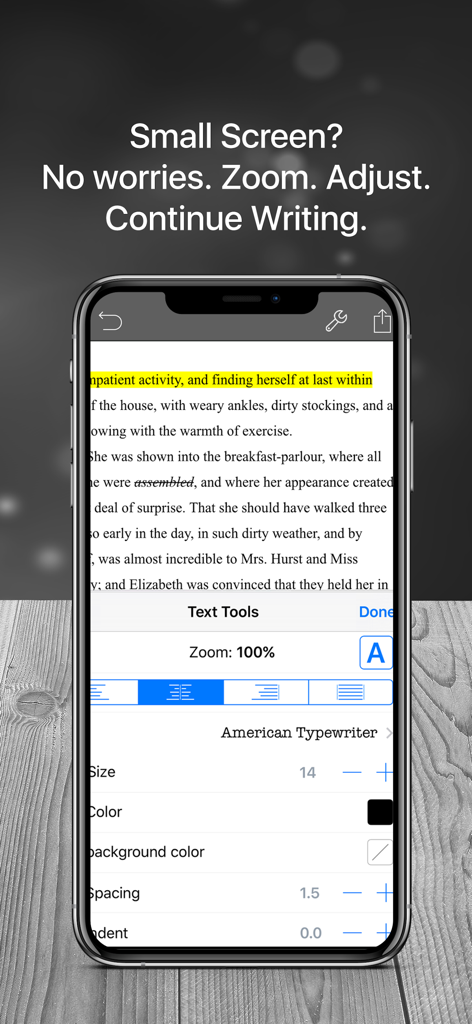
Application mobile Scrivo 4 sur un iPhone montrant un éditeur de texte avec des outils de surlignage et de formatage
Éditeur de texte mobile Scrivo 4 montrant des outils de formatage et des ajustements de zoom sur un iPhone
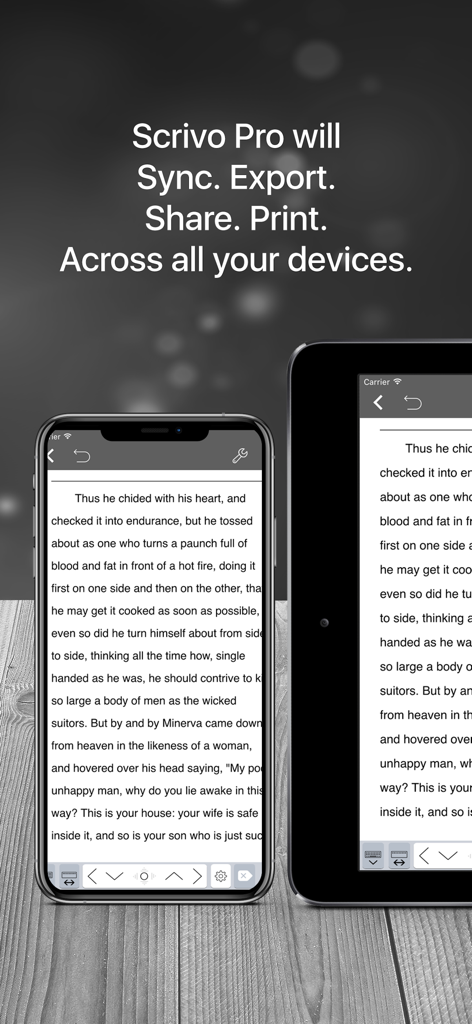
Application d'écriture Scrivo 4 affichée sur un iPhone et un iPad, montrant la synchronisation du texte entre les appareils
Écrivez Votre Histoire, Partout
Les outils qui font la différence, choisis par 5K+ utilisateurs.
🔄
Synchronisation Scrivener Parfaite
Passez en toute transparence de votre bureau au monde entier. Synchronisez vos projets via Dropbox pour vous assurer que vos dernières modifications vous attendent toujours sur votre ordinateur.
🧘
Environnement de Concentration Profonde
Éliminez les distractions avec les modes Machine à écrire et Nuit. Découvrez une interface épurée et professionnelle, conçue pour un flux créatif de longue haleine.
🔍
Hub de Recherche Tout-en-Un
Numérisez des documents physiques, gérez des bibliothèques PDF complexes et utilisez l'assistant IA pour combler le fossé entre vos recherches et votre brouillon.
À propos de l'app
Tout ce que vous devez savoir sur Scrivener Companion - Scrivo 4.
Description
Whether you're crafting a story, preparing an article, taking class notes, or writing a future bestseller, Scrivo 4 helps you organize, research, and write without distractions.
If you use Scrivener 2 or Scrivener 3 on your computer, Scrivo 4 can create basic Scrivener projects on the go and offline, syncing them seamlessly with your computer. You can also import and edit basic projects from your computer via Dropbox.
Scrivo 4 is an excellent companion for Scrivener, it can edit PDFs, scan text from printed material, convert photos and images to PDF, edit RTFs, Plain Text or Markdown files, write lists and outline files, read eBooks in ePub format, and much more!
How to Sync Scrivener Projects via Dropbox in 5 Easy Steps:
1. Copy your Scrivener .scriv project from your computer to your Dropbox folder.
2. Open Scrivo, then go to the "Scrivener Projects" location. Tap the "+" button and select "Import project from Dropbox."
3. Log in to Dropbox and give Scrivo permission to access your files. Tap the "+" button again, select "Import project from Dropbox," then browse to your .scriv project file and select it.
4. The project will be imported locally to your device, allowing you to open and edit it.
5. Tap the "Sync Now" button to sync your project with Dropbox. The modified files will be sent to Dropbox.
Key Features:
WRITE & FORMAT
- Write Anywhere: Use offline as a standalone app.
- Typewriter Mode: Distraction-free writing with centered text.
- Night Mode: Write comfortably at night.
- Rich Text & Markdown: Create RTF and advanced Markdown documents.
- Extended Markdown Support: Extra markups for tables, footnotes, lists, images, and more.
- Advanced RTF Formatting: Customize text with highlighting, strikethrough, alignment, and more.
- Language Support: Over 30 languages, including Japanese, Chinese, Arabic, and Hebrew.
- Custom Keyboard: Add shortcuts for frequently used keys and text snippets.
- Live Counters & Dictation: Track writing metrics and speak text instead of typing.
AI WRITING ASSISTANT (OPTIONAL)
- Step into the future of writing with cool AI tools that let you create and edit stuff anytime, anywhere.
- Easily whip up summaries, essays, blog posts, poems, emails, songs, quizzes, tests, memos, recipes, and so much more.
- Ask anything to our smart AI assistant, it's got your answers.
- Nail perfect writing with built-in spell checking and grammar fixes.
- Boost your vocab with a killer dictionary full of definitions, synonyms, and antonyms.
- Make your writing better by analyzing sentence structures with no sweat.
- Use the handy translation feature which supports heaps of languages, solving any language issues.
ORGANIZE & STRUCTURE
- Unlimited Notebooks: Organize in notebooks, folders, and subfolders.
- Seamless Sync: Sync with Scrivener via Dropbox.
- Project Structure: Create tree-like structures with sections, drafts, folders, chapters, and research.
- Full-Text Search: Easily find documents and projects.
RESEARCH & PDF LIBRARY
- PDF Reader & Manager: Manage reference files, eBooks, and more.
- Document Scanning: Scan documents into PDFs with your device's camera.
- Multitasking: Use split-screen to work alongside other apps.
- ePUB reader
SHARE & EXPORT
- Cloud Integration: Import/export from iCloud, Dropbox, Google Drive, and more.
- Multiple Formats: Export documents in RTF, Markdown, PDF, ePub, HTML, RTFD, TXT, and more.
- Zip & Email: Zip folders/notebooks and send them as email attachments.
PROTECT YOUR WORK
- Security Passcode: Secure your work with a passcode.
- Automatic Backups: Keep your work safe with automatic backups.
Scrivo 4: The versatile, secure, and reliable tool for all your writing needs on the go.
Privacy Policy
http://www.noteswriter.com/Kairoos_Privacy_Policy.html
EULA
https://www.apple.com/legal/internet-services/itunes/dev/stdeula/
Dernière version
4.6
Taille
282.7 MB
Date de sortie
3 juin 2024
Votre Manuscrit N'a Pas à Attendre Votre Bureau.
Rejoignez des milliers d'écrivains utilisant Scrivo 4 pour combler le fossé entre l'inspiration et la version finale. Synchronisez vos projets Scrivener en toute transparence et transformez chaque trajet en une session d'écriture productive.
App information, icons, screenshots, and descriptions displayed on this page are sourced from the Apple App Store and are the property of their respective developers. Download estimates and rankings are based on MWM's proprietary models and may not reflect actual figures. This page is provided for informational and analytical purposes only.
Believe this page infringes your intellectual property? File a dispute