Sequincer: MIDI Sequencer

Sequincer: MIDI Sequencer

Télécharger sur App Store
Logo de Sequincer: MIDI Sequencer

Sequincer : Séquenceur MIDI – Précision harmonique pour compositeurs sérieux

Maîtrisez votre musique en déplacement avec le séquenceur le plus intelligent basé sur une grille. Des croquis rapides aux symphonies à grande échelle, découvrez une intégration professionnelle AUv3 et une conscience harmonique avancée conçue pour le musicien iPad moderne.

Télécharger sur App Store

Éditeur

Alexis Doualle

Catégorie

Music

Téléchargements

400

Note

4.3/5

Nombre d'avis

0

Langues

2

L'art de la précision

Découvrez l'interface utilisée par 400 utilisateurs.
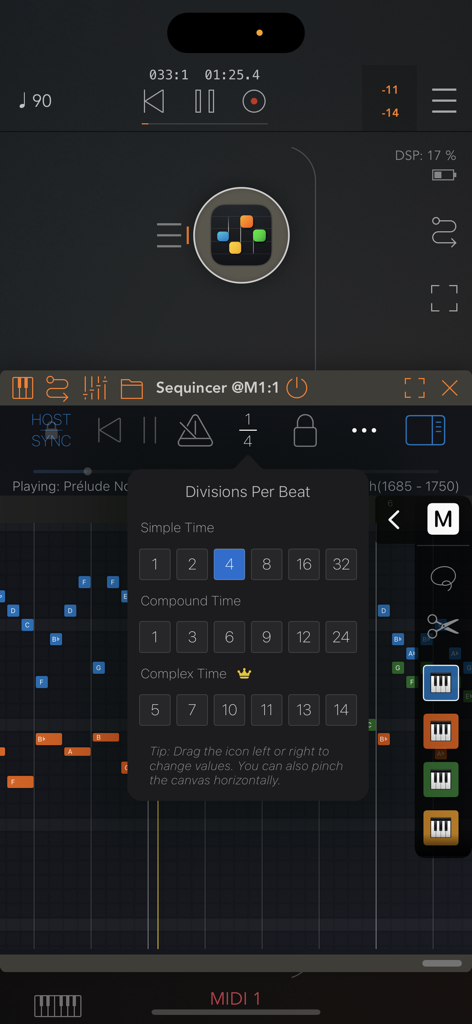
Menu divisions par temps dans l'application de séquenceur MIDI Sequincer

Menu divisions par temps dans l'application de séquenceur MIDI Sequincer

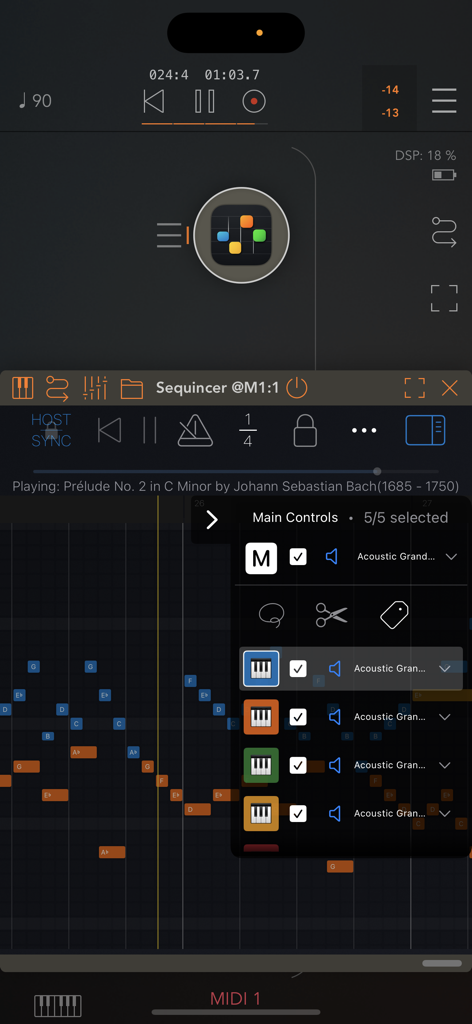
Interface de l'application Sequincer montrant le séquenceur MIDI basé sur une grille et le menu de contrôle de piste.

Interface de l'application Sequincer montrant le séquenceur MIDI basé sur une grille et le menu de contrôle de piste.

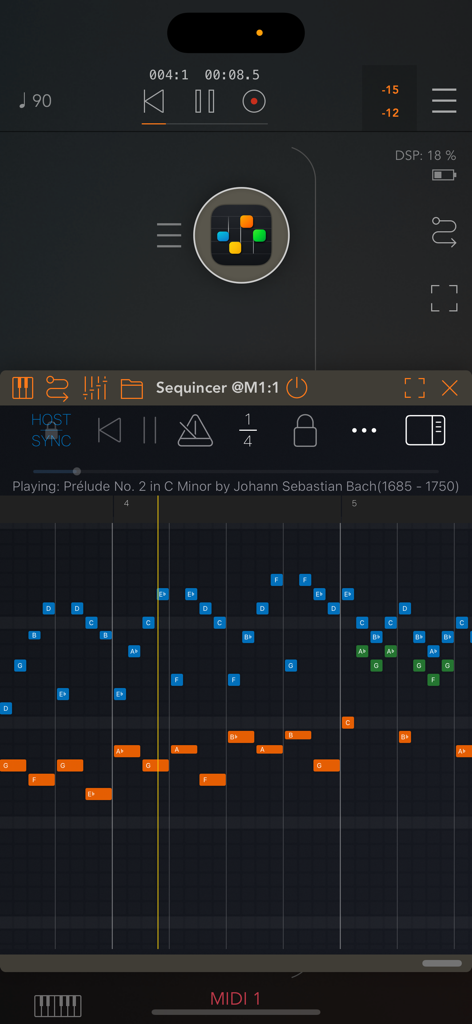
Interface d'un séquenceur MIDI mobile basé sur une grille montrant un rouleau de piano avec des blocs de notes colorés et des commandes de transport.

Interface d'un séquenceur MIDI mobile basé sur une grille montrant un rouleau de piano avec des blocs de notes colorés et des commandes de transport.

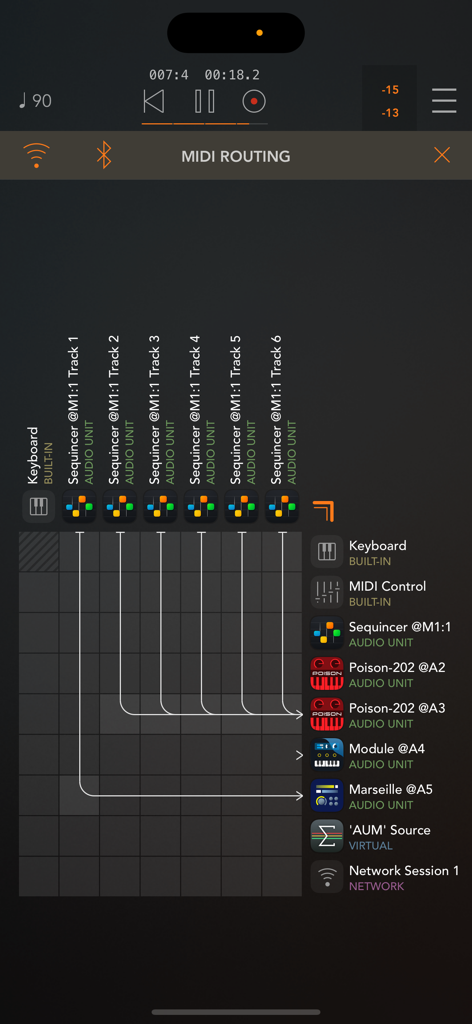
Grille de routage MIDI dans Sequincer montrant les connexions de pistes aux instruments AUv3

Grille de routage MIDI dans Sequincer montrant les connexions de pistes aux instruments AUv3

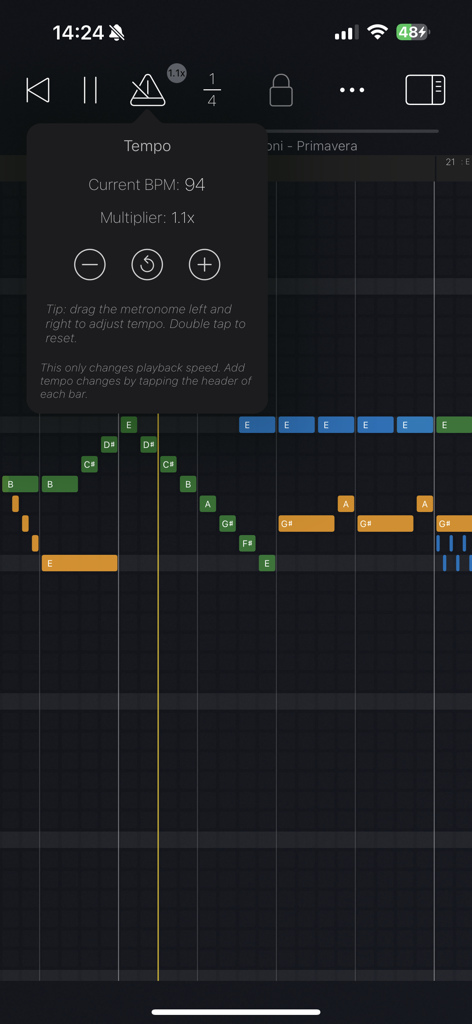
Interface de l'application Sequincer MIDI Sequencer montrant les contrôles de tempo et les notes de musique colorées sur une grille

Interface de l'application Sequincer MIDI Sequencer montrant les contrôles de tempo et les notes de musique colorées sur une grille

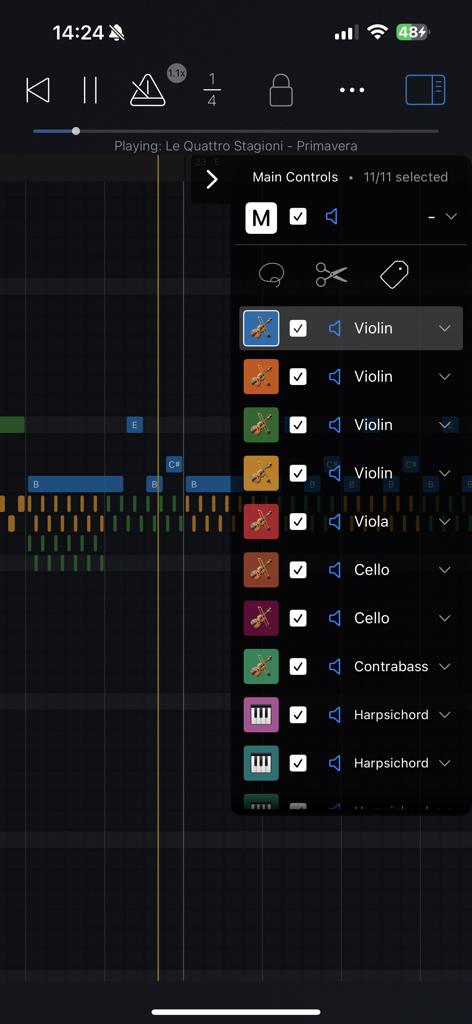
Application Sequincer MIDI sequencer montrant une liste d'instruments orchestraux sur une grille de rouleau de piano

Application Sequincer MIDI sequencer montrant une liste d'instruments orchestraux sur une grille de rouleau de piano

Séquençage MIDI professionnel, réinventé

Les outils qui font la différence, choisis par 400 utilisateurs.

🎼

Intelligence harmonique

Écrivez avec une intention musicale. Faites la distinction entre les altérations et explorez les systèmes d'accordage personnalisés pour une précision harmonique véritable dans chaque tonalité.

🔌

Flux de travail AUv3 fluide

Alimentez tout votre studio mobile. Utilisez Sequincer comme plugin dans des hôtes comme AUM pour déclencher vos synthétiseurs préférés avec jusqu'à 64 pistes.

✏️

Prise en charge du Pencil de précision

Transformez votre iPad en table de brouillon. Survolez pour prévisualiser les notes et utilisez les gestes de pincement pour une expérience de composition intuitive et rapide.

À propos de l'app

Tout ce que vous devez savoir sur Sequincer: MIDI Sequencer.

Description

Sequincer is a powerful grid-based MIDI sequencer for iPhone and iPad which makes it easy to compose music on the go. Just tap the grid to add notes and hit the play button to hear your creation. Notes added by a tap will have the duration of whichever beat division is selected. You can select a wide range of beat divisions by tapping the "1/4" button, or by pinching horizontally to double and halve the current value. You can change a note's duration by tapping on it to shorten it, or by holding and panning to the right to increase it. There are four tiers: a free preview tier, then Loops, Producer, and Composer. The free tier lets you preview the app. The second paid tier, Loops, gives you 4 tracks and 64 beats to compose (16 standard bars). The third tier, Producer, brings this to 16 tracks and 1000 beats, enough for a full-length song. The fourth tier, Composer, allows you to use up to 64 tracks and an even greater number of beats, enough for a complete symphony. In the current 7-note input system, inspired by sheet music, you can add accidentals for any new note by dragging up or down as soon as you create it. A chromatic mode is currently in the works to let you input notes from a 12-tone scale. Velocity, tempo changes and other properties can be edited for each bar in "Structure" mode, by tapping the bar's header or using the edit button. You can write up to 64 simultaneous tracks each with its own instrument, all overlaid on the same piano roll so you can see your full composition at a glance. Each track can be selected, muted, or soloed. • Works as standalone or as a plugin Sequincer is also an AUv3 MIDI processor, so you can use it inside host apps like AUM. Each track can send MIDI to a different synth, making it ideal for layering sounds or building complex arrangements. • Flexible timing and rhythm Create as many bars as you need, and set a custom beat count for each one. Pinch horizontally to zoom in or out on the beat divisions: add quarters, eighths, sixteenths, or even dotted rhythms for compound time. Pinch vertically to zoom in and out of the piano roll. Add tempo change events to speed up or slow down specific parts. • MIDI and MusicXML compatibility Import MIDI files or MusicXML (sheet music). Sequincer currently supports many standard features like tempo changes, dynamics, and jumps. • Write with real notes Each bar can be set to a musical key, so you’re always writing in scale. A C sharp and a D flat might sound the same in equal temperament, but they’re not the same note. If you’re writing a B flat minor chord for example, you need a D flat for the minor third–a C sharp would be an augmented second. This harmonic awareness makes it possible to experiment with other tuning systems such as Pythagorean, Meantone, and more. To add accidentals, drag the note up or down as you place it. • Compatible with Apple Pencil on iPad Hover to hear notes before placing them. Double-tap to quickly switch instruments. Use a squeeze gesture (on Pencil Pro) to open the track palette. It’s a fast and intuitive way to compose, if you’ve got a compatible device. • Available on all your devices Your creations are automatically synced with iCloud so you can start on your iPhone and finish it on your iPad. Happy composing! This app is subject to Apple’s standard EULA: https://www.apple.com/legal/internet-services/itunes/dev/stdeula/

Dernière version

1.6.0

Taille

28.6 MB

Date de sortie

12 mars 2025

Commencez à composer sans compromis

Des croquis harmoniques sur votre iPhone aux symphonies de 64 pistes sur votre iPad, apportez une précision MIDI de qualité professionnelle à votre flux de travail créatif dès aujourd'hui.

Télécharger sur App Store

App information, icons, screenshots, and descriptions displayed on this page are sourced from the Apple App Store and are the property of their respective developers. Download estimates and rankings are based on MWM's proprietary models and may not reflect actual figures. This page is provided for informational and analytical purposes only.

Believe this page infringes your intellectual property? File a dispute