Shot On Watermark for Photos

Shot On Watermark for Photos


Télécharger sur App Store
Logo de Shot On Watermark for Photos

Filigrane « Prise sur » pour Photos : Donnez à Votre Photographie iPhone le Crédit Qu'elle Mérite

Transformez votre galerie avec des libellés « Prise sur » professionnels, des étiquettes de signature et des logos personnalisés. Protégez votre travail et affichez votre identité créative en quelques secondes.

Éditeur

Chirag Gabani

Catégorie

Photo & Video

Téléchargements

249K+

Note

4.5/5

Nombre d'avis

12K+

Langues

1

Le Professionnalisme en un Coup d'Œil

Découvrez l'interface utilisée par 249K+ utilisateurs.

Une photo d'un couple avec un filigrane « Prise sur iPhone » et une signature personnalisée

Une photo d'un couple avec un filigrane « Prise sur iPhone » et une signature personnalisée

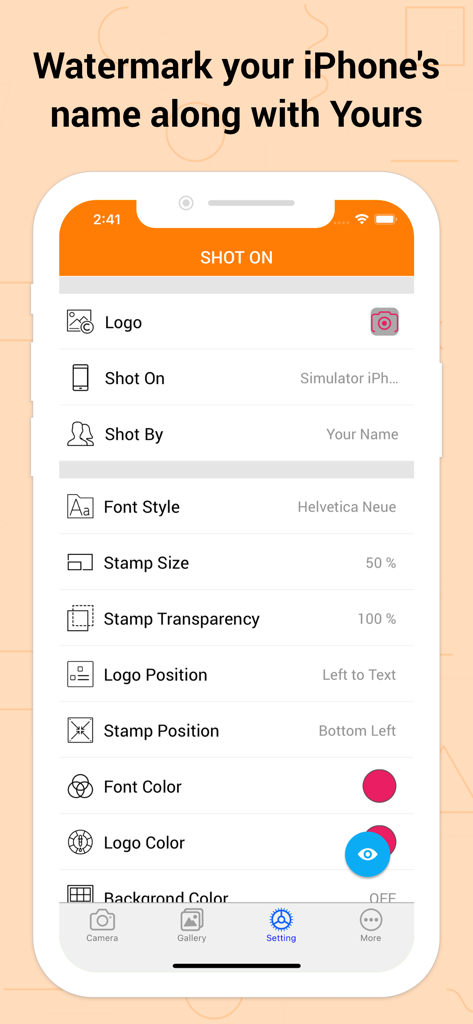
Écran des paramètres de l'application Filigrane « Prise sur » montrant les options personnalisables pour les logos, les noms d'appareils et les tampons de signature

Écran des paramètres de l'application Filigrane « Prise sur » montrant les options personnalisables pour les logos, les noms d'appareils et les tampons de signature

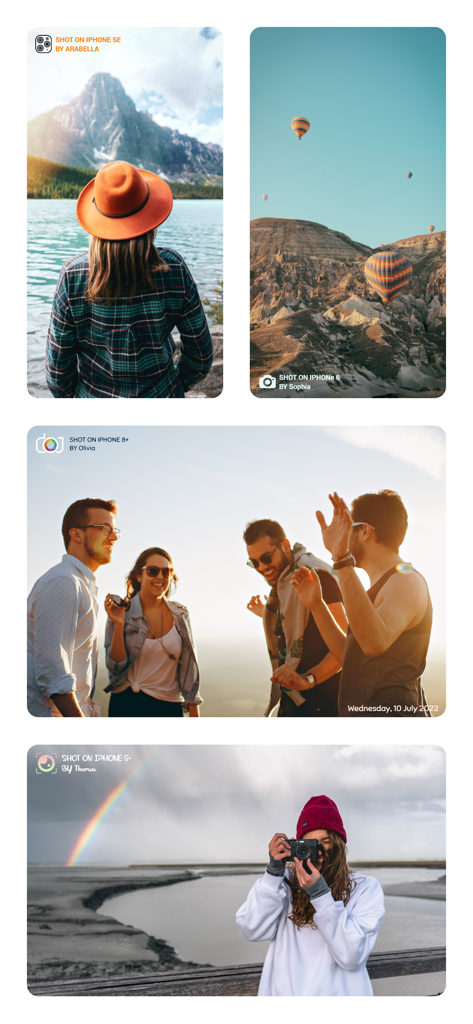
Quatre exemples de photos de style de vie filigranées avec « Prise sur iPhone » et des signatures personnalisées

Quatre exemples de photos de style de vie filigranées avec « Prise sur iPhone » et des signatures personnalisées

Collage de photos avec des tampons filigranes « Prise sur iPhone » et des signatures numériques

Collage de photos avec des tampons filigranes « Prise sur iPhone » et des signatures numériques

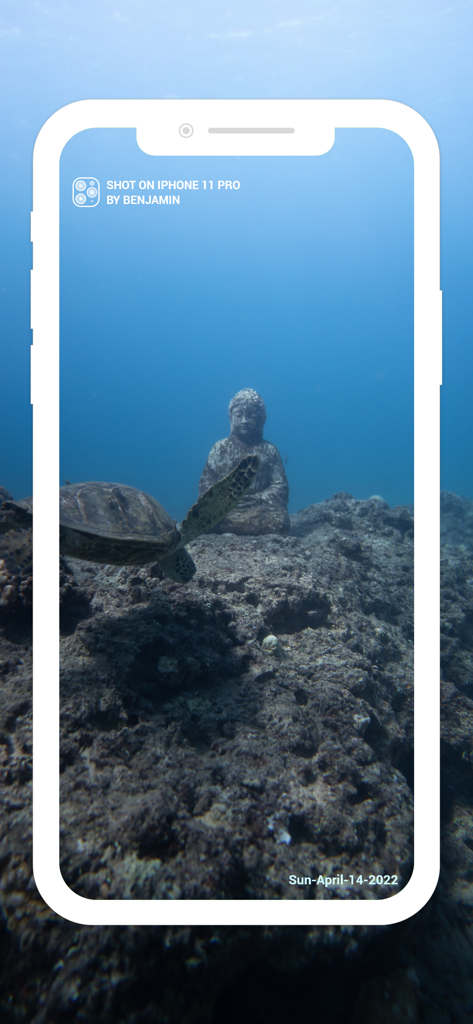
Photo sous-marine d'une tortue de mer et d'une statue de Bouddha avec un filigrane « Prise sur iPhone » et un horodatage

Photo sous-marine d'une tortue de mer et d'une statue de Bouddha avec un filigrane « Prise sur iPhone » et un horodatage

Interface utilisateur montrant plusieurs photos sélectionnées dans une galerie de téléphone pour ajouter des tampons de filigrane dans l'application « Prise sur ».

Interface utilisateur montrant plusieurs photos sélectionnées dans une galerie de téléphone pour ajouter des tampons de filigrane dans l'application « Prise sur ».

Une femme posant dans les fleurs avec un filigrane « Prise sur iPhone X » et une signature

Une femme posant dans les fleurs avec un filigrane « Prise sur iPhone X » et une signature

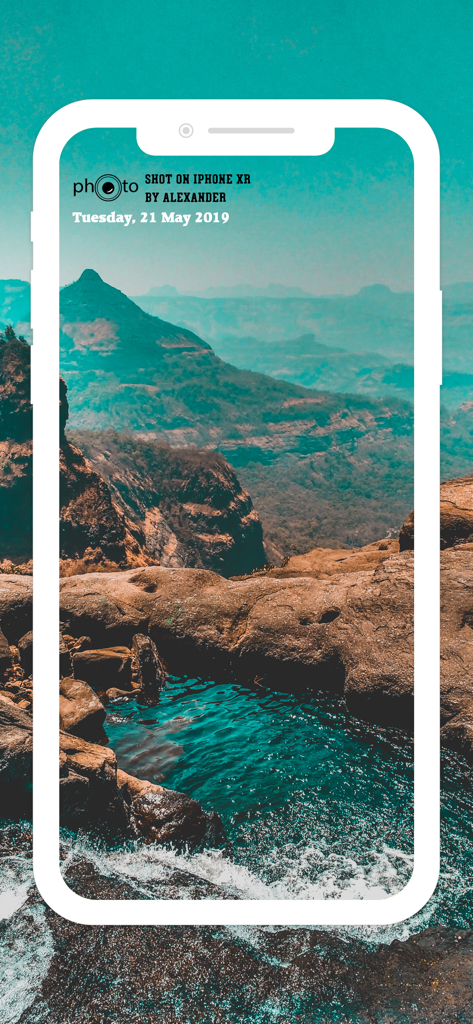
Photo de paysage avec un filigrane « Prise sur iPhone XR » et un nom

Photo de paysage avec un filigrane « Prise sur iPhone XR » et un nom

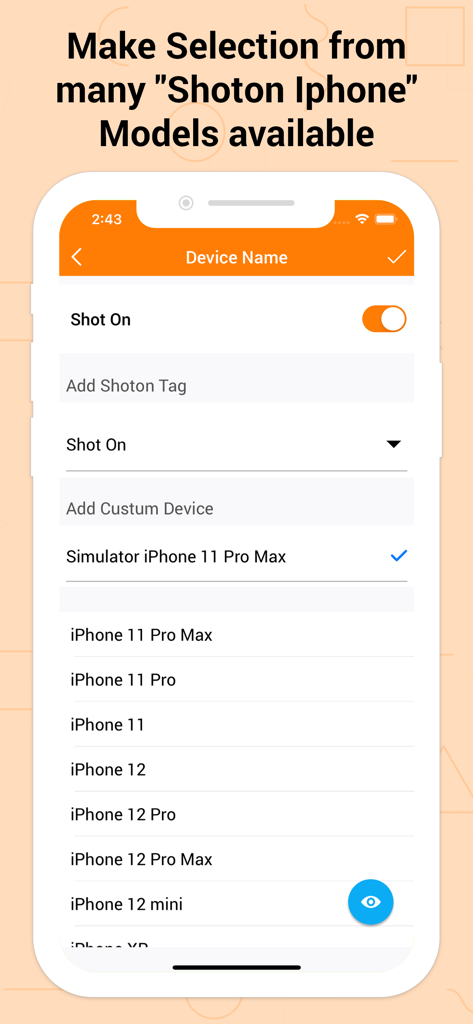
Un écran affichant une liste de modèles d'iPhone à sélectionner pour un tag filigrane « Prise sur »

Un écran affichant une liste de modèles d'iPhone à sélectionner pour un tag filigrane « Prise sur »

Un collage montrant des photos avec des filigranes « Prise sur iPhone » personnalisés et des signatures

Un collage montrant des photos avec des filigranes « Prise sur iPhone » personnalisés et des signatures

Professionnalisez Votre Photographie iPhone

Les outils qui font la différence, choisis par 249K+ utilisateurs.

📱

Branding Iconique « Prise sur »

Affichez votre dernier appareil avec des libellés de qualité professionnelle. Empruntez le prestige des campagnes emblématiques d'Apple pour rehausser votre statut sur n'importe quel fil d'actualité social.

✍️

Crédit et Protection par Signature

Ne laissez jamais votre contenu viral sans crédit. Ajoutez une signature personnalisée « Pris par » pour sécuriser vos photos et faire reconnaître votre style créatif unique.

🎨

Intégration Esthétique Harmonieuse

Adaptez chaque tampon à l'ambiance de votre photo. Personnalisez les logos, les polices, les couleurs et les positions pour vous assurer que votre filigrane améliore votre art au lieu de le distraire.

À propos de l'app

Tout ce que vous devez savoir sur Shot On Watermark for Photos.

Description

Shot On Watermark for Photos App quickly watermark your photos with a trinity of “Shot On” labels in variation of “ShotOn for iPhone or Shot On for iPad Name”, “Shot By (Signature Text),'' as well as “ShotOn Watermark Brand Logo” A complete catalog of Shot on for Apple iPhone & ShotOn for iPad Model Names, which makes your work go in a flow. One-time setup to furnish your Shot on for iPhone pre-captured photos stunningly. - Simply Swipe the Toggle on, • Choose Model Name • Add Shot by Signature Text • Pick up Shot On for iPhone Watermark Logo & here you go! You can even edit and custom these Shot On Watermark Stamps as you wish to! - What makes 'Shot On Watermark Stamper' different? • Only App with 3 -in-1 ShotOn for iPhone Tags in Single Download • Quick and Simple User-Interface • Preview before adding a ShotOn “Shot On Watermark for Photos is specifically developed for iPhone users to take their photographs a step ahead & grab all the kudos they deserve.” What does it offer to jazz up the gallery photos stunningly? - Default ShotOn for iPhone Series: • A great catalog of every single Shot on for iPhone Model name to choose your Shot On device Name tag. - Adjustable Stamp Position: • Easily place your ShotOn for iPhone to eight different areas of your image. - Flexible Font Size: • Pick Shot On Stamp size from M to XXXL as per your image look and feel. - Varieties of Font Formats: • Classy font options to choose from according to image background. - Editable ShotOn Tags: • Customize by adding your own ShotOn Device Name as well as your Shot By Signature Text. - Customize Watermark Logo: • Import & add your own ShotOn logo using (+) symbol. Shot on for iPhone Photography is booming the current market! So why not exhibit these images vigorously by adding a cluster of ShotOn for iPhone to it. This will not only showcase a Shot on tag for iPhone Model among everyone but will also disclose the name behind the captured image. Looking for some more add-ons to get it? Update to the latest version to get benefits of DateTime functionality. You can adjust date format, size, color, position & font style for the same. And to highlight the logo, relish the logo color and its position that suits your photo. Benefits of Adding ShotOn to Photos: - Flaunt your Mobile Device Then Shot On for iPhone tag can be the best addition to do it automatically with your pre-captured photograph. Ex: Add Tag i.e.,Shot on for iPhone X - Showcase your Identity and skills Mobile Photography is the new trend, isn’t it? No matter you take pictures casually or professionally, you definitely deserve the credits. Simply adding Shot By Signature will do it for you. Ex: Add Tag i.e Shot By Paul - Secure while Sharing Online Anything shared online can be copied easily & be reused without your permission, isn’t it? You obviously don’t want this to happen! Then mask your gallery photo with Shot By Signature Watermark & preserve it. - Frame up Branding & Advertising Watermarking images and adding signature is mainly used for branding your company behind your products, isn’t it? These trinity Shot On's will even do it for you and make your photograph distinct. Ex: Add Tag i.e ShotOn for iPhone Logo - Embellish your Photo distinctly ShotOn tags shall decorate your gallery pictures in such an elegant way, that you won’t really need numerous elements to enhance it. Just tap & add tags to amplify it as picture perfect! Briefing it up, Shot On Watermark for Photos is compiled with every single functionality you wish to have with any Shot on Watermark Stamp. The best addition to the category of your mobile apps! • Gift your device this ShotOn Watermark app now & start labeling your pictures NOW!

Dernière version

1.5.15

Taille

39.5 MB

Date de sortie

21 mars 2018

Faites de Chaque Cliché Votre Signature Officielle

Rejoignez plus de 249K créateurs qui protègent leur travail et affichent leur style iPhone. Obtenez l'outil de filigrane 3-en-1 ultime dès aujourd'hui.

Télécharger sur App Store

App information, icons, screenshots, and descriptions displayed on this page are sourced from the Apple App Store and are the property of their respective developers. Download estimates and rankings are based on MWM's proprietary models and may not reflect actual figures. This page is provided for informational and analytical purposes only.

Believe this page infringes your intellectual property? File a dispute