
Cette page n'est pas une page officielle de l'application ou de son développeur, mais une publication éditoriale indépendante créée à des fins d'information et de commentaire. Sauf indication expresse contraire, ni l'application ni son développeur ne sont affiliés, approuvés, sponsorisés, autorisés ou autrement officiellement liés à MWM, Apple, Google Play, à l'éditeur de l'application ou au développeur de l'application, et rien sur cette page n'implique que l'application a été développée en utilisant les services de MWM. Toutes les marques, logos, captures d'écran et autres contenus restent la propriété de leurs propriétaires respectifs.


Speaker Polarity
Obtenez un alignement acoustique parfait grâce à l'analyse DSP la plus performante du secteur. Vérifiez instantanément la polarité pour les home cinémas, l'audio de voiture et les systèmes professionnels afin de garantir que votre son ne soit jamais hors phase.
Téléchargements
193K+Note
Nombre d'avis
100Éditeur
Catégorie
MusicLangues
8Dernière version
5.1Taille
26.4 MBDate de sortie
14 oct. 2008Optimisez votre scène sonore
Éliminez les erreurs de phase et libérez tout le potentiel de votre système audio grâce aux tests de polarité professionnels.
Précision scientifique
Exploitez une analyse DSP avancée pour garantir que chaque cône de haut-parleur bouge en parfaite synchronisation, restaurant les basses perdues et la clarté.
Application universelle
Des projets audio de voiture en DIY aux home cinémas complexes et aux studios professionnels, vérifiez facilement n'importe quel terminal de câblage.
Les captures d'écran et la description suivantes proviennent directement de la fiche officielle de l'application sur le store et sont la propriété du développeur.
App Store
Captures
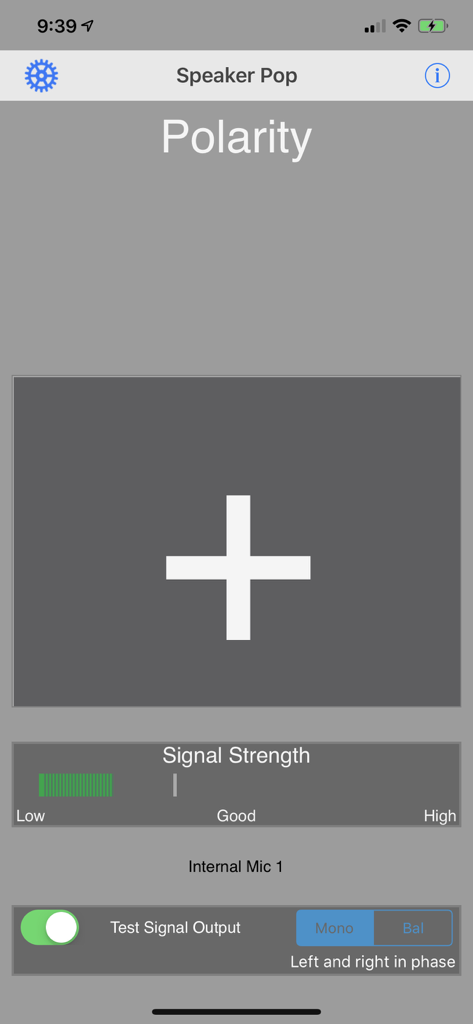
Interface de l'application Polarité des haut-parleurs montrant un grand signe plus indiquant la phase correcte du haut-parleur, ainsi qu'un indicateur de force du signal.
Description
Download
Apps Similaires
Apps les mieux classées dans la même catégorie

Spotify: Music and Podcasts
Spotify

YouTube Music
Google LLC

Shazam: Find Music & Concerts
Apple Inc.

SoundCloud: The Music You Love
SoundCloud Global Limited & Co KG

Suno - AI Songs & Music
Suno Inc.

QQ音乐 - 听我想听
Tencent Technology (Shenzhen) Company Limited

Audiomack - Play Music Offline
Audiomack, Inc.

GuitarTuna: Tune & Play Guitar
Yousician Ltd

BandLab – Music Maker & Beats
BandLab Singapore Pte Ltd
Cette page n'est pas une page officielle de l'application ou de son développeur, mais une publication éditoriale indépendante créée à des fins d'information et de commentaire. Sauf indication expresse contraire, ni l'application ni son développeur ne sont affiliés, approuvés, sponsorisés, autorisés ou autrement officiellement liés à MWM, Apple, Google Play, à l'éditeur de l'application ou au développeur de l'application, et rien sur cette page n'implique que l'application a été développée en utilisant les services de MWM. Toutes les marques, logos, captures d'écran et autres contenus restent la propriété de leurs propriétaires respectifs.