Starry sky Camera
Starry sky Camera
Télécharger sur App Store

Cette page n'est pas une page officielle de l'application ou de son développeur, mais une publication éditoriale indépendante créée à des fins d'information et de commentaire. Sauf indication expresse contraire, ni l'application ni son développeur ne sont affiliés, approuvés, sponsorisés, autorisés ou autrement officiellement liés à MWM, Apple, Google Play, à l'éditeur de l'application ou au développeur de l'application, et rien sur cette page n'implique que l'application a été développée en utilisant les services de MWM. Toutes les marques, logos, captures d'écran et autres contenus restent la propriété de leurs propriétaires respectifs.

Logo de Starry sky Camera
Télécharger sur App Store

Starry sky Camera

Exploitez pleinement le potentiel de votre iPhone grâce à la superposition d'images avancée et aux commandes manuelles professionnelles. Conçu pour le créateur patient désireux de capturer des poses longues 4K à couper le souffle et la véritable splendeur de la Voie lactée.

Chiffres Clés

Téléchargements

23K+

Note

2.3/5

Nombre d'avis

100

Éditeur

HIROFUMI MARUO

Catégorie

Photo & Video

Langues

2

Dernière version

6.2

Taille

23.5 MB

Date de sortie

22 mai 2014
Fonctionnalités

Capturez le cosmos avec une précision professionnelle

Transformez votre iPhone en un puissant outil d'astrophotographie grâce à des algorithmes d'empilement avancés et des commandes manuelles complètes conçues pour le ciel nocturne.

Empilement d'étoiles intelligent

Choisissez parmi trois modes de composition spécialisés pour optimiser la luminosité et la netteté tout en éliminant le bruit numérique lors des longues expositions.

Commandes manuelles de qualité professionnelle

Prenez le contrôle total de votre capteur grâce à des réglages précis de l'ISO, de la vitesse d'obturation, de la mise au point manuelle et de la température de couleur Kelvin.

Les captures d'écran et la description suivantes proviennent directement de la fiche officielle de l'application sur le store et sont la propriété du développeur.

App Store

Captures
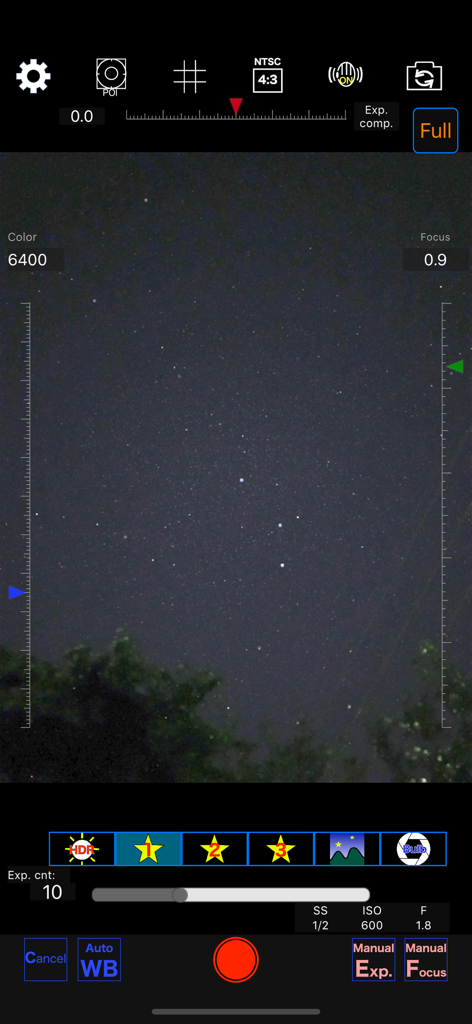
Starry sky Camera - Interface de l'application Starry Sky Camera affichant les paramètres manuels pour la photographie nocturne
Interface de l'application Starry Sky Camera affichant les paramètres manuels pour la photographie nocturne

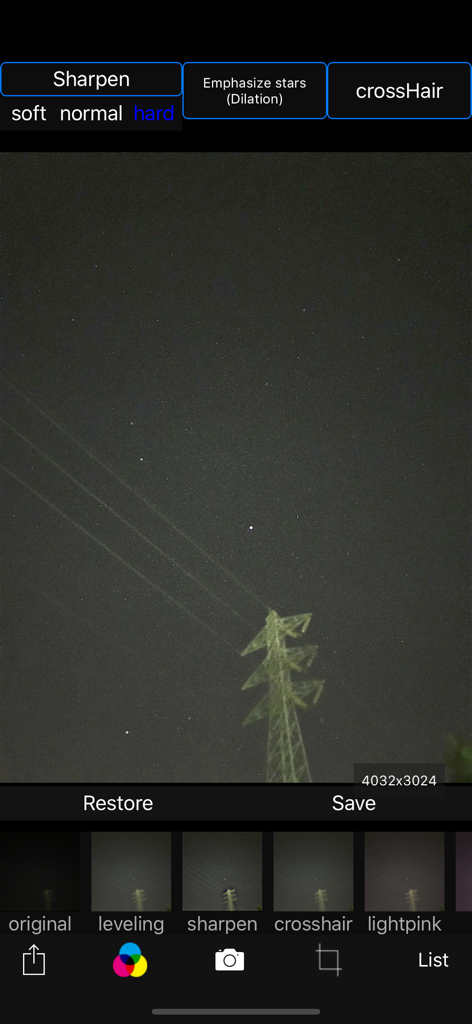
Starry sky Camera - Interface de l'application Starry Sky Camera pour retoucher les photos du ciel nocturne avec des filtres de netteté des étoiles.
Interface de l'application Starry Sky Camera pour retoucher les photos du ciel nocturne avec des filtres de netteté des étoiles.

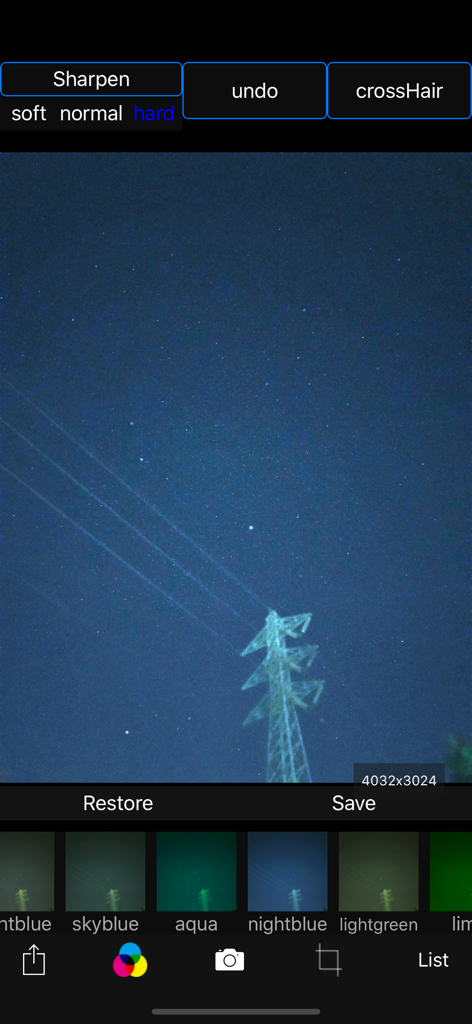
Starry sky Camera - Interface de l'application Appareil photo ciel étoilé affichant une photo du ciel nocturne avec différents filtres de couleur et options de netteté.
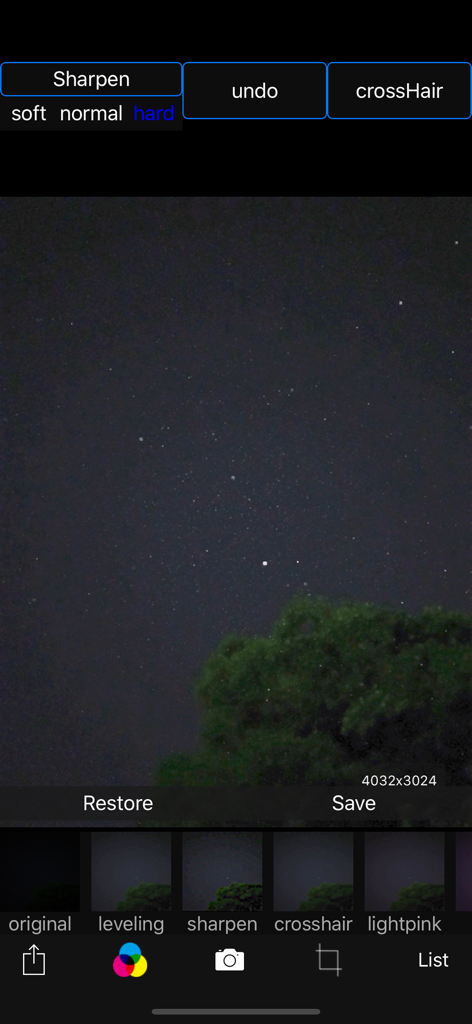
Interface de l'application Appareil photo ciel étoilé affichant une photo du ciel nocturne avec différents filtres de couleur et options de netteté.

Starry sky Camera - Interface d'édition de l'application Appareil photo ciel étoilé avec une photo du ciel nocturne et des options de filtre
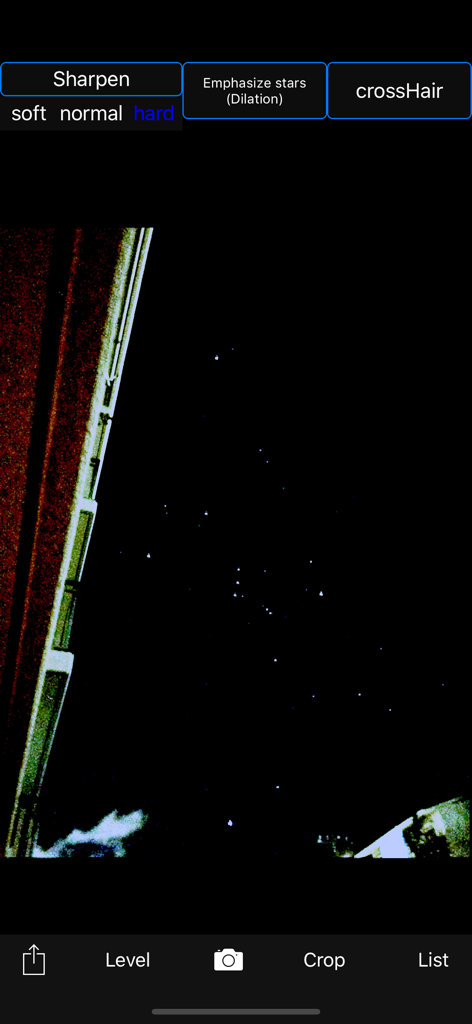
Interface d'édition de l'application Appareil photo ciel étoilé avec une photo du ciel nocturne et des options de filtre

Starry sky Camera - Application Appareil photo ciel étoilé pour retoucher une photo du ciel nocturne avec des outils de netteté des étoiles
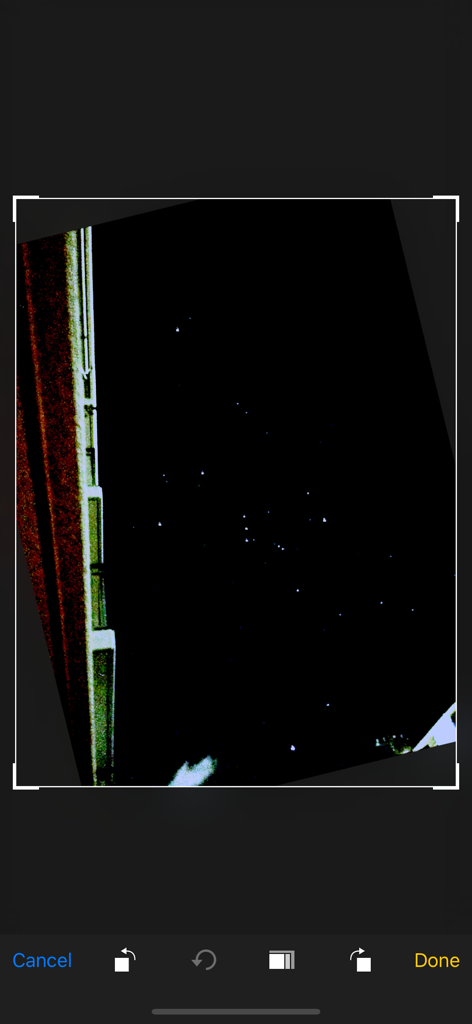
Application Appareil photo ciel étoilé pour retoucher une photo du ciel nocturne avec des outils de netteté des étoiles

Starry sky Camera - Capture d'écran d'une photo du ciel nocturne en cours de retouche dans l'interface de l'application Appareil photo Ciel étoilé
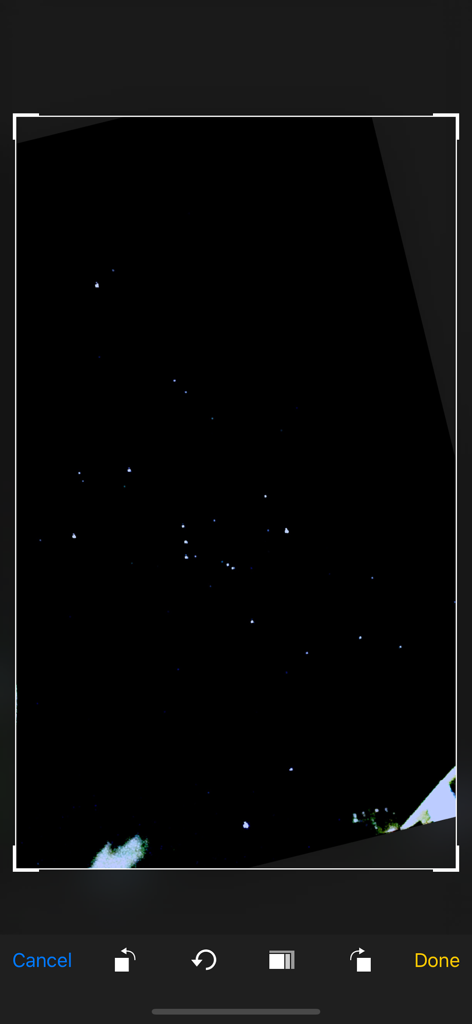
Capture d'écran d'une photo du ciel nocturne en cours de retouche dans l'interface de l'application Appareil photo Ciel étoilé

Starry sky Camera - Capture d'écran d'une application mobile montrant une photo de nuit étoilée en cours de recadrage et de retouche.
Capture d'écran d'une application mobile montrant une photo de nuit étoilée en cours de recadrage et de retouche.

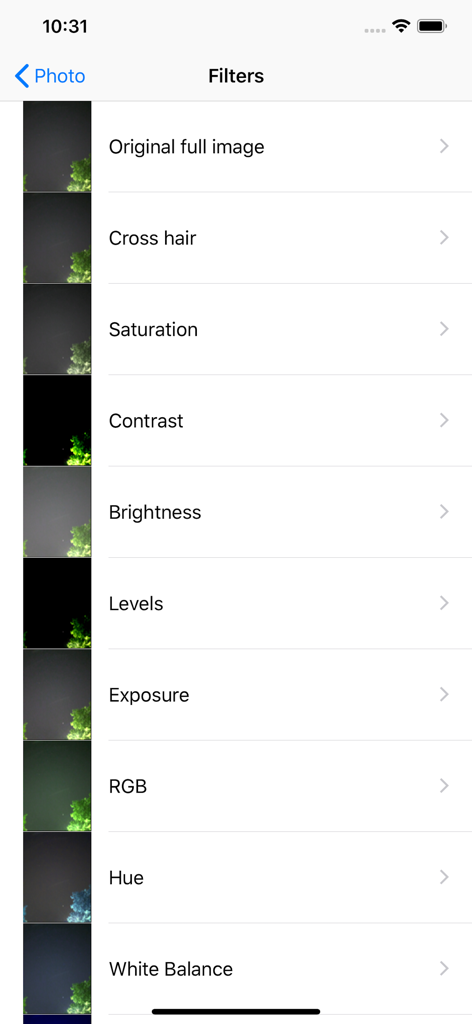
Starry sky Camera - Liste des filtres de retouche photo de l'application Appareil photo Ciel étoilé, présentant des options telles que la saturation, le contraste et la luminosité.

Liste des filtres de retouche photo de l'application Appareil photo Ciel étoilé, présentant des options telles que la saturation, le contraste et la luminosité.

Description

This camera app is able to take pictures of a real starry sky. You can take stars of the first magnitude and stars of the second magnitude or less in good condition. You can also get the pictures processed through dozens or more kinds of image processing filter. To take pictures of the starry sky, you have only to (1)set your iPhone camera toward a starry sky on a tripod, (2)tap the star icon (star1, star2 or star3), (Star1 is recommended.) (3)release the shutter, and just wait a minute or so. For Star 1, select the brightest pixel for each pixel in the continuous shooting image to highlight the brightness of the stars in the dark night sky. Star 2 raises the tone of brightness according to the number of continuous shots and shoots brightly. Star 3 adds brightness to each pixel of the continuous shooting image and shoots very brightly. Even with the same number of exposures, the images are brightly combined in the low to high order of star 1, star 2, star 3. However, please note that the brightness of Star 3 tends to be saturated. If the picture you took is dark, try increasing the number of exposures or setting the exposure compensation to a positive value. On the other hand, if the picture you took is too bright, try reducing the number of exposures or setting the exposure compensation to negative. Also, if you set the number of exposures to 1, you can use it as a camera app similar to a normal camera app. The main features of this app are as follows. [Initial setting] (1) Camera position / library selection (setting screen) You can select the front camera and the rear camera. Also, if you select the library, you can import photos from the camera roll. (2) Selection of resolution You can select 4K (2K) and the highest resolution. (3) Shooting scene settings The following scenes (functions) can be set. Daytime (HDR), Starry sky 1 (comparative bright composition), Starry sky 2 (screen composition), Starry sky 3 (additional composition), Night view Valve (superimposed) (4) Color temperature setting When white balance is set to manual, 1000 K to 12000 K can be selected as the color temperature. If it is set to auto, the automatic setting value will be used. (5) Focus setting If the focus is set to manual, you can set the focus at any distance within the range of device performance. If set to auto, it will be the automatic setting value. (6) Exposure compensation settings It can be set within the range of device performance. (7) Camera shake correction function The camera shake correction function is useful for minute camera shake. Also, even if the star moves during shooting due to diurnal movement, the deviation is corrected and combined. (8) HDR (high dynamic range) function You can take multiple pictures with automatically changed exposure and combine them to take a picture with a pseudo-widened dynamic range. (9) Manual exposure setting function The shutter speed and ISO value can be manually set to any value within the range of device performance. [Camera function] Camera work is possible according to the contents set in the initial settings. You can also pinch in and out for digital zoom. The shutter also has a 2-second or 10-second timer to avoid camera shake when tapping. These can be selected by pressing and holding the shutter icon. [List display function] Photos taken with this app are stored in this app at the same time as they are stored in the camera roll, and can be displayed in a list with shooting date and time information on the list display screen. You can delete the tapped image by tapping Select, selecting the image, and tapping the trash can icon. [Image processing function] Tap the displayed image to display the filter list for image processing. There are about 70 types of filters such as brightness adjustment, contrast, blur, sharpening, sepia, monochrome, edge detection, sketch, etc.

Download

Télécharger sur App Store

Cette page n'est pas une page officielle de l'application ou de son développeur, mais une publication éditoriale indépendante créée à des fins d'information et de commentaire. Sauf indication expresse contraire, ni l'application ni son développeur ne sont affiliés, approuvés, sponsorisés, autorisés ou autrement officiellement liés à MWM, Apple, Google Play, à l'éditeur de l'application ou au développeur de l'application, et rien sur cette page n'implique que l'application a été développée en utilisant les services de MWM. Toutes les marques, logos, captures d'écran et autres contenus restent la propriété de leurs propriétaires respectifs.








