StickerMaker Keyboard*

StickerMaker Keyboard*


Télécharger sur App Store
Logo de StickerMaker Keyboard*

Clavier StickerMaker* : Créez des autocollants uniques et dominez la discussion de groupe

Concevez des mashups d'emoji personnalisés et des autocollants 'maudits' viraux qui feront demander à vos amis : 'Comment as-tu fait ça ?' Exprimez-vous avec des créations exclusives envoyées directement depuis votre clavier vers iMessage, WhatsApp et TikTok.

Éditeur

红燕 马

Catégorie

Utilities

Téléchargements

59K+

Note

4.6/5

Nombre d'avis

1K+

Langues

1

Maîtrisez le mashup

Découvrez l'interface utilisée par 59K+ utilisateurs.
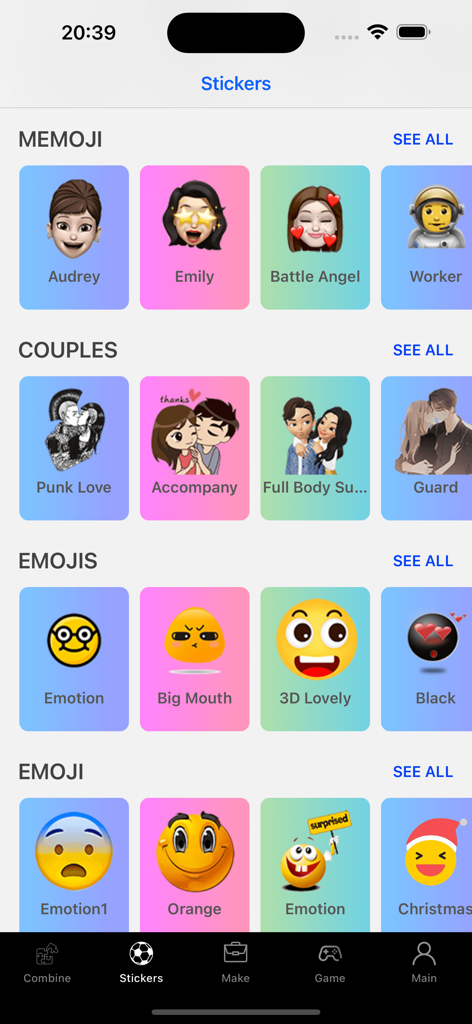
Une bibliothèque d'autocollants et d'emojis personnalisés organisés par catégories dans l'application Clavier StickerMaker

Une bibliothèque d'autocollants et d'emojis personnalisés organisés par catégories dans l'application Clavier StickerMaker

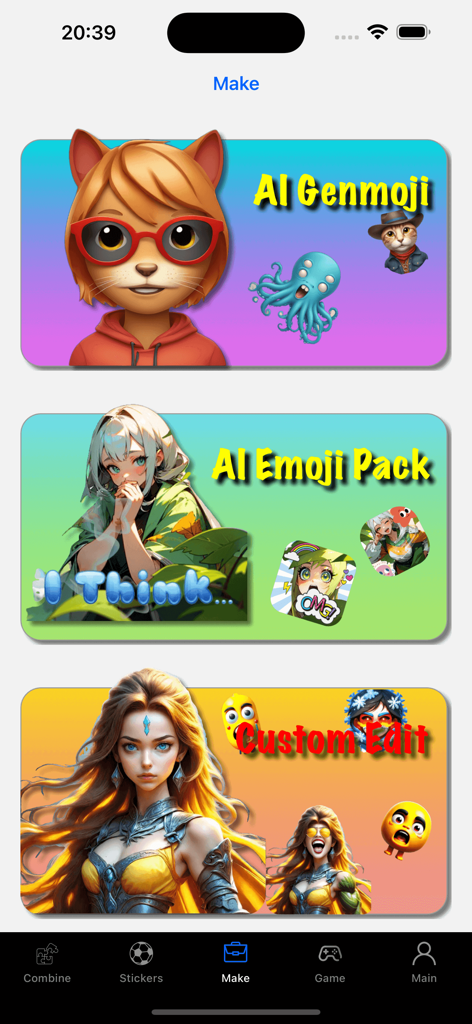
Interface du Clavier StickerMaker montrant les fonctionnalités de création Genmoji IA, Pack d'emojis IA et Édition personnalisée.

Interface du Clavier StickerMaker montrant les fonctionnalités de création Genmoji IA, Pack d'emojis IA et Édition personnalisée.

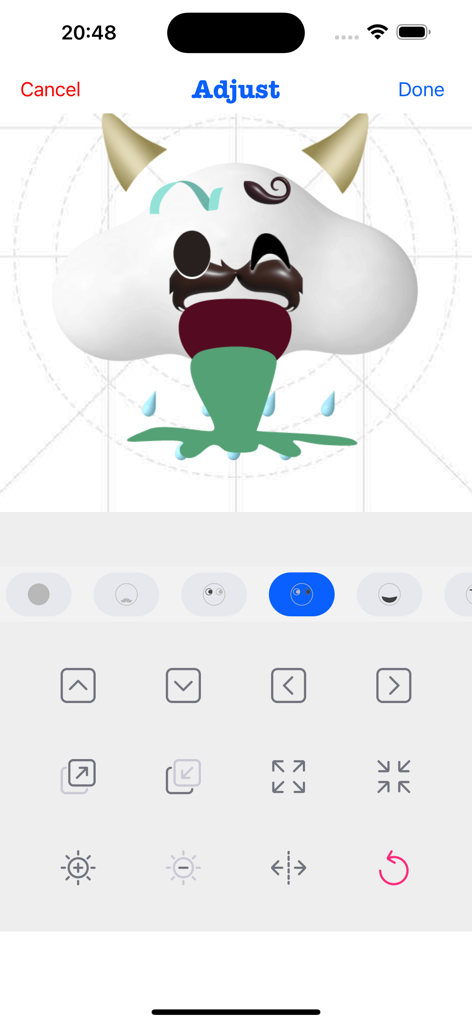
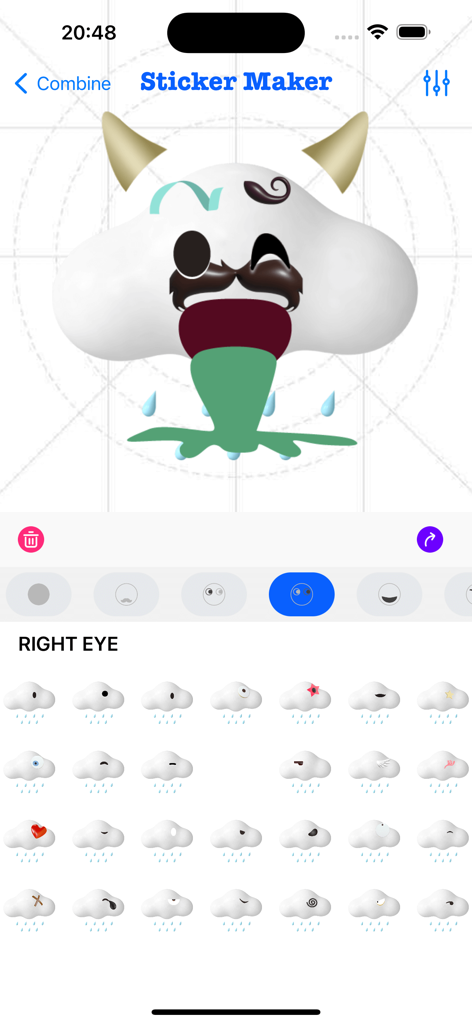
Interface de l'application Clavier StickerMaker montrant un utilisateur ajustant un emoji nuage drôle personnalisé avec des cornes et une moustache.

Interface de l'application Clavier StickerMaker montrant un utilisateur ajustant un emoji nuage drôle personnalisé avec des cornes et une moustache.

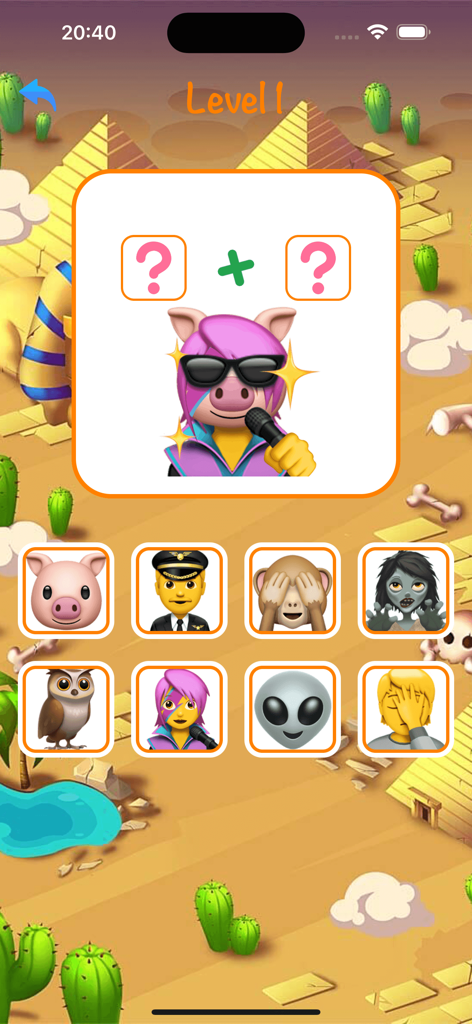
Un niveau de jeu mobile dans l'application Clavier StickerMaker montrant un puzzle de combinaison d'emoji pour créer un autocollant de cochon chantant.

Un niveau de jeu mobile dans l'application Clavier StickerMaker montrant un puzzle de combinaison d'emoji pour créer un autocollant de cochon chantant.

Une galerie d'autocollants emoji personnalisés en colère et drôles dans l'application Clavier StickerMaker

Une galerie d'autocollants emoji personnalisés en colère et drôles dans l'application Clavier StickerMaker

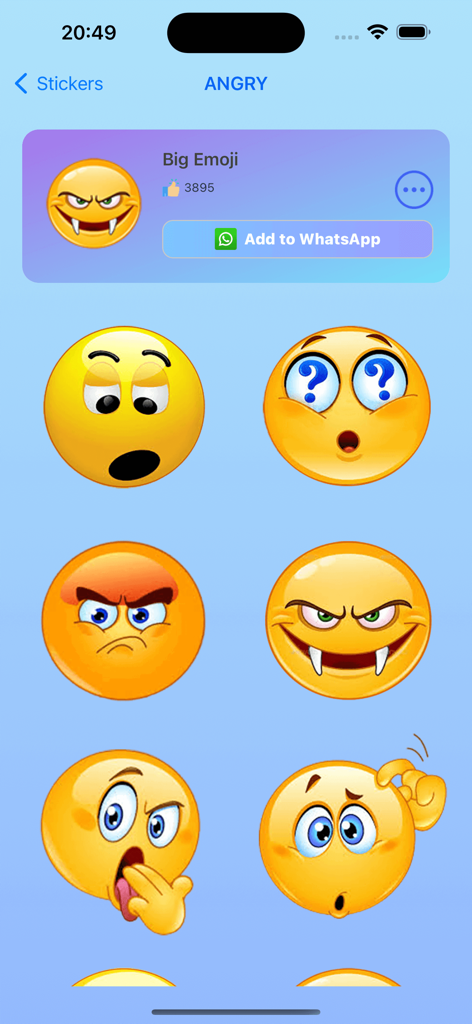
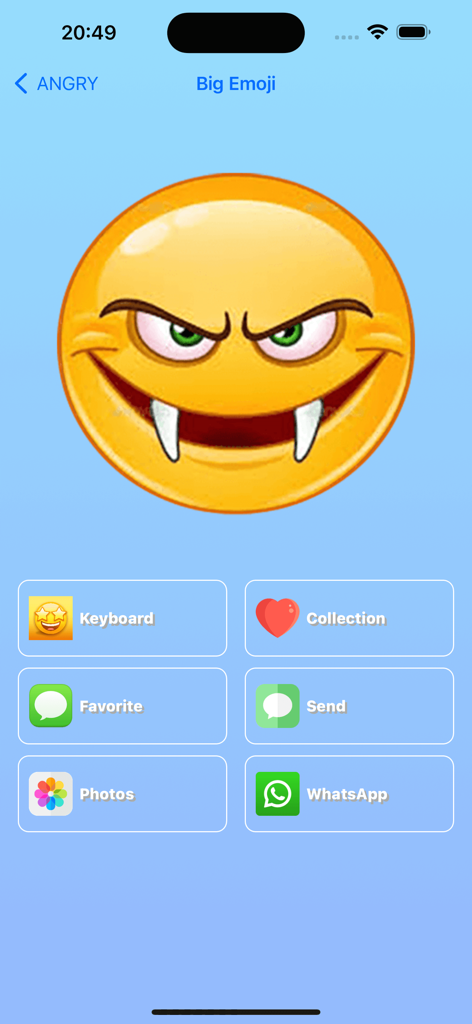
Interface de l'application Clavier StickerMaker affichant un grand emoji vampire en colère personnalisé avec des options de partage pour WhatsApp et iMessage

Interface de l'application Clavier StickerMaker affichant un grand emoji vampire en colère personnalisé avec des options de partage pour WhatsApp et iMessage

Interface utilisateur du Clavier StickerMaker montrant la création d'un autocollant emoji personnalisé en combinant différentes parties

Interface utilisateur du Clavier StickerMaker montrant la création d'un autocollant emoji personnalisé en combinant différentes parties

Élevez votre jeu de discussion

Les outils qui font la différence, choisis par 59K+ utilisateurs.

🎨

Mashups d'emoji infinis

Combinez vos expressions préférées pour créer des autocollants uniques, 'maudits' ou hilarants que personne d'autre n'a.

⌨️

Accès clavier transparent

Accédez et envoyez vos créations personnalisées directement dans iMessage, WhatsApp et TikTok sans changer d'application.

Texte emoji viral

Transformez des mots simples en art emoji accrocheur pour que vos bios sociaux et vos messages directs se démarquent instantanément.

À propos de l'app

Tout ce que vous devez savoir sur StickerMaker Keyboard*.

Description

Create your own stickers and combine them as you like. - Explore countless emoji combinations and use them in your chats - Use your imagination to combine different expressions to make them more interesting - Drag, zoom, and rotate them with your finger to make your stickers unique - Easily export your stickers to our keyboard, when you are chatting with other people, open our keyboard and send your exclusive stickers, go spoof your friends - Open the keyboard, click on the sticker, successfully copy it to the clipboard, click in your chat input box and paste it in, then you can successfully send it to your chat partner - Impress your friends with the StickerMaker Keyboar and get pranked by you Emoji Text feature: - You can convert a simple text, such as "Hello", into emoji text. It is best to make the emojis quite different, so that you can get a string of text. You just need to click "Copy" and paste it in other social software to amaze your friends. Here's how to create stickers with StickerMaker Keyboard. 1. Select Create New Sticker 2. Select different emoji options and find the sticker component you want in the sticker list 3. Make the sticker look more funny by dragging your finger or zooming and rotating, or you can make subtle adjustments to it through the Adjust module 4. If you don't want to be so complicated, you can skip all the above steps and go directly to the random generation option to get a spoof sticker directly. Maybe you will get an unexpected surprise Here's how to use the StickerMaker Keyboard. 1. First you need to go to System Settings -> Keyboard -> Third Party Keyboard, add our StickerMaker Keyboard to your favorite keyboards 2. Open WhatsApp, TikTok, iMessage or other chat software 3. Switch the keyboard and select our StickerMaker Keyboard 4. Click on the already created sticker to copy it to the clipboard 5. Double-click or long-press the chat input box, paste your exclusive sticker on it and click send Go prank your friends! Learn more about StickerMaker Keyboard! - Privacy Policy: https://www.freeprivacypolicy.com/live/e8e14320-ca09-41cf-970e-35697d7d50e9 - Terms of Service: https://www.freeprivacypolicy.com/live/3d291d75-66f9-4419-833d-516258ccfadf - Contact me: mah40445@gmail.com, if you have any suggestions, you can give me feedback by email, please bring StickerMaker Keyboard in the subject of the email, I will carefully check your feedback and optimize our products, looking forward to your feedback mail

Dernière version

3.0.0

Taille

95.1 MB

Date de sortie

23 juil. 2022

Prêt à gagner la discussion de groupe ?

Rejoignez des milliers de créateurs qui fabriquent les autocollants les plus bizarres, drôles et exclusifs. Obtenez le clavier StickerMaker maintenant et commencez à faire des blagues à vos amis sur iMessage, TikTok et WhatsApp.

Télécharger sur App Store

App information, icons, screenshots, and descriptions displayed on this page are sourced from the Apple App Store and are the property of their respective developers. Download estimates and rankings are based on MWM's proprietary models and may not reflect actual figures. This page is provided for informational and analytical purposes only.

Believe this page infringes your intellectual property? File a dispute