Section Alto SWAM : Réalisme Orchestral Inégalé sur iOS
Libérez-vous des échantillons statiques grâce à la modélisation physique en temps réel. Composez, interprétez et produisez des arrangements de cordes expressifs n'importe où avec un support professionnel AUv3 et MPE.
Éditeur
Audio Modeling Srl
Catégorie
Music
Téléchargements
600
Note
1.0/5
Nombre d'avis
0
Langues
-
La Précision à Portée de Main
Découvrez l'interface utilisée par 600 utilisateurs.
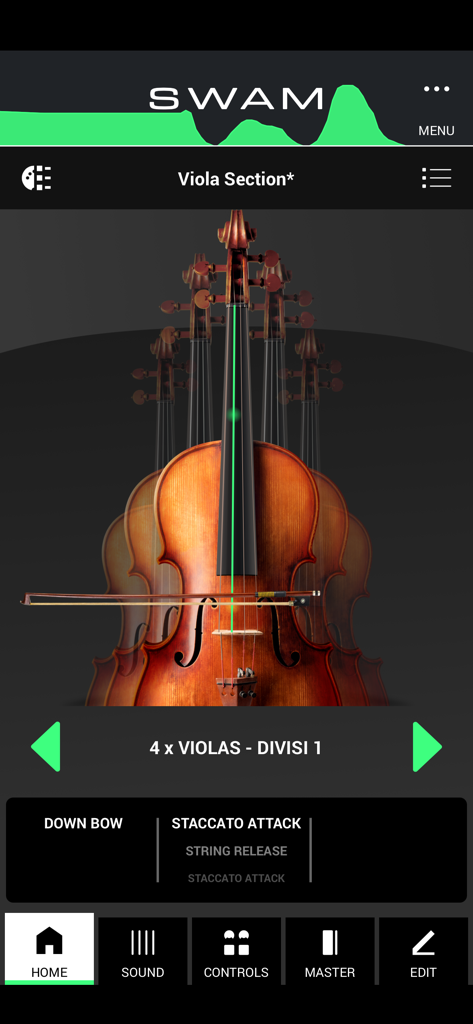
L'écran d'accueil de l'application SWAM Viola Section montrant un ensemble d'altos et les paramètres de performance.
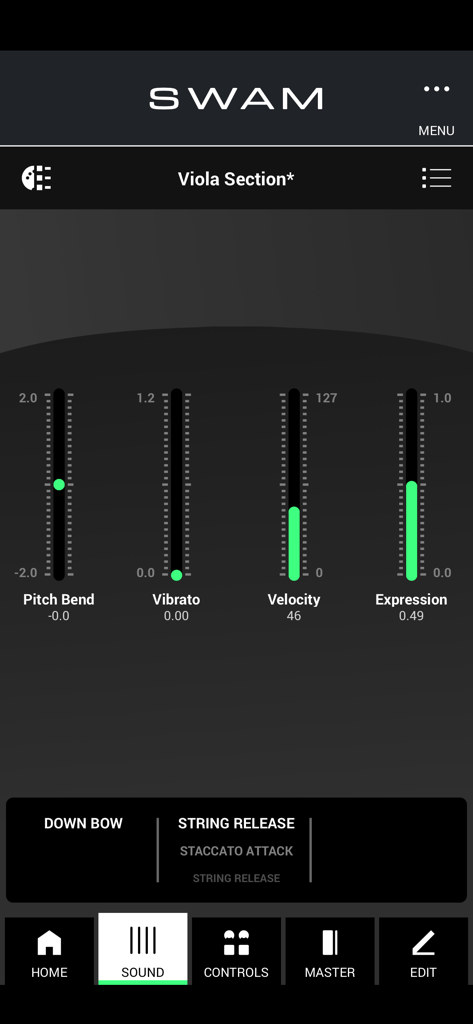
Interface de l'application mobile SWAM Viola Section montrant des curseurs en temps réel pour le pitch bend, le vibrato, la vélocité et l'expression.
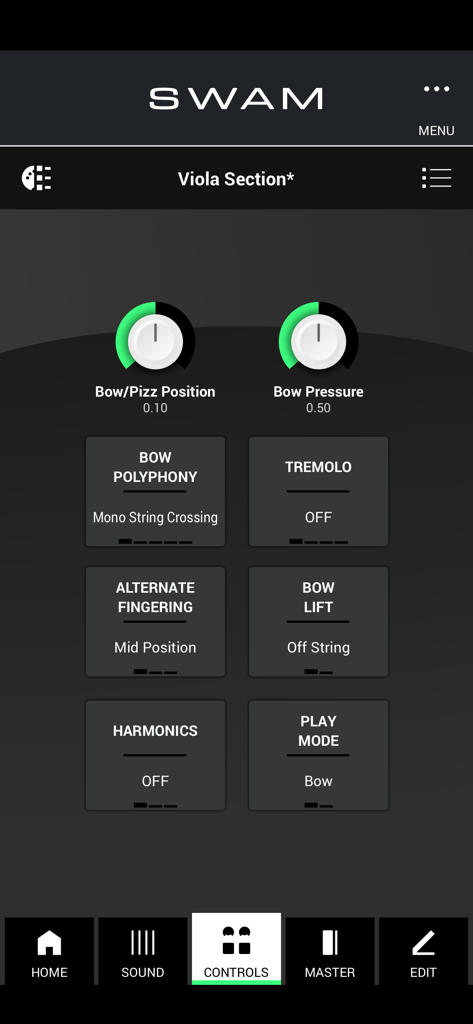
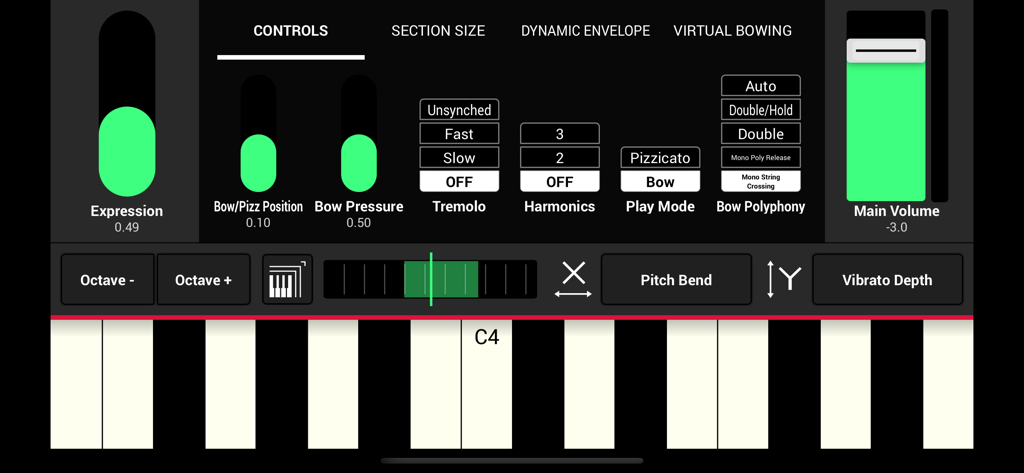
Interface de l'application SWAM Viola Section montrant des contrôles de performance expressifs tels que la pression de l'archet et la position.
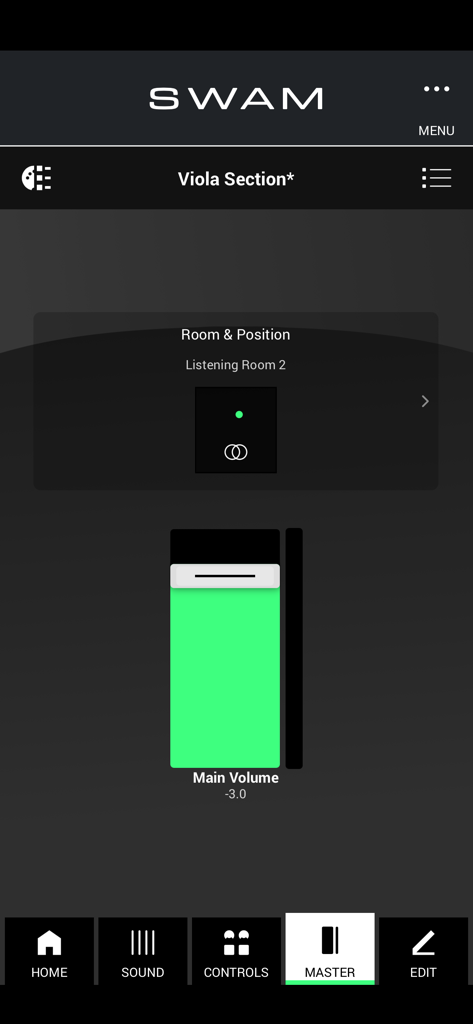
Interface des paramètres principaux de l'application SWAM Viola Section montrant les contrôles de volume et de position de la pièce.
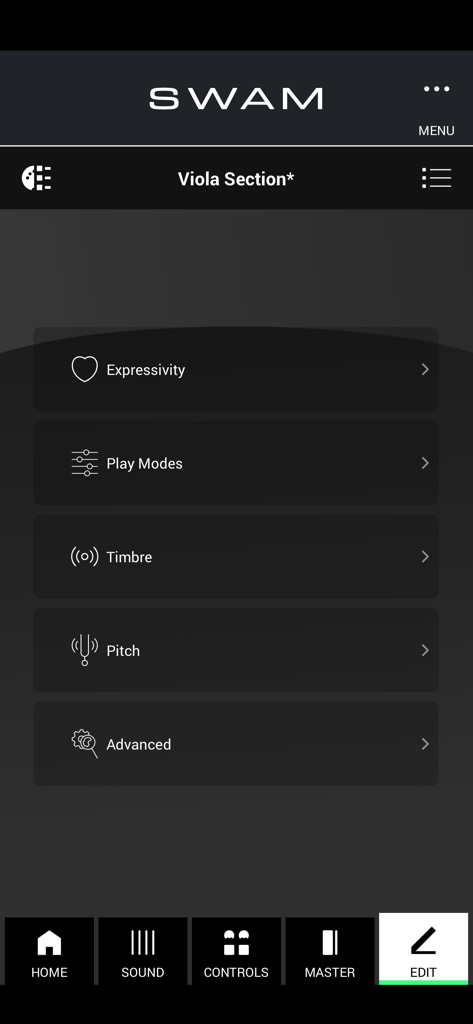
Le menu d'édition de l'application SWAM Viola Section montrant les options de personnalisation pour les modes de jeu expressifs, le timbre et la hauteur.
Interface utilisateur de l'application SWAM Viola Section montrant des curseurs d'expression et des contrôles de clavier MIDI.
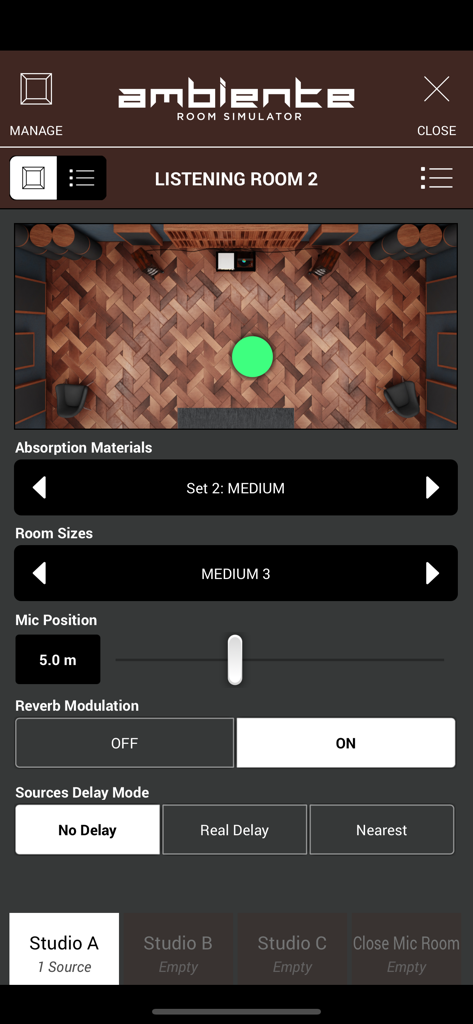
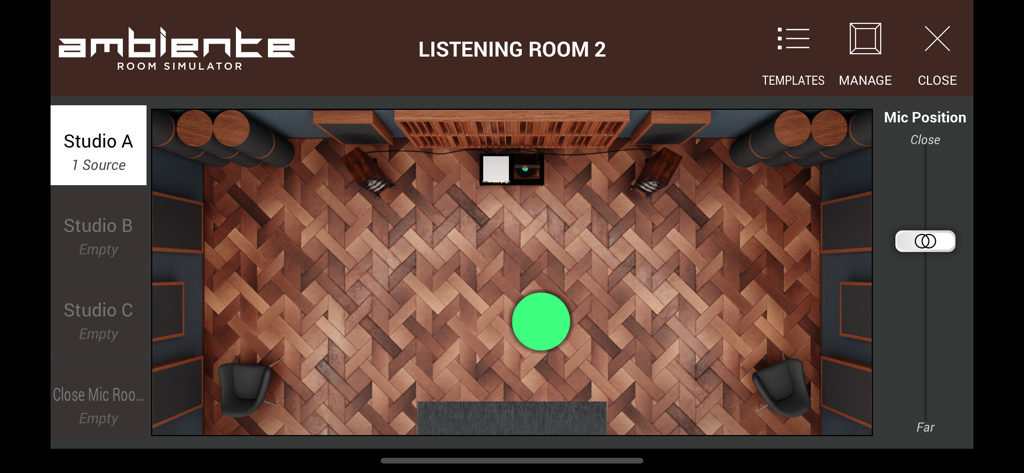
Interface du simulateur de salle Ambiente dans SWAM Viola Section montrant l'acoustique de la pièce et les contrôles de positionnement du microphone.
Interface du simulateur de salle Ambiente dans SWAM Viola Section montrant une disposition de studio virtuelle et des contrôles de position de microphone.
Puissance Orchestrale Professionnelle dans Votre Poche
Les outils qui font la différence, choisis par 600 utilisateurs.
🎻
Réalisme Performant
Donnez vie à vos compositions avec un contrôle en temps réel de la pression de l'archet, de la position et du vibrato. Façonnez chaque note dynamiquement sans basculer entre des ensembles d'articulations limités.
🔌
Intégration AUv3 Transparente
Conçue pour les professionnels du mobile, SWAM s'intègre sans effort en tant que plugin AUv3 dans Logic Pro pour iPad, Cubasis et AUM, faisant de votre installation portable un studio de classe mondiale.
⚡
Technologie de Modélisation Légère
Remplacez des gigaoctets de bibliothèques d'échantillons lourdes par un moteur haute performance de 161 Mo. Bénéficiez de temps de chargement instantanés et d'une jouabilité hyper réactive optimisée pour Apple Silicon.
À propos de l'app
Tout ce que vous devez savoir sur SWAM Viola Section.
Description
SWAM Viola Section for iOS: The Next-Level String Section Experience
SWAM Viola Section for iOS brings the power of Physical Modeling technology to your mobile device, allowing you to create realistic, expressive, and fully customizable viola section performances on the go. Whether you’re a composer, producer, or live performer, this revolutionary app delivers unmatched realism, efficiency, and flexibility in a lightweight and intuitive package.
Unlike traditional sample libraries, SWAM Viola Section doesn’t rely on pre-recorded articulations. Instead, it generates the sound in real time, reacting dynamically to your playing style, whether you're working in classical, cinematic, jazz, or modern electronic music.
Why Choose SWAM Viola Section for iOS?
Unparalleled Realism – Each viola section is fully controllable in terms of expression, vibrato, bow pressure, bow position, tremolo, and more. No need to switch between different articulations—just play and shape the sound in real time.
Enhanced Efficiency – No more endless searching for the right articulation or sample. With SWAM Viola Section, you have immediate access to every possible playing technique at your fingertips.
Faster Workflow – Control velocity, expression, and phrasing seamlessly while switching effortlessly between staccato, legato, spiccato, or pizzicato just by playing.
Smart Room Simulator “Ambiente” – The built-in room simulator ensures that all viola sections in your mix interact naturally, allowing for a centralized UI to position every section in a shared acoustic space without tweaking each plugin separately.
Top Features at a Glance
Individual Section Control – Adjust the expressivity of each viola section independently, fine-tuning vibrato, bowing techniques, dynamics, and more.
Standalone & AUv3 Plugin – Use SWAM Viola Section as a standalone app for real-time performances or integrate it as an AUv3 plugin in your favorite DAW.
Customizable Sound & Playability – Personalize the tone, resonance, and bowing articulation to match any genre or style.
MIDI & MPE Compatibility – Play expressively with MIDI controllers, MPE devices, wind controllers, or even directly from your iOS device’s touchscreen.
Seamless Integration with DAWs – Perfect for mobile music production, SWAM Viola Section works effortlessly in Logic Pro for iPad, Cubasis, AUM, GarageBand, Camelot Pro and more.
Lightweight & Powerful – Thanks to state-of-the-art Physical Modeling technology, you get a realistic and highly responsive string section without the need for massive sample libraries.
Who is SWAM Viola Section for iOS Designed For?
Film & Game Composers – Achieve lifelike, expressive viola section performances directly from your iPad or iPhone.
Music Producers – Use real-time expressivity to shape your sound instantly, without limitations.
Live Performers – Integrate SWAM Viola Section into your live setup for dynamic, high-quality string section performances on the go.
Orchestrators & Arrangers – Create and refine rich, full orchestral arrangements with deep control over every section’s expressivity.
Important Notes
For the best experience, we recommend using a device with an Apple Silicon chip (M1, M2, M3, or later) for optimal responsiveness and real-time performance.
Like the solo SWAM Strings instruments, SWAM Viola Section is monophonic, as it accurately replicates real bowed string instruments, allowing only double stops where realistic fingerings permit.
To fully explore the expressive power of SWAM Viola Section, a MIDI controller capable of continuous expression (such as an MPE device, breath controller, or expression pedal) is recommended.
Take your string section to the next level with SWAM Viola Section for iOS and redefine the way you create, perform, and produce music—anytime, anywhere.
Dernière version
1.5.0
Taille
154.4 MB
Date de sortie
13 févr. 2025
Améliorez Votre Expérience de Composition Mobile
Rejoignez les rangs des compositeurs d'élite. Téléchargez dès maintenant la Section Alto SWAM pour apporter la modélisation physique en temps réel et un réalisme de cordes inégalé sur votre iPad ou iPhone.
App information, icons, screenshots, and descriptions displayed on this page are sourced from the Apple App Store and are the property of their respective developers. Download estimates and rankings are based on MWM's proprietary models and may not reflect actual figures. This page is provided for informational and analytical purposes only.
Believe this page infringes your intellectual property? File a dispute