SyncGene Sync Contact Calendar

SyncGene Sync Contact Calendar


Télécharger sur App Store
Logo de SyncGene Sync Contact Calendar

SyncGene : Synchronisez en toute transparence vos contacts, calendriers et tâches sur toutes les plateformes

Comblez le fossé entre iCloud, Google et Outlook. Unifiez automatiquement votre vie professionnelle et personnelle grâce à une synchronisation en arrière-plan de niveau professionnel, conçue pour le professionnel occupé.

Télécharger sur App Store

Éditeur

Cira Apps Limited

Catégorie

Productivity

Téléchargements

9K+

Note

1.9/5

Nombre d'avis

0

Langues

3

L'efficacité en mouvement

Découvrez l'interface utilisée par 9K+ utilisateurs.
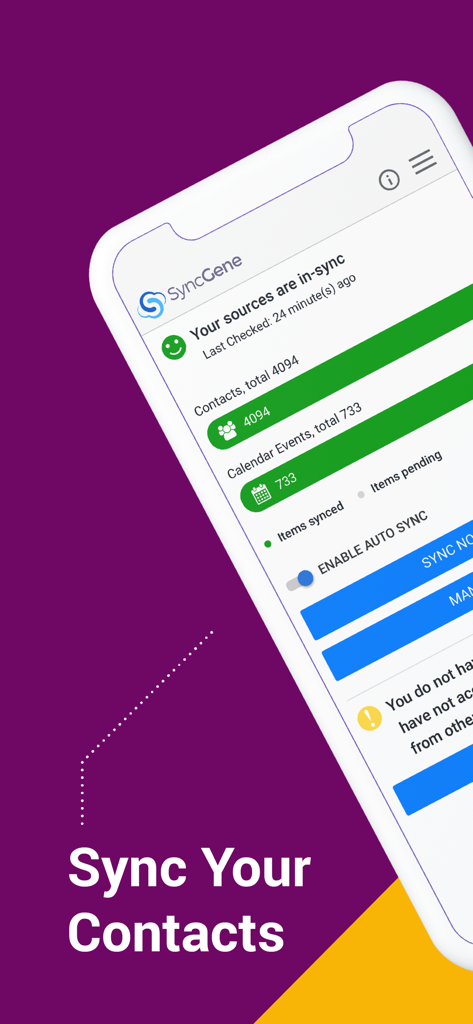
Tableau de bord de l'application SyncGene affichant les contacts synchronisés et les événements du calendrier.

Tableau de bord de l'application SyncGene affichant les contacts synchronisés et les événements du calendrier.

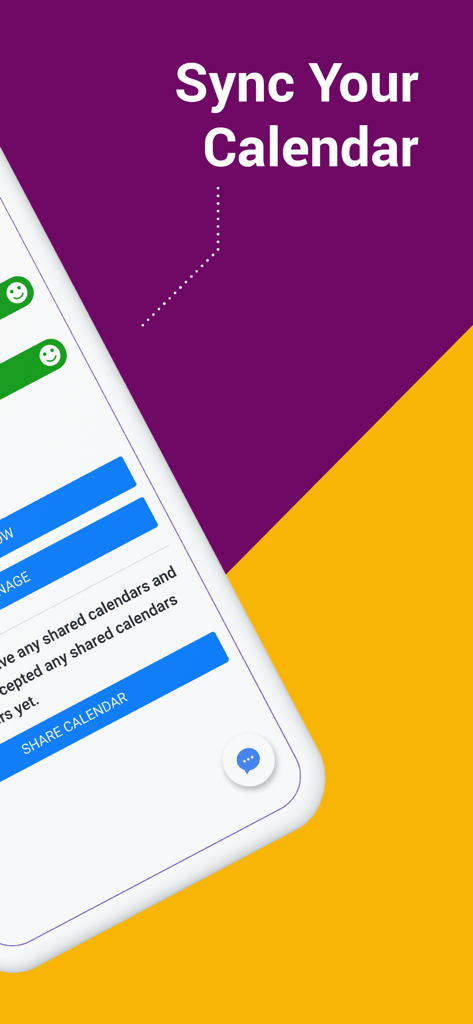
Écran de synchronisation du calendrier de l'application SyncGene

Écran de synchronisation du calendrier de l'application SyncGene

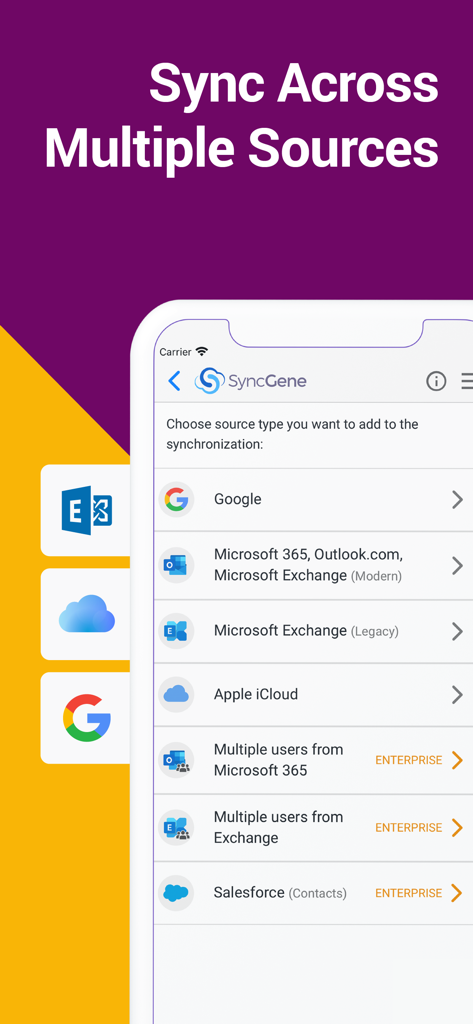
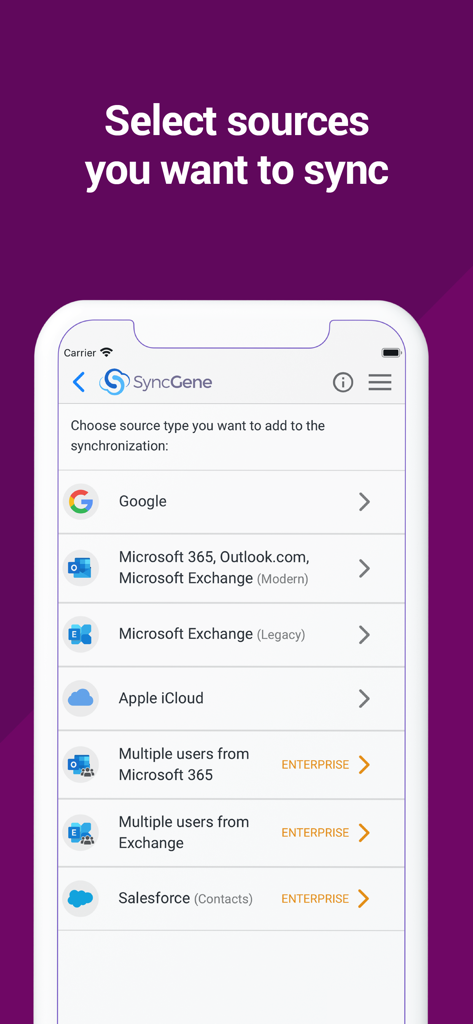
Écran de l'application SyncGene montrant les options de synchronisation des comptes depuis Google, Microsoft 365, iCloud et Salesforce.

Écran de l'application SyncGene montrant les options de synchronisation des comptes depuis Google, Microsoft 365, iCloud et Salesforce.

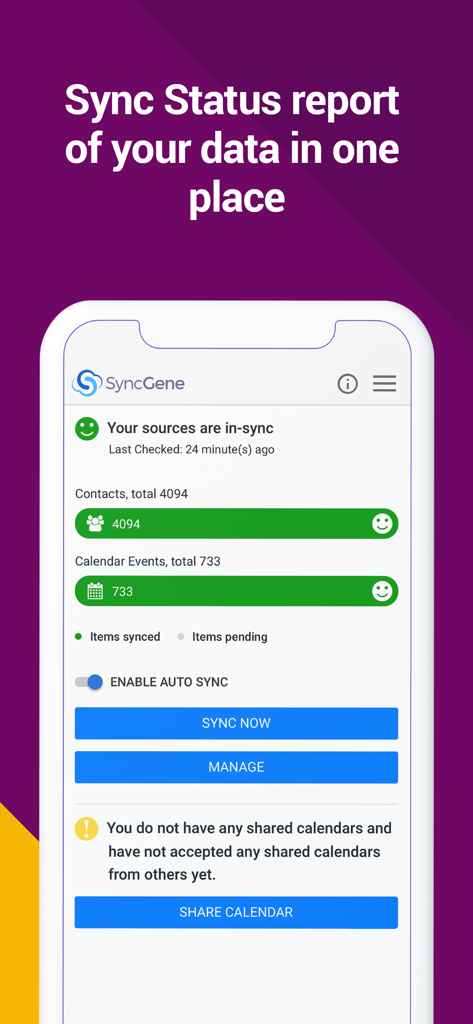
Tableau de bord SyncGene montrant le statut de synchronisation des données pour les contacts et le calendrier.

Tableau de bord SyncGene montrant le statut de synchronisation des données pour les contacts et le calendrier.

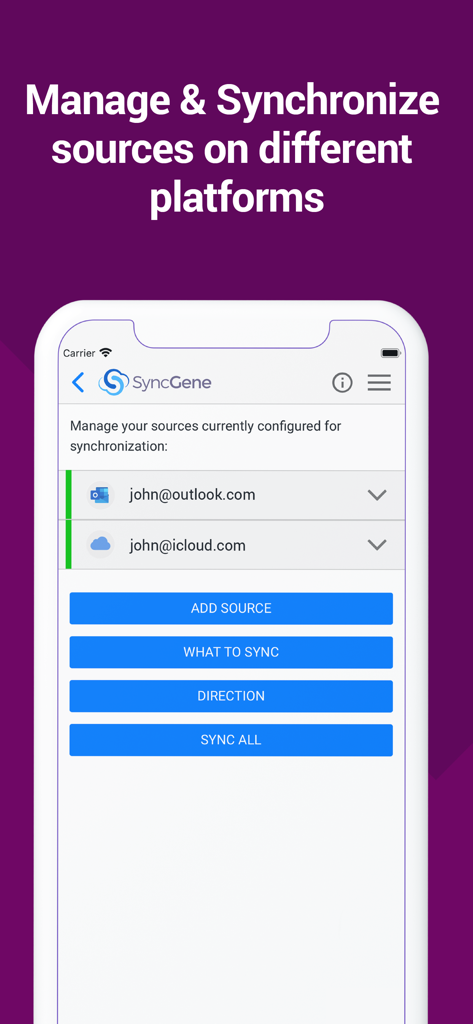
Interface de l'application mobile SyncGene montrant les comptes Outlook et iCloud configurés pour la synchronisation.

Interface de l'application mobile SyncGene montrant les comptes Outlook et iCloud configurés pour la synchronisation.

Écran de l'application SyncGene montrant les options de synchronisation de Google, Microsoft Outlook et Apple iCloud.

Écran de l'application SyncGene montrant les options de synchronisation de Google, Microsoft Outlook et Apple iCloud.

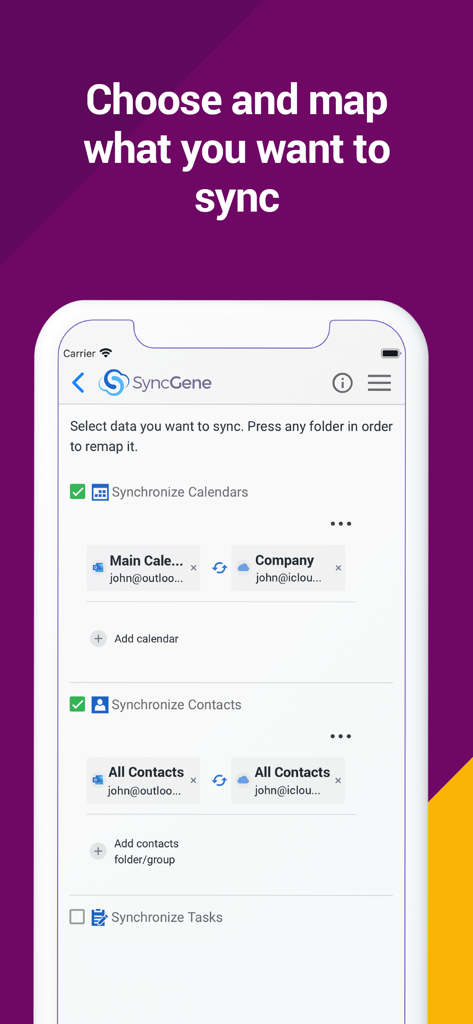
Interface de l'application mobile SyncGene montrant les options de sélection et de mappage des calendriers et des contacts pour la synchronisation entre Outlook et iCloud.

Interface de l'application mobile SyncGene montrant les options de sélection et de mappage des calendriers et des contacts pour la synchronisation entre Outlook et iCloud.

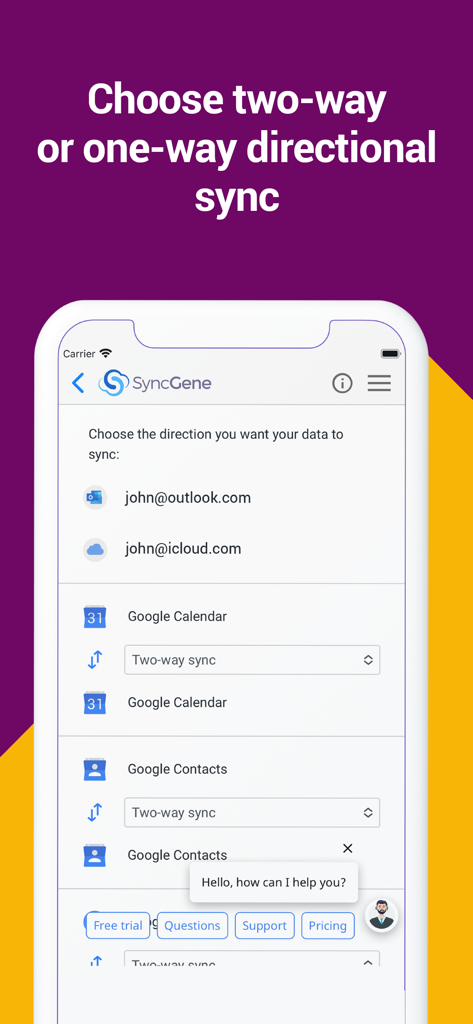
Interface de l'application mobile SyncGene montrant les paramètres de synchronisation directionnelle pour Google Agenda et Contacts.

Interface de l'application mobile SyncGene montrant les paramètres de synchronisation directionnelle pour Google Agenda et Contacts.

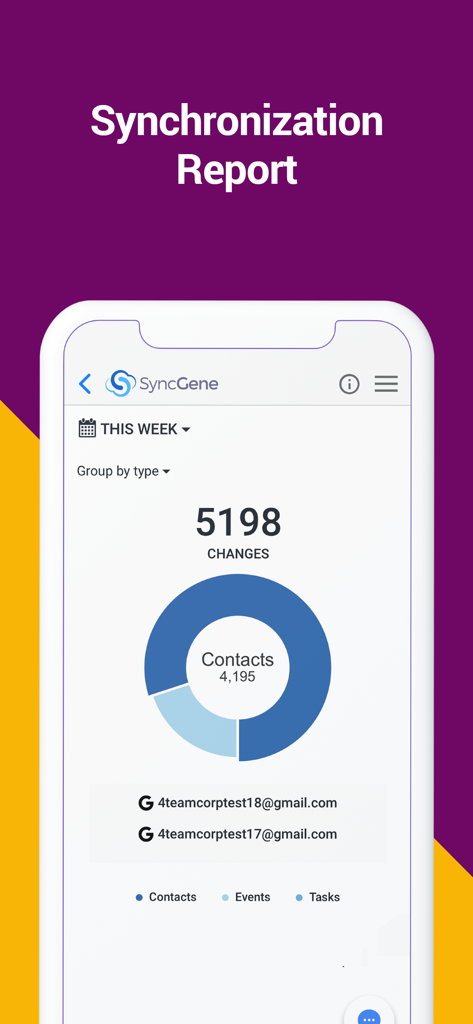
Tableau de bord du rapport de synchronisation de l'application SyncGene montrant les changements pour les contacts, les événements et les tâches.

Tableau de bord du rapport de synchronisation de l'application SyncGene montrant les changements pour les contacts, les événements et les tâches.

Maîtrisez votre flux de travail numérique

Les outils qui font la différence, choisis par 9K+ utilisateurs.

🔄

Automatisation "Réglez-le et oubliez-le"

Mettez à jour un contact sur votre iPhone et voyez-le instantanément sur Outlook. Notre synchronisation en arrière-plan garantit que votre monde numérique est toujours reflété sans que vous n'ayez à lever le petit doigt.

🌉

Connectez tous les écosystèmes

La solution ultime pour les "nomades d'écosystèmes". Connectez en toute transparence Google Agenda, Contacts iCloud et Microsoft Exchange en une seule vue unifiée.

🛠️

Contrôle granulaire du mappage

Maintenez le contrôle total de vos données. Personnalisez les directions de synchronisation unidirectionnelles ou bidirectionnelles et utilisez le mappage de dossiers pour organiser parfaitement vos entrées professionnelles et personnelles.

À propos de l'app

Tout ce que vous devez savoir sur SyncGene Sync Contact Calendar.

Description

Free Cloud synchronization service to sync your Calendar, Contacts and Tasks with another iPhone, iPad, Mac, iCloud account, as well as Google and Microsoft devices and services. Sync Contacts, Calendar Events, and Tasks between your iPhone/iPad via iCloud with Google Gmail, Outlook 365, Outlook.com, Hotmail and Exchange. With SyncGene you can sync iCloud Calendar and Contacts with Google Calendar and Gmail Contacts. You can sync Calendar and Contacts using SyncGene app or online. Main features of SyncGene sync service: SYNC CONTACTS, CALENDAR, AND TASKS Sync Contacts, Calendar Events, and Tasks automatically across multiple devices, email accounts, Web Apps, and services. No more manual exporting, importing, double-entry, and data duplication. SYNC MULTIPLE SOURCES One tool to sync iCloud, Google Calendar, Gmail Contacts and Tasks, Outlook.com/Hotmail, Office 365 and Microsoft Exchange sources, and more coming soon. Any changes you make in your Contacts, Calendars and Tasks will appear on all your connected devices and services used. AUTO & CONSTANT SYNCHRONIZATION SyncGene stands out for its auto-sync, which is happening in the background. If you change anything in your data, SyncGene will automatically & constantly update all the sources and devices with the latest changes. MERGE PERSONAL INFORMATION. SAVE YOUR TIME One Calendar, one Address Book, and one To-do list for your hassle-free management. No more lost, duplicate or incomplete entries. MAPPING With SyncGene you can map folders and groups on the “What to sync” page. Use Folder Mapping to sync data between any chosen Folders or Groups. For example, you can sync your contacts from the “All People” group in Google Contacts with the “Contacts from Google” folder on Microsoft Exchange. SYNC DIRECTIONS You also can change sync direction - choose between one-way or two-way sync; & also free to busy sync; • You can change synchronization “Direction” when there are 2 sources configured. • To keep things simple, when adding 3rd and more sources it will inherit one-way/two-way settings from the first 2 sources automatically. • In case you have 3 or more sources and you still need to change sync directions' setup, please contact our support and they will help you. SyncGene PREMIUM Keep your digital life up to date across all devices and services. With SyncGene Premium you can: • Sync your data automatically • Sync an unlimited number of Contacts • Sync up to 5 different sources Compatible with: iPhone, iPad, Mac. Time saver: easy automation tool for busy people. SyncGene will sync your web apps, email accounts and devices automatically. No need to enter the same information on multiple devices or services. Synchronization is performed without you ever noticing, just set up SyncGene once and you can forget about it. Safe, secure and reliable: all your data is backed up to your Google Drive and can be easily restored. We never keep your synchronized information. SyncGene is hosted on Microsoft Azure – the most trusted cloud service. Every SyncGene service user has easy & fast access to our free 5 Star Live Chat and Email support. Terms of use - https://www.syncgene.com/terms-of-use

Dernière version

2.6

Taille

3.2 MB

Date de sortie

21 déc. 2016

Prêt à mettre votre productivité en pilote automatique ?

Mettez fin à la frustration des calendriers et contacts fragmentés. Commencez dès aujourd'hui votre synchronisation automatique entre iCloud, Google et Office 365, car votre temps est trop précieux pour la saisie manuelle.

Télécharger sur App Store

App information, icons, screenshots, and descriptions displayed on this page are sourced from the Apple App Store and are the property of their respective developers. Download estimates and rankings are based on MWM's proprietary models and may not reflect actual figures. This page is provided for informational and analytical purposes only.

Believe this page infringes your intellectual property? File a dispute