Things 3 pour iPad : le gestionnaire de tâches primé pour les professionnels
Libérez votre esprit et optimisez votre journée grâce à une interface minimaliste aussi performante qu'élégante. De vos tâches quotidiennes à vos plus grands projets, découvrez une productivité optimale conçue spécialement pour votre iPad.
Découvrez l'interface utilisée par 315K+ utilisateurs.
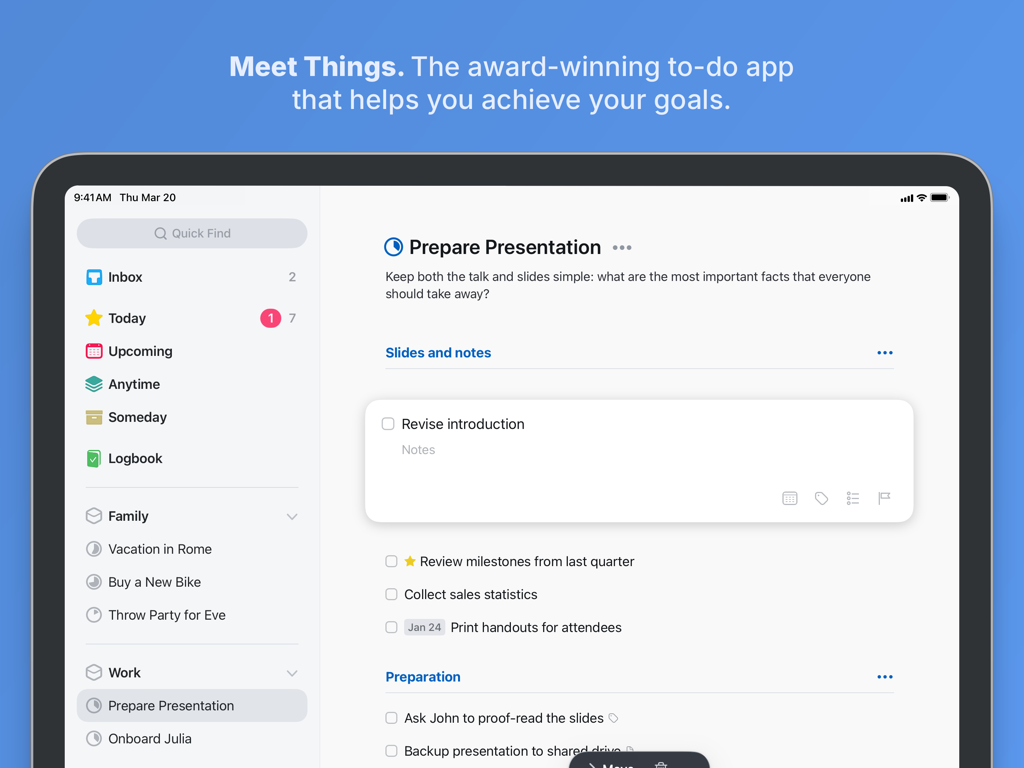
Interface minimaliste de gestion des tâches de l'application Things 3 sur iPad, affichant un projet de présentation avec des listes de tâches et des catégories organisées.
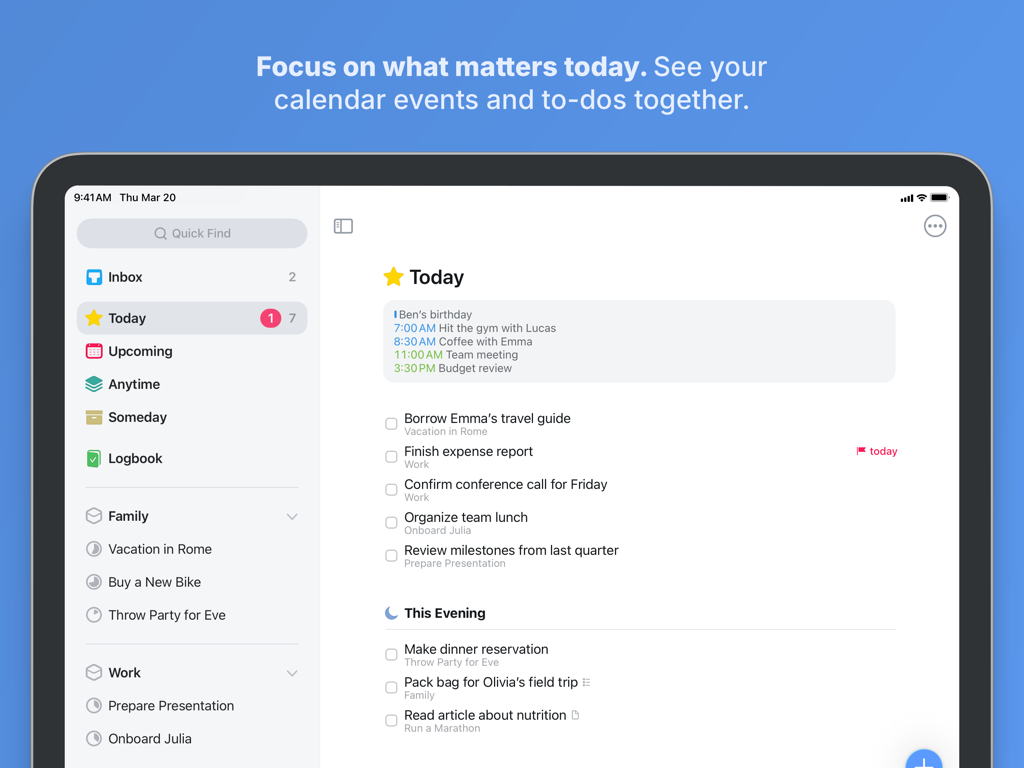
Things 3 pour iPad affiche la vue Aujourd'hui avec les événements du calendrier et les tâches intégrés
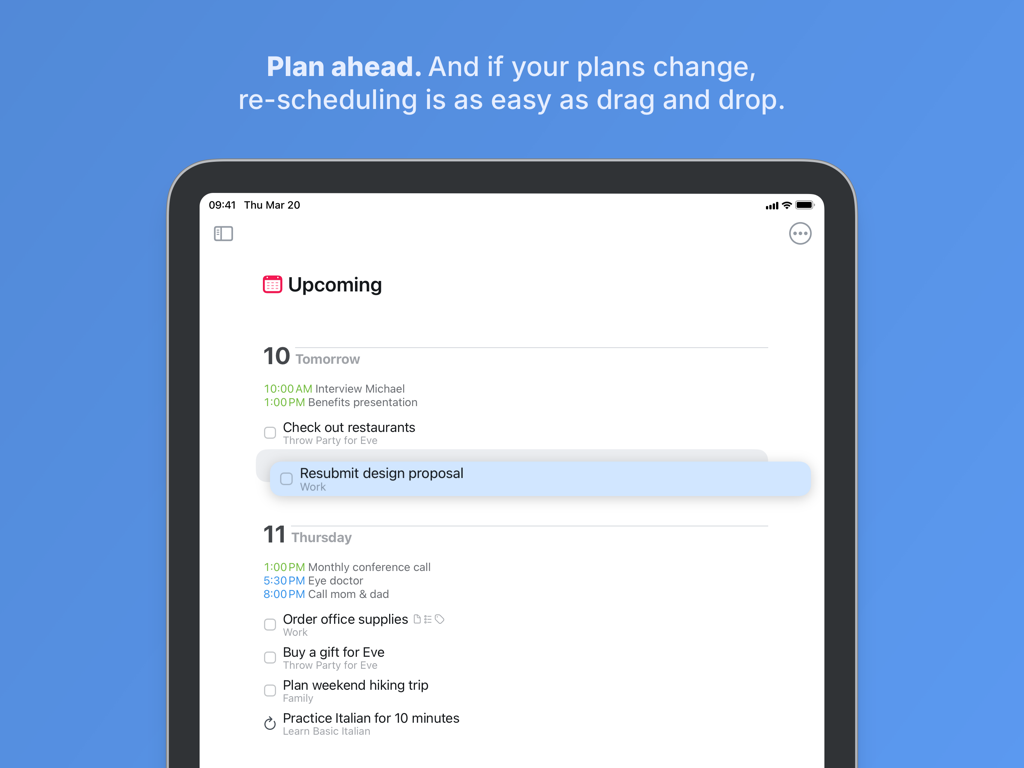
Things 3 pour iPad affiche la reprogrammation des tâches par glisser-déposer dans la vue À venir
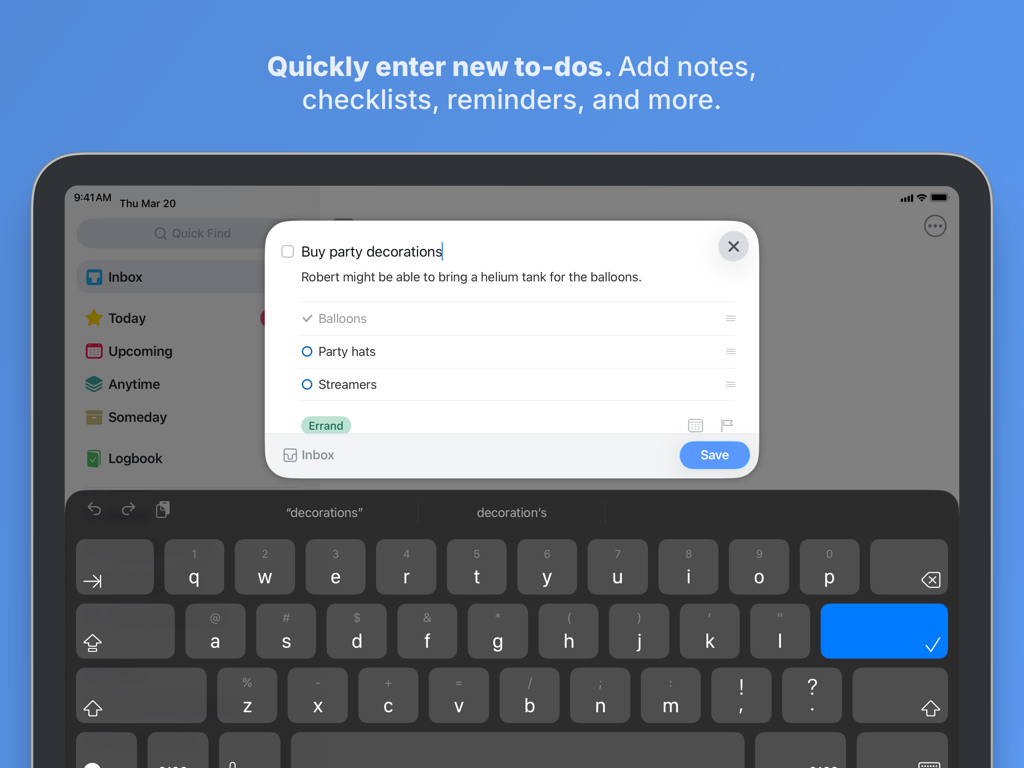
Une fenêtre contextuelle dans Things 3 pour iPad affiche la création d'une nouvelle tâche avec des notes et une liste de contrôle.
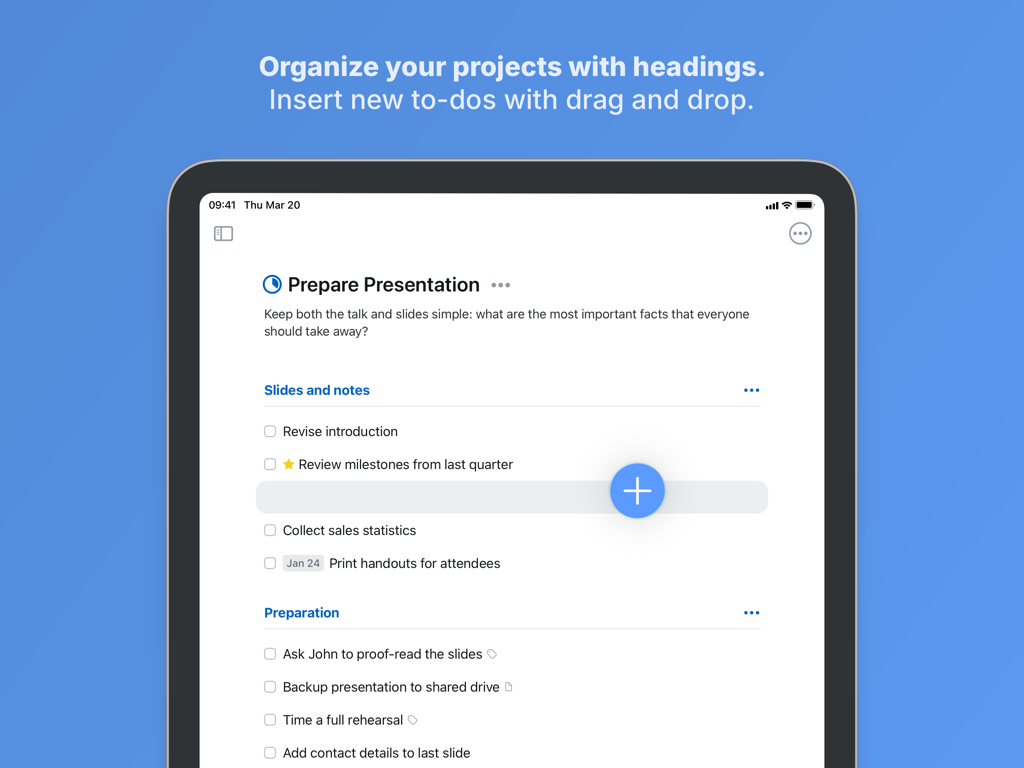
Interface de Things 3 pour iPad affichant l'organisation des projets avec des titres et le bouton Magic Plus pour l'insertion des tâches.
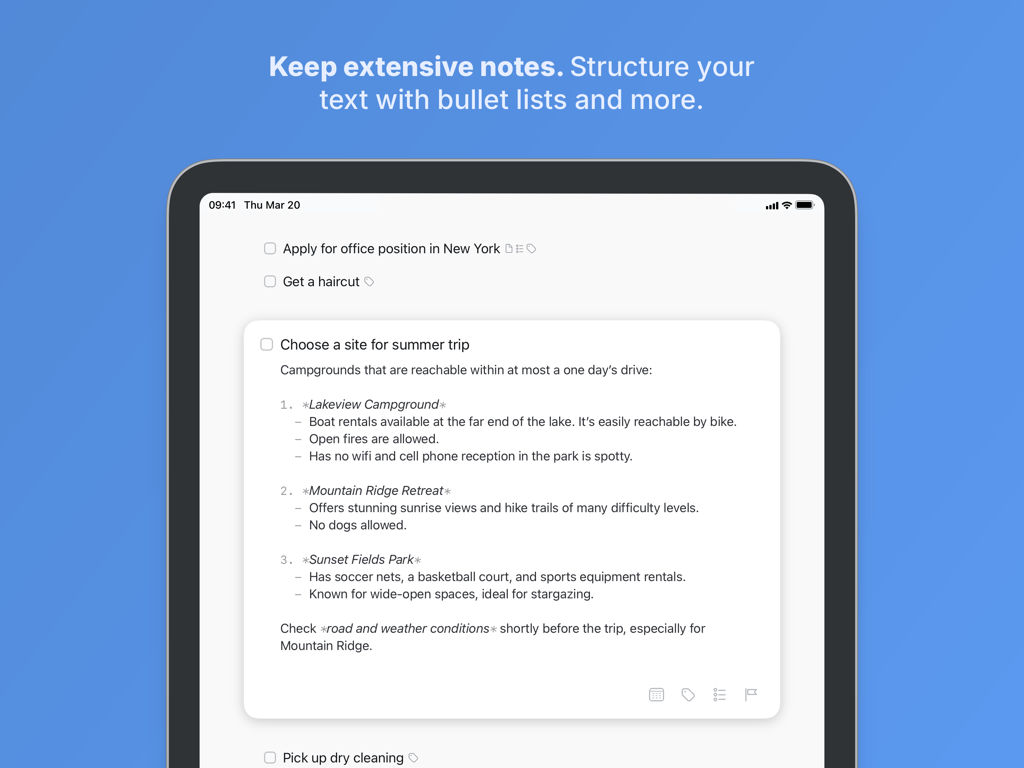
Une tâche dans Things 3 pour iPad affichant des notes détaillées structurées avec des listes numérotées et à puces.
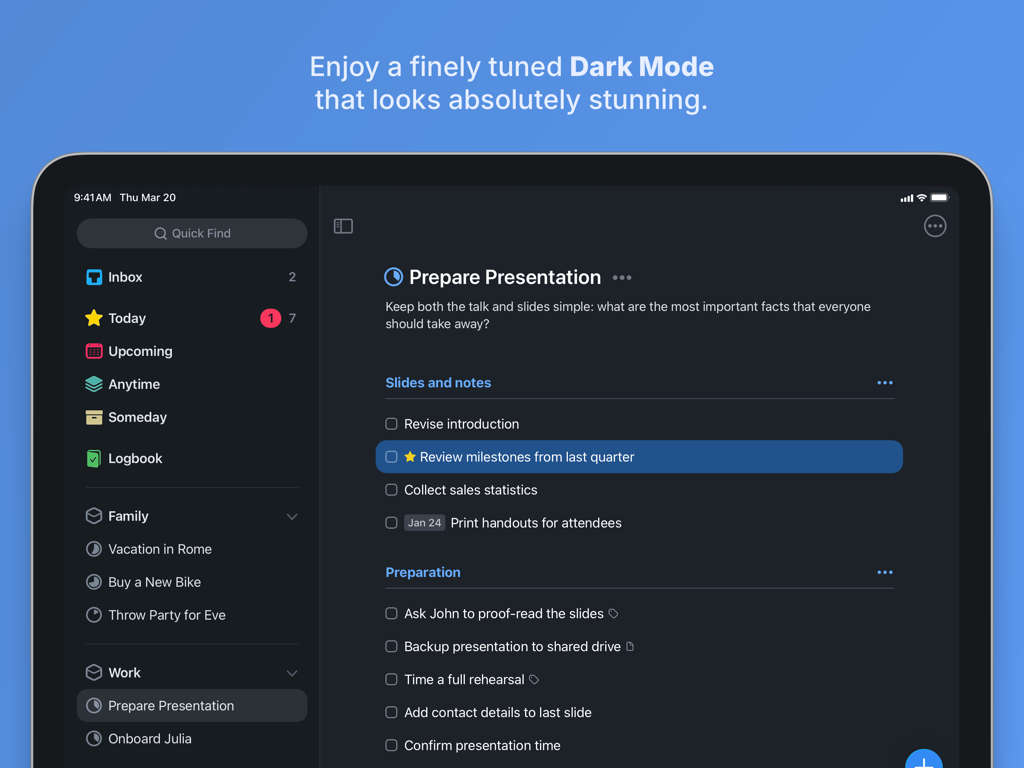
L'interface du gestionnaire de tâches Things 3 pour iPad affichant un projet de présentation en mode sombre.
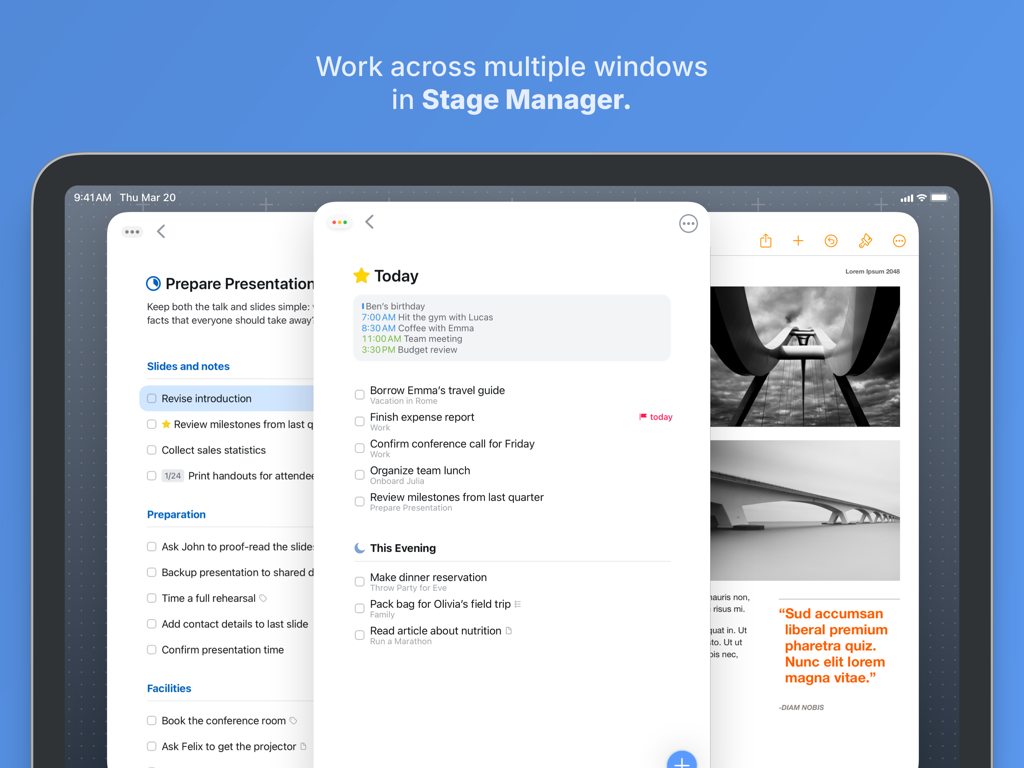
L'application Things 3 pour iPad affiche plusieurs fenêtres de tâches dans Stage Manager.
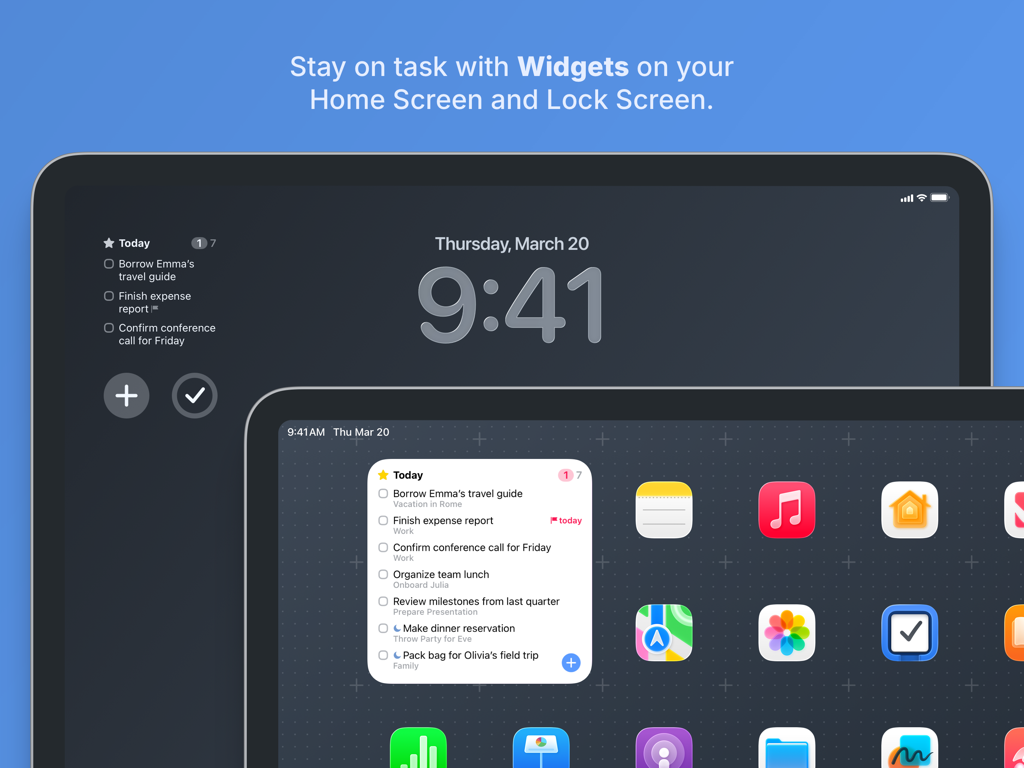
Things 3 pour iPad affiche des widgets de tâches sur l'écran de verrouillage et l'écran d'accueil.
Maîtrisez votre flux de travail avec précision
Les outils qui font la différence, choisis par 315K+ utilisateurs.
⌨️
Puissance de l'iPad de classe bureau
Conçue pour l'ère de l'iPad Pro, avec une prise en charge complète du clavier et du trackpad. Naviguez dans vos listes à une vitesse fulgurante et utilisez des raccourcis pour gérer vos tâches sans jamais toucher l'écran.
🎯
Planification quotidienne intentionnelle
Commencez chaque matin avec une liste « Aujourd'hui » personnalisée. L'intégration des événements et des tâches de votre calendrier vous offre une vue d'ensemble de votre emploi du temps, vous permettant ainsi de prioriser vos activités en toute clarté.
🏗️
Structure de projet élégante
Organisez votre vie en « Domaines » et « Projets » grâce à une conception d'origine allemande. Décomposez les objectifs complexes à l'aide de titres, de listes de contrôle et de notes compatibles avec Markdown.
À propos de l'app
Tout ce que vous devez savoir sur Things 3 for iPad.
Description
Get things done! The award-winning Things app helps you plan your day, manage your projects, and make real progress toward your goals.
Best of all, it’s easy to use. Within the hour, you’ll have everything off your mind and neatly organized—from routine tasks to your biggest life goals—and you can start focusing on what matters today.
“Things offers the best combination of design and functionality of any app we tested, with nearly all the features of other power user applications and a delightful interface that never gets in the way of your work.”
—Wirecutter, The New York Times
KEY FEATURES
• Your To-Dos
Your basic building block is the almighty To-Do—each a small step toward a great accomplishment. You can add notes, tag it, schedule it, and break it down into smaller steps.
• Your Projects
Create a Project for any big goal, then add the to-dos to reach it. Use headings to structure your list as you outline your plan. There’s also a place to jot down your notes, and a deadline to keep you on schedule.
• Your Areas
Create an Area for each sphere of your life, such as Work, Family, Finance, and so on. This keeps everything neatly organized, and helps you see the big picture as you set your plans in motion.
• Your Plan
Everything on your schedule is neatly laid out in the Today and Upcoming lists, which show your to-dos and calendar events. Each morning, see what you planned for Today and decide what you want to do. The rest is down to you :)
MORE THINGS TO LOVE
As you dive deeper, you’ll find Things packed with helpful features. Here are just a few:
• Reminders — set a time and Things will remind you.
• Repeaters — automatically repeat to-dos on a schedule you set.
• This Evening — a special place for your evening plans.
• Calendar integration — see your events and to-dos together.
• Tags — categorize your to-dos and quickly filter lists.
• Quick Find — instantly locate to-dos, headings, or tags.
• Type Travel — jump from list to list with your keyboard; just start typing!
• Magic Plus — drag the + button to insert to-dos anywhere in a list.
• Share extension — create to-dos with content from other apps.
• Widgets — see lists on your home/lock screens.
• Mail to Things — forward an email to Things; now it’s a to-do.
• Markdown — structure & style your notes.
• And much more!
MADE FOR IPAD
Things is tailored to the iPad, with excellent pro features as well. Chief among them is the outstanding support for your keyboard & trackpad. You can edit your to-dos without touching the screen, utilize plenty of shortcuts, and navigate your lists at blistering speed—just start typing!
“Things has the best implementation of external keyboard support I’ve ever seen in an iPad app.”
—Federico Viticci, MacStories
You can also enjoy a beautiful dark mode at sunset, connect your calendars, open multiple windows, add a variety of widgets, scribble with Apple Pencil, create to-dos via Siri, import from Reminders—Things can do it all! There’s even Shortcuts integration if you want to automate your workflows.
AWARD-WINNING DESIGN
Made in Stuttgart, with two Apple Design Awards to its name, Things is a fine example of German engineering: designed not only to look fantastic, but to be perfectly functional as well. Every detail is thoughtfully considered, then polished to perfection.
“It’s like the unicorn of productivity tools: deep enough for serious work, surprisingly easy to use, and gorgeous enough to enjoy staring at.”
—Apple
GET THINGS TODAY
Whatever it is you want to accomplish in life, Things can help you get there. Install the app today and see what you can do!
• Things is also available for Mac, iPhone, Apple Watch, and Apple Vision Pro (sold separately).
• Sync is provided for free via our Things Cloud service.
• A free trial is available for Mac: www.things.app
If you have any questions, please get in touch. We provide professional support and will be glad to help you!
Dernière version
3.22.6
Taille
58.0 MB
Date de sortie
18 mai 2017
Mettez de l'ordre dans votre monde.
Téléchargez la référence en matière de productivité sur iPad. Un achat unique, une conception soignée et une application prête à vous aider à progresser dès aujourd'hui.
Recommandations
Apps Similaires
Apps avec des fonctionnalités et une expérience similaires
App information, icons, screenshots, and descriptions displayed on this page are sourced from the Apple App Store and are the property of their respective developers. Download estimates and rankings are based on MWM's proprietary models and may not reflect actual figures. This page is provided for informational and analytical purposes only.
Believe this page infringes your intellectual property? File a dispute