VideoCam+ Video Recorder

VideoCam+ Video Recorder


Télécharger sur App Store
Logo de VideoCam+ Video Recorder

VideoCam+ : La caméra tout-en-un qui vous permet enfin de mettre en pause et de reprendre l’enregistrement.

Plus besoin d'assembler des clips. Filmez en 4K, ajoutez des horodatages et superposez instantanément des GIF ou des photos pour des vlogs professionnels et une documentation impeccable.

Éditeur

Grzegorz Wojcik

Catégorie

Photo & Video

Téléchargements

972K+

Note

4.5/5

Nombre d'avis

15K+

Langues

9

Un aperçu de l'intérieur

Découvrez l'interface utilisée par 972K+ utilisateurs.
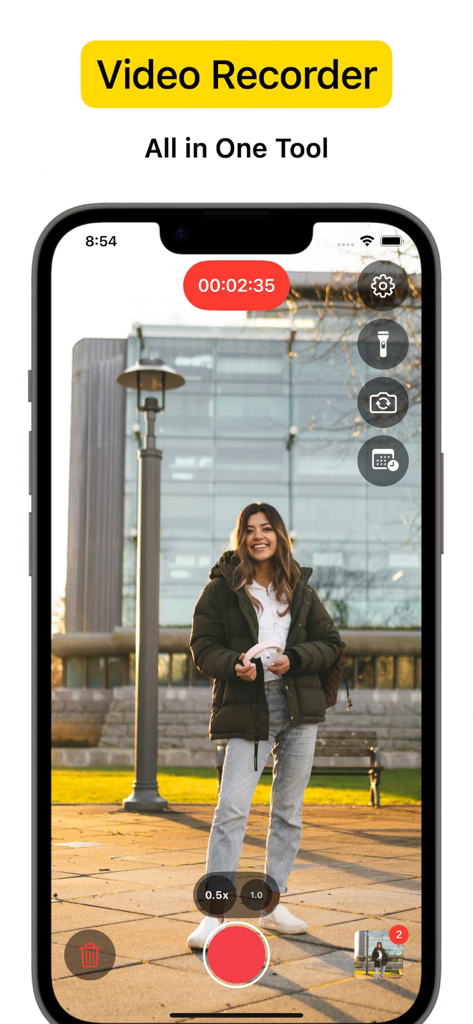
Interface de l'application VideoCam enregistrant une femme debout dans un parc avec les outils de la caméra

Interface de l'application VideoCam enregistrant une femme debout dans un parc avec les outils de la caméra

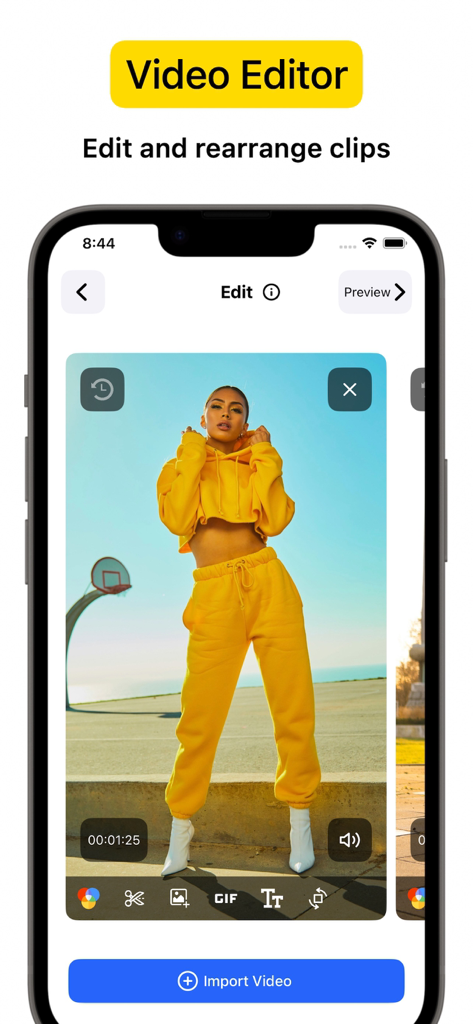
Écran d'iPhone affichant l'interface de l'éditeur vidéo VideoCam Plus avec un clip vidéo et des outils de montage

Écran d'iPhone affichant l'interface de l'éditeur vidéo VideoCam Plus avec un clip vidéo et des outils de montage

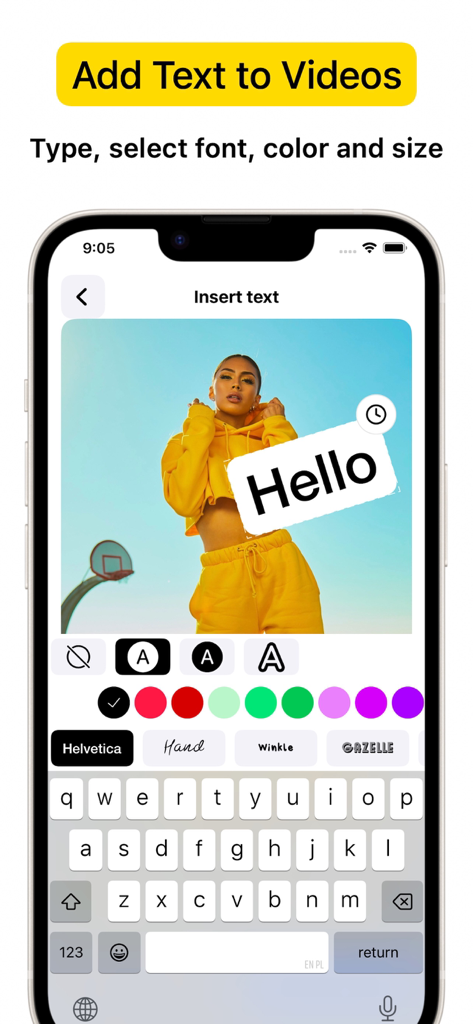
Interface iPhone montrant l'application VideoCam+ ajoutant du texte et des polices personnalisés à un enregistrement vidéo

Interface iPhone montrant l'application VideoCam+ ajoutant du texte et des polices personnalisés à un enregistrement vidéo

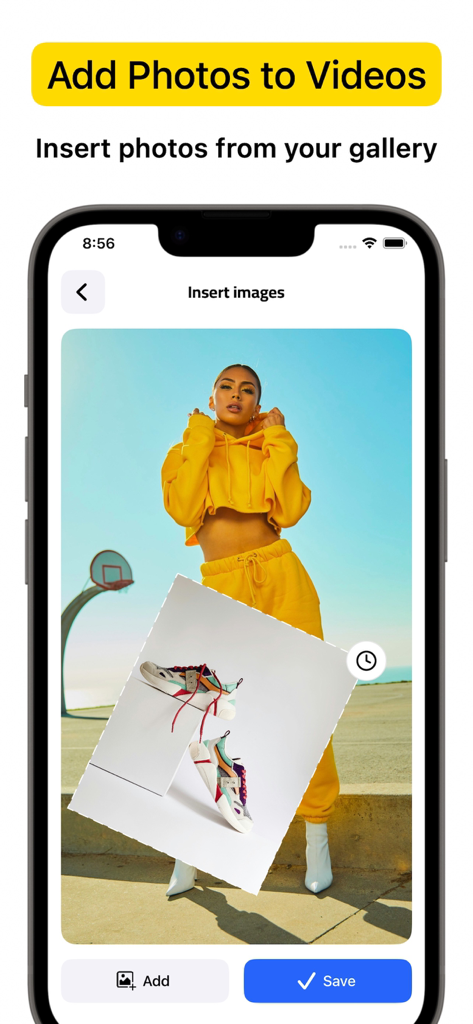
Interface de l'application VideoCam plus montrant comment insérer une photo de la galerie en surimpression sur un enregistrement vidéo

Interface de l'application VideoCam plus montrant comment insérer une photo de la galerie en surimpression sur un enregistrement vidéo

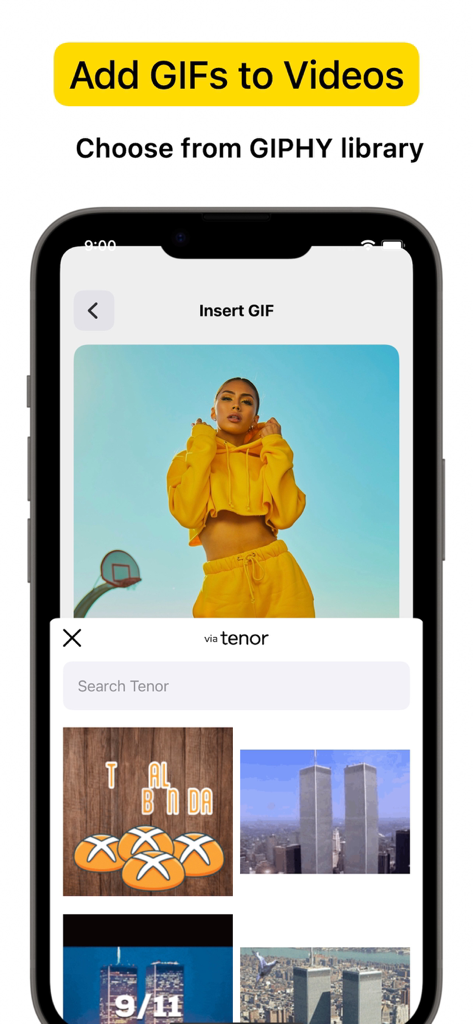
Capture d'écran d'un iPhone affichant l'interface de l'application VideoCam Plus permettant d'insérer des GIF depuis une bibliothèque dans un projet vidéo

Capture d'écran d'un iPhone affichant l'interface de l'application VideoCam Plus permettant d'insérer des GIF depuis une bibliothèque dans un projet vidéo

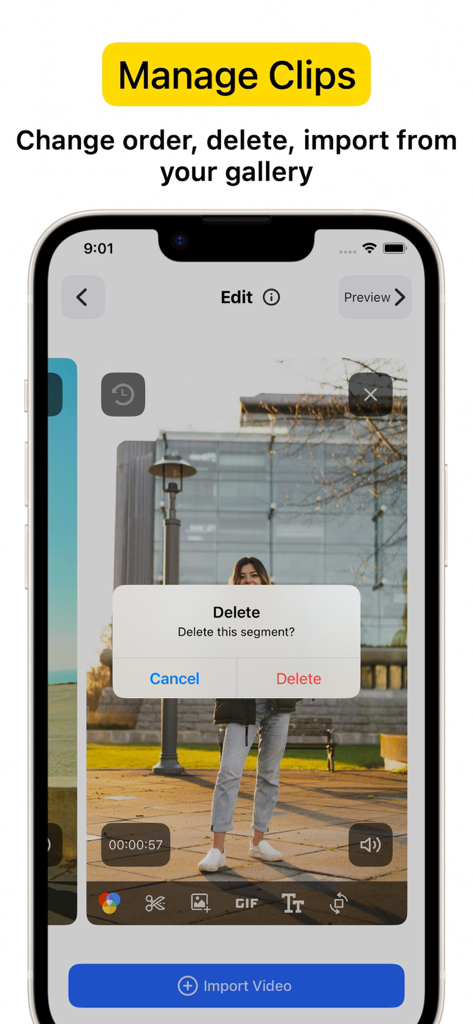
Capture d'écran d'un smartphone affichant l'interface de l'application VideoCam+ avec une boîte de dialogue de confirmation de suppression de clip superposée à un segment enregistré.

Capture d'écran d'un smartphone affichant l'interface de l'application VideoCam+ avec une boîte de dialogue de confirmation de suppression de clip superposée à un segment enregistré.

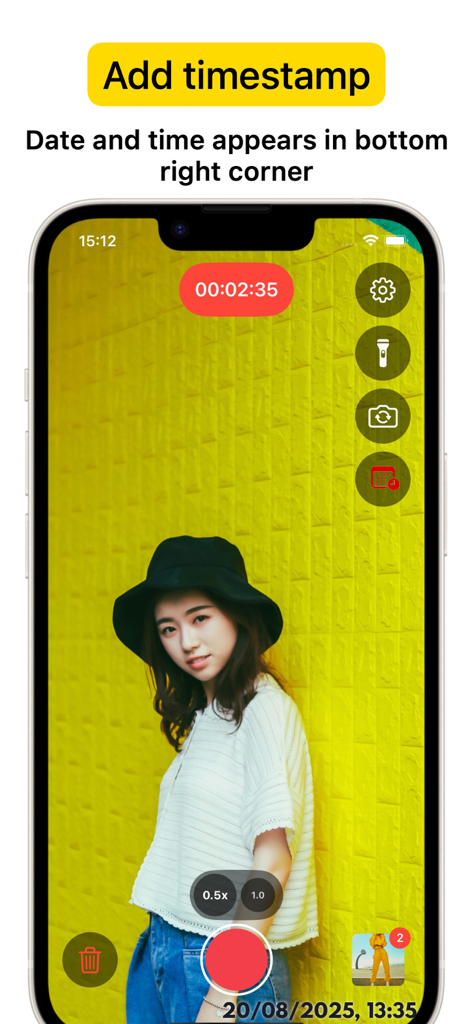
Capture d'écran d'un iPhone affichant l'interface de l'application VideoCam Plus avec une session d'enregistrement et un horodatage (date et heure) dans le coin inférieur droit.

Capture d'écran d'un iPhone affichant l'interface de l'application VideoCam Plus avec une session d'enregistrement et un horodatage (date et heure) dans le coin inférieur droit.

Capturez, créez et marquez en une seule prise

Les outils qui font la différence, choisis par 972K+ utilisateurs.

⏸️

Pause et reprise fluides

Arrêtez et reprenez l'enregistrement instantanément pour capturer l'instant parfait. Créez une vidéo unique et continue, sans avoir à assembler plusieurs clips par la suite.

Superpositions créatives en temps réel

Personnalisez votre contenu pendant le tournage. Ajoutez des logos, du texte ou des GIF amusants directement dans vos vidéos pour que vos tutoriels et vlogs soient prêts pour les réseaux sociaux en quelques secondes.

🕒

Horodatage professionnel et qualité 4K

Immortalisez chaque instant avec une précision 4K d'une netteté exceptionnelle. L'horodatage intégré constitue une preuve de travail essentielle pour les professionnels, les agents immobiliers et les coachs sportifs.

À propos de l'app

Tout ce que vous devez savoir sur VideoCam+ Video Recorder.

Description

Powerful all-in-one Video Recorder & Video Editor lets you create camera video sessions, manage recorded clips and add Text / Image / GIF to video. Video Camera with Timestamp Camera Capture every detail in HD or 4K, with the option to add a timestamp. VideoCam+ functions as an advanced video camera with a built-in timestamp camera. GIF Creation and GIF Integration in Videos Make any moment memorable by creating GIFs directly from your video recordings with this video recorder. The GIF feature lets you add fun elements or GIF animations to your videos for extra creativity, making this video camera perfect for social media, tutorials, or creative vlogging. Add Photos and Text to Your Videos Add photos directly into your video with this video camera to create richer stories. You can also overlay text to highlight details, or add a personal touch to your recorded video. This makes VideoCam+ an excellent camera for tutorials, presentations, and storytelling. Pause and Resume Recording The pause recoding feature lets you stop and resume seamlessly, making this video camera ideal for long-form content. This video camera allows you to pause, which is perfect for continuous content creation. Video Editing with a Flexible Video Recorder Text Overlays and Customizations Overlay text anywhere in your video recordings. This camera allows you to adjust text style, size, and color to match your vision, adding an extra layer of personalization to every recorded video. Why Choose VideoCam+? VideoCam+ is designed for those who want a video camera that does more than basic recording. Its timestamp camera helps create organized, clear memories; its Video to GIF feature adds animated fun; and it supports adding photos and text for professional-quality results. This video camera is perfect for: Vloggers needing continuous recording with a timestamp camera and pause feature. Content Creators who want video editor that integrates GIFs, photos, and text into videos, also Video to GIF. Professional Users requiring a video editor to document events accurately and clearly. FAQ Can I add photos and GIFs to any video? Yes, VideoCam+ allows you to integrate photos and GIFs into your recorded videos, maximizing the capabilities of this recorder. How does the pause work during recording? With this recorder, simply hit pause to stop recording, then resume. VideoCam+ makes every recording session seamless, letting you focus on your creative flow. Does the app support adding timestamps to GIFs? Currently, timestamp apply to video recordings only, but you can easily create GIFs from a timestamp video for a fully branded look. Download VideoCam+ now and turn every moment into a video masterpiece with the most versatile video camera / video editor around. Whether you’re filming, converting Video to GIF, organizing events with a timestamp camera, or adding photos and text to enhance each video, VideoCam+ has everything you need in one powerful recorder to capture, customize, and share your best moments. Start Premium with a free trial. Once the trial is over, you’ll be charged a monthly subscription fee. Premium will automatically renew unless auto-renew is turned off at least 24 hours before the end of the current period. You can go to your Settings > iTunes Account & App Store > Apple ID > Subscriptions to manage your subscription and turn auto-renew off. Your iTunes Account will be charged when the purchase is confirmed. Terms of Use: http://videocam.wiseapps.pl/policies/videocam_tc.html Privacy Policy: http://videocam.wiseapps.pl/policies/videocam_privacy_policy.html

Dernière version

6.3

Taille

20.7 MB

Date de sortie

18 août 2015

Créez votre chef-d'œuvre vidéo en une seule prise.

Rejoignez plus de 15 000 créateurs de contenu de renom. Enregistrez en 4K, profitez de la pause et de la reprise fluides, et ajoutez instantanément des horodatages ou des GIF. Essayez gratuitement dès aujourd'hui !

Télécharger sur App Store

App information, icons, screenshots, and descriptions displayed on this page are sourced from the Apple App Store and are the property of their respective developers. Download estimates and rankings are based on MWM's proprietary models and may not reflect actual figures. This page is provided for informational and analytical purposes only.

Believe this page infringes your intellectual property? File a dispute