Vocal Extractor -Karaoke maker
Télécharger sur App Store

Cette page n'est pas une page officielle de l'application ou de son développeur, mais une publication éditoriale indépendante créée à des fins d'information et de commentaire. Sauf indication expresse contraire, ni l'application ni son développeur ne sont affiliés, approuvés, sponsorisés, autorisés ou autrement officiellement liés à MWM, Apple, Google Play, à l'éditeur de l'application ou au développeur de l'application, et rien sur cette page n'implique que l'application a été développée en utilisant les services de MWM. Toutes les marques, logos, captures d'écran et autres contenus restent la propriété de leurs propriétaires respectifs.

Logo de Vocal Extractor -Karaoke maker
Télécharger sur App Store

Vocal Extractor -Karaoke maker

Transformez n'importe quelle chanson de votre bibliothèque en instrumentaux de qualité studio ou en voix isolées. Propulsé par l'apprentissage profond pour les créateurs, les chanteurs et les DJ.

Chiffres Clés

Téléchargements

369K+

Note

4.3/5

Nombre d'avis

2K+

Éditeur

Hikaru Tsuyumine

Catégorie

Music

Langues

2

Dernière version

5.6

Taille

78.7 MB

Date de sortie

3 nov. 2018
Fonctionnalités

Outils Audio Professionnels pour Chaque Créateur

Transformez n'importe quelle chanson de votre bibliothèque en instrumentaux de qualité studio ou en voix isolées grâce à notre technologie avancée pilotée par l'IA.

Séparation par IA

Allez au-delà du filtrage basique. Notre moteur d'apprentissage profond extrait des voix claires comme du cristal, même à partir d'enregistrements complexes, mono ou décentrés.

Karaoké et Pistes Instantanés

Créez des pistes d'accompagnement parfaites pour l'entraînement ou des voix acapella isolées pour votre prochain remix viral sur les réseaux sociaux en quelques secondes.

Les captures d'écran et la description suivantes proviennent directement de la fiche officielle de l'application sur le store et sont la propriété du développeur.

App Store

Captures
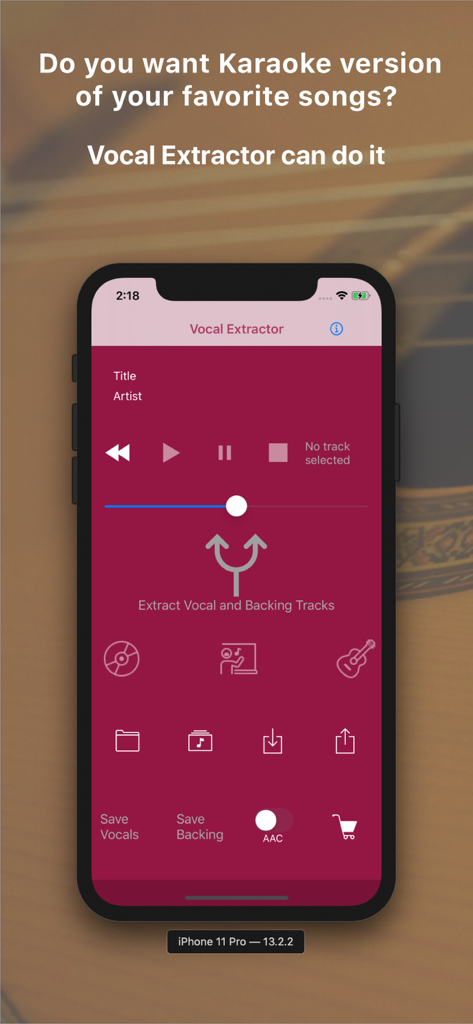
Vocal Extractor -Karaoke maker - Écran principal de l'application Vocal Extractor sur iPhone montrant les options pour séparer les voix et les pistes d'accompagnement pour le karaoké
Écran principal de l'application Vocal Extractor sur iPhone montrant les options pour séparer les voix et les pistes d'accompagnement pour le karaoké

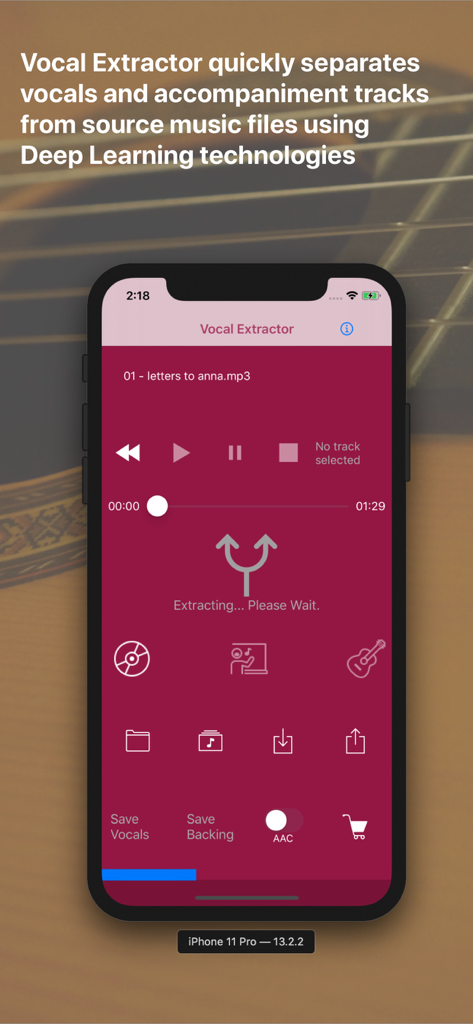
Vocal Extractor -Karaoke maker - Interface de l'application Vocal Extractor montrant la séparation IA des voix et des pistes d'accompagnement
Interface de l'application Vocal Extractor montrant la séparation IA des voix et des pistes d'accompagnement

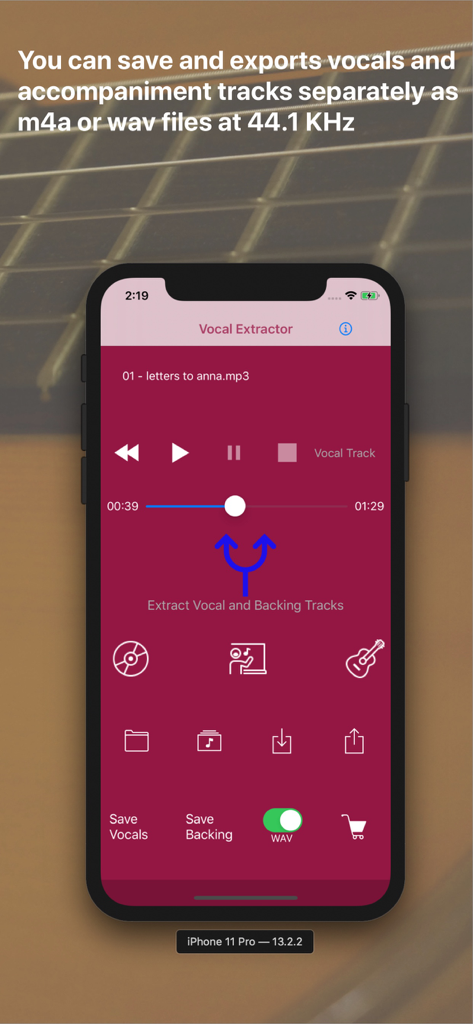
Vocal Extractor -Karaoke maker - Écran de l'application Vocal Extractor montrant les boutons pour extraire et sauvegarder les voix et les pistes d'accompagnement.

Écran de l'application Vocal Extractor montrant les boutons pour extraire et sauvegarder les voix et les pistes d'accompagnement.

Description

Feature Overview Vocal Extractor separates songs in your Music Library into vocals and accompaniment with just a tap of a button on the main screen (*1), instantly creating karaoke and a cappella tracks. The generated vocal and backing (karaoke) tracks can be saved as files and exported to iCloud, Dropbox, Google Drive, and other platforms. This allows you to use the isolated tracks in other applications or on different platforms (*2). Unlike traditional apps based on OOPS (Out of Phase Stereo) technology, Vocal Extractor leverages AI and deep learning to separate vocals from songs, including monaural recordings and tracks where the vocals are not center-panned—cases where traditional apps cannot remove vocals. You can import music files in mp3, m4a, or wav formats from iCloud, Dropbox, Google Drive, and other sources. This includes live recordings created with other apps, allowing you to remove or extract vocals from them. The embedded player allows you to toggle between the original, vocal, or backing tracks while playing the audio. *1. Only songs downloaded to your device and not protected by DRM can be used as source data. *2. Saved output files will have a sampling rate of 44.1kHz and be in m4a or wav format, either mono or stereo. Saving files is an in-app purchase feature. We recommend testing the vocal separation quality in the embedded player before purchasing. How to Use 1.Launch the App After the launch screen, the main screen will appear. Tap the Music Library button, select a song, and load it into the app. 2.Extract Vocals Tap the Vocal Extract button in the center of the main screen. The extraction process will begin, and once completed, the Vocal, Backing, and Save buttons will become active. 3.Playback Tracks Select either the Original, Vocal, or Backing track and tap the Play Back button to listen to the chosen track. 4.Save Tracks After extraction, the Save Vocal and Save Backing buttons will be enabled. The first time you tap one of these buttons, the in-app purchase screen will appear. Before purchasing, we recommend confirming the quality of the vocal separation in the embedded player. Once purchased, the in-app purchase screen will no longer appear, and you can save files after confirming via a pop-up. 5.File Naming Saved files will be named with the original file name (excluding the suffix) plus "_vocal.m4a" or "_backing.m4a". File renaming is not supported in this version. Output files are in 44.1kHz m4a or wav format. 6.Export Files To export files from the app container, tap the Export button. A list of saved files will appear. Select a file and tap the Export menu in the navigation bar. The document provider screen will appear, allowing you to choose a location to save the file. A pop-up will confirm when the export has started successfully. Exporting occurs in the background. 7.Import Source Files You can use m4a, mp3, and wav files as source data. Place these files in iCloud, Dropbox, Google Drive, or another document provider configured on your iPhone. Then, tap the Import button to add the file to the app's container. 8.Load Imported Files After importing a file, tap the File button to see a list of imported files. Select a file and tap the Load menu in the navigation bar to load the content for extraction or playback. 9.Document Provider Compatibility Import and export functions only work with document providers properly configured on your device. For more information, visit http://vocalextractor.com/en/. Some icons used on the main screen are sourced from Icons8. https://icons8.com

Download

Télécharger sur App Store

Cette page n'est pas une page officielle de l'application ou de son développeur, mais une publication éditoriale indépendante créée à des fins d'information et de commentaire. Sauf indication expresse contraire, ni l'application ni son développeur ne sont affiliés, approuvés, sponsorisés, autorisés ou autrement officiellement liés à MWM, Apple, Google Play, à l'éditeur de l'application ou au développeur de l'application, et rien sur cette page n'implique que l'application a été développée en utilisant les services de MWM. Toutes les marques, logos, captures d'écran et autres contenus restent la propriété de leurs propriétaires respectifs.







