VocaLive CS for iPad

VocaLive CS for iPad


Télécharger sur App Store
Logo de VocaLive CS for iPad

VocaLive CS pour iPad : Votre Studio Professionnel et Système Vocal Live

Transformez votre voix avec 12 effets de qualité professionnelle, 20 émulations de microphones légendaires et un puissant studio multipiste conçu pour le créateur et l'interprète moderne.

Télécharger sur App Store

Éditeur

IK Multimedia US, LLC

Catégorie

Music

Téléchargements

222K+

Note

3.3/5

Nombre d'avis

800

Langues

6

L'Interface de l'Inspiration

Découvrez l'interface utilisée par 222K+ utilisateurs.
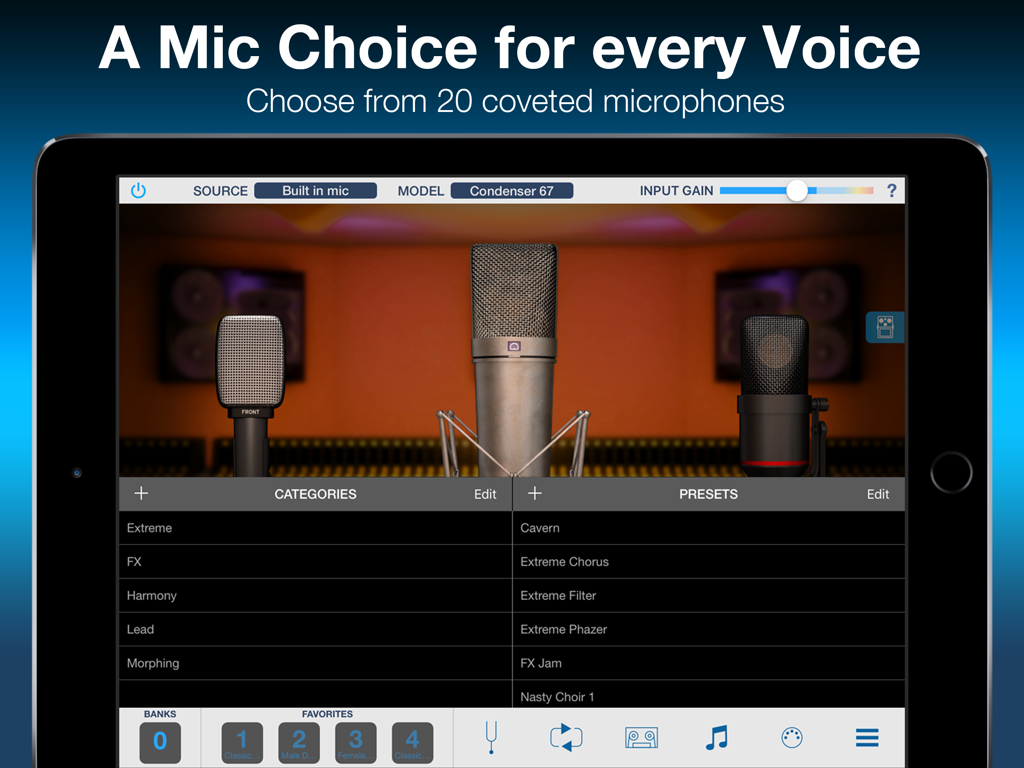
VocaLive CS pour iPad montrant l'interface Mic Room avec des émulations de microphones professionnels et des préréglages d'effets vocaux

VocaLive CS pour iPad montrant l'interface Mic Room avec des émulations de microphones professionnels et des préréglages d'effets vocaux

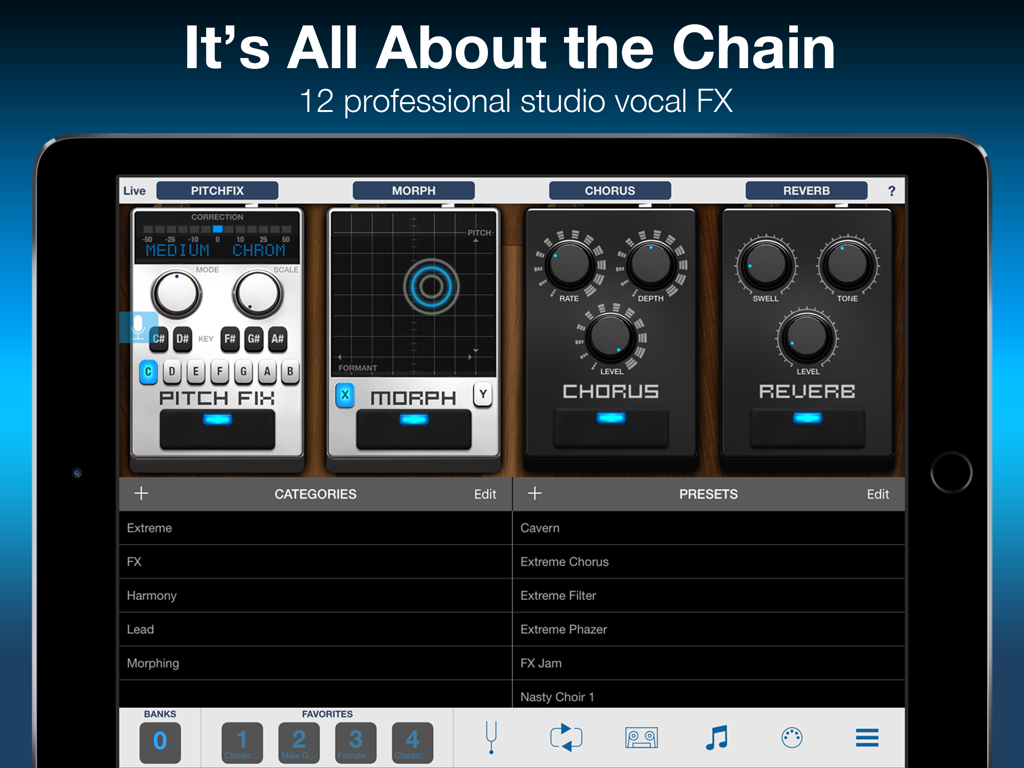
Interface de VocaLive CS pour iPad affichant une chaîne d'effets vocaux professionnels

Interface de VocaLive CS pour iPad affichant une chaîne d'effets vocaux professionnels

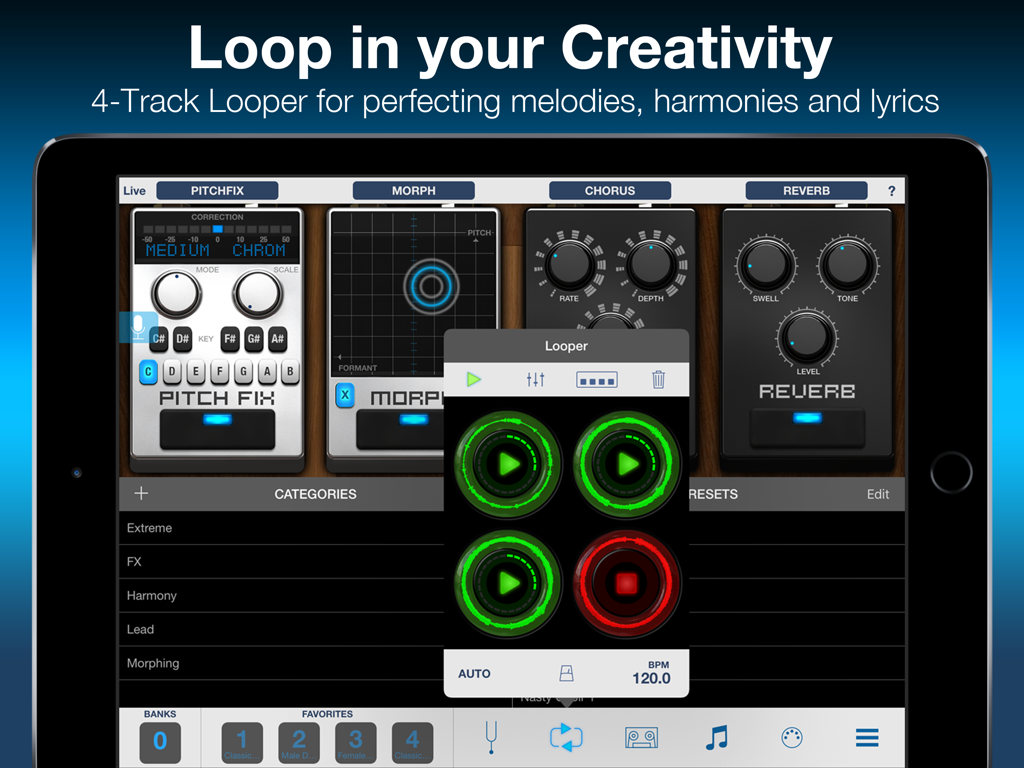
Interface de VocaLive CS pour iPad montrant la superposition de la boucle 4 pistes et les pédales d'effets vocaux comme Pitch Fix et Reverb

Interface de VocaLive CS pour iPad montrant la superposition de la boucle 4 pistes et les pédales d'effets vocaux comme Pitch Fix et Reverb

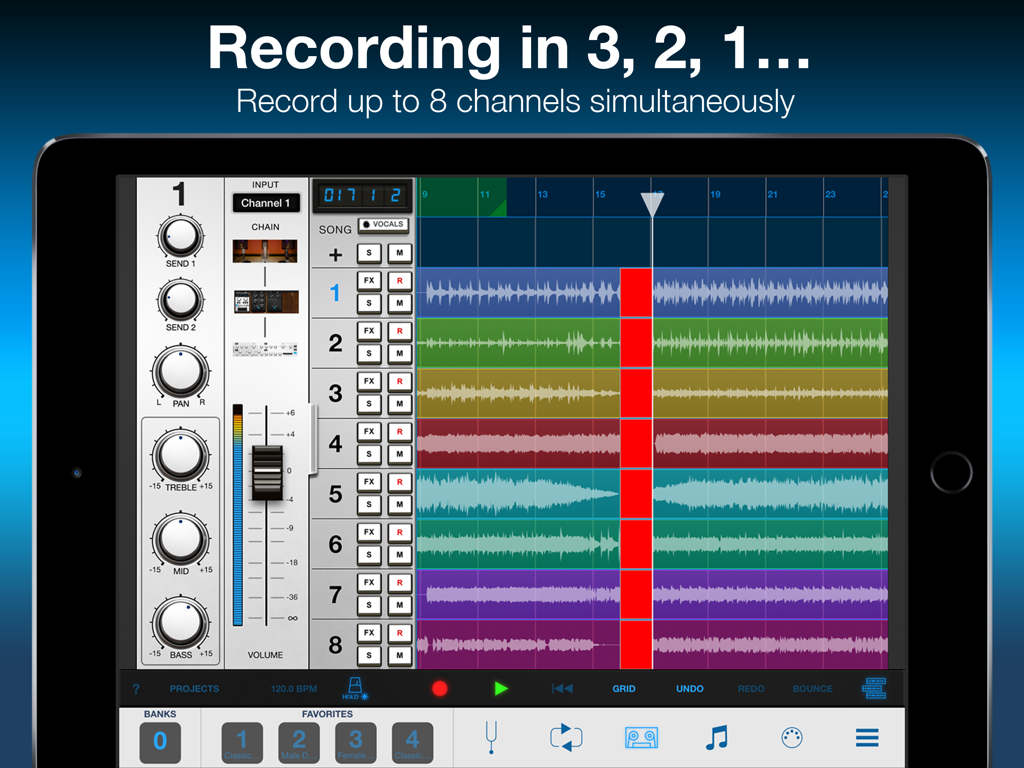
Interface de VocaLive CS pour iPad montrant huit pistes d'enregistrement simultané et les contrôles de la table de mixage

Interface de VocaLive CS pour iPad montrant huit pistes d'enregistrement simultané et les contrôles de la table de mixage

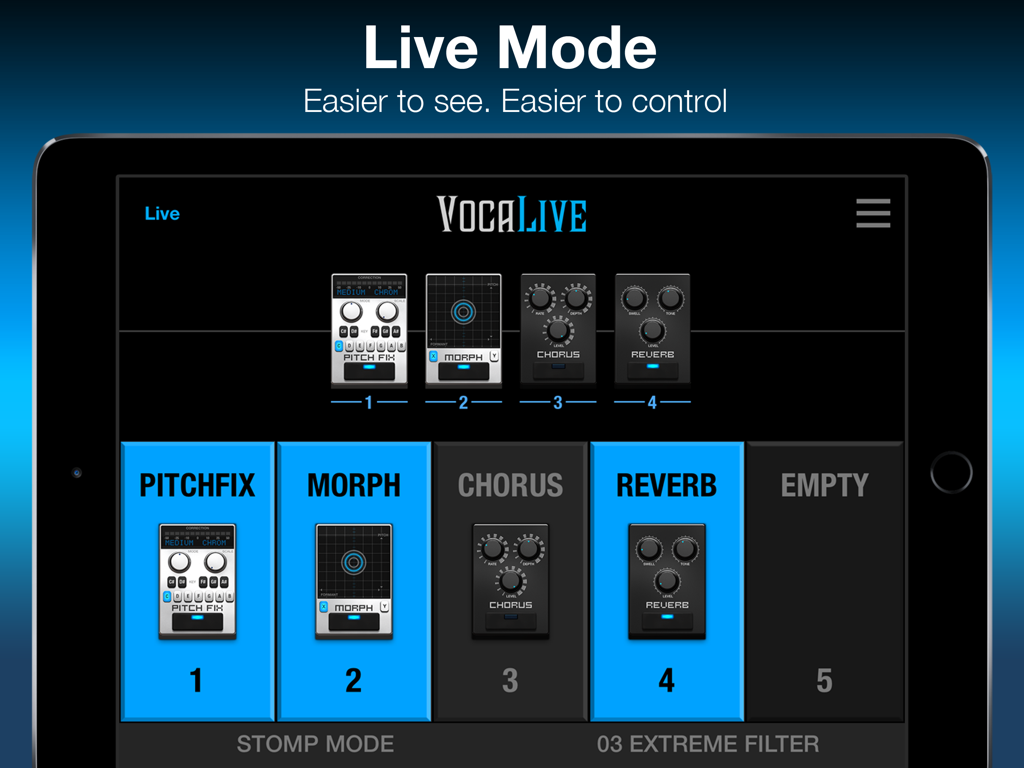
Interface du mode Live de l'application VocaLive CS pour iPad affichant les pédales d'effets vocaux comme Pitch Fix et Reverb.

Interface du mode Live de l'application VocaLive CS pour iPad affichant les pédales d'effets vocaux comme Pitch Fix et Reverb.

Votre Studio Vocal Pro, Partout

Les outils qui font la différence, choisis par 222K+ utilisateurs.

🎤

Effets Vocaux Prêts pour la Radio

Chaînez jusqu'à 4 processeurs de qualité studio comme Pitch Fix et Reverb pour obtenir un son poli et professionnel pour vos enregistrements et vos reprises.

🏟️

Conçu pour la Scène

Dominez les projecteurs avec un mode Live dédié et la prise en charge MIDI, vous permettant de contrôler votre système vocal complet à mains libres pendant les performances.

🎙️

Modélisation de Microphone Iconique

Accédez instantanément au son et à la couleur de 20 microphones de studio légendaires avec Mic Room, donnant à votre iPad la puissance d'une cabine vocale haut de gamme.

Analyse des avis

Insights à partir des avis utilisateurs.

Score de sentiment

28%
Négatif

Résumé

The VocaLivePadF app receives overwhelmingly negative feedback, with numerous users reporting critical issues such as app crashes and complete non-functionality, particularly after iOS updates (v3.1.2 on iOS 12.5.7, iOS 15, iOS 16, iOS 14.3, iOS 13.2.3). Many expressed frustration over an aggressive in-app purchase model, often requiring re-buying previously owned content or making the "free" version unusable. Complaints also highlight a severe lack of developer updates and unresponsive customer support, leading to costly purchases becoming defunct. While some acknowledged the app's potential as a "full-featured vocal recorder and live performance app" in the past, its current state is widely considered unreliable and disappointing.

Thèmes récurrents

iOS Compatibility / Crashes(22)
In-App Purchases / Value(19)
App Updates & Support(13)
Core Vocal Features(7)
Integration Issues(7)
Audio Performance(4)

À propos de l'app

Tout ce que vous devez savoir sur VocaLive CS for iPad.

Description

VocaLive provides singers and vocalists with a suite of 12 real-time professional vocal effects, along with a range of tools to help you practice, sing and record. The effects can be combined into a chain of 4 processors and saved as presets. A collection of 55 presets is included to get you up and running immediately. VocaLive CS for iPad comes with the Reverb effect, and upon registration the Double effect is unlocked. You can add 10 additional effects à la carte from a selection that includes Pitch Fix (for tuning or stylized FX), Choir, Morph, De-Esser, Delay, Parametric EQ, Compressor, Chorus, Phazer and Envelope Filter. Together these effects provide unparalleled creative processing power. With VocaLive you can process your voice, sing along to any song in your iTunes Music library — its Voice Cancel feature lets you remove existing vocals — and warm up with helpful vocal warm-up tools. Use the new 2-track recorder to sing over backing tracks, or expand the studio section (available via in-app purchase) to record whole songs. With the optional Mic Room feature, VocaLive also gives you the sound and color of 20 classic and modern studio microphone emulations, for even more control over your vocal tone. Ready to perform? VocaLive’s new Live Mode offers an optimized GUI specifically for live. See your entire chain at a glance, with all the settings and controls you need in an easy-to-read format designed for the stage. Plus VocaLive offers an optional 4-track looper to easily create songs, harmonies and more on the fly. For best quality, use VocaLive with IK’s iRig Mic range of microphones, from handheld to studio condenser mic. Or connect your favorite 3rd party mic using our iRig Pre interfaces. But you can also have fun with it and record quick ideas using the built-in microphone on your iPad or earbuds. Control your virtual rig just as easily as you would a traditional vocal multiFX with new iRig Stomp I/O integration, so you can change presets, control effects and more right from your feet. Or go wireless with iRig Blueboard, a wireless Bluetooth controller for basic control on the go. VocaLive also supports Core Audio and Core MIDI so you can use any compatible third-party interface or MIDI controller, and Audiobus and Inter-App Audio compatible, letting you use it alongside your favorite recording or songwriting apps. VocaLive CS for iPad features: • Real time vocal processor + recording app • 4-processor vocal effects chain • 12 professional studio-quality effects available - 2 included • Mic Room microphone with 20 classic and modern studio mic emulations* • Includes metronome and vocal warm-up tools • 4-track looper section* • 2-track recorder (expandable to a full 8-track recording studio*) • Import and play songs directly from your Music library or computer • Voice Cancel lets you create sing-along backing tracks by removing the vocal track from existing recordings • Simultaneous multi-track recording • Studio section (included with Recorder) with waveform visualization and editing, touch-and-drag looping, normalization, punch-in/punch-out recording, simultaneous multi-track recording support and more • AutoFreeze (allows each track to have its own full effects chain) • Live Mode shows you your entire rig at a glance, with all the parameters you need on stage easily accessible • 55 presets included with 4 Favorites for fast recall • MIDI controllable and with built-in integration for iRig Stomp I/O, iRig Blueboard and other controllers • Audiobus & Inter-App Audio support • Full version available * available via in-app purchase IMPORTANT: AmpliTube users can add the effects processors from VocaLive to their AmpliTube app using the “Restore my purchases” option in the in-app menu. For more information: www.ikmultimedia.com/vocaliveipad Accessories information: www.ikmultimedia.com

Dernière version

3.1.3

Taille

186.0 MB

Date de sortie

9 nov. 2011

Transformez Votre iPad en Studio Vocal Professionnel

Rejoignez plus de 220 000 créateurs et interprètes. Téléchargez VocaLive CS gratuitement et commencez dès aujourd'hui à créer votre son signature avec des effets de qualité studio.

Télécharger sur App Store

App information, icons, screenshots, and descriptions displayed on this page are sourced from the Apple App Store and are the property of their respective developers. Download estimates and rankings are based on MWM's proprietary models and may not reflect actual figures. This page is provided for informational and analytical purposes only.

Believe this page infringes your intellectual property? File a dispute